
1. Introduction
Thank you for choosing the Haulvean I155 Military Smart Watch. This device is designed to enhance your daily activities with features such as call management, extensive sport modes, and comprehensive fitness tracking. This manual provides detailed instructions to help you set up, operate, and maintain your new smartwatch effectively.
2. Package Contents
Please verify that all items are present in your package:
- Haulvean I155 Military Smart Watch
- Charging Cable
- User Manual (this document)
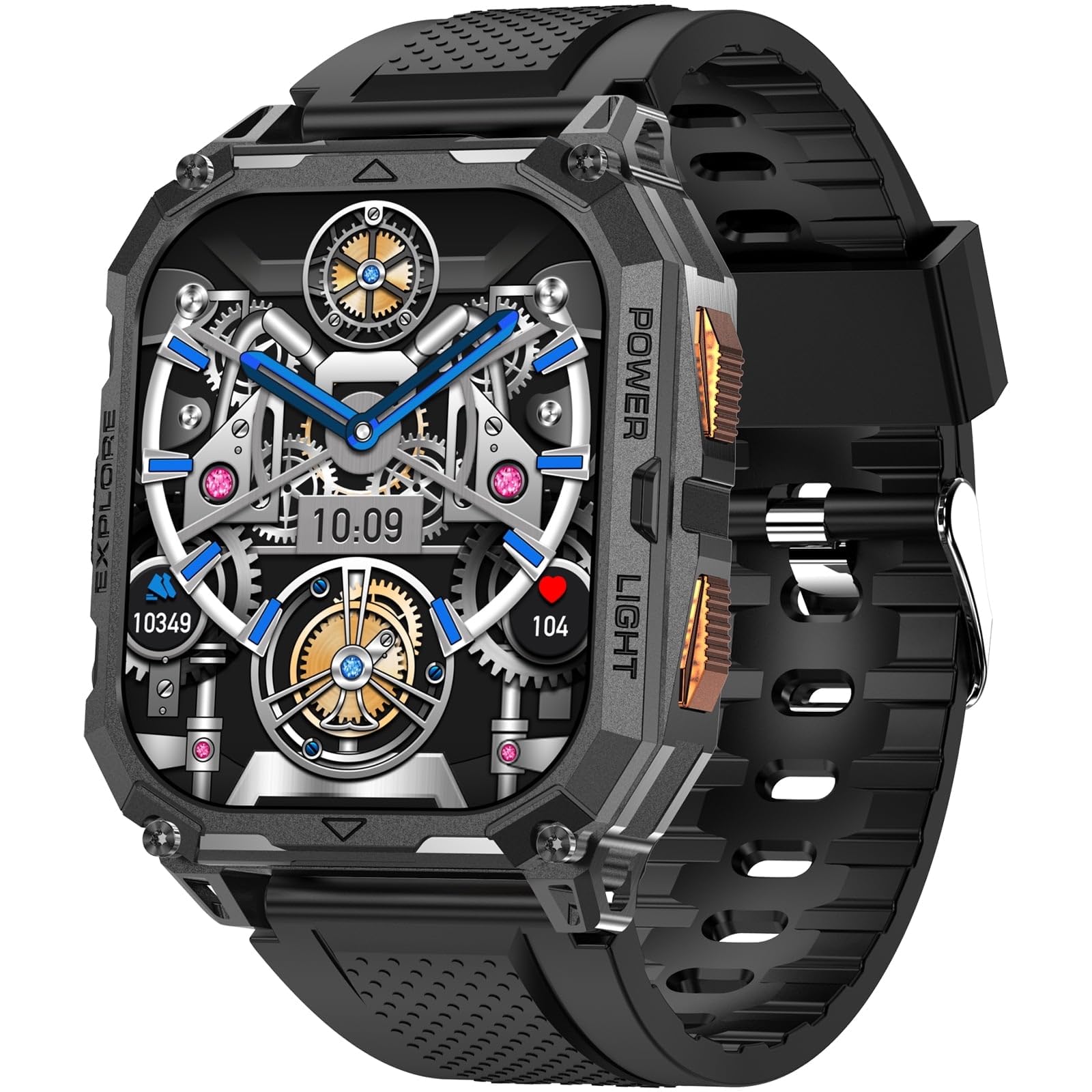
Image 2.1: The Haulvean I155 Military Smart Watch with its charging cable and user manual. This image illustrates the complete contents typically found in the product packaging.
3. Setup
3.1. Charging the Smart Watch
Before initial use, fully charge your Haulvean I155 Smart Watch. Connect the magnetic charging cable to the charging contacts on the back of the watch and plug the USB end into a standard USB power adapter (not included) or a computer USB port.
- A full charge typically takes approximately 2-3 hours.
- The watch display will indicate charging status.

Image 3.1: The Haulvean I155 Smart Watch connected to its magnetic charging cable. Ensure the pins align correctly for proper charging.
3.2. Power On/Off
- To Power On: Press and hold the side button for 3-5 seconds until the Haulvean logo appears.
- To Power Off: Press and hold the side button, then select 'Power Off' on the screen, or navigate to 'Settings' > 'System' > 'Power Off'.
3.3. App Installation and Pairing
To unlock the full potential of your Haulvean I155 Smart Watch, download and install the companion application on your smartphone. The app is compatible with both Android and iPhone devices.
- Scan the QR code provided in the watch interface (usually found in 'Settings' > 'App Download') or search for the official Haulvean app in your phone's app store (Google Play Store for Android, Apple App Store for iPhone).
- Install the application.
- Open the app and follow the on-screen instructions to create an account or log in.
- Enable Bluetooth on your smartphone.
- In the Haulvean app, navigate to 'Device' or 'Add Device' and select your Haulvean I155 from the list of available devices.
- Confirm the pairing request on both your smartphone and the watch.
Once paired, the watch will synchronize data with your phone, and you can customize settings, view detailed fitness data, and receive notifications.
4. Operating the Smart Watch
4.1. Basic Navigation
- Touch Screen: Swipe up, down, left, or right to navigate through menus and screens. Tap to select an item.
- Side Button: Press once to return to the home screen or wake the screen. Press and hold for power options or to access a shortcut menu (customizable in settings).
4.2. Answer/Make Calls
After successful pairing with your smartphone, the Haulvean I155 allows you to manage calls directly from your wrist.
- Answering Calls: When an incoming call is received, the watch will display the caller ID. Tap the green phone icon on the screen to answer.
- Making Calls: Access the 'Dialer' or 'Contacts' app on your watch. You can dial a number directly or select a contact to initiate a call. The call audio will be routed through the watch's speaker and microphone.
- Ending Calls: Tap the red phone icon on the watch screen to end a call.
4.3. Sport Modes
The Haulvean I155 supports over 100 sport modes to accurately track your physical activities. To access:
- Swipe on the watch face to find the 'Workout' or 'Sport' app.
- Tap to open and browse through the available sport modes (e.g., running, cycling, swimming, hiking).
- Select your desired activity and tap 'Start' to begin tracking.
- During the activity, the watch will display real-time data such as duration, heart rate, calories burned, and distance.
- Tap 'Pause' or 'End' to stop and save your workout data.
4.4. Fitness Tracking
The watch continuously monitors various fitness metrics throughout your day.
- Steps: Tracks your daily step count.
- Distance: Estimates the distance covered based on your steps.
- Calories: Calculates calories burned.
- Heart Rate: Monitors your heart rate periodically or continuously (setting dependent).
- Sleep Monitoring: Tracks sleep patterns when worn during sleep.
Detailed historical data and insights can be viewed within the companion smartphone application.
5. Maintenance
5.1. Cleaning the Smart Watch
- Wipe the watch screen and body with a soft, lint-free cloth.
- For stubborn dirt, slightly dampen the cloth with water. Avoid using harsh chemicals or abrasive materials.
- Clean the charging contacts regularly to ensure proper connection.
- If the watch band is removable, clean it separately according to its material type.
5.2. Battery Care
The Haulvean I155 features a 1000mAh battery. To maximize battery life and longevity:
- Avoid extreme temperatures (very hot or very cold) which can degrade battery performance.
- Do not allow the battery to fully discharge frequently. Charge it before it reaches critically low levels.
- If storing the watch for an extended period, charge it to about 50% and power it off. Recharge every few months to prevent deep discharge.
6. Troubleshooting
| Problem | Possible Solution |
|---|---|
| Watch does not power on. | Ensure the watch is fully charged. Connect to the charger for at least 30 minutes. |
| Cannot pair with smartphone. | Ensure Bluetooth is enabled on your phone. Restart both the watch and phone. Make sure the watch is not already paired with another device. Check app permissions. |
| Inaccurate fitness data. | Ensure the watch is worn snugly on your wrist. Calibrate stride length in the app if available. Update the app and watch firmware. |
| Notifications not received. | Check app notification settings on both the watch and phone. Ensure the app has necessary permissions to access notifications. Maintain a stable Bluetooth connection. |
| Call audio issues. | Ensure the watch's microphone and speaker are not obstructed. Check Bluetooth connection stability. Adjust volume settings on the watch. |
7. Specifications
| Feature | Detail |
|---|---|
| Model Number | I155 |
| Brand | Haulvean |
| Display Size | 2.01 inch |
| Battery Capacity | 1000mAh |
| Operating System | Wear OS 1.1 |
| Special Feature | Activity Tracker |
| GPS | No GPS |
| Compatible Devices | Smartphone (Android and iPhone) |
| UPC | 607603387585 |
8. Warranty and Support
The Haulvean I155 Military Smart Watch comes with a standard manufacturer's warranty. Please refer to the warranty card included in your product packaging for specific terms and conditions, including warranty duration and coverage details.
For technical support, troubleshooting assistance, or warranty claims, please contact Haulvean customer service through the official website or the contact information provided in your product documentation. When contacting support, please have your model number (I155) and proof of purchase readily available.