
1. Introduction
Thank you for choosing the HALIDODO 35.4'' x 17'' Red Light Therapy Mat. This device is designed to provide targeted red light and near-infrared light therapy for various body areas. It features 500 high-intensity LEDs with dual wavelengths (660nm red light and 850nm near-infrared light), adjustable heat levels, and a customizable timer for a personalized experience. Please read this manual thoroughly before use to ensure safe and effective operation.
2. Safety Information
Important Safeguards:
- Consult with a healthcare professional before using this device if you have any medical conditions, are pregnant, or are taking medications.
- Do not use on broken skin, open wounds, or areas with skin infections.
- Avoid direct eye exposure to the LED lights. Protective eyewear is recommended.
- Keep the device dry. Do not immerse in water or use in wet environments.
- Unplug the device when not in use and before cleaning.
- Keep out of reach of children and pets.
- Statements regarding dietary supplements have not been evaluated by the FDA and are not intended to diagnose, treat, cure, or prevent any disease or health condition.
3. Package Contents
Verify that all items are present in your package:
- Red Light & Near Infrared Light Therapy Pad (35.4'' x 17'')
- Power Adapter
- Controller
- Instruction Manual
- Extension Strap

Figure 3.1: Package Contents
4. Product Overview
The HALIDODO Red Light Therapy Mat is designed for comprehensive body coverage and features advanced technology for optimal performance.
Key Features:
- Oversized Mat: 35.4" x 17" for full-back, waist, shoulders, hips, and knee coverage.
- 500 High-Intensity LEDs: Equipped with advanced triple-chip technology.
- Dual Wavelengths: 660nm (red light) and 850nm (near-infrared light) for deep penetration.
- 5 Heat Levels: Customizable temperature settings from soft warmth to deep heat.
- 10-90 Minute Timer: Auto-shutoff timer for safe and controlled sessions.
- Dual Pulse Modes: 10Hz for gentle calming and 40Hz for invigorating comfort.
- Easy-Clean Material: Soft, odor-free, and simple to wipe clean.
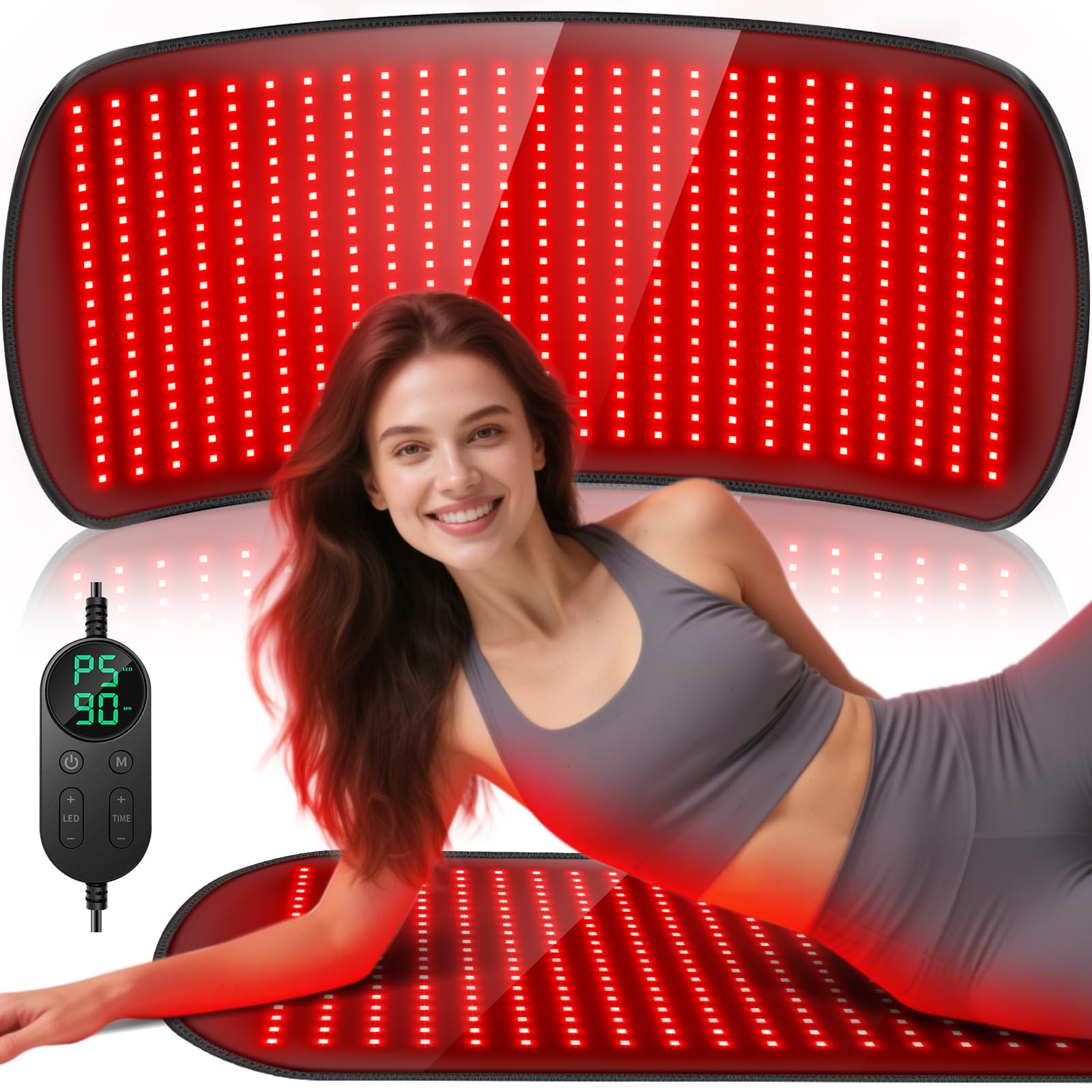
Figure 4.1: HALIDODO Red Light Therapy Mat in use

Figure 4.2: Deep-Penetrating Red Light Therapy Wavelengths
5. Setup
Follow these steps to set up your Red Light Therapy Mat:
- Unpack: Carefully remove the therapy mat and all accessories from the packaging.
- Connect Controller: Plug the controller cable into the mat's connection port. Ensure a secure connection.
- Connect Power Adapter: Plug the power adapter into the controller.
- Power On: Insert the power adapter into a standard electrical outlet. The controller display should light up.
- Position Mat: Place the mat on a flat, comfortable surface where you intend to use it (e.g., couch, bed, floor). You can use the extension strap to secure it around specific body parts like the waist or knee.

Figure 5.1: Targeted Relief on Various Body Parts
6. Operating Instructions
The controller allows you to customize your therapy session.
Controller Functions:
- Power Button (⑁): Press to turn the device ON/OFF.
- LED Button (LED): Press to cycle through pulse modes (10Hz, 40Hz, or continuous).
- Mode Button (M): Press to adjust the heat level (P1-P5).
- Timer Button (TIME): Press to set the auto-shutoff timer (10-90 minutes).
- +/- Buttons: Use to increase or decrease settings for heat levels and timer.
Using the Mat:
- Turn On: Press the Power button (⑁) on the controller. The default settings will appear.
- Set Heat Level: Press the 'M' button to select a heat level from P1 (lowest) to P5 (highest). Use the +/- buttons to adjust.
- Select Pulse Mode: Press the 'LED' button to choose between 10Hz pulse, 40Hz pulse, or continuous light.
- Set Timer: Press the 'TIME' button and use the +/- buttons to set your desired session duration (10-90 minutes). The device will automatically shut off after the set time.
- Begin Session: Position the mat on the desired body area. Relax and enjoy the therapy.
- Recommended Usage: For best results, use for three 30-minute sessions per week.

Figure 6.1: Controller and Timer Settings

Figure 6.2: 10Hz and 40Hz Pulse Modes
7. Maintenance
Proper care ensures the longevity of your therapy mat.
- Cleaning: The mat is made from an easy-clean material. Wipe the surface with a soft, damp cloth. Do not use harsh chemicals or abrasive cleaners.
- Storage: Store the mat in a cool, dry place away from direct sunlight when not in use. Avoid folding or creasing the mat sharply to prevent damage to internal components.
- Inspection: Regularly inspect the mat, power cord, and controller for any signs of damage. Do not use if damaged.

Figure 7.1: Easy-Clean Material
8. Troubleshooting
If you encounter issues with your HALIDODO Red Light Therapy Mat, refer to the following common problems and solutions:
| Problem | Possible Cause | Solution |
|---|---|---|
| Device does not turn on. | Power cord not properly connected; Power outlet not working. | Ensure all cables are securely connected. Try a different power outlet. |
| Lights are dim or flickering. | Low power supply; Faulty connection. | Ensure the power adapter is correctly plugged in. Contact customer support if the issue persists. |
| Mat is not heating up. | Heat level not selected; Device malfunction. | Ensure a heat level (P1-P5) is selected on the controller. If still no heat, contact customer support. |
| Controller display is blank. | No power; Controller malfunction. | Check power connections. If power is confirmed, contact customer support. |
If you experience any issues not listed here or if the suggested solutions do not resolve the problem, please contact HALIDODO customer support.
9. Specifications
| Feature | Detail |
|---|---|
| Model | 35.4'' x 17'' Red Light Therapy Mat |
| Dimensions | 35.4'' x 17'' (Mat) |
| LED Count | 500 High-Intensity LEDs (Tri-Chip) |
| Wavelengths | 660nm (Red Light) & 850nm (Near-Infrared Light) |
| Total Output | 60W |
| Heat Levels | 5 Adjustable Levels |
| Timer | 10-90 Minute Auto-Shutoff |
| Pulse Modes | 10Hz / 40Hz |
| Material | Soft, Odor-Free, Easy-Clean |
| Package Dimensions | 17.36 x 8.86 x 3.66 inches |
| Package Weight | 3.42 pounds |
| Manufacturer | HALIDODO |
10. Warranty and Support
HALIDODO is committed to providing high-quality products and excellent customer service.
- 1-Year Warranty: Your HALIDODO Red Light Therapy Mat is backed by a 1-year warranty from the date of purchase, covering manufacturing defects.
- 30-Day Return Policy: Enjoy a 30-day return period for your peace of mind.
- Customer Support: For any questions, concerns, or warranty claims, please contact our 24/7 professional customer support team. Refer to the product packaging or our official website for contact details.

Figure 10.1: Warranty and Customer Support Information