1. Introduction
Thank you for choosing the Homary 3-Drawer LED Smart Nightstand. This modern bedside table is designed to enhance your bedroom with smart charging capabilities, adjustable LED lighting, and ample storage. Please read this manual thoroughly before assembly and use to ensure safe and optimal performance of your new nightstand.
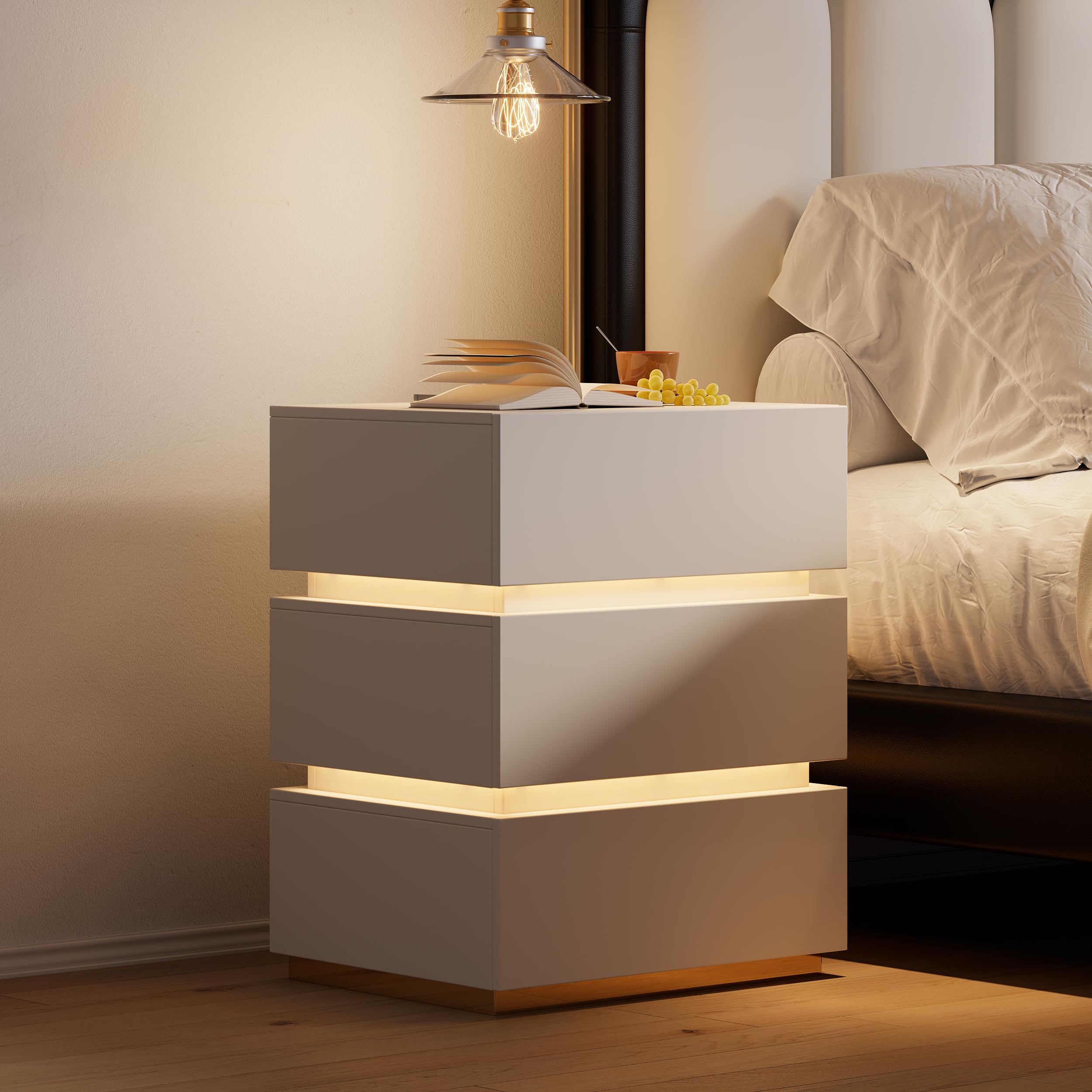
The Homary 3-Drawer LED Smart Nightstand, showcasing its sleek design and integrated features.
2. Safety Information
Please observe the following safety precautions to prevent injury or damage to the product:
- Keep all small parts and packaging materials away from children.
- Ensure all connections are secure before using the charging features.
- Do not overload electrical outlets.
- Place the nightstand on a flat, stable surface.
- Do not stand or sit on the drawers.
- Assembly and usage safety warnings are likely present; refer to the included Assembly Guide for specific details.
3. Package Contents
Verify that all components are present before beginning assembly. Refer to the Assembly Guide for a detailed list and illustrations.
- Nightstand Panels (MDF)
- Drawer Slides (Left and Right)
- Hardware Pack (screws, cam bolts, cam locks, dowel pins)
- LED Light Strip
- Power Outlet Unit (with Wireless Charger, USB, Type-C ports)
- Remote Control for LED Light
- Assembly Guide

Ensure all parts are accounted for before assembly.
4. Setup and Assembly
Assembly is required for this nightstand. It is recommended that two people assemble the unit. Please follow the step-by-step instructions provided in the included Assembly Guide. Recommended tools for assembly include an Allen Key, Screwdriver, and Wrench.
Assembly Overview:
- Unpack all components and lay them out on a clean, soft surface to prevent scratches.
- Identify each part using the Assembly Guide.
- Assemble the main frame of the nightstand.
- Install the drawer slides onto the nightstand frame and the drawer boxes.
- Assemble the three drawers and insert them into the frame.
- Install the LED light strip and connect the power outlet unit.
- Connect the nightstand to a power source.
Video demonstrating the assembly process and features of the Homary Smart Nightstand.
5. Operating Instructions
5.1 Smart Charging Features
The nightstand is equipped with a wireless charging pad, USB ports, and a Type-C port for convenient device charging.
- Wireless Charging: Place your Qi-compatible smartphone or device directly onto the designated wireless charging pad on the top surface. Ensure the device is centered for optimal charging.
- USB & Type-C Ports: Connect your devices using appropriate cables to the USB and Type-C ports located on the top surface.

Utilize the integrated wireless charging pad and USB/Type-C ports for your devices.
Video demonstrating the charging capabilities of the Homary Smart Nightstand.
5.2 LED Light Operation
The built-in LED light offers adjustable brightness and color options to create your desired ambiance.
- Adjust Brightness: Long press the button on the top surface of the nightstand to cycle through brightness levels (20%, 40%, 60%, 80%, 100%).
- Change Color/Mode: Use the provided remote control to select different colors and lighting modes.

Adjust the LED light brightness by long-pressing the control button.
Video showcasing the 3-drawer nightstand with charger station and LED lights.
5.3 Drawer Usage
The three spacious drawers provide organized storage for your personal items.
- The drawers feature advanced slides for quiet and seamless access.
- Pull gently to open and push firmly to close.

Three spacious drawers offer ample storage.
6. Maintenance
To maintain the appearance and longevity of your nightstand:
- Wipe with a dry cloth regularly to remove dust.
- Avoid using harsh chemicals or abrasive cleaners, as these may damage the finish.
- Keep the nightstand away from direct sunlight and excessive moisture.
7. Troubleshooting
If you encounter any issues with your Homary Smart Nightstand, please refer to the following common solutions:
- No Power: Ensure the power cord is securely plugged into both the nightstand and a working wall outlet. Check if the outlet is active.
- Wireless Charging Not Working: Verify that your device is Qi-compatible and correctly centered on the charging pad. Remove any thick phone cases that might interfere with charging.
- USB/Type-C Ports Not Charging: Check the connection of your charging cable to both the device and the nightstand port. Try a different cable or device to isolate the issue.
- LED Light Not Responding: Ensure the nightstand is powered on. If using the remote, check its battery. Try adjusting brightness or color directly from the nightstand's button.
- Drawers Sticking: Ensure the drawer slides are clean and free of obstructions. Avoid overloading drawers beyond the recommended weight capacity.
8. Specifications
| Feature | Detail |
|---|---|
| Brand | homary |
| Model Number | JJ657082KP |
| Product Dimensions | 15.7"D x 19.7"W x 23.8"H |
| Item Weight | 62 Pounds |
| Maximum Weight Recommendation | 35 Pounds |
| Frame Material | MDF; Stainless Steel |
| Top Material Type | Engineered Wood |
| Number of Drawers | 3 |
| Charging Features | Wireless Charging, USB Ports, Type-C Port |
| LED Light | Adjustable Brightness and Color (via remote) |
| Required Assembly | Yes |
| Product Care Instructions | Wipe with Dry Cloth |
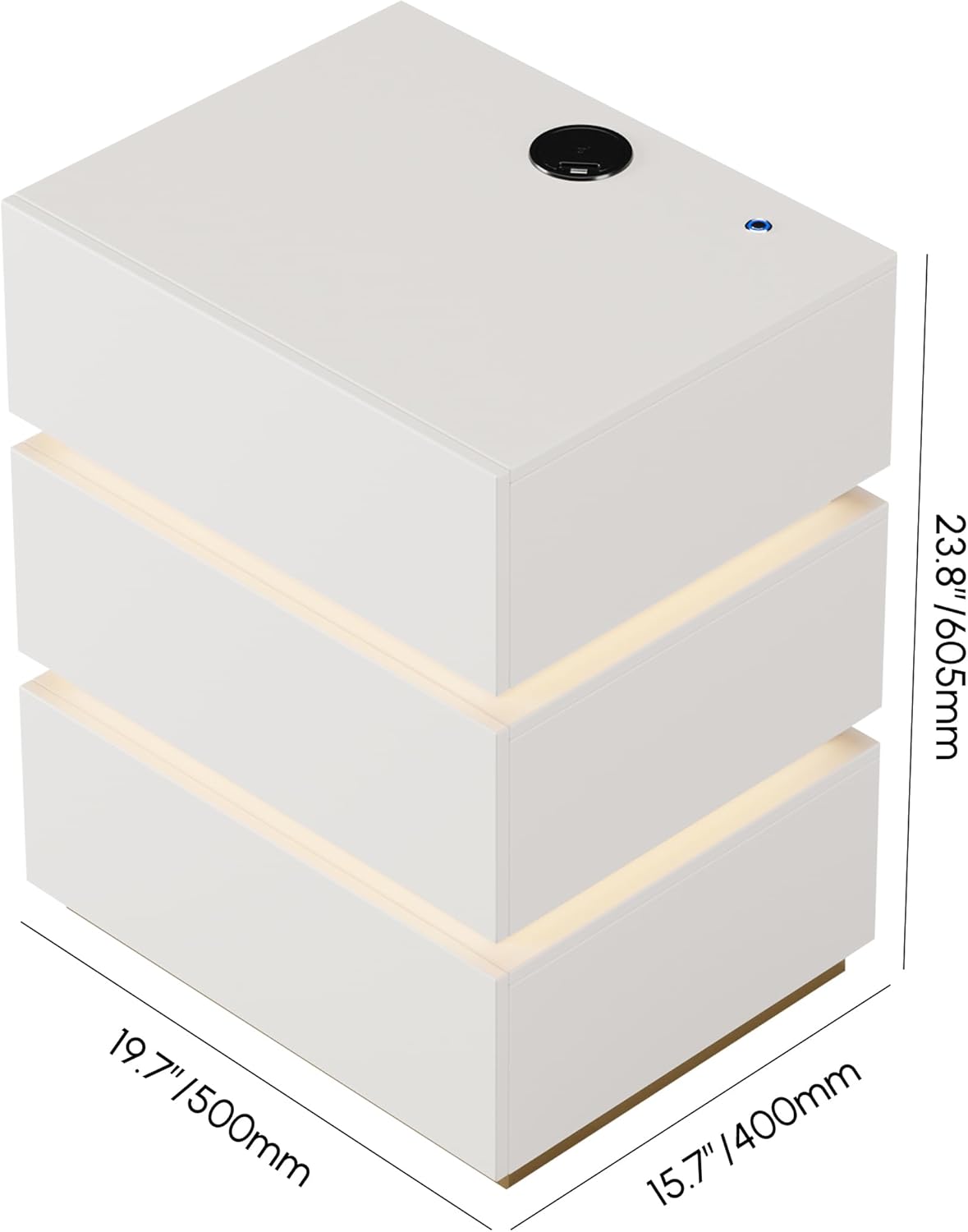
Detailed dimensions of the nightstand.
9. Warranty and Support
Your Homary 3-Drawer LED Smart Nightstand comes with a limited warranty. For specific details regarding warranty coverage, please refer to the terms and conditions provided at the time of purchase or contact Homary customer service.
Customer Support:
If you have any questions, require assistance with assembly, or need to report a defect, please contact Homary customer support:
- Email: service@homary.com
- Please provide your order number when contacting via email.

Homary customer support contact details.


