
FOUSAE B0FRRMW9K2
FOUSAE Walking Pad Treadmill (Model B0FRRMW9K2) - User Manual
Comprehensive instructions for safe and effective use.
1. Introduction
Thank you for choosing the FOUSAE Walking Pad Treadmill. This manual provides essential information for the safe operation, setup, maintenance, and troubleshooting of your new fitness equipment. Please read this manual thoroughly before first use and retain it for future reference.
Model: B0FRRMW9K2
Brand: FOUSAE
2. Safety Information
WARNING: To reduce the risk of serious injury, read all important precautions and instructions in this manual before using the treadmill.
- Always consult with a physician before starting any exercise program.
- Keep children and pets away from the treadmill during operation.
- Place the treadmill on a flat, stable surface with adequate clearance around it.
- Wear appropriate athletic footwear and clothing.
- Do not use the treadmill if you feel dizzy, faint, or experience pain.
- Ensure the power cord is not damaged and is properly plugged into a grounded outlet.
- Do not attempt to service the treadmill yourself. Contact customer support for assistance.
3. Package Contents
Upon unpacking, please ensure all items are present:
- FOUSAE Walking Pad Treadmill
- Magnetic Remote Control
- Power Cord
- User Manual (this document)
4. Setup
The FOUSAE Walking Pad Treadmill requires no assembly and is ready to use right out of the box.
- Unpacking: Carefully remove the treadmill from its packaging.
- Placement: Place the treadmill on a firm, level surface. Ensure there is at least 2 meters (6.5 feet) of clear space behind the treadmill and 0.6 meters (2 feet) on each side.
- Power Connection: Plug the power cord into a grounded electrical outlet.
- Initial Inspection: Before first use, inspect the treadmill for any visible damage or loose parts.

Image: The FOUSAE Walking Pad Treadmill ready for use, showing a person walking on it and the remote control.
5. Operating Instructions
5.1 Remote Control Functions
The treadmill is operated using the included magnetic remote control. The remote can be magnetically attached to the side of the treadmill for convenient storage.

Image: A detailed diagram illustrating the functions of each button on the remote control.
- Power Button: Turns the treadmill on/off.
- Start/Pause Button: Initiates or pauses the exercise.
- Speed + / - Buttons: Adjusts the speed of the running belt.
- M (Mode) Button: Selects between manual speed adjustment mode and countdown modes (time, speed, calorie).
- P (Program) Button: Selects one of the 12 pre-set HIIT programs.
- Mute Button: Silences remote control sounds.
Note: The treadmill needs to be stopped when selecting a new mode or program.
5.2 Full Screen LED Display
The integrated LED display shows real-time exercise data.

Image: A close-up view of the treadmill's full-screen LED display, showing various exercise metrics like speed, time, distance, and calories.
The display provides information on:
- Speed: Current speed in MPH.
- Time: Duration of the exercise session.
- Distance: Total distance covered.
- Calories: Estimated calories burned.
5.3 Speed Modes and Incline Adjustment
The treadmill supports various activities with adjustable speed and incline settings.
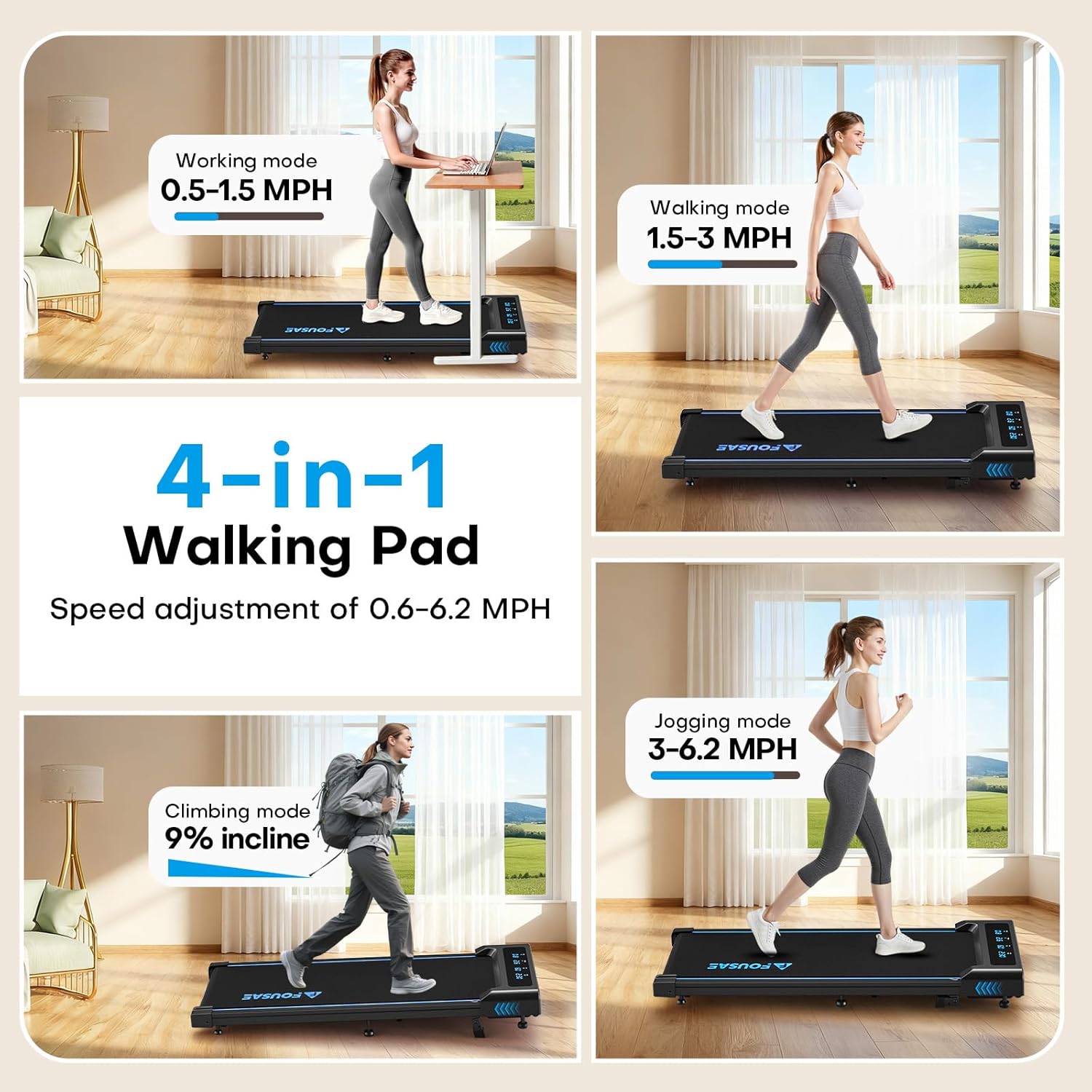
Image: Visual representation of the treadmill's four functional modes: working, walking, jogging, and climbing with 9% incline.
- Working Mode: 0.5-1.5 MPH (suitable for use with a standing desk).
- Walking Mode: 1.5-3 MPH.
- Jogging Mode: 3-6.2 MPH.
- Maximum Speed: 6.2 MPH for efficient HIIT workouts.
9% Manual Incline Adjustment: The treadmill features a manual incline adjustment to increase workout intensity. Adjusting the incline takes approximately one second and does not require tools. Ensure all shock-absorbing columns are adjusted to touch the ground when using the incline to enhance shock absorption.
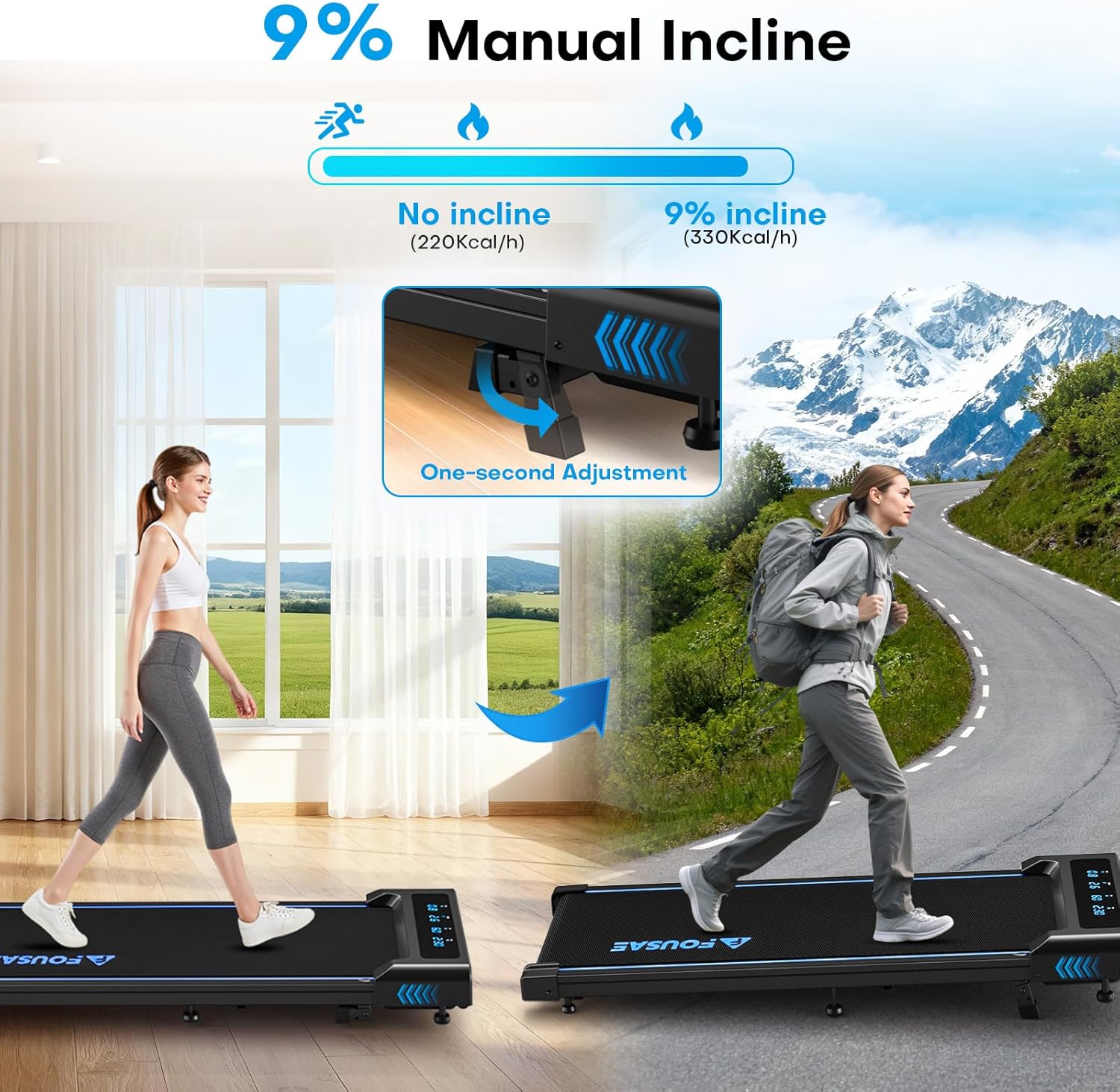
Image: Illustration demonstrating the manual 9% incline adjustment mechanism on the treadmill.
5.4 Countdown Modes and HIIT Programs
The treadmill offers advanced workout options for targeted fitness goals.

Image: The treadmill display highlighting the three countdown modes and the availability of 12 HIIT programs.
- Countdown Modes:
- Time Countdown: Set a desired workout duration.
- Speed Countdown: Set a target speed.
- Calorie Countdown: Set a target for calories to burn.
- 12 HIIT Programs: The treadmill includes 12 High-Intensity Interval Training programs designed for efficient fat burning and varied workouts. Select these programs using the 'P' button on the remote control.
6. Maintenance
Regular maintenance ensures the longevity and optimal performance of your treadmill.
- Cleaning: Wipe down the treadmill surface and display with a damp cloth after each use. Avoid abrasive cleaners.
- Belt Lubrication: Periodically check the running belt for proper lubrication. Refer to the manufacturer's guidelines for specific lubrication intervals and type of lubricant.
- Belt Tension and Alignment: If the running belt feels loose or shifts to one side, consult the troubleshooting section or contact customer support for instructions on adjustment.
- Storage: When not in use, the compact design allows for storage under a sofa or behind a door. Utilize the transport wheels for easy movement.

Image: A cross-section view illustrating the 7-layer running belt construction, designed for durability and shock absorption.
7. Troubleshooting
If you encounter any issues with your FOUSAE Walking Pad Treadmill, please refer to the following common problems and solutions:
| Problem | Possible Cause | Solution |
|---|---|---|
| Treadmill does not power on. | Power cord not connected; power switch off; circuit breaker tripped. | Ensure power cord is securely plugged in. Check the power switch on the treadmill. Reset the household circuit breaker if necessary. |
| Running belt stops or slips. | Belt too loose; insufficient lubrication; motor overload. | Check belt tension and adjust if necessary (refer to specific instructions or contact support). Lubricate the belt as per maintenance guidelines. Reduce user weight or speed. |
| Unusual noise during operation. | Loose components; belt friction; motor issue. | Inspect for loose screws or parts and tighten. Lubricate the running belt. If noise persists, discontinue use and contact customer support. |
| Remote control not responding. | Low battery; remote out of range; interference. | Replace remote control batteries. Ensure remote is within operating range of the treadmill. Remove any potential sources of interference. |
If the problem persists after attempting these solutions, please contact FOUSAE customer support.
8. Specifications
| Feature | Detail |
|---|---|
| Model | B0FRRMW9K2 |
| Product Dimensions | 118 x 51 x 11 cm |
| Item Weight | 18.5 kg (40.7 lbs) |
| Color | Blue 4-in-1 With Full Screen |
| Material | Acrylonitrile Butadiene Styrene (ABS), Alloy Steel |
| Motor | 2.5 HP Brushless Motor |
| Speed Range | 0.6 - 6.2 MPH |
| Incline | 9% Manual Adjustment |
| Weight Capacity | 330 LB |
| Running Belt Dimensions | 40" x 16" (approx. 101.6 cm x 40.6 cm) |
| Display | Full Screen LED |
| Programs | 12 HIIT Programs |
| Included Components | Remote Control |
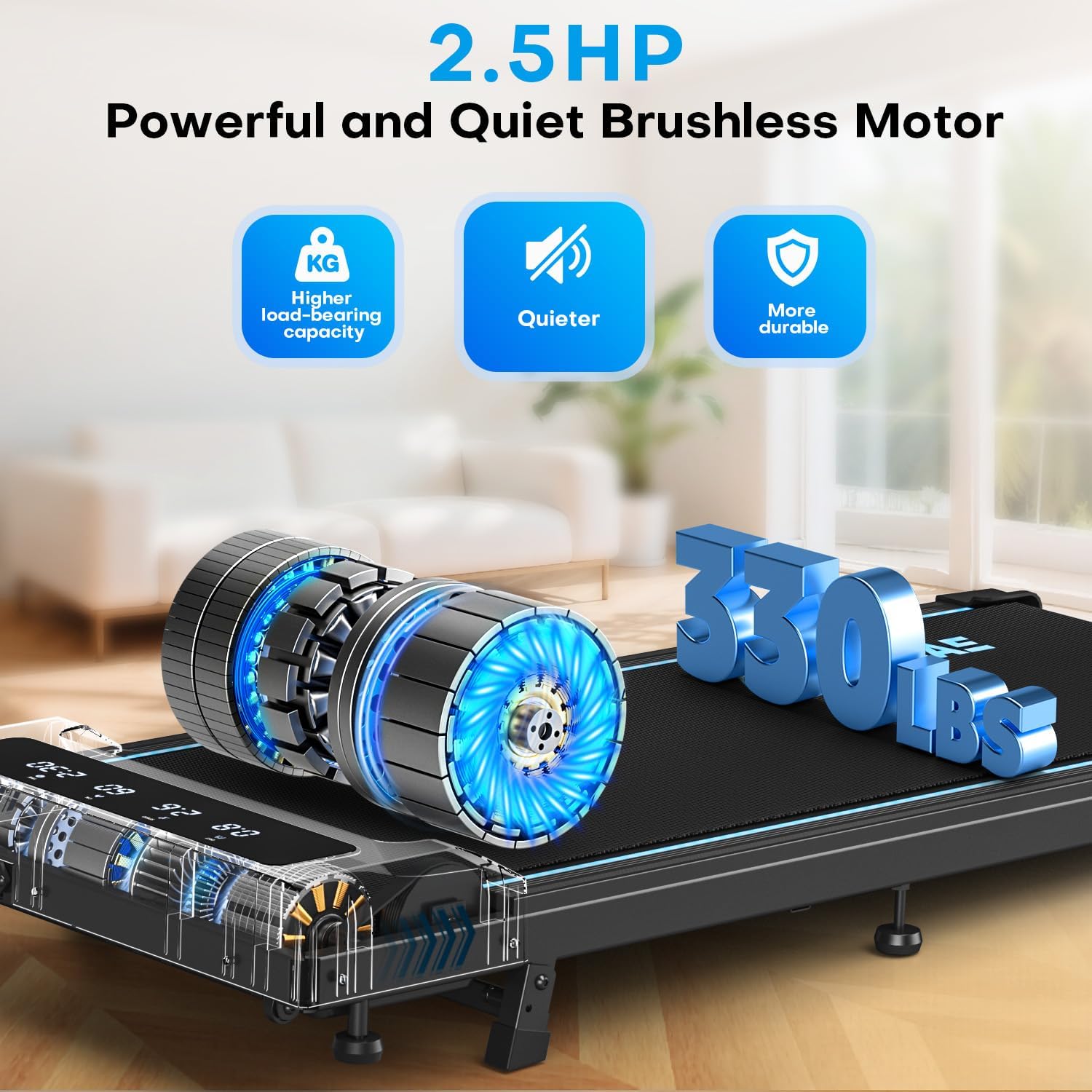
Image: An illustration highlighting the powerful 2.5 HP brushless motor and the 330 LB weight capacity of the treadmill.

Image: A visual emphasizing the wider running belt (40" x 16") for a more comfortable and safe exercise experience.
9. Warranty and Support
FOUSAE is committed to customer satisfaction. If you have any questions or require assistance with your treadmill, our professional after-sales team is available to help.
- Customer Support: Expect a response from our team within 18 hours for any inquiries.
- Warranty Information: Please refer to your purchase documentation for specific warranty terms and conditions.
For further assistance, please visit the official FOUSAE website or contact the seller directly through your purchase platform.
Related documentsB0FRRMW9K2


Ask a question about this manual
Ask about setup, troubleshooting, compatibility, parts, safety, or missing instructions. Manuals+ will review the question and use this page’s manual context to help answer it.