Introduction
This manual provides essential information for the safe and effective use of your Wonder Sphere Magic Hover Ball Mini Pro. Please read these instructions carefully before operating the device and retain them for future reference.
What's in the Box
- 2 x Wonder Sphere Magic Hover Balls (Red + Blue)
- 2 x USB Charging Cords
- 2 x Instruction Manuals
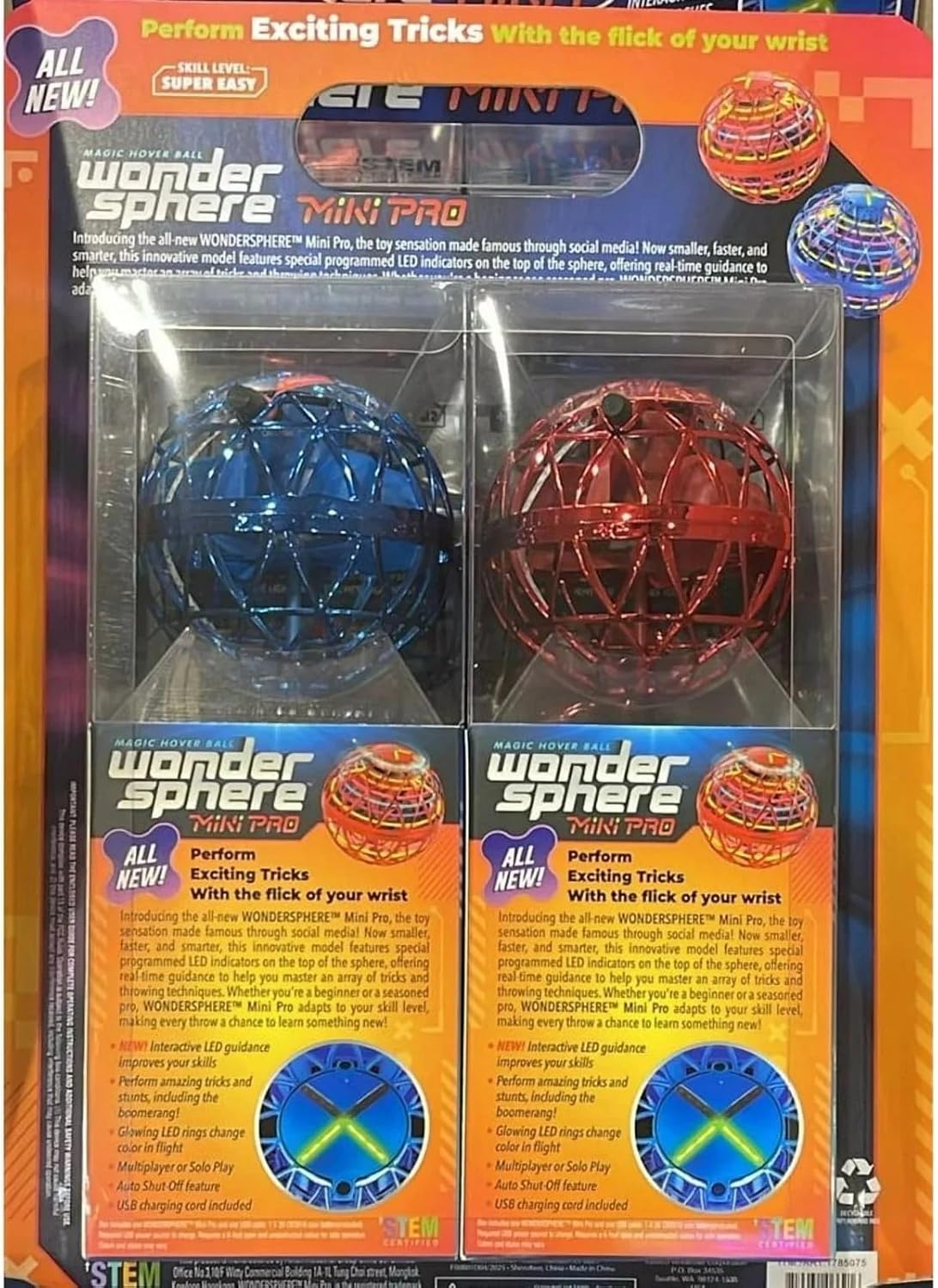
Image: The retail packaging showing two Wonder Sphere Magic Hover Balls, one red and one blue, along with their accessories.
Safety Information
- Adult supervision is recommended for children under 6 years of age.
- Do not operate near faces, hair, or loose clothing.
- Keep hands and fingers clear of the propellers when the device is active.
- Avoid operating in confined spaces or near fragile objects.
- Do not attempt to modify or disassemble the device.
- Use only the provided USB charging cord.
Setup Guide
1. Initial Unboxing and Inspection
Carefully remove the Magic Hover Ball from its packaging. Inspect the device for any visible damage. Ensure all components listed in "What's in the Box" are present.

Image: A single Wonder Sphere Magic Hover Ball, still in its clear plastic retail packaging, highlighting the product's design.
2. Remove Safety Pin
Before first use, locate the small safety pin inserted into the charging port. Gently pull this pin out to enable the device's functionality. This pin prevents accidental activation during shipping.
3. Charging the Device
Connect the provided USB charging cord to the charging port on the Magic Hover Ball. Plug the other end of the USB cord into a compatible USB power source (e.g., computer, wall adapter). The indicator light will show charging status (typically red for charging, green for fully charged). A full charge usually takes approximately 20-30 minutes.
Operating Instructions
1. Powering On/Off
To power on the Magic Hover Ball, gently shake it. The LED lights will illuminate, indicating it is ready for flight. To power off, shake it again or catch it gently. The device also features an auto shut-off function after a period of inactivity or if it encounters an obstruction.
2. Basic Flight
Once powered on, hold the Magic Hover Ball upright and gently toss it into the air. It will begin to hover and fly. The internal propellers create lift, allowing it to float and move.

Image: A young girl observing a blue Magic Hover Ball hovering above her hand, demonstrating basic flight.
3. Performing Tricks and Stunts
The Wonder Sphere Magic Hover Ball is designed for various tricks and stunts:
- Boomerang Action: Gently toss the ball with a slight upward angle and a backspin. It should curve back towards you.
- Zero Gravity Catch: With practice, you can learn to gently catch the ball as it descends, making it appear to defy gravity.
- Interactive Light Panel: The built-in LED guide provides visual cues that can assist in mastering tricks.

Image: A young girl looking up and pointing at a red Magic Hover Ball hovering in the air, illustrating the device's flight capabilities.
Maintenance
Charging
Always ensure the device is fully charged before extended periods of non-use. Recharge immediately after use to maintain battery health. The green light indicates a full charge.
Cleaning
Wipe the exterior of the Magic Hover Ball with a soft, dry cloth. Do not use harsh chemicals or immerse the device in water.
Troubleshooting
| Problem | Solution |
|---|---|
| Device does not turn on. | Ensure the safety pin has been removed. Charge the device fully. Shake the device firmly to activate. |
| Device does not fly or flies erratically. | Check for obstructions around the propellers. Ensure the battery is fully charged. Operate in an open area free from obstacles. |
| LED lights are not working. | This may indicate a low battery. Recharge the device. If the issue persists, contact customer support. |
Specifications
- Product Dimensions: 3.5 x 3.5 x 0.1 inches (8.9 cm x 8.9 cm x 8.9 cm)
- Weight: 0.05 lb (0.025 kg)
- Power Source: Li-poly battery (rechargeable via USB)
- Recommended Age: 6 months - 6 years (Manufacturer recommended, but suitable for older children and adults with supervision)
- Manufacturer: Amax Industrial Group
Warranty and Support
For warranty information or technical support, please refer to the contact details provided on the product packaging or visit the official Wonder Sphere website. Keep your purchase receipt as proof of purchase.


