
Product Overview
The SteelSeries Arctis Nova 7P Wireless Gen 2 Gaming Headset provides high-fidelity audio for gaming across multiple platforms. It features simultaneous 2.4GHz wireless and Bluetooth connectivity, an improved battery life, and a noise-rejecting microphone. This headset is designed for use with PlayStation 5/4, PC, Nintendo Switch, and mobile devices.
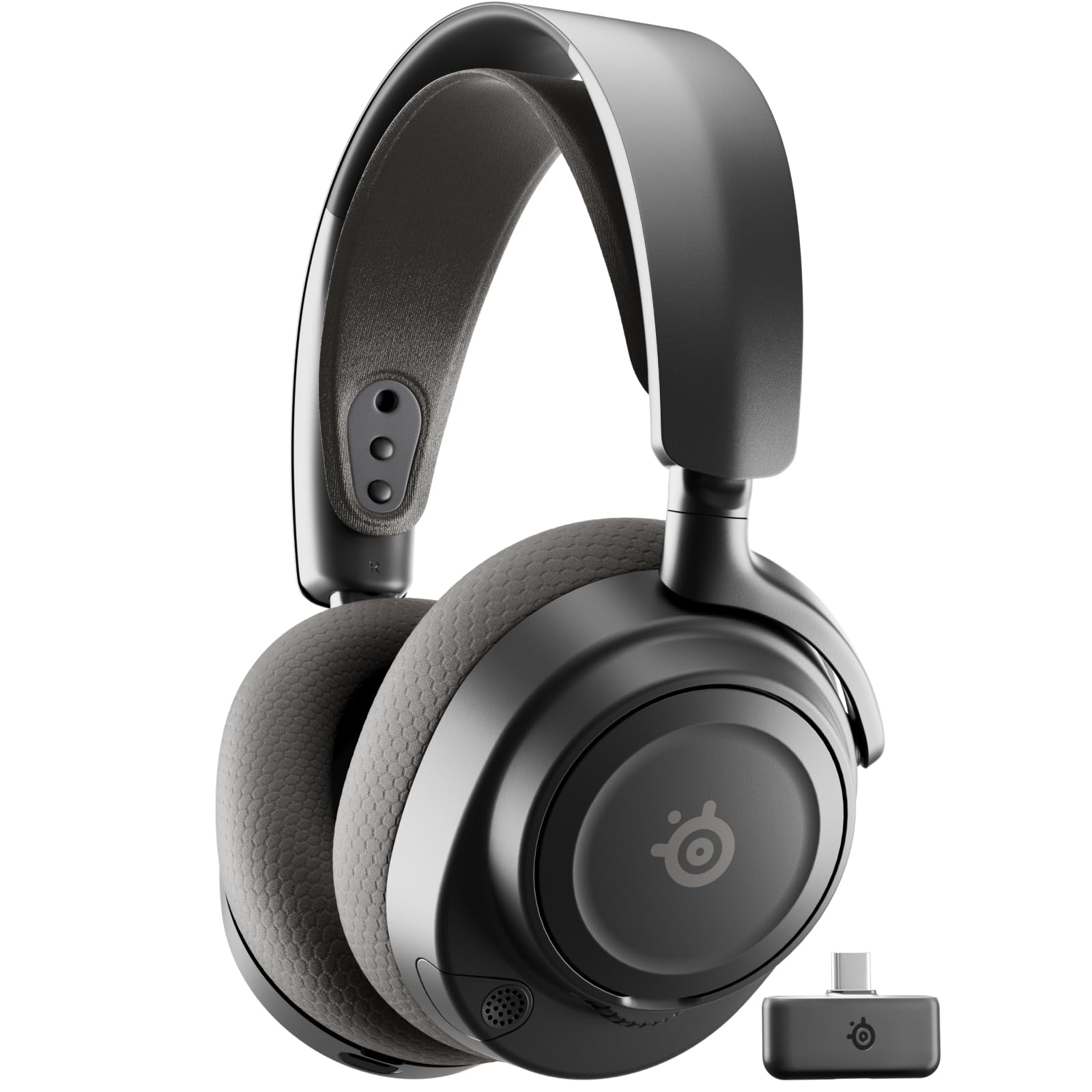
Image: The SteelSeries Arctis Nova 7P Wireless Gen 2 Gaming Headset in black, showcasing its design and key features.
What's in the Box
Verify that all components are present in the packaging:
- Arctis Nova 7P Wireless Gen 2 Multi-Platform Gaming Headset (PlayStation — Black)
- Compact USB-C Wireless Dongle
- USB-C to USB-A Adapter
- USB-A to USB-C Charging Cable (1.5m / 5ft)
Video: An unboxing of the Arctis Nova 7 Gen2 headset, demonstrating the contents of the package.
Setup Instructions
1. Initial Charging
Before first use, fully charge the headset using the provided USB-A to USB-C charging cable. Connect the USB-C end to the headset and the USB-A end to a power source (e.g., computer USB port, wall adapter). A 15-minute charge provides approximately 6 hours of play, and a full charge offers up to 50 hours of usage.

Image: A close-up of the headset showing the USB-C charging port with a cable connected, indicating fast charge capability.
2. Connecting the Wireless Dongle
The headset connects wirelessly via a compact USB-C dongle. Plug the USB-C dongle directly into your PlayStation, PC, or Nintendo Switch. An included USB-C to USB-A adapter allows connection to devices with only USB-A ports.
3. Pairing and Connectivity
The headset supports simultaneous 2.4GHz wireless and Bluetooth connectivity. The 2.4GHz connection is for gaming audio, while Bluetooth allows connection to mobile devices for calls or music. Ensure the dongle is connected to your gaming device for 2.4GHz audio. Activate Bluetooth on your mobile device and pair with the headset.

Image: The headset with a mobile phone and wireless dongle, illustrating simultaneous 2.4GHz and Bluetooth audio mixing.
4. Arctis Companion App
For advanced audio control and customization, download the Arctis Companion app. This app allows access to over 200 game-specific audio presets and fine-tuning of equalizer settings.

Image: A smartphone screen displaying the Arctis Companion app with various EQ presets for different games.
Operating Instructions
Audio Control and Presets
Utilize the Arctis Companion app to select from a wide range of audio presets optimized for specific games. These presets enhance clarity for in-game sounds like footsteps, consumables, and explosions. Independent EQ settings are available for both 2.4GHz and Bluetooth audio streams.
Microphone Usage
The ClearCast Gen 2 microphone features noise rejection technology, reducing background noise by up to -25dB. This ensures clear voice communication. The microphone is fully retractable for convenience when not in use. On PC, Sonar AI further enhances microphone performance.

Image: A person wearing the headset, with the microphone extended and a visual representation of noise rejection around it.
On-Ear Controls
The headset features intuitive on-ear controls for volume adjustment, microphone mute, power, and Bluetooth pairing. Familiarize yourself with the button layout for quick adjustments during use.

Image: A detailed view of the right earcup, highlighting the various buttons and dials for on-ear control.
Maintenance
Cleaning
To clean the headset, use a soft, dry cloth. Avoid using harsh chemicals or abrasive materials. For the ear cushions, gently wipe with a damp cloth if necessary and allow to air dry completely before use.
Storage
Store the headset in a cool, dry place away from direct sunlight and extreme temperatures. When traveling, consider using a protective case to prevent damage.
Battery Care
To prolong battery life, avoid fully discharging the headset frequently. Charge the headset regularly, even if not in constant use. The headset features optimized USB-C fast charge for convenience.

Image: A close-up of the headset's headband and earcup, emphasizing its steel frame and plush fabric construction.
Troubleshooting
No Audio / Disconnection
- Ensure the USB-C wireless dongle is securely connected to your device.
- Verify the headset is powered on and charged.
- Check that the correct audio output device is selected in your system settings (e.g., "Arctis Nova 7P Wireless" for PC).
- If using Bluetooth, ensure the headset is paired and connected to your mobile device.
- Try re-pairing the headset with the wireless dongle or Bluetooth device.
Microphone Issues
- Ensure the microphone is extended and not muted (check the on-ear mute button).
- Verify the correct microphone input device is selected in your system settings.
- Check microphone levels in your system or communication software.
- If on PC, ensure Sonar AI settings are configured correctly for noise rejection.
Battery Not Charging
- Ensure the charging cable is properly connected to both the headset and the power source.
- Try a different USB port or power adapter.
- Confirm the charging cable is not damaged.
Technical Specifications
| Feature | Detail |
|---|---|
| Brand | SteelSeries |
| Model Name | Arctis Nova 7P Wireless Gen 2 Multi-Platform Gaming Headset |
| Model Number | 61744 |
| Connectivity Technology | Wireless (2.4GHz RF, Bluetooth 5) |
| Ear Placement | Over Ear |
| Audio Driver Type | Dynamic Driver, Neodymium Magnetic Drivers |
| Frequency Response | 20 Hz - 22000 Hz |
| Impedance | 36 Ohms |
| Microphone | ClearCast Gen 2 (Noise-rejecting, Retractable) |
| Battery Life | Up to 50 Hours |
| Charging | USB-C Fast Charge |
| Compatible Devices | PlayStation (PS5, PS4), PC, Nintendo Switch, Mobile Devices, Mac |
| Weight | 0.72 Pounds |
| Additional Features | Game-specific Audio Presets, Spatial Audio, Simultaneous 2.4GHz + Bluetooth, Premium Construction |
Warranty Information
This SteelSeries Arctis Nova 7P Wireless Gen 2 Gaming Headset comes with a 1-year warranty from the date of purchase. Please retain your proof of purchase for warranty claims. The warranty covers manufacturing defects and malfunctions under normal use. It does not cover damage caused by misuse, accidents, unauthorized modifications, or normal wear and tear.
Customer Support
For further assistance, technical support, or to view detailed FAQs, please visit the official SteelSeries support website:
You can also find additional resources and community forums on the website.


