
DOOGEE Fire 5 Pro
DOOGEE Fire 5 Pro Rugged Smartphone User Manual
Model: Fire 5 Pro
Introduction
Welcome to the user manual for your DOOGEE Fire 5 Pro Rugged Smartphone. This guide provides essential information to help you get started, operate, maintain, and troubleshoot your device. The Fire 5 Pro is designed for durability and performance, featuring a large 13000mAh battery, a Mediatek Helio G81 processor, and an Android 15 operating system, all housed in an IP68/IP69K/MIL-STD-810H certified rugged body.
1. Setup
1.1. SIM Card and Storage Card Installation
The DOOGEE Fire 5 Pro supports a triple slot configuration, allowing for two Nano SIM cards and one TF (microSD) card for expandable storage.
- Locate the SIM card tray on the side of your device.
- Use the provided SIM ejector tool to open the tray.
- Carefully place your Nano SIM cards and TF card into their respective slots on the tray. Ensure they are correctly oriented as indicated on the tray.
- Gently push the tray back into the phone until it is flush with the device body.

Image: Illustration of the SIM card tray, showing slots for two Nano SIM cards and one TF (microSD) card.
1.2. Initial Power On
To power on your device for the first time:
- Press and hold the Power button (usually located on the right side of the phone) until the DOOGEE logo appears on the screen.
- Follow the on-screen instructions to complete the initial setup, including language selection, Wi-Fi connection, and Google account setup.
1.3. Charging the Battery
The DOOGEE Fire 5 Pro is equipped with a 13000mAh battery. For optimal performance, fully charge the device before first use.
- Connect the USB cable to the charging port on your phone.
- Connect the other end of the USB cable to a compatible power adapter (10W charging supported) and plug it into a power outlet.
- The charging indicator will appear on the screen.
The device also supports 5W reverse charging (OTG), allowing it to act as a power bank for other devices.

Image: Visual representation of the 13000mAh battery capacity, highlighting charging capabilities and estimated usage times for music, video, calls, and standby.
2. Operating Your Device
2.1. Basic Navigation and Android 15
Your DOOGEE Fire 5 Pro runs on Android 15, offering an intuitive user experience. Navigate using gestures or the traditional three-button navigation bar (Back, Home, Recents).
- Swipe Up: Access the app drawer.
- Swipe Down: Open the notification panel and quick settings.
- Tap: Select items.
- Long Press: Access contextual menus or move icons.

Image: The DOOGEE Fire 5 Pro screen showing the Android 15 operating system interface with various application icons.
2.2. Display Features
The device features a 6.6-inch HD+ IPS display with a 90Hz refresh rate, providing smooth visuals and vibrant colors.
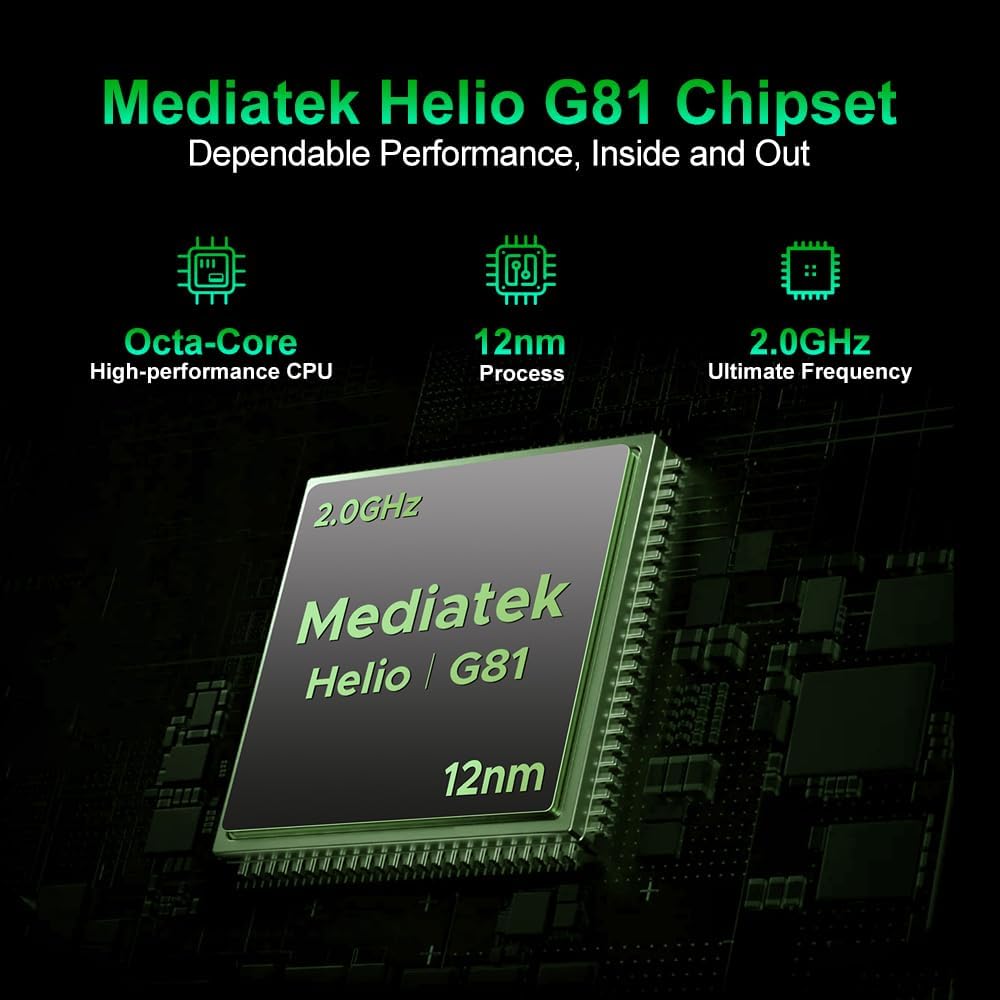
Image: The DOOGEE Fire 5 Pro showcasing its 6.6-inch HD+ IPS display, highlighting the 90Hz refresh rate, 720x1612 resolution, and 85% screen-to-body ratio.
2.3. Camera Usage
Capture moments with the 13MP AI main camera and 8MP front camera. The camera app includes various modes and AI enhancements:
- Magic Eraser: Remove unwanted objects from photos.
- Sky Replacement: Change the sky in your images.
- Portrait Light/Blur/Unblur: Adjust lighting and background blur for portraits.
- Night Mode, Pro Mode, Time-lapse, Beauty Mode, Panoramic Mode: Explore different photographic styles.

Image: A visual guide to the DOOGEE Fire 5 Pro's camera system, detailing the 13MP main and 8MP front cameras, and illustrating available modes like Night, Portrait, Pro, Time-lapse, Beauty, and Panoramic.
2.4. Connectivity Features
- NFC (Near Field Communication): For contactless payments and quick data exchange. Enable NFC in Settings > Connected devices > Connection preferences > NFC.
- OTG (On-The-Go): Allows the phone to connect to USB devices like flash drives or act as a power bank for other devices.
- GPS, Galileo, Glonass, Beidou: Integrated navigation systems for accurate positioning.
2.5. Security Features
The DOOGEE Fire 5 Pro offers multiple security options to protect your data:
- Fingerprint Recognition: Register your fingerprints for quick and secure unlocking. The fingerprint sensor is typically located on the side of the device.
- Face Unlock: Use facial recognition to unlock your phone.
- Pattern, PIN, Password: Standard Android security options.

Image: A collage showing various features of the DOOGEE Fire 5 Pro, including a detailed view of the side-mounted fingerprint sensor and face unlock functionality.
2.6. Smart Features (Gemini AI)
The DOOGEE Fire 5 Pro integrates Gemini AI, enhancing various functionalities from image analysis to smart assistance, providing a more intelligent and responsive user experience.

Image: The DOOGEE Fire 5 Pro demonstrating its Gemini AI capabilities, including image analysis, language learning, content creation, code development, and smart assistant functions.
3. Maintenance
3.1. Ruggedness and Protection
The DOOGEE Fire 5 Pro is built to withstand harsh environments, certified with IP68, IP69K, and MIL-STD-810H ratings. This means it is resistant to dust, water immersion, high-pressure water jets, and drops.
- IP68: Dust tight and protected against continuous immersion in water.
- IP69K: Protected against close-range high-pressure, high-temperature spray downs.
- MIL-STD-810H: Military standard for durability against drops, shocks, and extreme temperatures.
Important: Ensure all port covers are securely closed to maintain water and dust resistance.

Image: The DOOGEE Fire 5 Pro shown in challenging environments, including submerged in water and covered in dirt, illustrating its IP68, IP69K, and MIL-STD-810H certifications for water, dust, and shock resistance.
3.2. Cleaning Your Device
To clean your DOOGEE Fire 5 Pro:
- Wipe the screen and body with a soft, lint-free cloth.
- For stubborn dirt, you may use a slightly damp cloth. Avoid harsh chemicals or abrasive materials.
- Ensure all ports are dry before charging or connecting accessories.
3.3. Software Updates
Regularly check for and install software updates to ensure your device has the latest features, security patches, and performance improvements. Go to Settings > System > System update to check for updates.
4. Troubleshooting
4.1. Common Issues and Solutions
- Device not turning on: Ensure the battery is charged. Connect to a charger and wait a few minutes before attempting to power on again.
- Apps crashing or freezing: Close background apps. Clear the cache of the problematic app (Settings > Apps > [App Name] > Storage & cache > Clear cache). Restart the device.
- Poor network signal: Check your SIM card installation. Move to an area with better network coverage. Restart the device.
- Battery draining quickly: Reduce screen brightness, disable unnecessary features (Wi-Fi, Bluetooth, GPS) when not in use, and close background apps.
4.2. Factory Reset
Warning: A factory reset will erase all data on your phone. Back up important data before proceeding.
To perform a factory reset:
- Go to Settings > System > Reset options.
- Select "Erase all data (factory reset)".
- Confirm your choice and enter your PIN/pattern/password if prompted.
- The phone will restart and begin the reset process.
5. Specifications
| Feature | Specification |
|---|---|
| Brand | DOOGEE |
| Model Name | DOOGEE Fire 5 Pro |
| Operating System | Android 15 |
| RAM | 16 GB (4GB physical + 12GB virtual) |
| Internal Storage | 128 GB |
| Expandable Storage | Up to 2 TB (via TF card) |
| Processor | Mediatek Helio G81 Octa-Core, 2.0 GHz |
| Display Size | 6.6 Inches |
| Display Resolution | 720x1612 HD+ IPS |
| Refresh Rate | 90 Hz |
| Rear Camera | 13 MP AI Camera |
| Front Camera | 8 MP Camera |
| Battery Capacity | 13000 mAh |
| Charging | 10W (supports 5W reverse OTG charging) |
| Durability Ratings | IP68, IP69K, MIL-STD-810H |
| Connectivity | 4G LTE, NFC, OTG, Bluetooth 5.0, GPS, Galileo, Glonass, Beidou |
| SIM Card Slots | Triple SIM (2 Nano SIM + 1 TF Card) |
| Biometric Security | Fingerprint Recognition, Face Unlock |
| Dimensions | 17.6 x 8.2 x 1.9 cm |

Image: Visual representation of the DOOGEE Fire 5 Pro's memory configuration, indicating 20GB Max RAM (4GB Basic + 16GB Virtual RAM) and 128GB ROM, expandable up to 2TB.
6. Warranty and Support
Your DOOGEE Fire 5 Pro comes with a comprehensive 24-month warranty from the date of purchase when bought through an authorized store. This warranty covers manufacturing defects and hardware malfunctions under normal use.
For technical assistance, warranty claims, or further support, please contact the DOOGEE customer service team or visit the official DOOGEE website. Keep your proof of purchase for warranty validation.
DOOGEE Official Store: Visit DOOGEE Store on Amazon
Related documentsFire 5 Pro


Ask a question about this manual
Ask about setup, troubleshooting, compatibility, parts, safety, or missing instructions. Manuals+ will review the question and use this page’s manual context to help answer it.