1. Introduction
The ULANZI YF01 Camera Strap is a versatile 3-in-1 modular system designed for photographers and content creators. It combines a comfortable shoulder strap, a secure wrist strap, and an integrated charging/data cable, offering flexibility and convenience for various shooting styles and accessory management.

Figure 1: The ULANZI YF01 strap in Classic Black, worn as a shoulder strap with a camera.
2. Components Overview
The ULANZI YF01 strap system includes the following main components:
- Padded Shoulder Strap: Provides comfort for extended wear.
- Extendable Wrist Strap: Offers a secure grip for handheld use.
- Integrated USB-C Data Cable: For charging and data transfer.
- Quick Release Connectors: For fast attachment and detachment.
- Multiple Mounting Points: For attaching small accessories.

Figure 2: Modular design components of the YF01 strap, including the pressure-relief shoulder strap, extendable wrist strap, high-speed charging cable, and mounting points for small gear.
3. Assembly and Setup
3.1 Attaching the Strap to Your Device
- Identify the attachment points on your camera or device.
- Press the red button on the quick-release connector to open the latch.
- Thread the thin cord loop through your device's strap lug.
- Secure the quick-release connector by snapping it back into place. Ensure it is firmly locked.
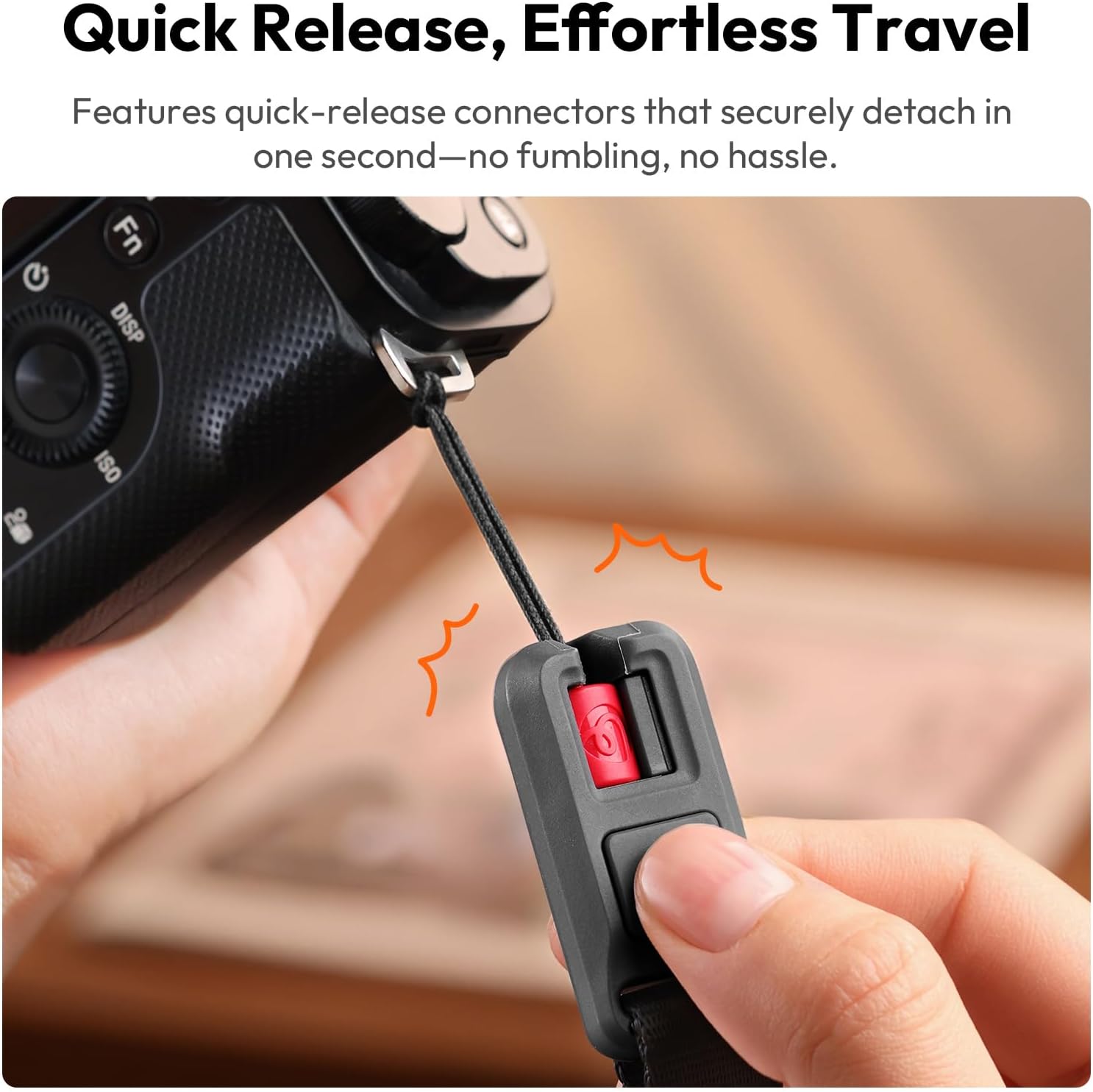
Figure 3: The quick-release connectors allow for instant attachment and detachment of the strap.
3.2 Converting Between Shoulder and Wrist Strap Modes
The YF01 strap can be easily reconfigured:
- Shoulder Strap Mode: Attach both ends of the main strap to your camera for shoulder or cross-body carry.
- Wrist Strap Mode: Detach one end of the main strap. The integrated data cable section can function as a standalone wrist strap.

Figure 4: Various ways to use the YF01 strap: as a camera wrist strap, camera shoulder strap, phone shoulder strap, and phone wrist strap.
3.3 Using as a Bag Strap
To convert the YF01 into a bag strap, simply detach the quick-release connectors from your camera and attach them to the loops on your bag.

Figure 5: The YF01 strap can be converted into a bag strap by attaching its ends to bag loops.
4. Operating Instructions
4.1 Using the Integrated Data Cable
The YF01 strap features a built-in USB 2.0 Type-C cable with 480Mbps high-speed transfer capabilities. This allows you to:
- Charge Devices: Connect the USB-C ends to a power source and your device (e.g., camera, smartphone) for charging.
- Transfer Data: Connect your camera to a smartphone or other compatible device to transfer photos and videos directly.

Figure 6: The integrated USB 2.0 Type-C cable provides 480Mbps high-speed transfer for charging devices or transferring photos.
4.2 Adjusting the Strap Length
The strap offers a length range of 1300-1500mm (51.18-59.05 inches) with precision macro-adjustments. Slide the adjusters along the strap to achieve your desired length for shoulder, cross-body, or wrist carry.
4.3 Attaching Additional Accessories
Utilize the integrated attachment system (carabiners and loops) on the strap to securely mount small items such as keys, earbud cases, or other small gear.
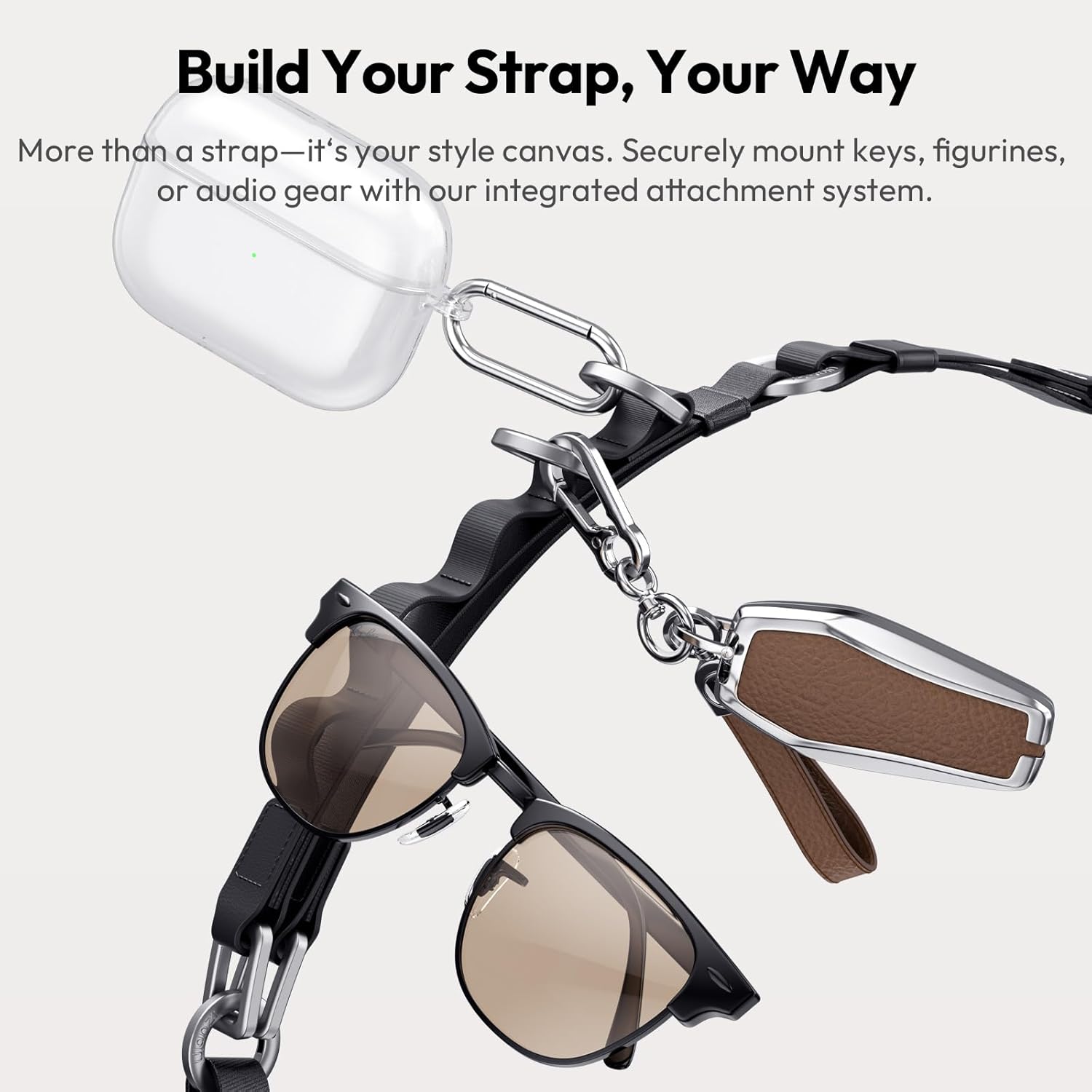
Figure 7: The integrated attachment system allows for securely mounting small accessories like keys, figurines, or audio gear.
5. Ergonomics and Comfort
The YF01 strap is designed with an ergonomic shoulder pad to distribute weight effectively, reducing pressure on your shoulders. The shoulder pad consists of Eco Silicone Leather, Cushioning TPE, and Plush Microfiber layers for enhanced comfort.
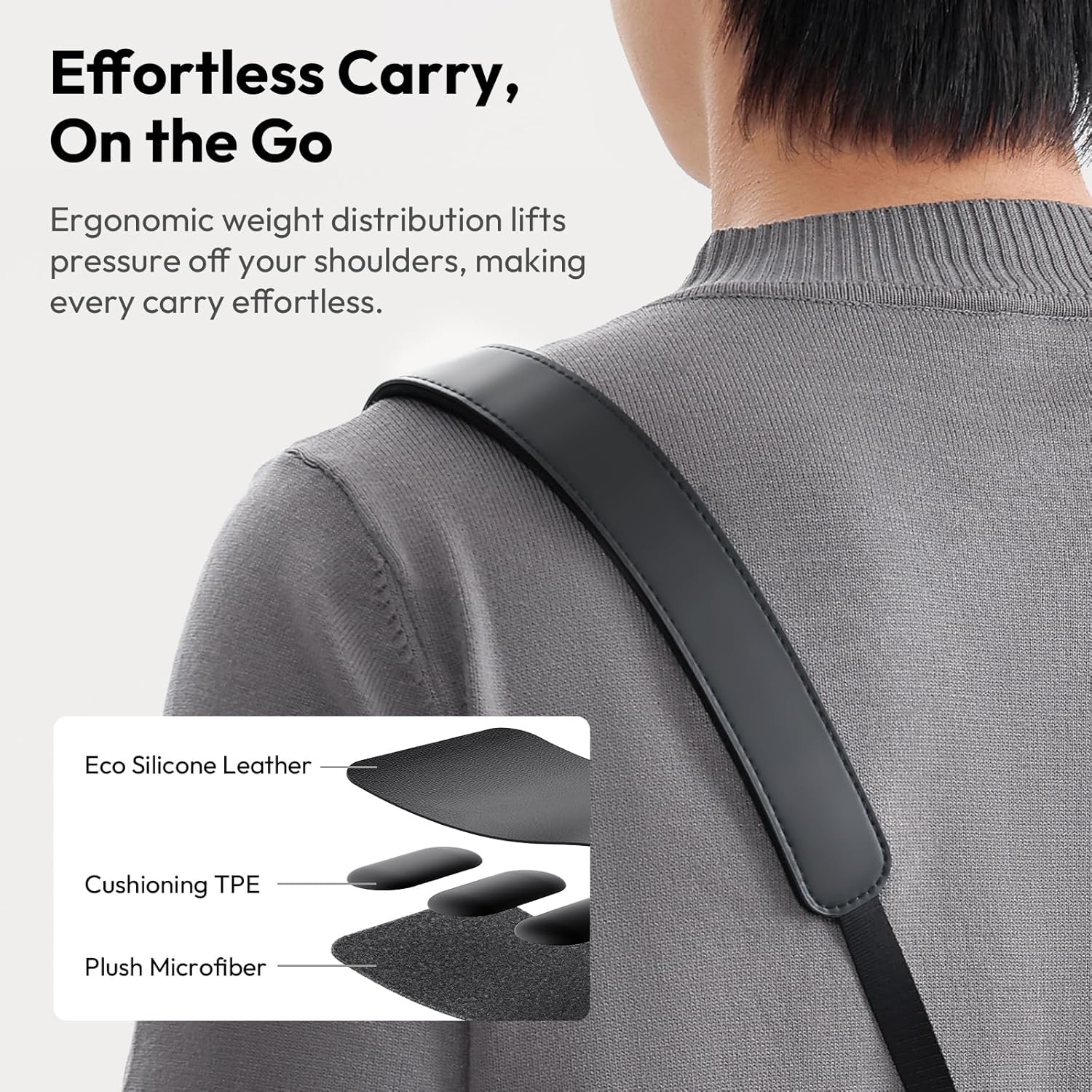
Figure 8: The shoulder pad features Eco Silicone Leather, Cushioning TPE, and Plush Microfiber for ergonomic weight distribution and comfort.
6. Maintenance
To ensure the longevity and performance of your ULANZI YF01 Camera Strap, follow these care instructions:
- Cleaning: Hand wash only. Use mild soap and cold water. Do not machine wash or tumble dry.
- Drying: Air dry completely before storage or reuse. Avoid direct sunlight or high heat.
- Storage: Store in a cool, dry place away from direct sunlight and extreme temperatures.
- Inspection: Regularly inspect the quick-release connectors and strap material for any signs of wear or damage. Discontinue use if damage is observed.
7. Troubleshooting
If you encounter any issues with your ULANZI YF01 Camera Strap, consider the following:
- Strap Detaching Unexpectedly: Ensure the quick-release connectors are fully engaged and locked. Check for any obstructions or damage to the locking mechanism.
- Data Transfer/Charging Issues: Verify that both ends of the USB-C cable are securely connected to compatible devices. Ensure the devices support the power and data transfer specifications. Try using a different USB-C port or device to isolate the problem.
- Discomfort During Wear: Adjust the strap length to find an optimal fit. Ensure the padded section rests comfortably on your shoulder.
For further assistance, please contact ULANZI customer support.
8. Specifications
| Brand | ULANZI |
| Model | YF01 |
| Color Options | Classic Black, Vibrant Orange |
| Material | 100% Polyester (Nylon + Microfiber Leather) |
| Adjustment Range | 1300-1500mm (51.18-59.05 inches) |
| Net Weight | 180±5g / 6.35±0.18oz |
| Gross Weight | 257±5g / 9.07±0.18oz |
| Strap Load Capacity | 15kg / 33.07lb |
| Data Cable Interface | Type-C |
| Data Cable Input | 48V 5A (240W Max) |
| Data Transfer Speed | 480Mbps (USB 2.0) |
9. Official Product Videos
Video 1: ULANZI YF01 Strap for Camera Bag Accessories. This video demonstrates the modularity, quick-release mechanism, and integrated data cable features of the YF01 strap.
10. Warranty and Support
For warranty information and customer support, please refer to the official ULANZI website or contact your retailer. Keep your purchase receipt for warranty claims.


