
THERUN ET30
Contents
THERUN ET30 Elliptical Machine User Manual
Model: ET30 | Brand: THERUN
1. Safety Information
Please read this manual carefully before operating the THERUN ET30 Elliptical Machine. Retain this manual for future reference.
- Consult your physician before starting any exercise program.
- Keep children and pets away from the machine during operation.
- Place the machine on a flat, stable surface with adequate clearance around it.
- Inspect the machine for loose or damaged parts before each use.
- Do not exceed the maximum weight capacity of 265 lbs (120 kg).
- Wear appropriate exercise attire and footwear.
- Stop exercising immediately if you feel faint, dizzy, or experience pain.
- Ensure all bolts and nuts are securely tightened before use.
2. Package Contents
Verify that all components are present and undamaged before assembly.
- 1x THERUN Elliptical Machine (Main Frame)
- 1x Hardware Pack (bolts, washers, tools)
- 1x User Manual (this document)
- Front and Rear Stabilizer Bars
- Left and Right Pedal Shafts
- Left and Right Handlebars
- LCD Monitor
- Bottle Holder

Image: All parts of the elliptical machine are laid out on the floor after unboxing, ready for assembly.
3. Setup and Assembly
Follow these steps carefully to assemble your elliptical machine. It is recommended to have two people for assembly.
3.1 Assembly Video Guide

Video: Detailed assembly instructions for the THERUN Elliptical Machine. This video demonstrates each step of the setup process.
3.2 Step-by-Step Assembly Instructions
- Unboxing: Carefully remove all components from the packaging. Lay them out on a clean, flat surface.
- Attach Stabilizer Bars:
- Attach the front and rear stabilizer bars to the main frame using the provided bolts and washers. Ensure they are securely tightened. The rear stabilizer bar has transportation wheels.
- Connect Resistance Cable and Center Bar:
- Carefully connect the resistance cable from the main body to the center bar. Ensure the connection is firm.
- Insert the center bar into the main frame and secure it with the appropriate bolts.
- Install Digital Monitor:
- Connect the sensor cables from the center bar to the back of the LCD monitor.
- Mount the LCD monitor onto the designated bracket on the center bar and secure it with screws.
- Install Heart Rate Grip:
- Attach the heart rate grip handlebars to the center bar, ensuring the pulse sensor wires are connected. Secure with bolts.
- Install Left & Right Swing Arms:
- Attach the left and right swing arms to the main frame's pivot points. Ensure the arc spacers are correctly positioned. Secure with bolts.
- Install Left & Right Pedal Shafts:
- Attach the left and right pedal shafts to the corresponding cranks on the flywheel. Pay attention to the 'L' and 'R' markings. The right pedal hinge bolt is screwed in a clockwise direction, and the left pedal hinge bolt is screwed in a counter-clockwise direction.
- Install Left & Right Pedals:
- Secure the left and right pedals onto their respective pedal shafts using the provided hardware. Ensure they are firmly attached.
- Install Left & Right Handlebars (Moving):
- Attach the moving handlebars to the swing arms. Secure them with the appropriate bolts and tighten.
- Install Nut Covers & Bottle Holder:
- Place all plastic nut covers over exposed bolts for a neat finish.
- Attach the bottle holder to the main frame in a convenient location.
Image: All parts of the elliptical machine are laid out on the floor after unboxing, ready for assembly.

Image: The rear stabilizer bar, equipped with transportation wheels, is attached to the main frame of the elliptical machine.
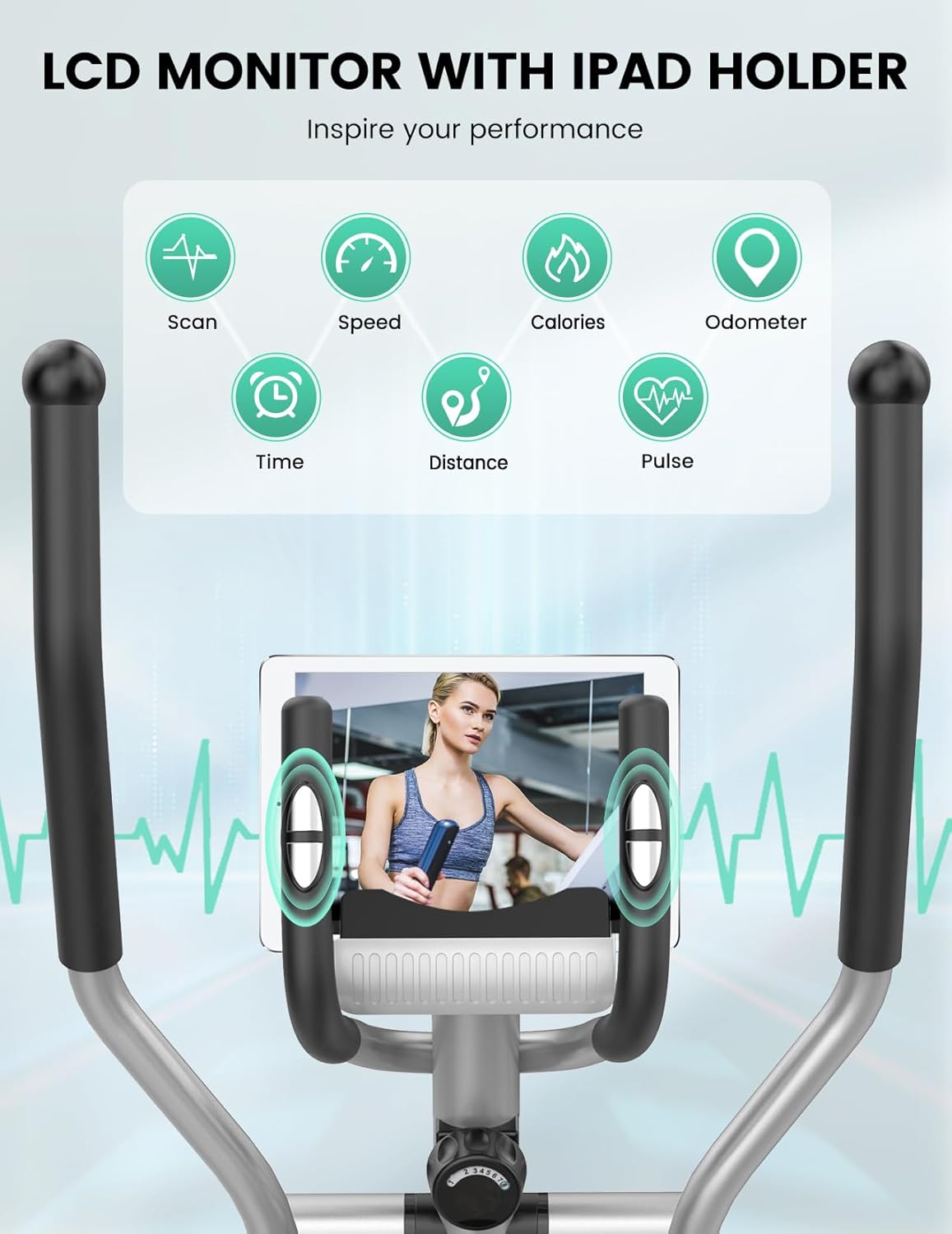
Image: The LCD monitor is installed, showing its display and the integrated device holder.
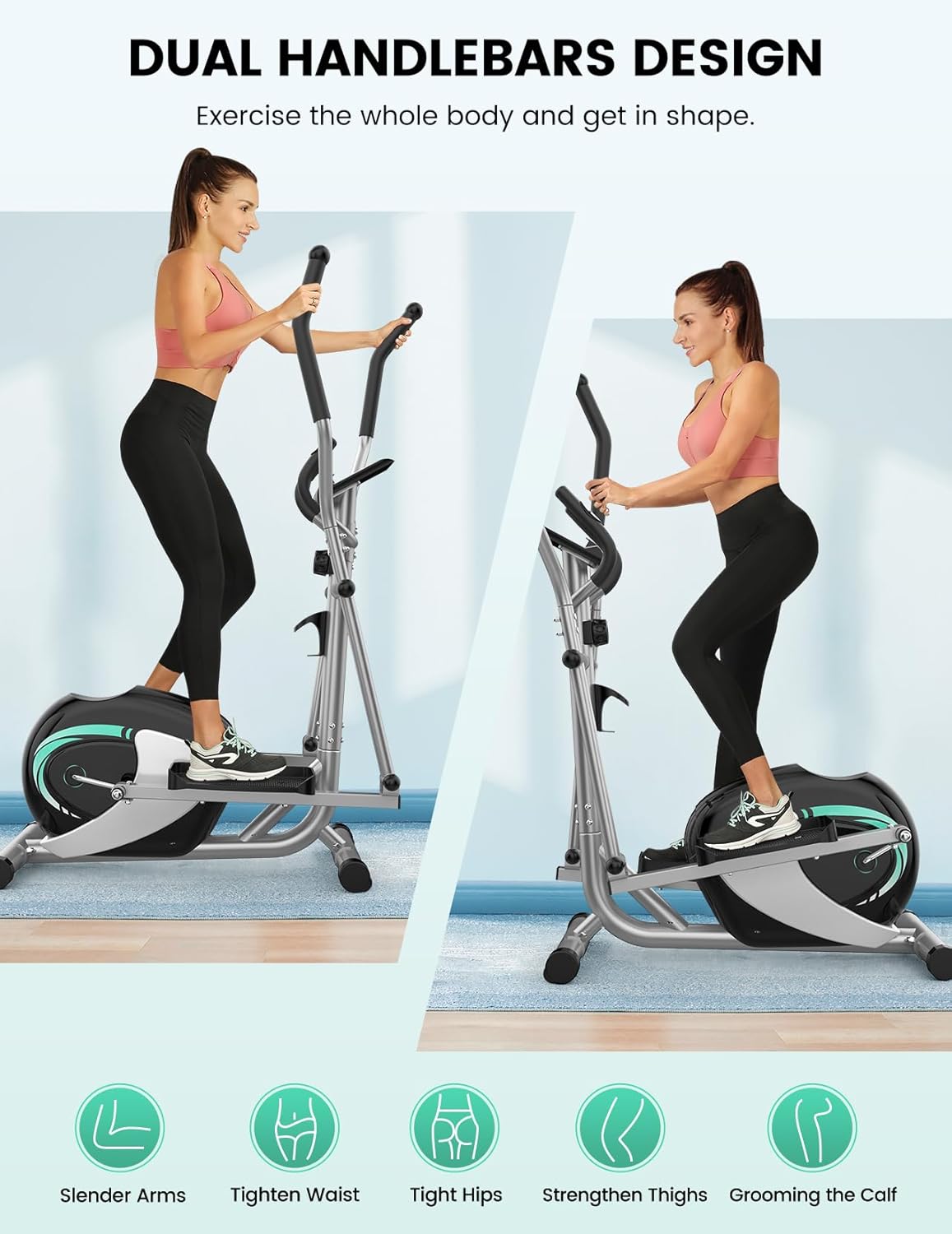
Image: The dual handlebar design, featuring both stationary grips with pulse sensors and moving swing arms for full-body exercise.

Image: The integrated bottle holder, designed for easy access during workouts.
4. Operating Instructions
4.1 Getting Started
- Step onto the pedals, holding onto the stationary or moving handlebars for balance.
- Begin pedaling in a smooth, elliptical motion.

Image: A user demonstrating the correct posture and motion on the THERUN ET30 Elliptical Machine.
4.2 Adjusting Resistance
The THERUN ET30 features 8 levels of adjustable magnetic resistance.
- Locate the tension knob on the main frame below the LCD monitor.
- Turn the knob clockwise to increase resistance (levels 1-8).
- Turn the knob counter-clockwise to decrease resistance.
- Adjust resistance to match your desired workout intensity, from casual to strength training or body-building modes.
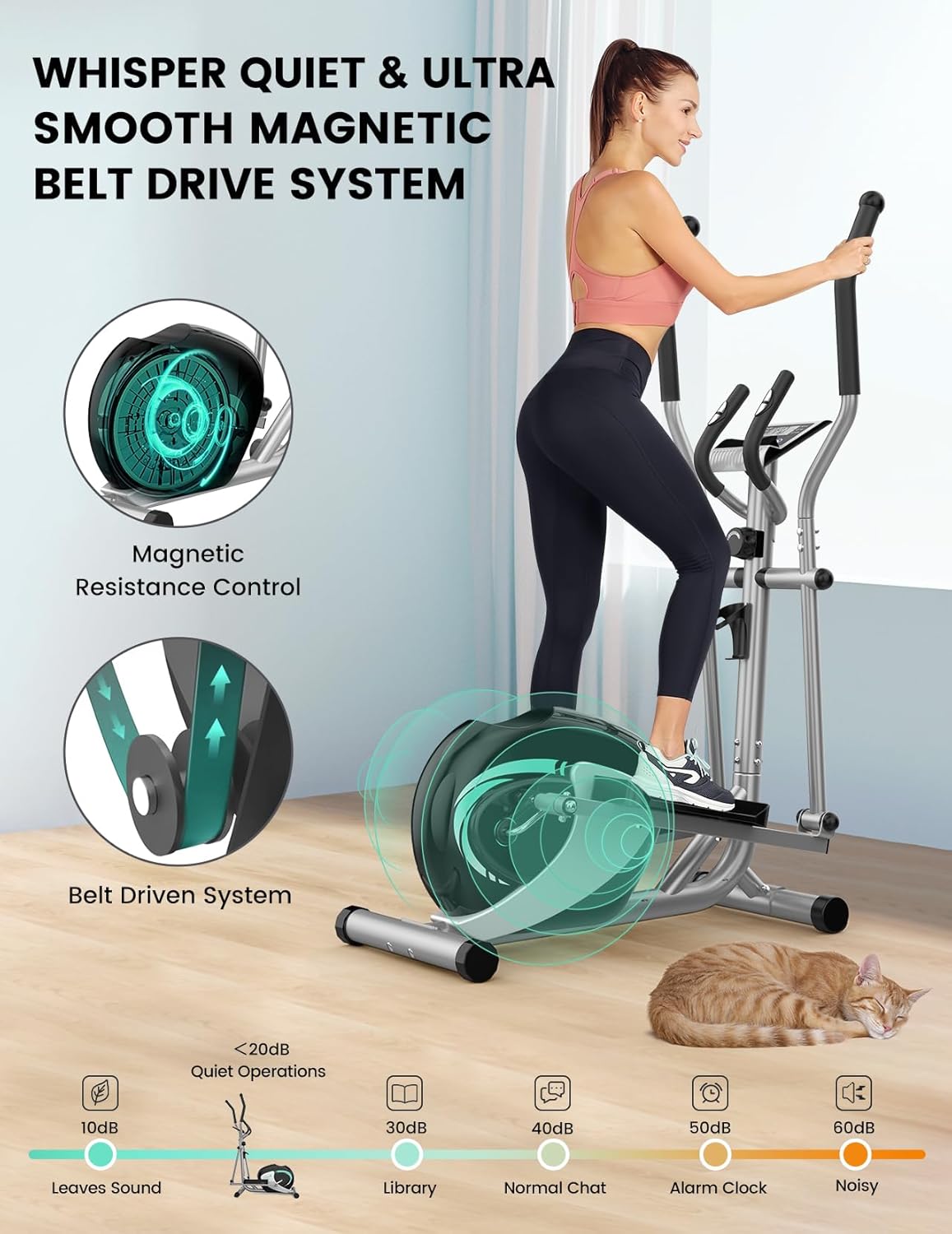
Image: The resistance knob with a visual guide to 8 levels, indicating casual, strength training, and body-building modes.
4.3 Using the LCD Monitor
The LCD monitor tracks your exercise data in real-time.
- SCAN: Automatically cycles through all functions.
- TIME: Displays your workout duration.
- SPEED: Shows your current speed.
- DISTANCE: Tracks the distance covered.
- CALORIES: Estimates calories burned during your workout.
- PULSE: Displays your heart rate when holding the stationary handlebars with pulse sensors.
- ODOMETER: Records the total accumulated distance.
- Use the "MODE" button to select specific display functions or activate SCAN mode.
- The device holder allows you to place your phone or tablet for entertainment during your workout.
Image: The LCD monitor displaying various workout metrics and featuring a device holder for convenience.
4.4 Dual Handlebars
The machine features both stationary and moving handlebars for varied workouts.
- Stationary Handlebars: Equipped with built-in pulse sensors to monitor your heart rate. Ideal for focusing on lower body or for stability.
- Swingable Long Handlebars: Engage upper body muscles for a full-body workout. They have a soft, anti-slip, and sweat-resistant surface.
Image: The dual handlebar design, featuring both stationary grips with pulse sensors and moving swing arms for full-body exercise.
4.5 Transportation and Storage
The elliptical machine is designed for easy movement and storage.
- The transportation wheels built into the front foot tube allow you to easily move the elliptical around without lifting it.
- Simply tilt the machine forward onto its wheels and roll it to your desired location.

Image: A user demonstrating how to easily move the elliptical machine using its integrated transportation wheels.
5. Maintenance
Regular maintenance ensures the longevity and optimal performance of your elliptical machine.
- Cleaning: Wipe down the machine with a damp cloth after each use to remove sweat and dust. Avoid abrasive cleaners.
- Lubrication: Periodically check moving parts for smooth operation. Apply a silicone-based lubricant if any squeaking or stiffness occurs.
- Tightness Check: Regularly inspect all bolts, nuts, and connections to ensure they are secure. Tighten any loose fasteners.
- Storage: Store the machine in a dry, cool place away from direct sunlight and extreme temperatures.
6. Troubleshooting
If you encounter any issues, refer to the following common problems and solutions:
| Problem | Possible Cause | Solution |
|---|---|---|
| Machine is unstable/wobbles | Uneven surface; loose bolts. | Ensure machine is on a flat surface. Check and tighten all assembly bolts. |
| Squeaking/Noise during operation | Loose connections; lack of lubrication on moving parts. | Check and tighten all bolts. Apply silicone lubricant to pivot points and joints. |
| Resistance not changing | Resistance cable not properly connected or damaged. | Verify the resistance cable connection as per assembly instructions. Contact customer support if damaged. |
| LCD monitor not displaying data | Batteries dead; sensor cables disconnected. | Replace batteries in the LCD monitor. Check that all sensor cables are securely connected. |
7. Specifications
- Model Name: ET30 Elliptical Machine
- Brand: THERUN
- Material: Alloy Steel
- Product Dimensions: 39.4"D x 20.9"W x 63.8"H
- Item Weight: 56.4 Pounds
- Resistance Mechanism: Magnetic
- Number of Resistance Levels: 8
- Flywheel Weight: 6KG (approx. 13.2 lbs)
- Maximum Weight Recommendation: 265 Pounds (120 kg)
- Maximum Stride Length: 14 Inches
- Screen Size: 3.5 Inches (LCD Monitor)
- Suitable User Height: 4'9" - 6'2"
- Special Features: Hyper-Quiet Operation (Sound < 20dB), Pulse Sensor, Dual Handlebars, Transportation Wheels, Device Holder

Image: Visual representation of the elliptical machine's dimensions and core features.
8. Warranty and Support
The THERUN ET30 Elliptical Machine comes with a 1-year warranty.
For any concerns, questions, or assistance with assembly or operation, please contact our customer service team. We are committed to providing satisfactory customer service and support.
Refer to your purchase documentation for specific contact details or visit the official THERUN website for support information.
Documents and downloads
Ask a question about this manual
Ask about setup, troubleshooting, compatibility, parts, safety, or missing instructions. Manuals+ will review the question and use this page’s manual context to help answer it.