
1. Introduction and Overview
Thank you for choosing the OffiGo U-Shaped Height-Adjustable Desk. This manual provides essential information for the safe assembly, operation, and maintenance of your new desk. Please read it thoroughly before use and keep it for future reference.
This desk features smart electric height adjustment, allowing you to switch between sitting and standing positions effortlessly. Its U-shaped design provides ample workspace, and the silent motor ensures a quiet environment.

Image 1.1: The OffiGo U-Shaped Height-Adjustable Desk in Vintage Brown.
2. Safety Instructions
- Read all instructions carefully before assembly and use.
- Do not exceed the maximum recommended weight capacity of 45 kg (99 lbs). Overloading the desk can cause damage or injury.
- Ensure the desk is placed on a level surface and is well anchored to the floor to guarantee stability during use.
- Keep children and pets away from the desk during height adjustment to prevent accidents.
- Ensure there are no obstructions above or below the desk when adjusting its height.
- Do not sit or stand on the desk.
- Only use the provided power adapter and components.
- If any parts are missing or damaged, contact customer service immediately. Do not attempt to assemble or operate the desk with damaged parts.
3. Package Contents
Verify that all components are present and undamaged before beginning assembly. If anything is missing or damaged, please contact OffiGo customer support.
- Desk tabletop (U-shaped, Vintage Brown)
- Desk frame (Steel alloy legs and crossbar)
- Electric motor and control panel
- Power adapter and cables
- Assembly hardware (screws, bolts, washers)
- Assembly tools (e.g., Allen wrench)
- Instruction Manual
4. Setup and Assembly
The OffiGo desk is designed for worry-free assembly. All components are clearly marked, and all necessary tools are included. Follow the step-by-step instructions provided in the separate assembly guide for detailed visual instructions.
- Unpack all components and lay them out on a clean, soft surface to prevent scratches.
- Attach the lifting columns to the desk feet.
- Connect the crossbar between the lifting columns.
- Secure the tabletop to the assembled frame using the provided screws.
- Install the control panel and connect all cables to the motor and power supply.
- Ensure all connections are secure before plugging the desk into a power outlet.

Image 4.1: Simplified assembly steps for the OffiGo desk.
5. Operating Instructions
5.1 Height Adjustment
The OffiGo desk features electric height adjustment, allowing you to smoothly transition between sitting and standing positions. The adjustable height range is from 72 cm to 118 cm.
- To raise the desk: Press and hold the UP (▲) button on the control panel. Release the button when the desired height is reached.
- To lower the desk: Press and hold the DOWN (▼) button on the control panel. Release the button when the desired height is reached.
5.2 Memory Presets
The control panel includes a memory function to save and recall up to three preferred height settings.

Image 5.1: The desk control panel with LED display and memory buttons.
- To save a height setting: Adjust the desk to your desired height using the UP/DOWN buttons. Press the 'S' button, then immediately press one of the memory buttons (1, 2, or 3) until you hear a beep or see the display confirm. The current height is now saved to that preset.
- To recall a saved height: Simply press the corresponding memory button (1, 2, or 3). The desk will automatically move to the saved height.

Image 5.2: The desk supports both sitting and standing positions for dynamic work.
6. Maintenance
- Cleaning: Wipe the desk surface with a soft, damp cloth. Avoid abrasive cleaners or harsh chemicals that could damage the finish.
- Motor and Frame: Periodically check all screws and bolts to ensure they are tight. Do not lubricate the motor or lifting columns unless specifically instructed by OffiGo support.
- Cables: Ensure all cables are neatly organized and not pinched or tangled, which could affect performance or cause damage.
7. Troubleshooting
If you encounter any issues with your OffiGo desk, please refer to the following common troubleshooting steps:
- Desk not moving:
- Check if the power cable is securely plugged into both the desk and the wall outlet.
- Ensure there are no obstructions preventing the desk from moving up or down.
- Unplug the desk for 30 seconds, then plug it back in to reset the system.
- Uneven movement or noise:
- Verify that the desk is not overloaded and that the weight is evenly distributed.
- Check all assembly screws to ensure they are tight.
- Ensure the desk is on a flat, stable surface.
- Control panel not responding:
- Check power connections.
- Perform a system reset by unplugging and replugging the power.
If these steps do not resolve the issue, please contact OffiGo customer support for further assistance.
8. Specifications
Detailed specifications for your OffiGo U-Shaped Height-Adjustable Desk:
| Brand | OffiGo |
| Model | 140cm Vintage Brown |
| Desk Design | Standing Desk, U-Shaped |
| Product Dimensions (D x W x H) | 140P x 140l x 72H cm (Overall U-shape) |
| Item Dimensions (D x W x H) | 70 x 140 x 72 cm (Main rectangular section) |
| Minimum Height | 72 cm |
| Maximum Height | 118 cm |
| Recommended Max Weight | 45 kg |
| Top Material Type | Wood |
| Base Material | Steel Alloy |
| Special Feature | Height Adjustable, Memory Function |
| Assembly Required | Yes |
| UL Certified | Yes |

Image 8.1: Key dimensions and height range of the OffiGo U-shaped desk.
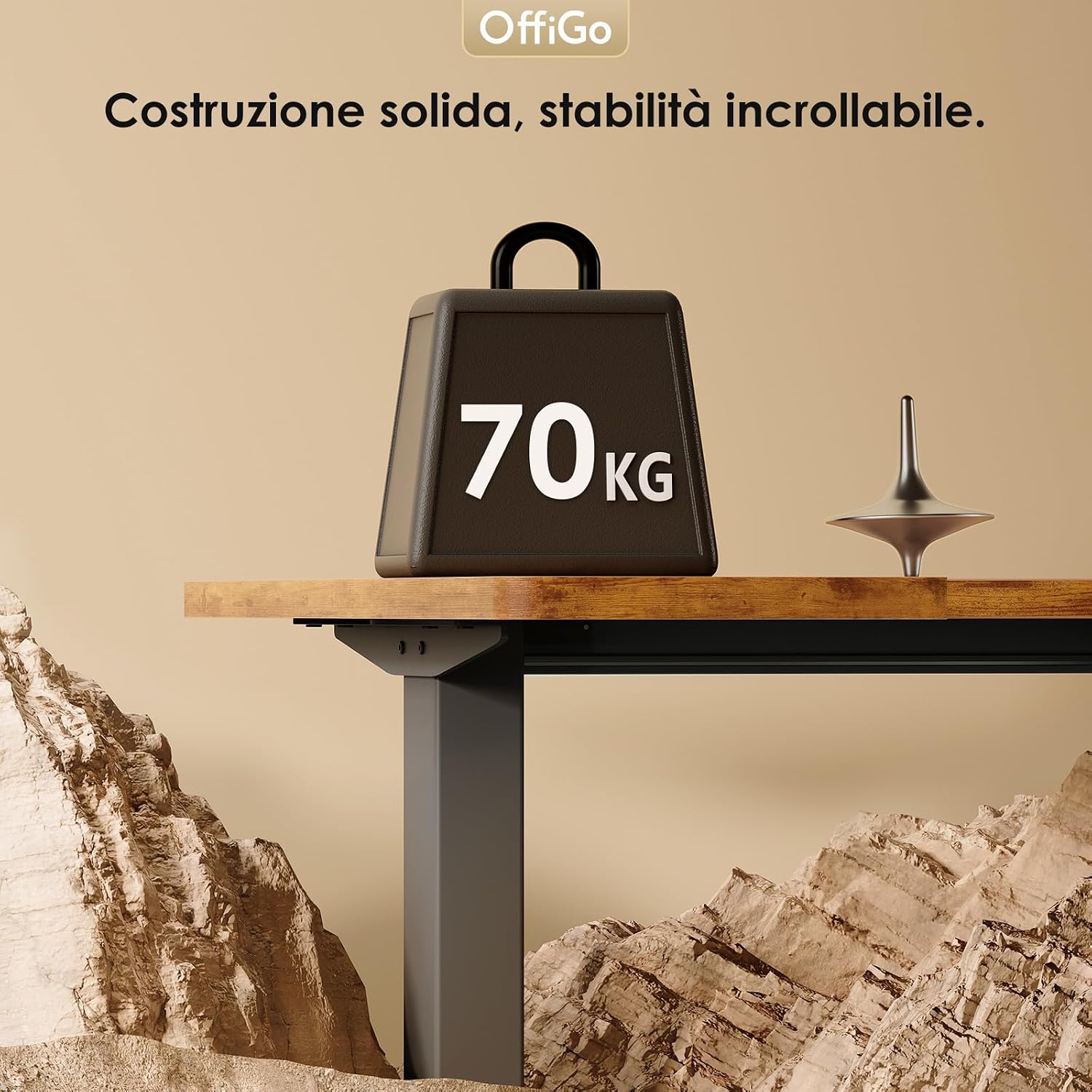
Image 8.2: The desk's robust construction supports significant weight.
9. Warranty and Support
Your OffiGo desk comes with a Limited Warranty. For specific terms and conditions, please refer to the warranty documentation included with your purchase or contact OffiGo customer service.
OffiGo offers a 30-day return guarantee for a risk-free purchasing experience.
For any questions, technical support, or warranty claims, please contact OffiGo customer service. We provide 24/7 customer support to assist you.
You can also visit the official OffiGo store for more information and products: OffiGo Store