1. Introduction
The BAOFENG UV5RMINI is a compact and versatile two-way radio designed for amateur radio enthusiasts and general communication. It features dual PTT, 999 channels, NOAA weather alerts, and convenient APP programming capabilities. This manual provides essential information for safe and effective operation of your device.
2. Safety Information
- Do not operate the radio in explosive atmospheres (e.g., flammable gases, dust particles, metallic powders).
- Do not transmit without an antenna attached.
- Avoid prolonged exposure to direct sunlight or extreme temperatures.
- Keep the radio away from water and moisture.
- Use only BAOFENG-approved accessories.
3. Package Contents
Your BAOFENG UV5RMINI package includes the following items:
- BAOFENG UV5RMINI Two-Way Radio (2 units)
- Battery (2 units)
- Short Antenna (2 units)
- Long Antenna (2 units)
- USB-C Charging Cable (2 units)
- Belt Clip (2 units)
- Earpiece with Microphone (2 units)
- User Manual
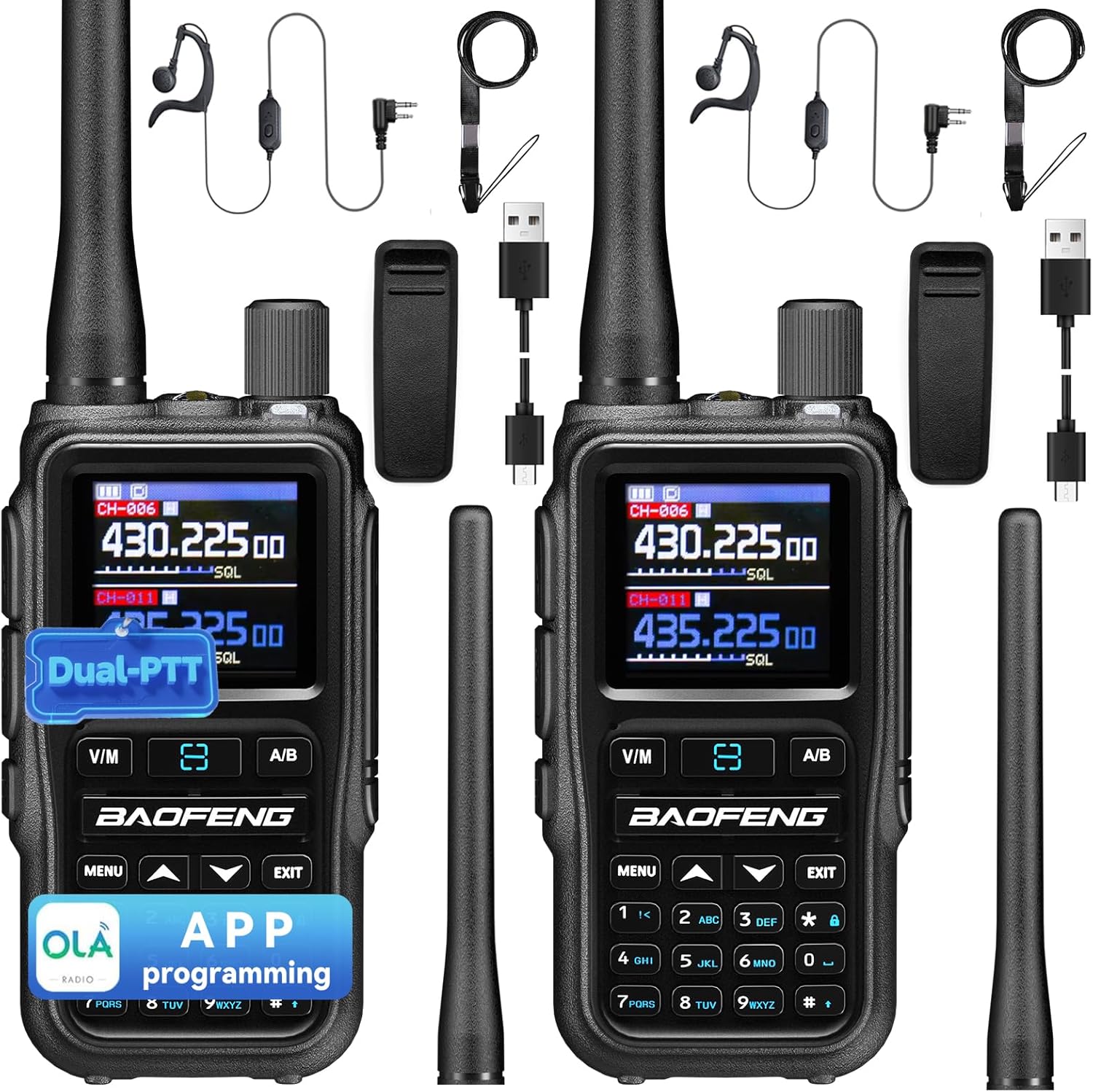
Figure 1: BAOFENG UV5RMINI Two-Way Radio and included accessories.
4. Product Overview
Familiarize yourself with the components and controls of your UV5RMINI radio:

Figure 2: Labeled diagram of BAOFENG UV5RMINI radio components.
- 1: Antenna: For transmitting and receiving signals.
- 2: SKI-Customized Function Keys: Programmable keys for quick access to functions.
- 3: PTT-A Button: Push-to-Talk button for Channel A.
- 4: OK/Menu button: Confirms selections and accesses the menu.
- 5: V/M-VFO/MR: Switches between Frequency Mode (VFO) and Channel Mode (MR).
- 6: PTT-B Button: Push-to-Talk button for Channel B.
- 7: Numeric keypad: For frequency input and menu navigation.
- 8: Flashlight: Integrated LED light.
- 9: Volume/Power Knob: Turns the radio on/off and adjusts volume.
- 10: Screen: Displays frequency, channel, and menu information.
- 11: Accessory Port: For earpiece/microphone.
- 12: Cancel/Back button: Exits menus or cancels operations.
- 13: Up/Down button: Navigates menu options or adjusts frequency.
- 14: A/B: Switches between Channel A and Channel B display/operation.
- 15: Microphone: For voice input.
- 16: LED Indicator: Shows radio status (e.g., transmitting, receiving, charging).
- 17: Battery Latch: Secures the battery.
- 18: Scan Key: Initiates frequency scanning.
5. Setup
5.1 Battery Installation and Charging
To install the battery, align it with the battery compartment on the back of the radio and slide it into place until it clicks securely. To charge the battery, connect the provided USB-C cable to the port on the bottom of the battery. The LED indicator will show charging status.
Video 1: Demonstrates Type-C charging for the BAOFENG UV5RMINI radio.
5.2 Antenna Attachment
Screw the desired antenna (short or long) clockwise onto the antenna connector at the top of the radio until it is finger-tight. Do not overtighten.
5.3 Belt Clip Attachment
Attach the belt clip to the back of the radio by aligning it with the designated slots on the battery and sliding it down until it locks. To remove, first detach the battery, then slide the clip off.
6. Basic Operation
6.1 Power On/Off and Volume
Rotate the Volume/Power Knob (9) clockwise to turn the radio on. Continue rotating to increase volume. Rotate counter-clockwise to decrease volume and turn off the radio.
6.2 Channel Selection
In Channel Mode (MR), use the Up/Down buttons (13) to navigate through the 999 available channels. In Frequency Mode (VFO), use the numeric keypad (7) to directly input frequencies.
6.3 Dual PTT Function
The UV5RMINI features two Push-to-Talk buttons, PTT-A (3) and PTT-B (6), allowing you to transmit on two different channels simultaneously or switch between them quickly. Press the A/B button (14) to select which channel is active for receiving, then use the corresponding PTT button to transmit.

Figure 3: BAOFENG UV5RMINI with Dual PTT buttons highlighted.
Video 2: Demonstrates the Dual PTT feature of the BAOFENG UV5RMINI radio.
6.4 FM Radio and Flashlight
The UV5RMINI includes an FM radio function for entertainment and a built-in flashlight (8) for convenience in low-light conditions. Refer to the user manual for specific button presses to activate these features.
Video 3: Shows the FM Radio and Flashlight features of the BAOFENG UV5RMINI radio.
7. Advanced Features
7.1 NOAA Weather Radio
The radio can receive NOAA weather forecasts and emergency warnings, providing crucial information during adverse weather conditions. This feature helps ensure your safety by keeping you updated on environmental changes.

Figure 4: BAOFENG UV5RMINI displaying NOAA Weather channels.
Video 4: Shows the NOAA Weather receiver function of the BAOFENG UV5RMINI radio.
7.2 APP Programming (OLA Radio)
The UV5RMINI supports mobile application programming via the OLA Radio app. This simplifies the process of setting up channels and frequencies, eliminating the need for complicated cables and computer software.

Figure 5: BAOFENG UV5RMINI being programmed via a mobile app.
Video 5: Step-by-step guide on programming the BAOFENG UV5RMINI using the OLA Radio app.
Video 6: Tutorial on using the OLA APP for programming the BAOFENG UV-5R Mini.
Video 7: Demonstrates APP programming for the BAOFENG 5RMINI.
7.3 Copy Frequency
The radio supports a copy frequency function, allowing you to quickly replicate frequencies from another device. This feature enhances convenience for users.
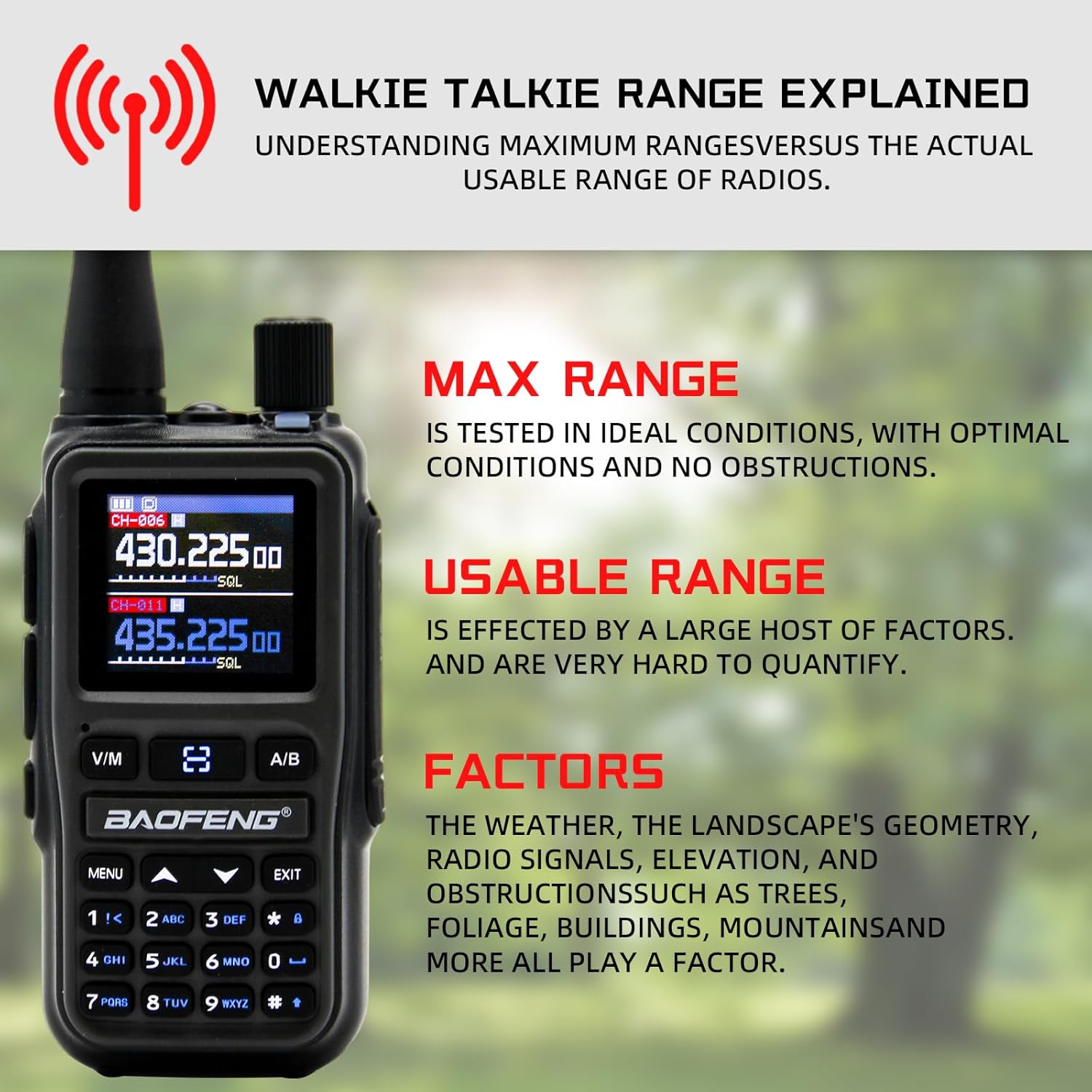
Figure 6: BAOFENG UV5RMINI displaying the Copy Frequency feature.
Video 8: Guide on how to use the Copy Frequency function on the BAOFENG UV-5R MINI.
Video 9: Demonstrates the One Touch Search Frequency feature for quick frequency acquisition.
7.4 CHIRP Programming
The UV5RMINI is compatible with CHIRP programming software, offering an alternative method for advanced customization of radio settings and channels.
Video 10: Explains how to program the BAOFENG UV-5R MINI using both OLA APP and CHIRP software.
7.5 VOX and DTMF
The radio supports VOX (Voice Operated Exchange) for hands-free transmission and DTMF (Dual-Tone Multi-Frequency) for signaling and remote control functions.
8. Maintenance
8.1 Battery Care
To prolong battery life, avoid overcharging or completely draining the battery. Store the radio and batteries in a cool, dry place when not in use for extended periods.
8.2 Cleaning
Clean the radio's exterior with a soft, damp cloth. Do not use harsh chemicals or abrasive cleaners. Ensure all ports are dry before use.
9. Troubleshooting
If you encounter issues with your BAOFENG UV5RMINI, consider the following:
- No Power: Check battery charge level and ensure it is correctly installed.
- Poor Reception/Transmission: Verify antenna connection. Ensure you are within range and on the correct frequency/channel. Check for obstructions.
- Programming Issues: Ensure the radio's wireless CPS function is enabled and the correct model is selected in the programming app/software.
- Audio Problems: Check earpiece/microphone connection if used. Adjust volume.
For persistent issues, consult the full user manual or contact BAOFENG customer support.
10. Specifications
| Feature | Specification |
|---|---|
| Item Weight | 1.34 pounds |
| Package Dimensions | 8.27 x 7.68 x 2.6 inches |
| Model Number | 5RMINI |
| Batteries | 1 Nonstandard Battery required (included) |
| Number of Channels | 999 |
| Special Feature | Long Range |
| Frequency Range | 108-136MHZ, 136-174MHZ, 350-390MHZ, 400-520MHZ |
| Water Resistance Level | Not Water Resistant |
| Compatible Devices | Two-way radios on the same channel, devices operating on 108-136MHz, 136-174MHz, 350-390MHz, or 400-520MHz frequency bands, and long-range capable devices. |
11. Warranty & Support
The BAOFENG UV5RMINI comes with a 1-year warranty. For warranty claims, technical support, or additional information, please contact BAOFENG customer service or visit the official BAOFENG website.


