
Introduction
The NANSIKE Memory Orb Ball (Model ECB-1) is a 2.76-inch crystal video orb designed to display your cherished photos and videos. This device allows for easy content upload via WiFi through a dedicated application, offering a unique way to relive your favorite moments. This manual provides detailed instructions for setting up, operating, maintaining, and troubleshooting your Memory Orb Ball.
Setup
1. Initial Charging
Upon receiving your Memory Orb Ball, ensure it is fully charged before its first use. Connect the provided charging cable to the USB Charge Port on the device and a suitable USB power adapter (not included).
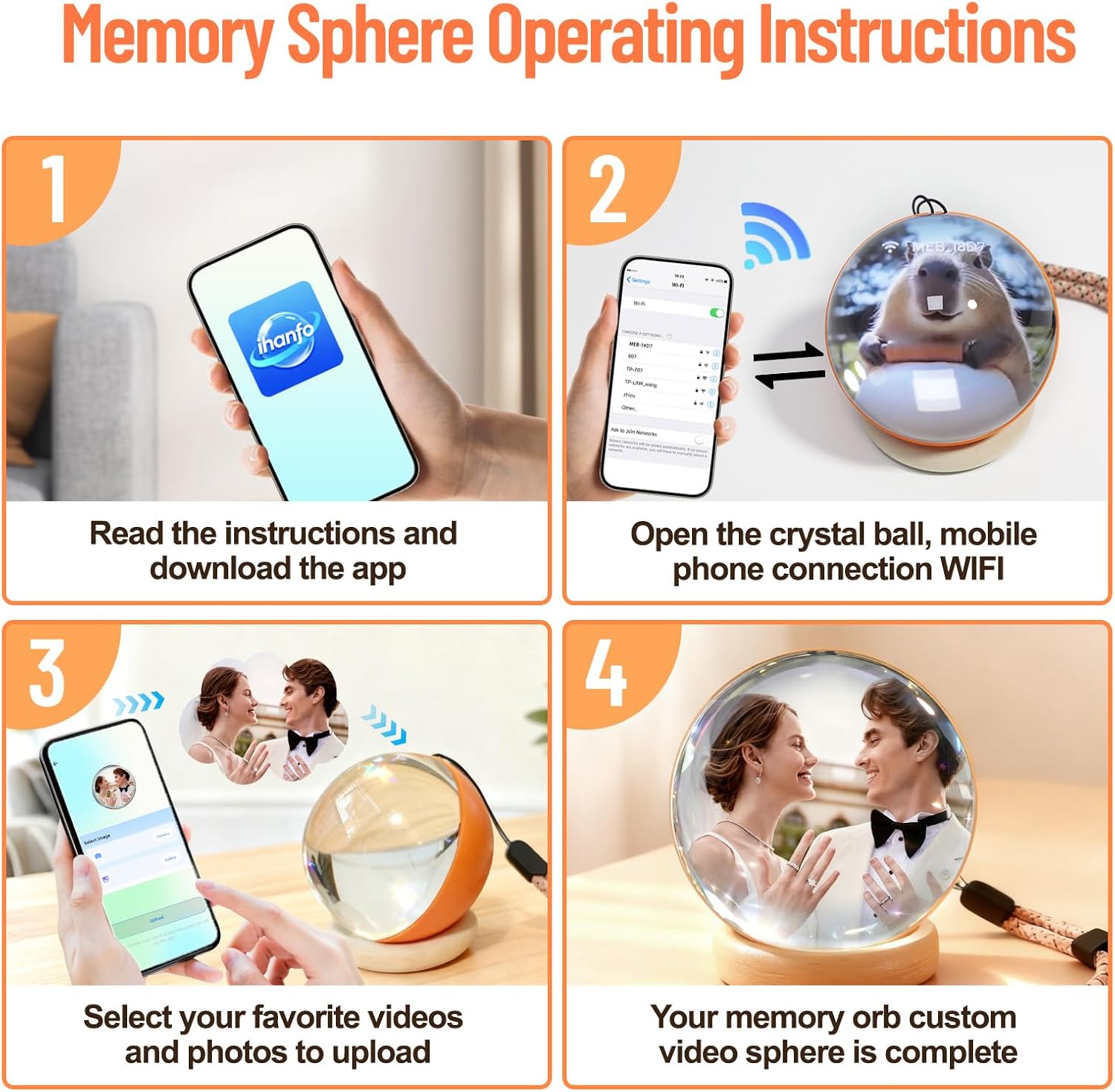
2. App Download and Installation
Locate the QR code in the product packaging or search for the "iHanfo" app in your mobile device's app store. Download and install the companion application.
3. WiFi Connection
- Turn on the Memory Orb Ball by long-pressing the center of the control wheel.
- On your mobile phone, navigate to your WiFi settings.
- Locate and select the device named "MEB-XXXX" (where XXXX is a random 4-character suffix).
- Enter the default password: 12345678 to connect.
- Ensure you allow the "iHanfo" app to access your local network when prompted. Failure to do so will prevent content upload.


Operating Instructions
1. Uploading Photos and Videos
Once connected to the Memory Orb Ball via WiFi:
- Open the "iHanfo" app.
- Navigate to the Photo Display page to upload images. You can tap Camera to take a new photo or Gallery to select from your phone's album.
- Navigate to the Video Display page to upload videos. Select a video from your album and tap Upload to transfer it to the crystal ball.
The device supports multiple formats and automatically optimizes playback. It can store up to 10 minutes of video or approximately 220 photos.

2. Controlling Playback
The Memory Orb Ball features a control wheel for managing playback:
- Switch Videos/Photos: Slide the control wheel once to change the currently displayed content.
- Adjust Volume: Hold the control wheel and push right to increase volume, or push left to decrease volume.
- Power On/Off: Long press the center of the control wheel to turn the device on or off.
Within the "iHanfo" app, you can also adjust brightness, set videos to loop, and switch between sequential or random playback modes.
Maintenance
To ensure the longevity and optimal performance of your NANSIKE Memory Orb Ball, follow these maintenance guidelines:
- Cleaning: Use a soft, dry, lint-free cloth to gently wipe the crystal surface. Avoid abrasive cleaners or solvents that could damage the material.
- Storage: Store the device in a cool, dry place away from direct sunlight and extreme temperatures.
- Handling: The orb is crafted from K9 crystal glass; handle with care to prevent drops or impacts that could cause breakage.
- Charging: Use only the provided charging cable. Avoid overcharging the device.
Troubleshooting
- Q: Why does it display "video upload failed/abnormal"?
- A: This typically occurs if you selected "Don't Allow" when the "iHanfo" app requested to find and connect to devices on your local network. To resolve this:
- Go to Settings on your mobile device.
- Tap Apps.
- Locate "iHanfo".
- Enable Local Network access.
- Q: Why did the pairing fail?
- A: The device activates automatically upon startup. If pairing is not established within one minute, the connection will automatically close and the connection name will become hidden. To reactivate the connection, simply restart the crystal ball.
- Q: No response when turning on?
- A: After receiving the product, it is essential to fully charge it before attempting to turn it on for the first time.
- Q: Which phones is it compatible with?
- A: The Memory Orb Ball is compatible with both Android and iOS mobile phones.
Specifications
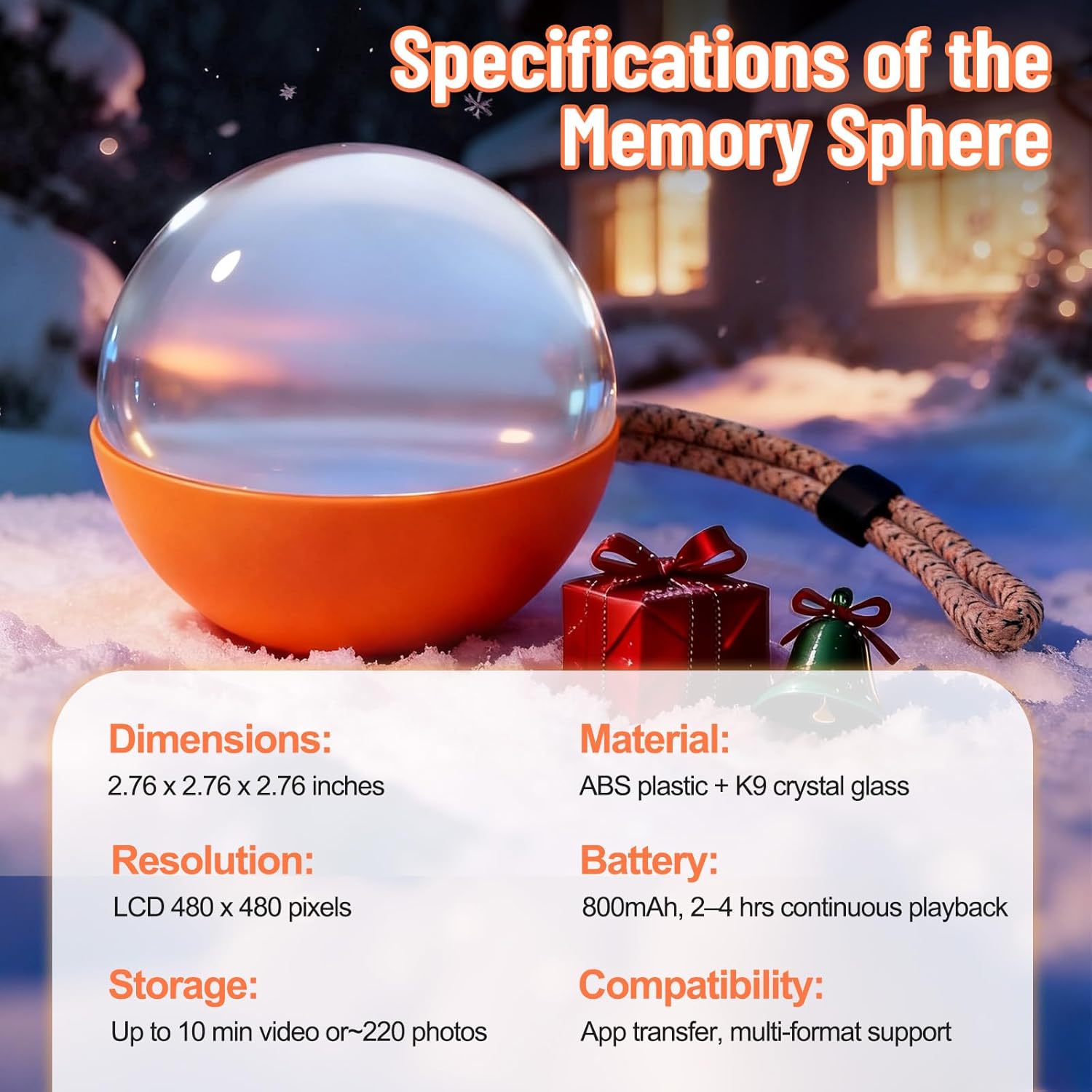
| Feature | Detail |
|---|---|
| Brand | NANSIKE |
| Model Number | ECB-1 |
| Dimensions | 2.76 x 2.76 x 2.76 inches |
| Material | ABS plastic + K9 crystal glass |
| Resolution | LCD 480 x 480 pixels |
| Battery | 800mAh, 2-4 hrs continuous playback |
| Storage | Up to 10 minutes video or ~220 photos |
| Compatibility | App transfer, multi-format support (Android and iOS) |
| Item Weight | 12.32 ounces |

Warranty and Support
Warranty Information
Please refer to the warranty documentation provided with your purchase or contact your retailer for specific warranty terms and conditions. Keep your proof of purchase for any warranty claims.
Customer Support
For further assistance, technical support, or inquiries not covered in this manual, please contact NANSIKE customer service through the contact information provided by your retailer or on the official NANSIKE website.