
Back Bay Audio FirstClass 50
Back Bay Audio FirstClass 50 True Wireless Earbuds Instruction Manual
Model: FirstClass 50
Introduction
This manual provides detailed instructions for the Back Bay Audio FirstClass 50 True Wireless Earbuds. Please read this manual thoroughly before using your earbuds to ensure proper operation and to maximize your listening experience. Keep this manual for future reference.
What's in the Box
- Back Bay Audio FirstClass 50 True Wireless Earbuds
- Wireless Charging Case
- Eartips (various sizes)
- User Manual
Setup
1. Initial Charge
Before first use, fully charge your earbuds and charging case. Place the earbuds into the charging case. Connect the charging case to a power source using the provided USB cable. The indicator light on the case will show charging status.
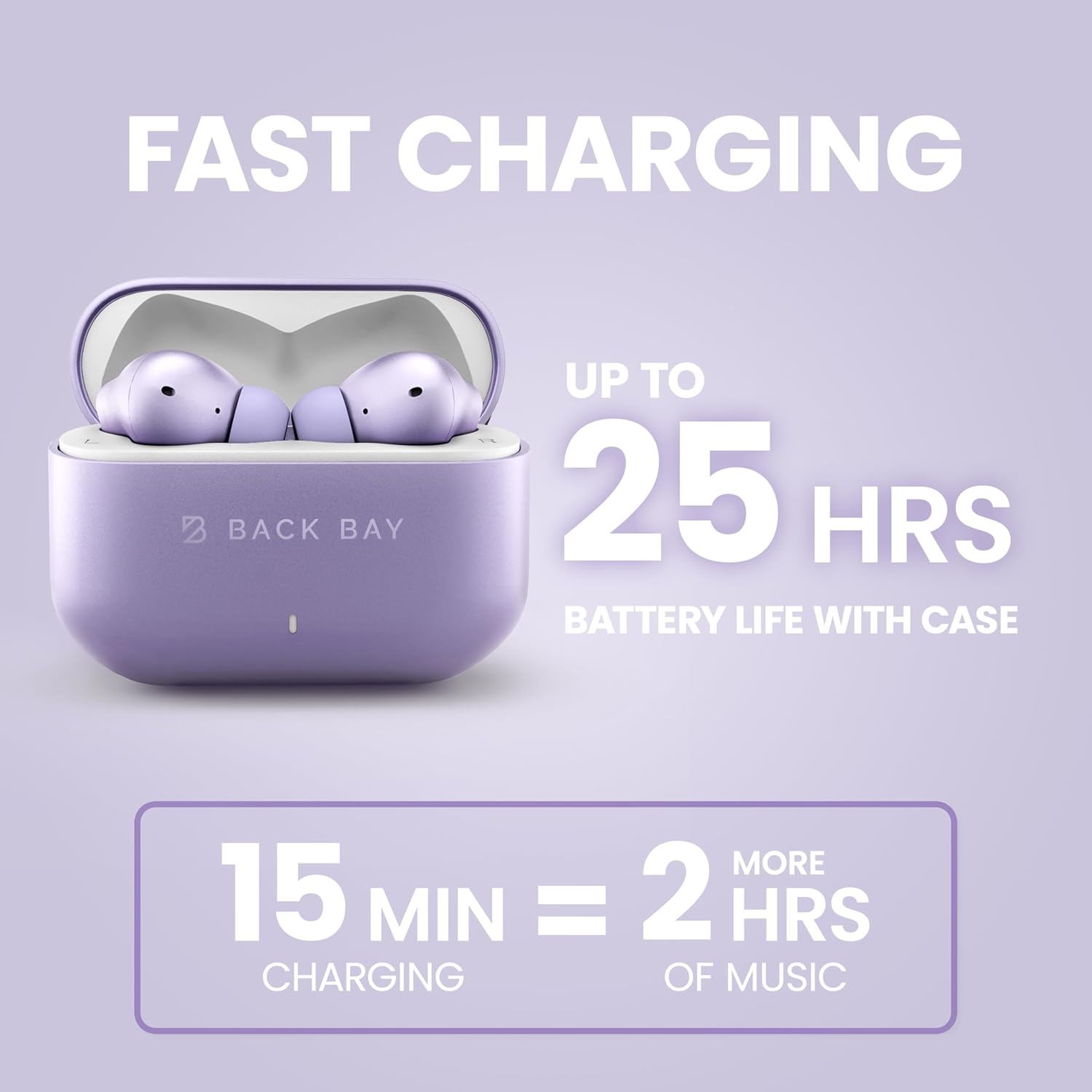
Image: The Back Bay Audio FirstClass 50 earbuds in their charging case, illustrating the fast charging capability and extended battery life of up to 25 hours with the case. A 15-minute charge provides 2 hours of music playback.
2. Pairing with a Device
- Ensure the earbuds are in the charging case and the case lid is open.
- On your device (smartphone, tablet, computer), go to Bluetooth settings.
- Select "Back Bay FirstClass 50" from the list of available devices.
- Once connected, the earbuds will automatically pair with this device in the future when removed from the case.

Image: The Back Bay Audio FirstClass 50 earbuds and charging case positioned between a laptop, an iPhone, and a Samsung smartphone, indicating instant connectivity to any phone or computer via Bluetooth.
3. Earbud Fit
Select the eartips that provide the most comfortable and secure fit for your ears. A proper seal is crucial for optimal sound quality and noise cancellation performance.
Operating Instructions
Touch Controls
The Back Bay Audio FirstClass 50 earbuds feature intuitive touch controls on each earbud. Specific functions are activated by tapping or holding the touch-sensitive area.
- Play/Pause: Single tap on either earbud.
- Volume Up/Down: Specific tap patterns (refer to quick start guide for detailed patterns).
- Next Track: Double tap on the right earbud.
- Previous Track: Double tap on the left earbud.
- Answer/End Call: Single tap on either earbud.
- Reject Call: Press and hold either earbud.
- Activate Voice Assistant: Triple tap on either earbud.
- Switch Noise Control Modes (ANC/Transparency): Press and hold the touch area for 2 seconds.

Image: A detailed view of a Back Bay Audio FirstClass 50 earbud, highlighting the touch-sensitive area for controlling media playback, volume, calls, and noise cancellation features.
Noise Control Modes
The earbuds offer Active Noise Cancellation (ANC) and Transparency Mode to adapt to your environment.
- Active Noise Cancellation (ANC): Reduces external noise, ideal for travel or noisy environments. The earbuds are designed to cancel up to 97% of noise without causing head pressure.
- Transparency Mode: Allows you to hear your surroundings clearly while still enjoying your audio, useful for awareness in urban areas or conversations.
To switch between ANC and Transparency Mode, press and hold the touch area on either earbud for 2 seconds.

Image: A woman wearing the Back Bay Audio FirstClass 50 earbuds on an airplane, demonstrating the effectiveness of the Active Noise Cancellation feature in reducing ambient noise by up to 97% for a comfortable listening experience.

Image: A woman wearing the Back Bay Audio FirstClass 50 earbuds in an outdoor urban setting, illustrating the Transparency Mode which allows users to hear their surroundings while listening to audio.
Sound Modes
The earbuds offer two distinct sound profiles:
- Signature Sound: The default, balanced audio profile.
- Bass Mode: Enhances low frequencies for a more immersive audio experience.
Switch between these modes using the touch controls (refer to quick start guide for detailed patterns).
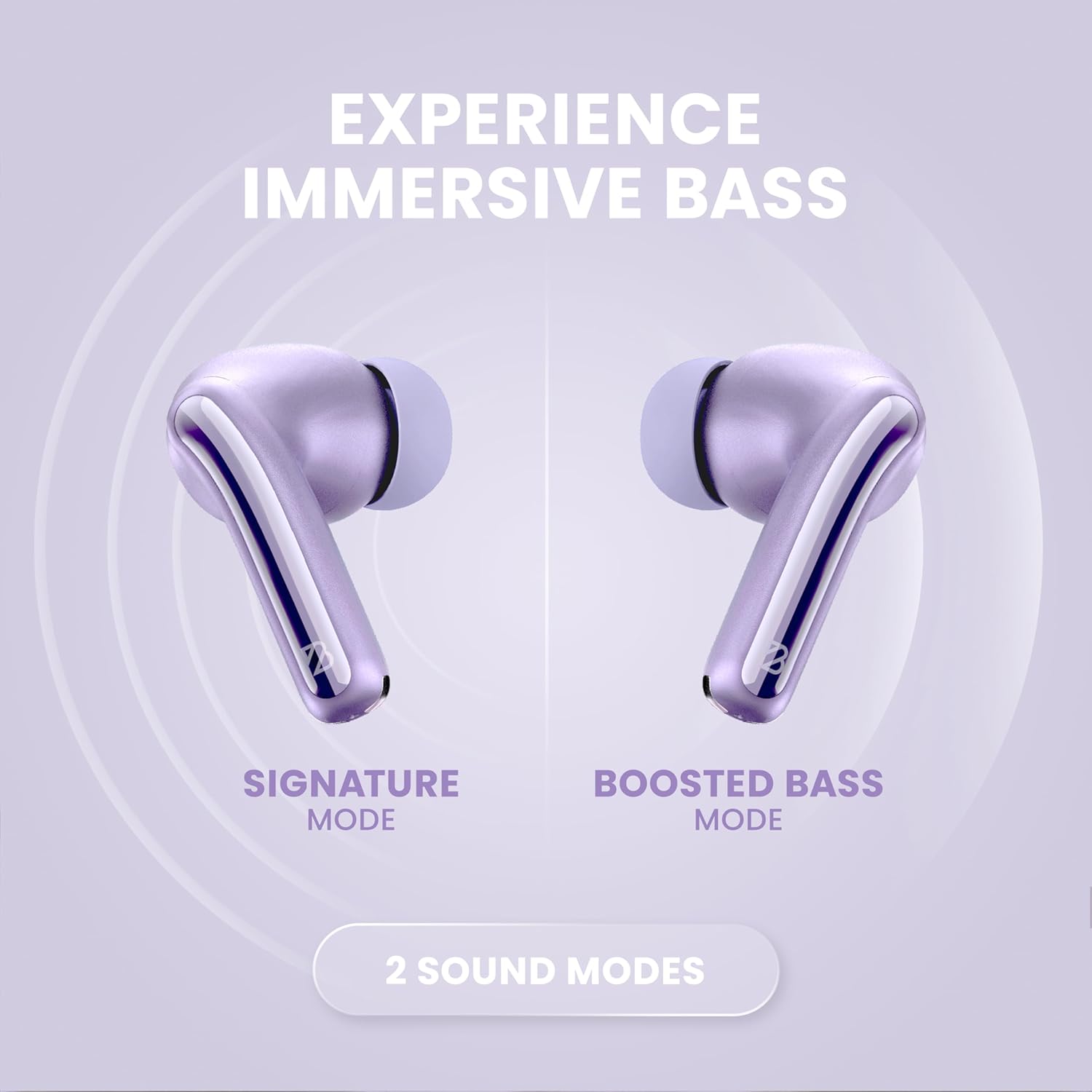
Image: Two Back Bay Audio FirstClass 50 earbuds displayed side-by-side, labeled "Signature Mode" and "Boosted Bass Mode," highlighting the availability of two distinct sound profiles for different listening preferences.
Low Latency Mode
Bluetooth 5.4 technology provides a low latency of 20ms, ensuring minimal audio delay for gaming and video playback.
Official Product Video
Video: An official product video from Back Bay Brand showcasing the features and benefits of the Back Bay FirstClass 50 ANC Active Noise Cancelling Earbuds.
Maintenance
- Cleaning: Regularly clean the earbuds and charging case with a soft, dry cloth. Do not use abrasive materials or harsh chemicals.
- Eartips: Remove eartips and clean them with mild soap and water if necessary. Ensure they are completely dry before reattaching.
- Storage: When not in use, store the earbuds in their charging case to protect them and keep them charged.
- Water Resistance: The earbuds are water resistant. Avoid submerging them in water or exposing them to high-pressure water jets. Dry them thoroughly if they get wet.
Troubleshooting
| Problem | Solution |
|---|---|
| Earbuds not pairing |
|
| No sound from one earbud |
|
| Poor sound quality |
|
| Earbuds not charging |
|
Specifications
| Feature | Detail |
|---|---|
| Brand | Back Bay Audio |
| Model Name | Back Bay FirstClass 50 |
| Ear Placement | In Ear |
| Connectivity Technology | Wireless (Bluetooth 5.4) |
| Bluetooth Range | Up to 30 feet |
| Noise Control | Active Noise Cancellation, Transparency Mode |
| Audio Driver Size | 10 mm Dynamic Driver |
| Frequency Response | 20 Hz - 20,000 Hz |
| Impedance | 4 ohm |
| Sensitivity | 110 dB |
| Audio Latency | 20 milliseconds |
| Battery Life (Earbuds) | Up to 5 hours |
| Total Battery Life (with Case) | Up to 25 hours |
| Quick Charge | 15 mins charge = 2 hours music |
| Control Type | Touch (Media Control, Volume Control, Noise Cancellation) |
| Water Resistance Level | Water Resistant |
| Earbud Weight | 4 g |
| Case Weight | 36 g |
| Case Dimensions (L x W x H) | 1 inch x 2.5 inches x 1.8 inches |
| Enclosure Material | Premium ABS Plastic |
| Carrying Case Material | Soft-Touch Rubberized Plastic |

Image: A diagram illustrating the physical dimensions of the Back Bay Audio FirstClass 50 earbuds (1.4" height, 0.9" width) and their charging case (1.9" height, 2.5" width).
Warranty
The Back Bay Audio FirstClass 50 True Wireless Earbuds come with a 1-Year Warranty. For detailed warranty terms and conditions, please refer to the official Back Bay Audio website or contact customer support.
Support
For further assistance, troubleshooting, or product inquiries, please visit the Back Bay Audio Store on Amazon or contact their customer service directly.
Related documentsFirstClass 50


Ask a question about this manual
Ask about setup, troubleshooting, compatibility, parts, safety, or missing instructions. Manuals+ will review the question and use this page’s manual context to help answer it.