
1. Product Overview
The SYMIK Invisible Selfie Stick SS70 is a lightweight and portable extension pole designed for action cameras, particularly those with 360-degree capabilities. Constructed from aluminum alloy, it features a 7-section retractable design, allowing for flexible framing and compact storage. This stick is engineered to disappear from 360-degree footage, enabling unique third-person and drone-like perspectives.

Image: The SYMIK Invisible Selfie Stick in use, demonstrating its ability to disappear in 360-degree camera footage.
Key Features:
- Invisible Design: Automatically disappears from 360-degree camera footage.
- Lightweight & Portable: Weighs only 92g, with a retracted length of 15.8 cm (6.2 in) for easy transport.
- Durable Construction: Made from aluminum alloy with an upgraded stainless steel 1/4'' screw.
- Comfortable Grip: Features a premium silicone rubber grip and a removable wrist strap for secure handling.
- Wide Compatibility: Compatible with Insta360 X5, X4, X4 Air, X3, ONE X2, ONE R, ONE RS, DJI Osmo 360, GoPro MAX, MAX 2, and other action cameras with a 1/4'' screw hole.
2. Setup Instructions
2.1 Attaching Your Camera
The selfie stick features a standard 1/4'' screw at the top for camera attachment. Ensure your action camera has a compatible 1/4'' screw hole. If your camera requires an adapter (e.g., for GoPro), it must be purchased separately.
- Locate the 1/4'' screw on the top of the selfie stick.
- Align your camera's 1/4'' screw hole with the screw on the stick.
- Gently rotate your camera clockwise until it is securely fastened to the stick. Do not overtighten.

Image: Detailed view of the selfie stick's top 1/4'' screw mount and the textured silicone grip.
2.2 Attaching the Wrist Strap
The included wrist strap provides additional security during use. It can be easily attached or removed.
- Unscrew the nut at the bottom of the selfie stick to detach the wrist strap.
- To attach, align the strap's loop with the screw hole at the bottom of the stick.
- Screw the nut back on until the strap is securely fastened.
- Place your hand through the strap and adjust the bead towards your wrist for a snug fit, enhancing security.

Image: Instructions for attaching and securing the wrist strap to the selfie stick for improved handling and safety.
3. Operating Instructions
3.1 Extending and Retracting the Stick
The SYMIK Invisible Selfie Stick uses a straight-pull telescopic design. It may feel stiff initially to prevent accidental slipping, but will become smoother with use.
- To Extend: Hold the base firmly and pull the top section upwards to extend the stick to your desired length.
- To Retract: Push the extended sections back into the base until fully collapsed.

Image: Visual representation of the selfie stick's retracted (15.8 cm) and extended (70 cm) lengths.
3.2 Achieving Invisible Shots
When used with compatible 360-degree cameras, the slim design of the selfie stick allows it to be automatically stitched out of your footage, creating an illusion of a floating camera.
- Ensure your 360-degree camera is properly mounted and calibrated according to its own user manual.
- Hold the selfie stick vertically or at an angle that minimizes its profile in the camera's field of view.
- Record your footage. The camera's software will typically remove the stick during post-processing or real-time stitching.

Image: Examples of capturing immersive 360-degree footage and third-person perspectives using the invisible selfie stick.
3.3 Portability
With its compact retracted length, the selfie stick is designed for maximum portability.
- When fully retracted, the stick measures only 15.8 cm (6.2 inches).
- It can easily fit into a backpack, camera bag, or even a pants pocket.
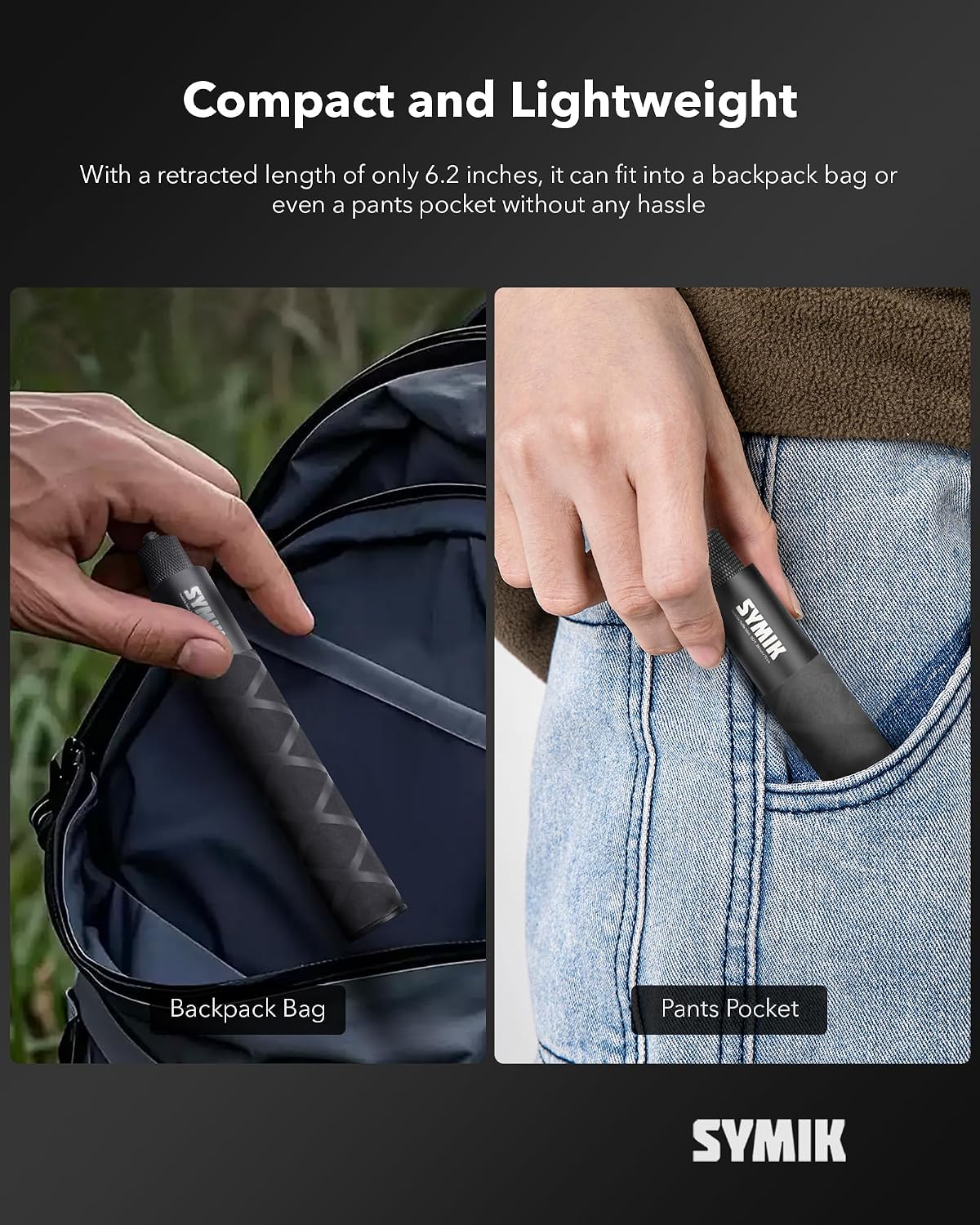
Image: The selfie stick's compact size demonstrated by fitting into a backpack and a pants pocket.
4. Maintenance
Proper care and maintenance will extend the lifespan of your SYMIK Invisible Selfie Stick.
- Cleaning: Wipe the stick with a soft, dry cloth after each use to remove dust, dirt, or moisture. For stubborn grime, a slightly damp cloth can be used, followed by immediate drying.
- Storage: Store the selfie stick in a dry, cool place, away from direct sunlight and extreme temperatures. Ensure it is fully retracted before storage.
- Avoid Harsh Chemicals: Do not use abrasive cleaners, solvents, or harsh chemicals, as these can damage the aluminum alloy finish or the silicone grip.
- Inspect Regularly: Periodically check the 1/4'' screw for any signs of wear or damage. Ensure the wrist strap is securely attached and not frayed.
5. Troubleshooting
5.1 Stick is Stiff to Extend/Retract
The selfie stick is designed to be purposely tighter initially to prevent accidental slipping. This is normal behavior.
- Solution: Continue to use the stick. It will gradually loosen and slide more smoothly after a break-in period.
- Note: Avoid applying excessive force, which could damage the telescopic mechanism.
5.2 Camera Not Securely Attached
If your camera feels loose on the 1/4'' screw, ensure it is properly tightened.
- Solution: Gently rotate the camera clockwise until it is snug. Do not overtighten, as this can damage the camera's screw port or the stick's screw.
- Check for Adapter: If using a GoPro or similar camera, ensure you have the correct 1/4'' screw adapter, as it is not included with this selfie stick.
5.3 Selfie Stick Visible in 360 Footage
While designed to be invisible, certain factors can cause the stick to appear in 360-degree footage.
- Camera Calibration: Ensure your 360-degree camera is properly calibrated according to its manufacturer's instructions.
- Holding Angle: Hold the stick as vertically as possible or at an angle that aligns with the camera's blind spots.
- Lighting Conditions: Extreme lighting or very close objects can sometimes make the stick more noticeable.
- Post-Processing: Verify that your camera's software or editing application is correctly applying the