
RedLemon ELD60LS-DRO
RedLemon ELD60LS-DRO Electric L-Shaped Standing Desk User Manual
Model: ELD60LS-DRO
Important Safety Information
Before assembly, operation, or maintenance of your RedLemon Electric L-Shaped Standing Desk, please read and understand all safety instructions.
- Always unplug the desk from the power source before performing any assembly, disassembly, or maintenance.
- Ensure the work area is clear of obstacles to prevent interference with desk movement.
- Verify the desk is stable and properly assembled before adjusting its height or placing items on it.
- Do not leave children or pets unattended near the desk, especially during height adjustments.
- Avoid placing liquids directly on the desk surface without proper coasters to prevent damage to electronic components.
Setup and Assembly
The RedLemon ELD60LS-DRO Electric L-Shaped Standing Desk requires assembly. Detailed assembly instructions and labeled parts are included in the product packaging. Please follow these instructions carefully.
Before You Begin:
- Unpacking: Carefully unpack all components and verify against the parts list provided in the assembly manual. Inspect for any damage.
- Tools: This product does not include all necessary assembly tools. Ensure you have the required tools as specified in the assembly manual (e.g., screwdriver, wrench).
- Assistance: Assembly may require two people due to the size and weight of the desk components.
- Location: Assemble the desk in the area where it will be used to avoid moving it after assembly, as it is heavy (approximately 112 lbs).
Assembly Steps:
- Refer to the included assembly manual for step-by-step instructions.
- Begin by assembling the desk frame and legs according to the diagrams.
- Attach the desktop panels, ensuring all connections are secure.
- Install the monitor shelf, keyboard tray, drawers, and other accessories as directed.
- Connect all electrical components, including the control panel, motor, and LED lighting, following the wiring diagrams.
- Once fully assembled, plug the desk into a grounded power outlet.

Image: Overview of the RedLemon L-Shaped Standing Desk, showing key dimensions and features like easy installation, stability, load capacity, and low noise operation.
Operating Instructions
Height Adjustment:
The desk features an electric motor for smooth height adjustment, ranging from 28 inches to 46 inches.
- Adjusting Height: Use the UP and DOWN buttons on the control panel to raise or lower the desk to your desired position.
- Memory Presets: The desk includes 4 height memory presets. To save a height, adjust the desk to the desired level, then press and hold one of the memory buttons (e.g., '1', '2', '3', '4') until the display flashes or beeps, indicating the height is saved. To recall a saved height, simply press the corresponding memory button.

Image: Illustration demonstrating ergonomic benefits of the adjustable height desk, promoting relaxed head, neck, and shoulders, and improved focus.
LED Lighting System:
The desk is equipped with RGB LED lighting, offering 12 scene modes for customizable ambiance.
- Control: The LED lights are controlled via a wireless remote controller.
- Modes: Cycle through the 12 scene modes to select your preferred lighting effect.
- Power: Use the remote to turn the LED lights on or off.
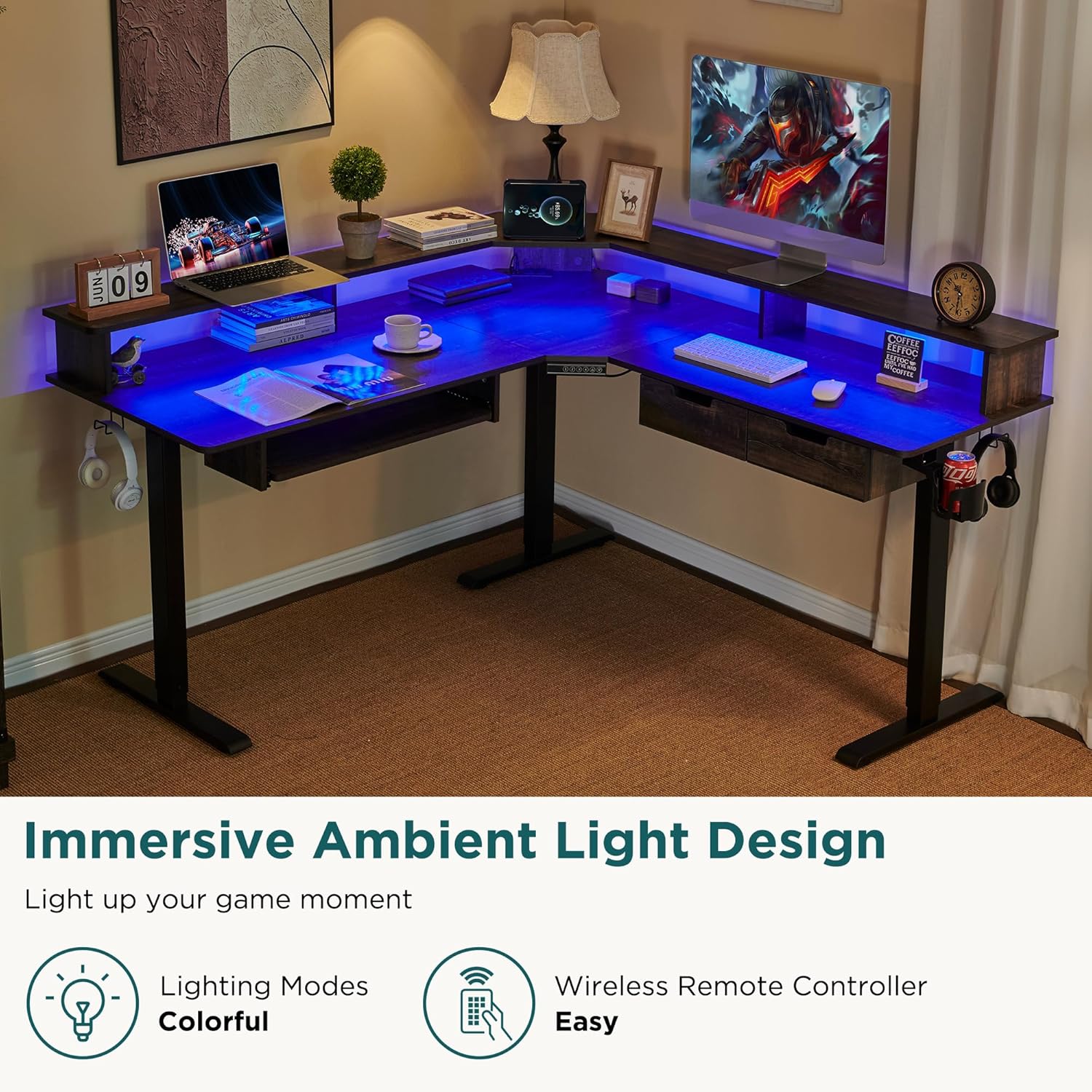
Image: The desk illuminated with blue LED ambient lighting, showcasing the immersive light design feature.
Integrated Features:
- Built-in Power Outlets: Utilize the integrated power outlets to conveniently charge laptops, smartphones, and other electronic devices.
- Handy Hooks: Use the hooks located on both sides of the desk for hanging headphones, bags, or other accessories.
- 360-Degree Rotating Cup Holder: Securely hold your beverages in the rotating cup holder to prevent spills.
- Keyboard Tray: The pull-out keyboard tray provides an ergonomic position for typing.
- Drawers: Two integrated drawers offer storage for small office supplies and personal items.
- Monitor Shelf: The elevated monitor shelf provides a comfortable viewing height and helps manage screen distance.

Image: Close-up view of the desk's monitor shelf and storage drawers, highlighting additional storage and organization features.
Maintenance
Regular maintenance ensures the longevity and optimal performance of your RedLemon Electric L-Shaped Standing Desk.
- Cleaning: Wipe the desk surfaces with a soft, damp cloth. Avoid abrasive cleaners or harsh chemicals that may damage the finish or electronic components.
- Electrical Components: Ensure all cables are securely connected and free from damage. Do not attempt to repair electrical components yourself.
- Moving Parts: Periodically check that all screws and bolts are tight. Do not over-tighten.
- Weight Capacity: Do not exceed the desk's maximum load capacity of 175 lbs to prevent damage to the motor and frame.
Troubleshooting
If you encounter issues with your RedLemon Electric L-Shaped Standing Desk, refer to the following common problems and solutions.
| Problem | Possible Cause | Solution |
|---|---|---|
| Desk does not move or respond to controls. | Power cable disconnected, circuit breaker tripped, motor overload, or control panel issue. |
|
| LED lights are not working. | LED power cable disconnected, remote control battery low, or LED strip damage. |
|
| Built-in power outlets are not functioning. | Desk not powered, internal wiring issue, or device drawing too much power. |
|
If the problem persists after attempting these solutions, please contact RedLemon customer support for further assistance.
Product Specifications
| Feature | Detail |
|---|---|
| Model Number | ELD60LS-DRO |
| Brand | RedLemon |
| Desk Design | L-Shape, Electric Standing Desk, Computer Desk |
| Product Dimensions (D x W x H) | 60"D x 60"W x 27"H |
| Adjustable Height Range | 28 inches to 46 inches |
| Tabletop Thickness | 0.8 Inches |
| Item Weight | 112 Pounds |
| Top Material Type | Engineered Wood |
| Base Material | Metal |
| Color | Dark Rustic Oak |
| Lifting Mechanism | Electric |
| Special Features | Adjustable Height, Built-In USB Outlet, Electric, Keyboard Tray Included, LED Light |
| Included Components | Keyboard Tray, Drawers (2), Built-in Power Outlets, Handy Hooks, Cup Holder, Monitor Shelf |
| Number of Drawers | 2 |
| Number of Shelves | 1 (Monitor Shelf) |
| Required Assembly | Yes |
Warranty Information
The RedLemon ELD60LS-DRO Electric L-Shaped Standing Desk comes with a Limited Warranty. For specific details regarding warranty coverage, duration, and terms, please refer to the warranty card included with your product or contact RedLemon customer support.
Customer Support
For any questions, technical assistance, or warranty claims regarding your RedLemon Electric L-Shaped Standing Desk, please contact RedLemon customer support.
You can often find contact information on the RedLemon official website or through the retailer where you purchased the product.
Online Resources: Visit the official RedLemon store for additional product information and support: RedLemon Store on Amazon
Ask a question about this manual
Ask about setup, troubleshooting, compatibility, parts, safety, or missing instructions. Manuals+ will review the question and use this page’s manual context to help answer it.