1. Setup
1.1 Pre-Installation Check
Before proceeding with installation, verify that your vehicle's model, year, and central console shape match the product specifications. This unit is designed for Hyundai Santa Fe IX45 models from 2013 to 2018. Ensure your car's central control panel matches Option A as shown in the image below.

Image: Comparison of car console before and after installation, highlighting compatible console type A.
1.2 Package Contents
The product package includes the following items:
- Android Car Radio Unit
- Power Cable
- RCA Input/Output Cables
- USB Cables
- GPS Antenna
- Reversing Camera Input Cable
- Radio Antenna
- Backup Camera
- Installation Tool
- User Manual

Image: Detailed view of the product dimensions and a complete list of included accessories.
1.3 Wiring and Installation
Refer to the provided wiring diagram for correct connection of all cables, including power, RCA, USB, GPS antenna, reversing camera, and radio antenna. Ensure all connections are secure before powering on the device.
2. Operating Instructions
2.1 Wireless CarPlay & Android Auto
Connect your smartphone wirelessly via Bluetooth to enable CarPlay or Android Auto. This allows access to navigation, music, calls, messages, and other apps directly from the car stereo's 9-inch touch screen. Voice control is supported for hands-free operation.

Image: Wireless CarPlay and Android Auto interface on the car radio display.
Video: Wireless CarPlay and Android Auto Connection
Video: Demonstrates the process of connecting a smartphone to the car radio for wireless CarPlay and Android Auto functionality.
2.2 GPS Navigation & WiFi Connectivity
The head unit features built-in GPS with preloaded offline maps, allowing navigation without a smartphone connection. For online navigation and app downloads, connect to a WiFi hotspot. The device supports various navigation apps and social platforms via the Play Store.

Image: GPS Navigation and WiFi connection features on the car radio.
2.3 Bluetooth 5.0 & FM/RDS Radio
Utilize Bluetooth 5.0 for hands-free calling and intelligent music playback from your phone. The integrated FM/RDS radio allows tuning into 18 preset stations for real-time traffic, news, and weather updates.
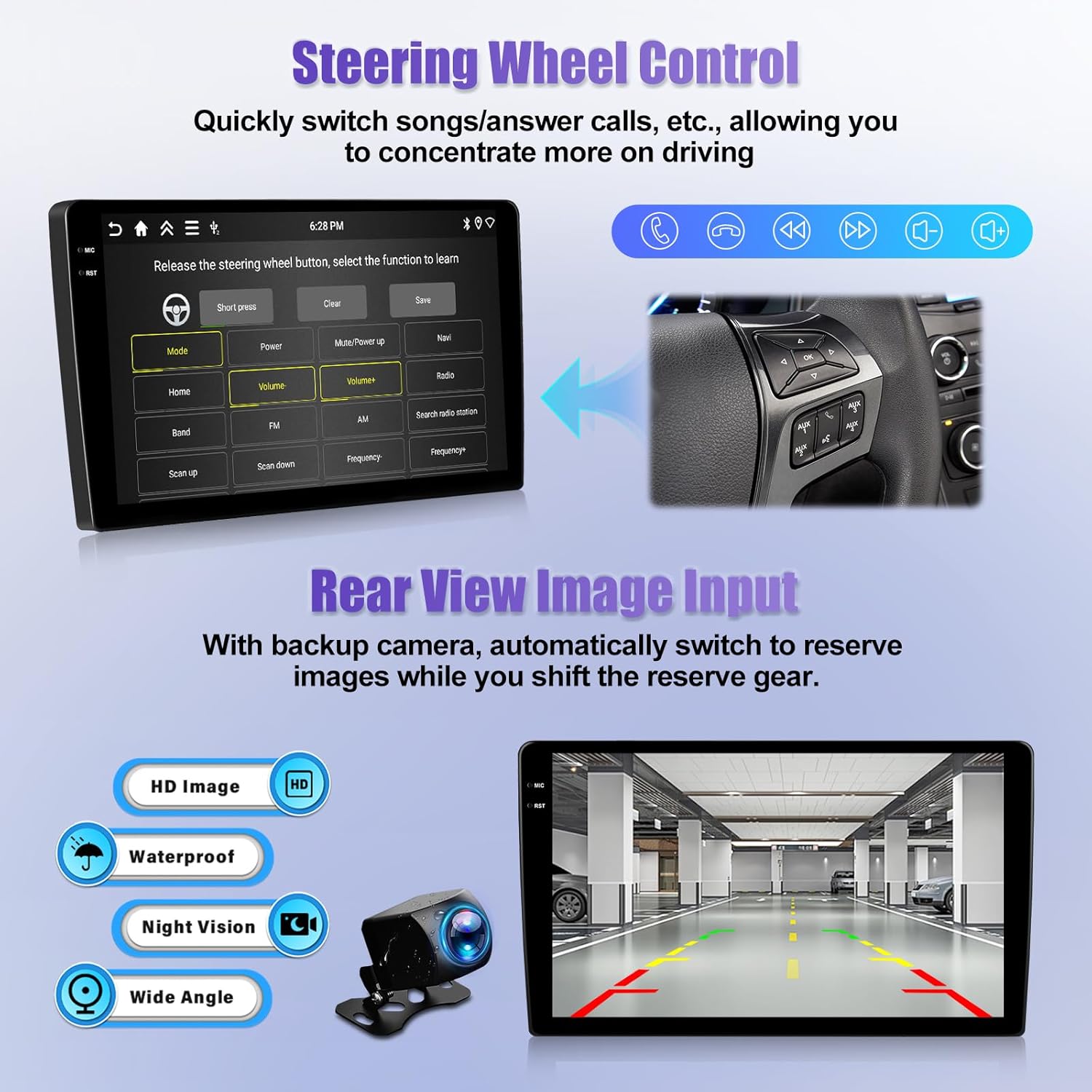
Image: Bluetooth and FM/RDS Radio functions.
2.4 Split Screen Function
The split screen feature allows you to run two applications simultaneously on the 9-inch display, such as navigation and music, for convenient multitasking.

Image: Split screen functionality demonstration.
2.5 Steering Wheel Control & AHD Rear View Camera
The unit supports steering wheel controls, enabling you to manage music and calls without diverting attention from the road. It is compatible with an AHD rear view camera, which automatically displays the backup image when reversing.

Image: Steering wheel control interface and AHD rear view camera display.
3. Maintenance
To ensure optimal performance and longevity of your CAMECHO Android Car Radio, follow these maintenance guidelines:
- Screen Cleaning: Use a soft, lint-free cloth slightly dampened with water or a screen cleaner. Avoid harsh chemicals or abrasive materials.
- Software Updates: Periodically check for software updates through the device's settings to ensure you have the latest features and security patches.
- Environmental Conditions: Avoid exposing the unit to extreme temperatures, direct sunlight for prolonged periods, or excessive moisture.
4. Troubleshooting
If you encounter issues with your CAMECHO Android Car Radio, refer to the following common problems and solutions:
- No Power: Check all power connections and ensure the vehicle's ignition is on. Verify the fuse is intact.
- No Sound: Check speaker connections, volume levels, and audio settings. Ensure the correct audio output mode is selected.
- Bluetooth/CarPlay/Android Auto Connectivity Issues: Ensure Bluetooth is enabled on both the radio and your phone. Try unpairing and re-pairing the devices. For wireless CarPlay/Android Auto, ensure your phone's hotspot is active and connected to the radio.
- GPS Signal Loss: Ensure the GPS antenna is properly installed and has a clear view of the sky.
- Touch Screen Unresponsive: Try restarting the device. If the issue persists, a touch screen recalibration might be necessary (refer to advanced settings).
For persistent issues or technical assistance, please contact CAMECHO customer support.
5. Specifications
| Feature | Detail |
|---|---|
| Item Weight | 8.8 pounds |
| Product Dimensions | 10 x 6 x 3 inches |
| Display Size | 9 Inches |
| Operating System | Android 15 |
| RAM/ROM | 4GB RAM + 128GB ROM |
| Connectivity Technology | Bluetooth, USB, Wi-Fi |
| Special Features | CarPlay & Android Auto & Mirror Link, FM/RDS & EQ, GPS & WIFI, SWC & AHD Backup camera |
| Audio Output Mode | Stereo |
| Mounting Type | Dashboard Mount |
6. Warranty and Returns
This product comes with a 1-year warranty. For returns or replacements, a 30-day return policy applies from the date of purchase. Please retain your proof of purchase for any warranty claims or returns.
7. Support
For any questions regarding installation, operation, or technical support, CAMECHO offers 24/7 after-sales technical assistance. You can reach out to us via the contact information provided with your purchase or through the seller's support channels on the platform where you purchased the product.


