
UIKOP C904
UIKOP C904 64GB Mini Security Camera Instruction Manual
Brand: UIKOP | Model: C904
1. Product Overview
The UIKOP C904 Mini Security Camera is a compact, discreet device designed for indoor and home surveillance. It features 1080P video recording, night vision, and motion detection capabilities. The camera functions as a 2-in-1 USB charger, allowing it to blend seamlessly into any environment while providing continuous power. It operates without the need for Wi-Fi or an app, recording directly to an included 64GB SD card.
2. What's in the Box
- UIKOP C904 Mini Security Camera (integrated into USB charger)
- 64GB MicroSD Card (pre-installed or included separately)
- USB 2.0 Card Reader
- SIM Card Ejector Pin (for reset function)
- User Manual
3. Key Features
- 1080P Full HD Video: Captures clear, high-definition video footage.
- Night Vision: Equipped with IR LEDs for recording in low-light conditions up to 5 meters.
- Motion Detection: Automatically records when movement is detected, saving storage space.
- Loop Recording: Continuously records, overwriting the oldest files when the SD card is full.
- Discreet Design: Integrated into a functional USB wall charger, making it inconspicuous.
- No Wi-Fi Needed: Records directly to the included 64GB MicroSD card, ensuring privacy and ease of use without network dependency.
- Expandable Storage: Supports MicroSD cards up to 128GB.
- USB Charging Port: Functions as a standard USB charger for other devices.
4. Product Diagram
Familiarize yourself with the components of your UIKOP C904 Mini Security Camera.
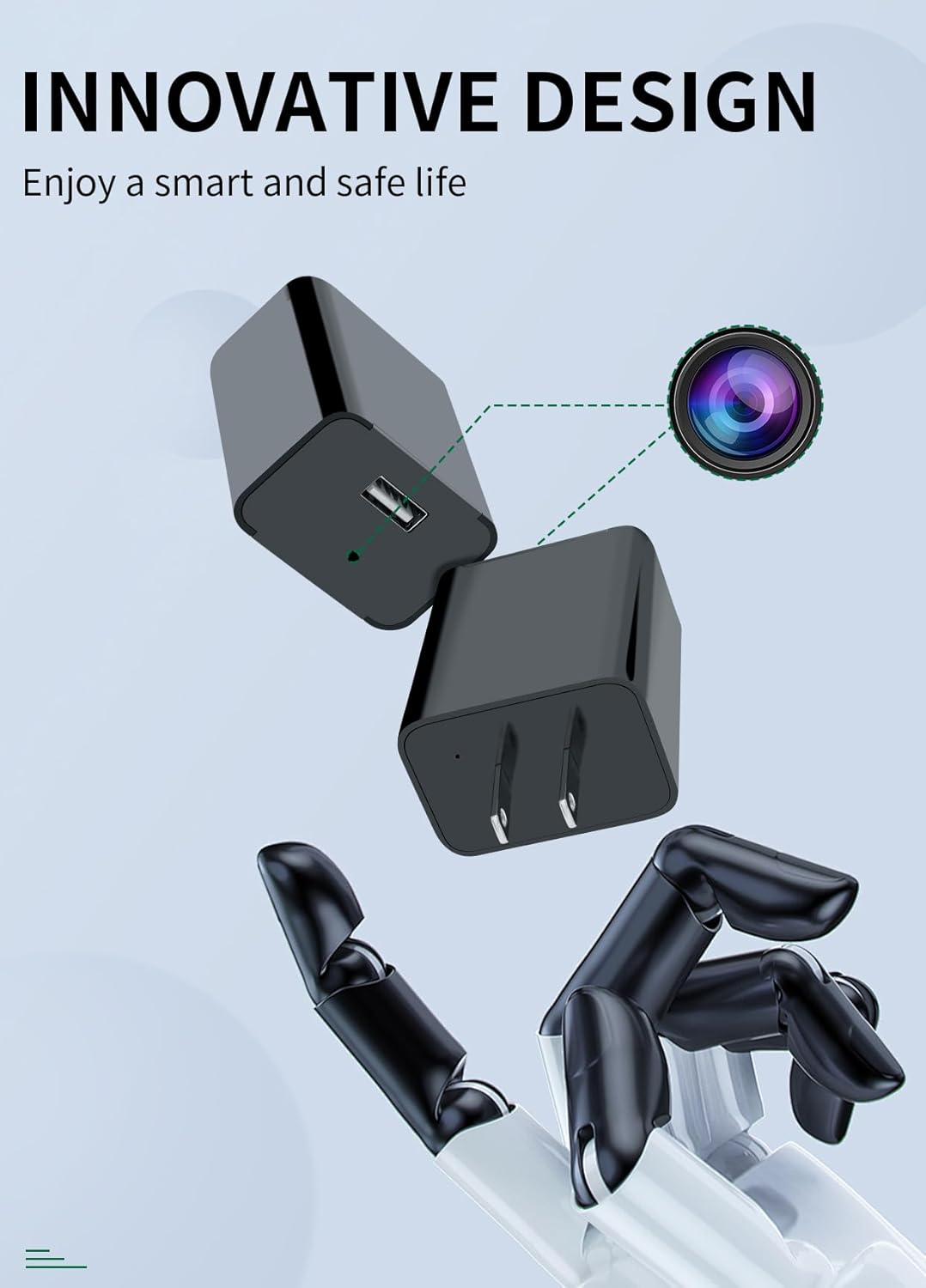
Image 1: Detailed diagram of the UIKOP C904 camera, highlighting the card slot (max 128GB), USB port, mode switch (M for Motion-activated, C for Loop recording), IR LED, HD lens, photosensitive sensor, and removable front cover.
5. Setup Instructions
- Prepare the MicroSD Card:
The camera comes with a 64GB MicroSD card. Before first use, or if you encounter recording issues, it is recommended to format the MicroSD card. Use the included USB card reader to connect the card to your computer. Access Disk Utility (Mac) or Disk Management (Windows) to format the card to MS-DOS (FAT32) for 32GB or smaller, or ExFAT for 64GB or larger. Ensure all data is backed up before formatting as it will be erased.
Video 1: This video demonstrates how to format the MicroSD card using a computer's Disk Utility. Formatting is a crucial step to ensure proper camera function and recording.
- Insert MicroSD Card:
Carefully remove the front cover of the camera. Insert the formatted MicroSD card into the designated card slot until it clicks into place. Ensure it is inserted correctly to avoid malfunction.
- Select Recording Mode:
Locate the mode switch on the camera (refer to Product Diagram).
- Slide the switch to "C" for Loop Recording Mode (Blue LED flashes three times).
- Slide the switch to "M" for Motion Detection Mode (Red LED flashes twice).
- Power On:
Plug the camera into a standard 110V-240V AC power outlet. The camera will automatically begin recording according to the selected mode. The LED indicator will blink briefly to confirm recording has started and then turn off to remain discreet.

Image 2: The UIKOP C904 camera plugged into a wall outlet, demonstrating its discreet placement for monitoring.
6. Operating Instructions
6.1 Recording Modes
- Loop Recording (C Mode): The camera records continuously. When the MicroSD card is full, the oldest files will be automatically overwritten by new recordings.
- Motion Detection (M Mode): The camera records only when motion is detected within its field of view. This mode conserves storage space and is ideal for capturing specific events.
6.2 Viewing Recorded Footage
- Unplug the camera from the power outlet.
- Carefully remove the front cover and eject the MicroSD card from its slot.
- Insert the MicroSD card into the provided USB card reader.
- Plug the USB card reader into your computer's USB port.
- Access the "VIDEO" folder on the MicroSD card to view your recorded AVI files.
The video files will have a timestamp in the bottom left corner. This timestamp can be adjusted by creating a time.txt file on the root directory of the SD card with the correct date and time format (e.g., YYYY-MM-DD HH:MM:SS).

Image 3: The UIKOP C904 camera functioning as a USB charger while discreetly recording, highlighting its 2-in-1 design.
7. Maintenance
7.1 SD Card Management
- Regularly back up important video files from the MicroSD card to your computer.
- Format the MicroSD card periodically (e.g., monthly) to maintain optimal performance and prevent data corruption.
- If the SD card is not inserted or is improperly formatted, the camera may not record, and the blue/red LED will blink five times before shutting down.
7.2 Device Reset
If the device malfunctions or becomes unresponsive, use the included SIM card ejector pin to press the reset button located inside the camera (refer to Product Diagram). This will restart the device.
8. Troubleshooting (FAQ)
- Q: Why does the camera get hot when it is charging and recording?
- A: The camera is small, making it difficult to dissipate heat quickly. This is normal and does not affect its functionality.
- Q: Why is the blue light of the device always on and the device cannot be operated?
- A: This indicates a memory error. Format the camera before use, or replace the memory card with a working one and make sure it is inserted correctly into the device.
- Q: The red/blue LED blinks five times and then the camera shuts down. What does this mean?
- A: This indicates that the MicroSD card is not inserted, is full, or is not working properly. Ensure the card is correctly inserted, formatted, and has sufficient space.
- Q: Can I watch live video from the camera?
- A: No, this is not a Wi-Fi camera and does not support live video streaming. It records directly to the MicroSD card.
9. Specifications
| Model Name | C904 (904 Mini camera) |
| Video Capture Resolution | 1080p |
| Effective Video Resolution | 1080 |
| Video Capture Format | AVI |
| Storage | Included 64GB MicroSD Card (Supports up to 128GB) |
| Night Vision Range | 5 Meters |
| Viewing Angle | 90 Degrees |
| Power Source | Corded Electric (110V-240V) |
| Connectivity Technology | Wired (for power and charging) |
| Indoor/Outdoor Usage | Indoor, Outdoor (Note: Not weather-resistant, use in protected outdoor areas) |
| Dimensions (L x W x H) | 2.09 x 1.81 x 1.26 inches |
| Item Weight | 1.76 ounces (50 Grams) |
| Color | Black |
| UPC | 797387989447 |
10. Warranty and Support
For specific warranty information and customer support, please refer to the documentation included with your product packaging or contact UIKOP customer service directly. Always ensure compliance with local laws and regulations when using this product.
Related documentsC904

Ask a question about this manual
Ask about setup, troubleshooting, compatibility, parts, safety, or missing instructions. Manuals+ will review the question and use this page’s manual context to help answer it.