
Introduction
This manual provides instructions for the proper use, setup, operation, and maintenance of your Samsonite Mobile Solution 2 Spinner Mobile Office. Designed for professionals, this mobile office offers organized storage and easy portability for your essential work items.
Key Features
- Dual Spinner Wheels: Provides smooth, multi-directional rolling for effortless mobility.
- StackIt™ Strap: Allows secure attachment to the pull-handle of larger rolling luggage for combined travel.
- Padded Laptop Pocket: Designed to protect laptops up to 15.6 inches.
- File Compartment: Includes a divider for organized document storage.
- Eco-Friendly Lining: Interior lining made from rPET fabric, derived from recycled plastic bottles.
- USB Passthrough: For convenient charging of devices (power bank not included).
Setup
- Unpacking: Remove all packaging materials and protective coverings from the mobile office.
- Handle Adjustment: Extend the telescopic handle by pressing the release button and pulling upwards. Ensure it locks securely into your desired height.
- Initial Inspection: Check all zippers, wheels, and compartments for any signs of damage from shipping.
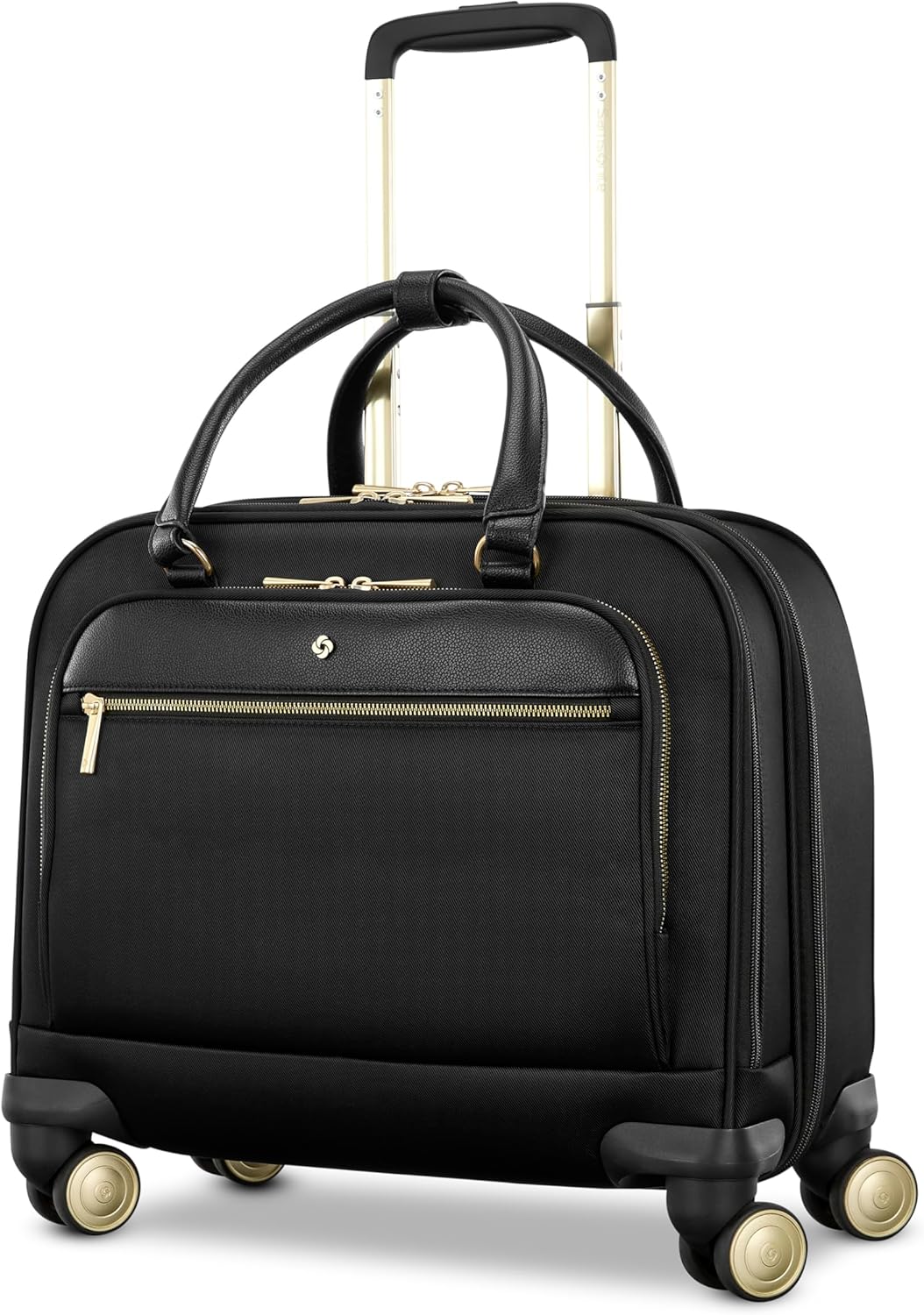
Image: Front view of the Samsonite Mobile Solution 2 Spinner Mobile Office with its telescopic handle fully extended. This illustrates the bag ready for transport.
Operating Instructions
Using the Spinner Wheels
The mobile office is equipped with dual spinner wheels designed for 360-degree rotation. To move the bag, simply push or pull it in any direction. The wheels allow for smooth gliding alongside you, reducing strain.

Image: Front view of the Samsonite Mobile Solution 2 Spinner Mobile Office, showcasing the spinner wheels at the base.
Utilizing the StackIt™ Strap
To secure your mobile office to a larger piece of luggage, locate the StackIt™ strap on the rear of the bag. Slide the strap over the extended pull-handle of your other luggage. This feature allows for hands-free transport of multiple bags.

Image: Side view of the Samsonite Mobile Solution 2 Spinner Mobile Office, highlighting the StackIt™ strap on the back panel.
Organizing Compartments
- Laptop Pocket: Place your laptop (up to 15.6 inches) into the padded sleeve for protection.
- File Compartment: Use the dedicated compartment with its divider to keep documents and folders neat.
- Front Pockets: Utilize the large front zippered pocket and smaller exterior pocket for accessories, pens, and quick-access items. The smaller pocket includes a USB passthrough for charging devices.
Maintenance
Cleaning Instructions
- Exterior Fabric: Wipe the nylon exterior with a damp cloth and mild soap. Do not use harsh chemicals or abrasive cleaners.
- Interior Lining: Spot clean the interior lining with a damp cloth. Allow to air dry completely before closing.
- Wheels: Periodically check wheels for debris. Clean with a brush if necessary to ensure smooth operation.
- Zippers: If zippers become stiff, apply a small amount of zipper lubricant or wax.
Storage
Store the mobile office in a cool, dry place away from direct sunlight when not in use. Avoid placing heavy objects on top of the bag for extended periods.
Troubleshooting
| Problem | Possible Cause | Solution |
|---|---|---|
| Wheels not rolling smoothly. | Debris caught in wheels; worn bearings. | Clean wheels thoroughly. If issue persists, contact customer support. |
| Telescopic handle sticks or won't extend/retract. | Mechanism obstructed; bent handle tubes. | Ensure no items are blocking the handle mechanism inside the bag. Avoid forcing the handle. |
| Zippers are difficult to open/close. | Fabric caught; zipper teeth dry or dirty. | Clear any fabric from the zipper path. Apply zipper lubricant or wax. |
Specifications
| Feature | Detail |
|---|---|
| Model Number | 157220-1041 |
| Brand | Samsonite |
| Dimensions (L x W x H) | 42 cm (L) x 24 cm (W) x 39 cm (H) (approx. 16.5 x 9.4 x 15.3 inches) |
| Weight | 4.35 kg (approx. 9.6 lbs) |
| Material | Nylon (Soft Shell) |
| Color | Black |
| Wheel Type | Spinner (8 wheels) |
| Laptop Compatibility | Fits most 15.6" laptops |
| Special Features | Fully Lined Interior, Laptop Compartment, StackIt™ Strap, USB Passthrough |
Warranty and Support
Samsonite products are manufactured to stringent standards. For information regarding warranty coverage, claims, or product support, please refer to the official Samsonite website or contact their customer service directly. Keep your purchase receipt as proof of purchase.
For further assistance, visit: Samsonite Official Website


