
1. Introduction
This manual provides essential information for setting up, operating, and maintaining your vivo V60e 5G smartphone. Please read this guide carefully to ensure optimal performance and longevity of your device.

Image: vivo V60e 5G smartphone, angled view.
2. Setup
2.1 What's in the Box
- vivo V60e 5G Smartphone
- USB Cable
- SIM Tray Ejector
- Phone Case
- Power Adapter
- Screen Protector (pre-applied or in box)
2.2 SIM Card Installation
- Locate the SIM card tray on the side of your device.
- Insert the SIM tray ejector tool into the small hole next to the tray and press gently until the tray pops out.
- Place your Nano SIM cards (up to two) into the designated slots on the tray. Ensure the gold contacts face downwards.
- Carefully reinsert the SIM tray into the phone until it clicks into place.
The vivo V60e 5G supports 5G + 5G Dual SIM Dual Standby.
2.3 Initial Power On and Setup
- Press and hold the Power button until the vivo logo appears.
- Follow the on-screen instructions to select your language, connect to Wi-Fi, and set up your Google account.
- Configure security features such as the in-display optical fingerprint sensor.
3. Operating Your Device
3.1 Display Features
The vivo V60e 5G features a 17.20 cm (6.77″) Slim Quad Curved AMOLED display with a 2392 × 1080 resolution and 120Hz refresh rate. It offers 387 PPI pixel density and 1600 nits peak local brightness for a vibrant viewing experience.
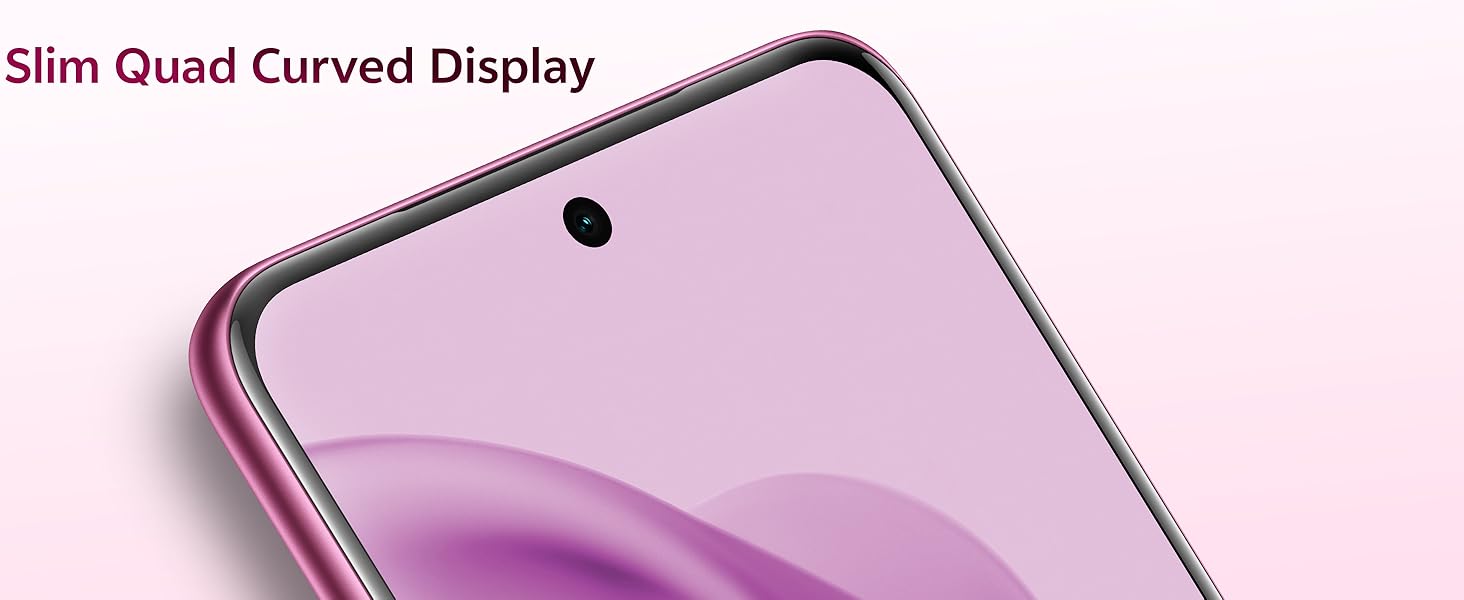
Image: Slim Quad Curved Display of the vivo V60e 5G.

Image: Ultra Bright Display features.
3.2 Camera Functions
The vivo V60e 5G is equipped with advanced camera systems:
- Rear Camera: 200 MP Ultra-Clear Main Camera (OIS, f/1.88) and 8 MP Wide-Angle Camera (f/2.2).
- Selfie Camera: 50 MP Eye AF Group Selfie Camera (AF, f/2.0).
Scene Modes:
- Front Camera: Night, Portrait, Photo, Video, Micro Movie, High Resolution, Dual View.
- Rear Camera: Night, Portrait, Photo, Video, Micro Movie, High Resolution, Pano, Ultra HD Document, Slo-mo, Time-lapse, Supermoon, Pro, Food, Underwater Photography, Dual View.
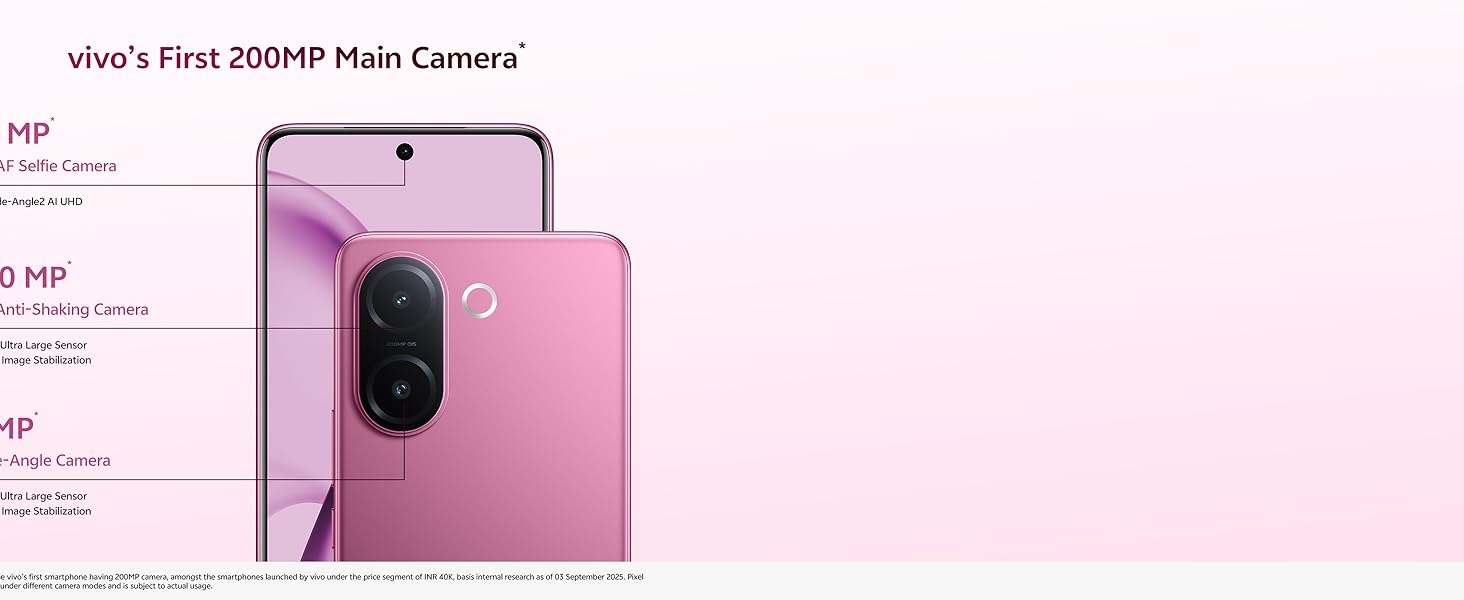
Image: vivo's First 200MP Main Camera overview.

Image: Multifocal Portrait feature examples.

Image: 50MP Eye AF Group Selfie Camera.

Image: 4K Video recording capability for front and rear cameras.

Image: Aura Light feature for enhanced photography.
3.3 Battery and Charging
The device is powered by a 6500 mAh Li-ion battery and supports 90W Flash Charge via USB 2.0. For optimal battery life, use the provided power adapter and USB cable.
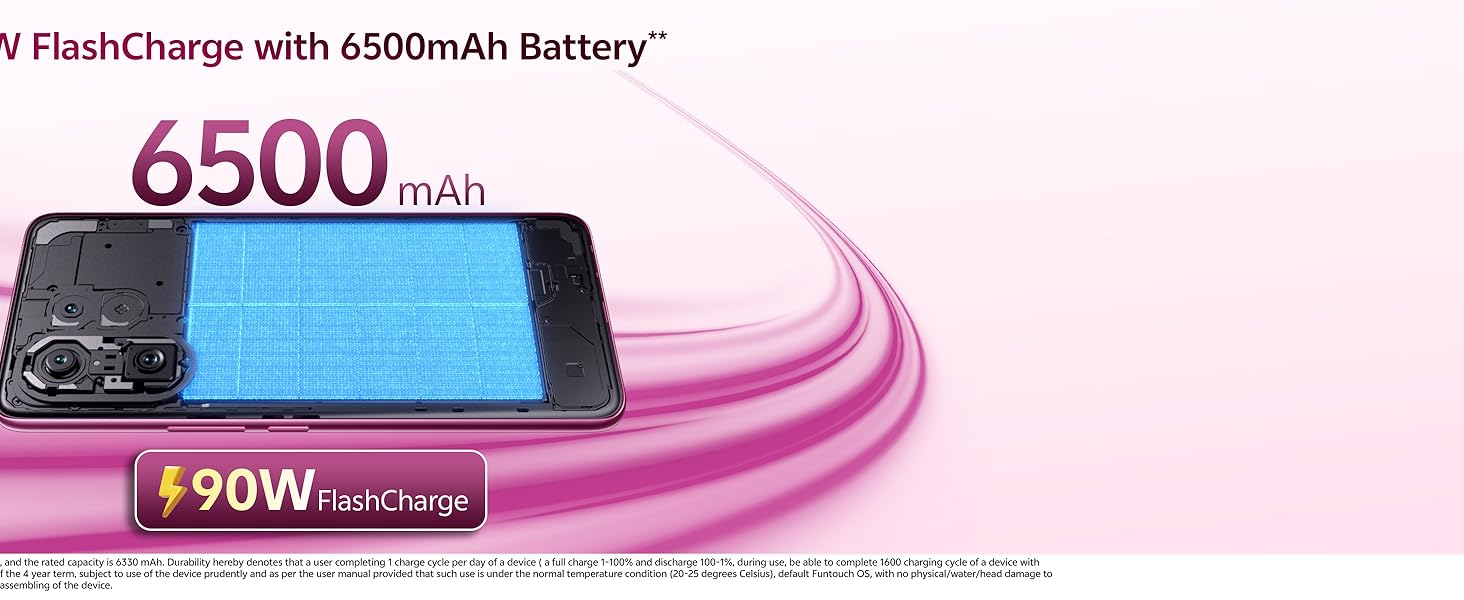
Image: 6500mAh Battery with 90W FlashCharge.
3.4 Performance and AI Features
The vivo V60e 5G is equipped with a MediaTek Dimensity 7360-Turbo 5G processor (4 nm process node) and runs on Funtouch OS 15. It includes an Ultra Large VC Cooling System to maintain performance during heavy usage.
AI features include an AI Personal Assistant (AI Captions & AI Smart Call Assistant) and Gemini (Connected Apps & Gemini Live).

Image: Ultra Large VC Cooling System.
3.5 Audio
Experience immersive sound with Dual Stereo Speakers.

Image: Dual Stereo Speaker system.
4. Maintenance
4.1 Water and Dust Resistance
The vivo V60e 5G boasts top-grade IP68 and IP69 water resistance, allowing it to be submerged in still fresh water up to 1.5 meters deep for up to 120 minutes. While resistant, it is not waterproof. Avoid intentional submersion and exposure to saltwater, chlorinated water, or other liquids. Damage caused by liquid exposure is not covered under warranty.
4.2 General Care
- Clean the screen and body with a soft, lint-free cloth.
- Avoid exposing the phone to extreme temperatures or direct sunlight for prolonged periods.
- Do not use harsh chemicals or abrasive materials for cleaning.
- Keep the device away from strong magnetic fields.
5. Troubleshooting
5.1 Common Issues and Solutions
| Issue | Solution |
|---|---|
| Phone not turning on | Ensure the battery is charged. Connect to the charger for at least 10 minutes, then try powering on. If unresponsive, perform a force restart (refer to device-specific instructions if available). |
| Battery drains quickly | Close unused apps, reduce screen brightness, disable unnecessary features like GPS or Bluetooth when not in use. Check battery usage in settings to identify power-hungry apps. |
| Apps crashing or freezing | Clear the app's cache and data in settings. Update the app to the latest version. If the issue persists, uninstall and reinstall the app. |
| Poor network signal | Check if SIM card is properly inserted. Try restarting the phone. Ensure you are in an area with network coverage. Contact your service provider if the issue persists. |
| Fingerprint sensor not working | Ensure your finger and the sensor are clean and dry. Re-register your fingerprints in the security settings. |
For more complex issues, consider performing a factory reset (back up your data first) or contacting customer support.
6. Specifications
| Feature | Detail |
|---|---|
| Brand | vivo |
| Model | V60e 5G |
| Operating System | Funtouch OS 15 |
| Processor | MediaTek Dimensity 7360-Turbo 5G (4 nm) |
| RAM | 12 GB (LPDDR4X) |
| Internal Storage | 256 GB (UFS 2.2) |
| Display Size | 17.20 cm (6.77 Inches) |
| Display Type | Slim Quad Curved AMOLED |
| Resolution | 2392 x 1080 Pixels |
| Refresh Rate | 120 Hz |
| Peak Brightness | 1600 nits (local) |
| Rear Camera | 200 MP Ultra-Clear Main (OIS), 8 MP Wide-Angle |
| Front Camera | 50 MP Eye AF Group Selfie |
| Battery Capacity | 6500 mAh |
| Charging | 90W Flash Charge |
| SIM Support | Dual Nano SIM (5G + 5G Dual Standby) |
| Biometric Security | In-display Optical Fingerprint Sensor |
| Water Resistance | IP68 and IP69 rated |
| Connectivity | Bluetooth 5.4, USB 2.0 (Type C), Wi-Fi, GPS |
| Dimensions | 16.4 x 7.7 x 0.7 Centimeters |
| Weight | 190 Grams |
7. Warranty and Support
7.1 Warranty Information
Your vivo V60e 5G comes with a 1-year manufacturer warranty for the device and 6 months warranty for in-box accessories from the date of purchase. Please retain your proof of purchase for warranty claims.
7.2 Manufacturer Contact
For support or service, please contact:
vivo Mobile India Pvt LtdPlot No 08, Sector 24,
Yamuna Expressway Area,
Gautam Buddha Nagar, Uttar Pradesh, 201310
For further assistance, visit the official vivo website or contact their customer service.


