
1. Introduction
This manual provides detailed instructions for the safe and effective use of your bakibo HC368 OBD2 Diagnostic Scanner and Battery Tester. Please read this manual thoroughly before operating the device and keep it for future reference. The HC368 is designed to diagnose engine system faults and assess battery performance in most 12V gasoline vehicles manufactured from 2003 onwards, supporting various OBDII/EOBD protocols.
2. Product Overview and Key Features
The bakibo HC368 combines professional-level OBD2 diagnostics with comprehensive battery performance testing in a single, user-friendly device. Its ergonomic design and intelligent interface ensure ease of use for both individuals and professional mechanics.
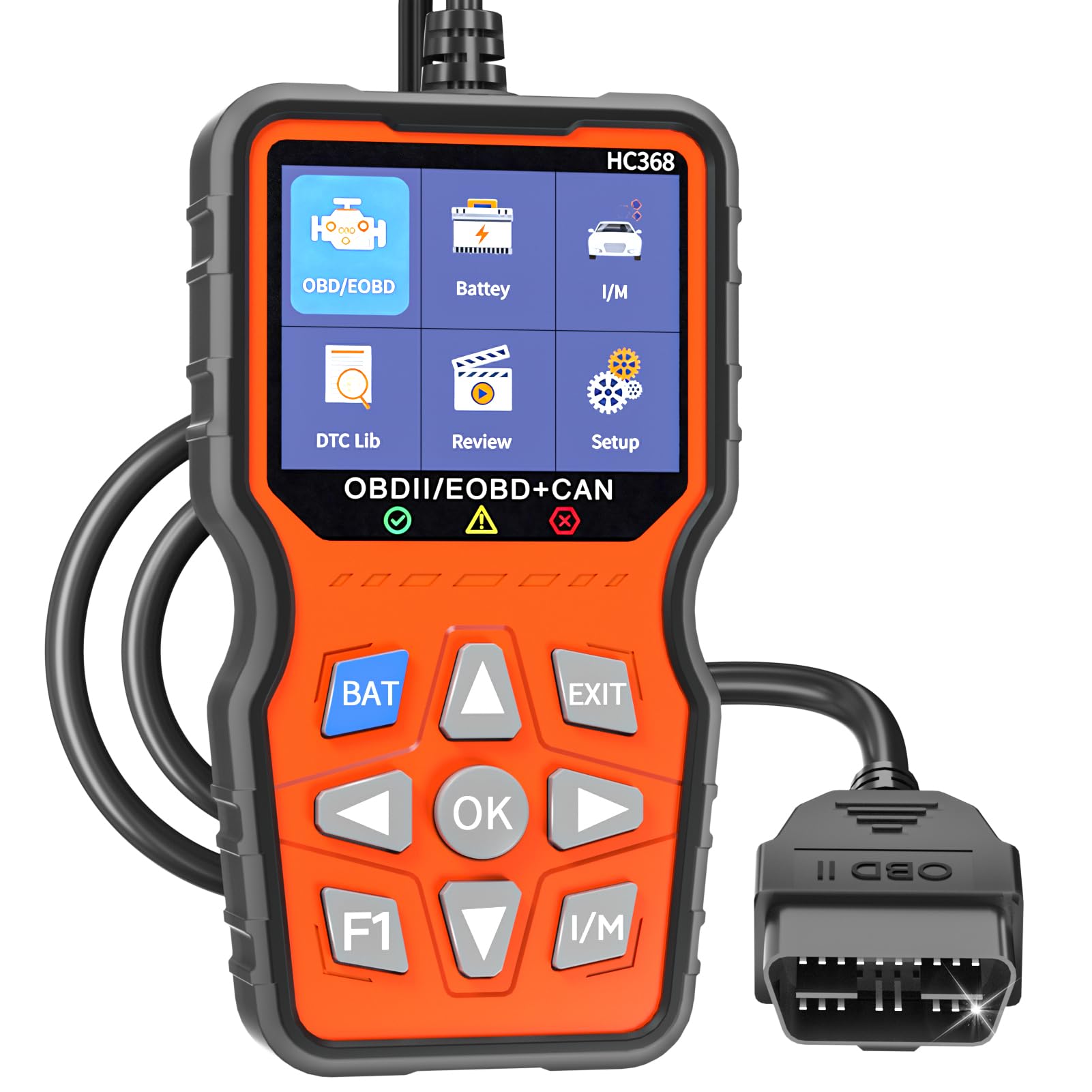
Image 2.1: The bakibo HC368 OBD2 Diagnostic Scanner and Battery Tester, highlighting its dual functionality.
Key Features:
- Professional-level OBD2 Diagnostic: Supports 9 OBDII/EOBD protocols for accurate fault detection on most 12V gasoline vehicles. Features include reading and clearing fault codes, displaying freeze frames, I/M readiness, Mode 6 and 8 tests, oxygen sensor data, and vehicle information. Provides 120 live data points and 109 graphic streams for a clear view of engine status.
- Comprehensive Battery Performance Tests: Offers a complete analysis of battery health, including real-time voltage monitoring, charge status, lifespan, and starting/charging tests to detect weak batteries.
- History Reading & Data Review: Easily access recorded fault codes, data streams, and freeze frames at any time. Ideal for tracking recurring issues and monitoring repair progress. Includes a database of 50,000 error codes with detailed explanations.
- Smart User Interface & Ergonomic Design: Features a new-generation interface for smooth operation, a robust TPU casing, and comfortable silicone buttons. Adjustable backlight and a 10-level buzzer enhance usability in various environments.
- Broad Compatibility with Multi-language Support: Compatible with most 12V European gasoline vehicles from 2003 onwards. Integrated menus in 8 languages (English, German, French, Italian, Spanish, Portuguese, Polish, Finnish) ensure global usability.
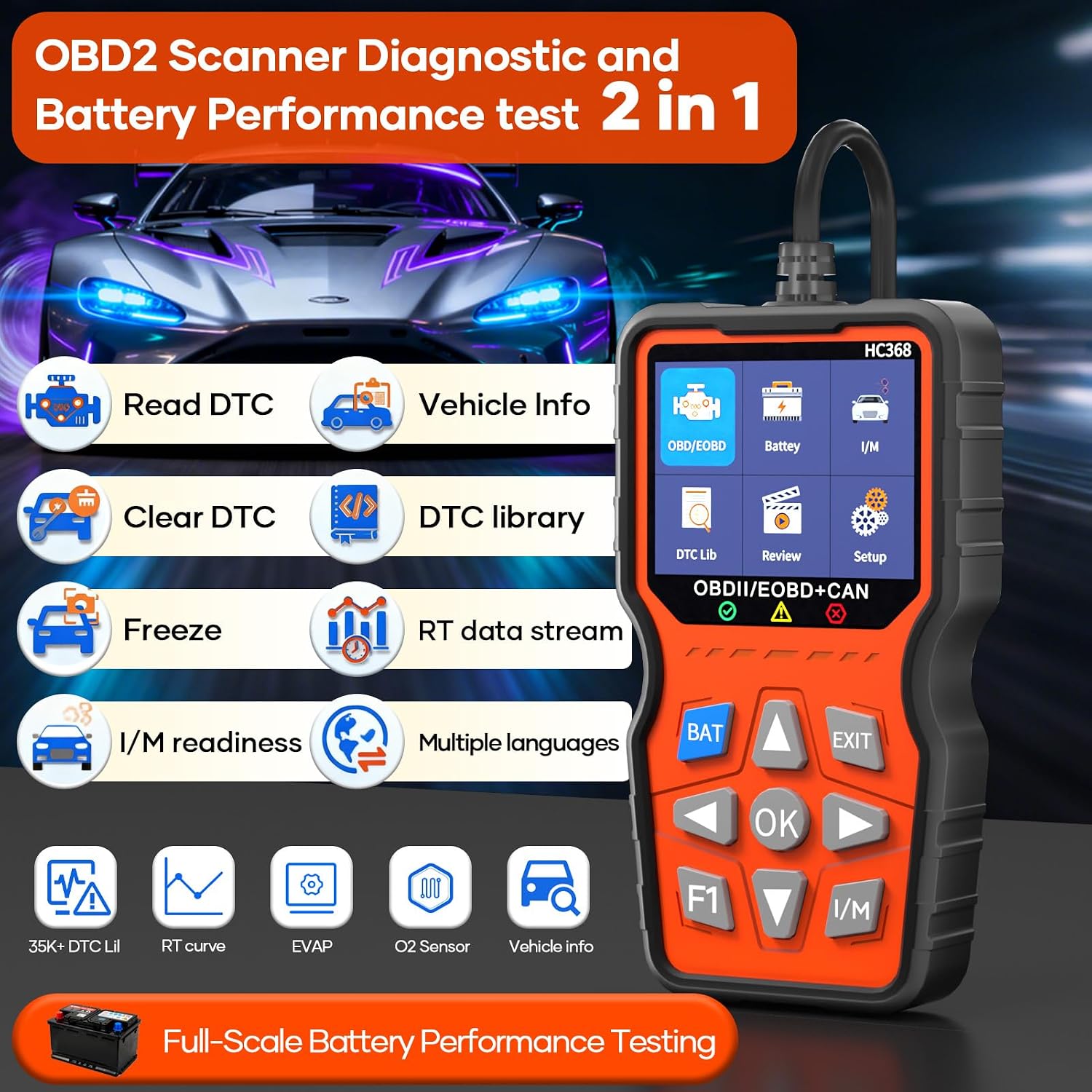
Image 2.2: Visual representation of the HC368's main functions, including DTC reading, clearing, freeze frame, I/M readiness, and real-time data stream.
3. What's in the Box
Upon unpacking your bakibo HC368, please ensure all items are present:
- 1x bakibo HC368 OBD2 Diagnostic Scanner
- 1x User Manual
4. Setup
The bakibo HC368 is designed for plug-and-play operation. No complex setup or software installation is required.
- Locate the OBD-II port in your vehicle. This port is typically found under the dashboard on the driver's side.
- Ensure your vehicle's ignition is turned off.
- Connect the HC368's 16-pin OBD-II connector to your vehicle's OBD-II port.
- Turn your vehicle's ignition to the "ON" position (do not start the engine unless instructed by a specific test). The device will power on automatically.

Image 4.1: Illustration of connecting the HC368 diagnostic tool to a vehicle's OBD-II port for plug-and-play operation.
5. Operating Instructions
The HC368 features an intuitive interface with physical buttons for navigation. Use the directional buttons (up/down/left/right) to navigate menus, "OK" to confirm selections, and "EXIT" to go back.
5.1 Language Selection
The device supports 8 languages. To change the language:
- From the main menu, navigate to "Setup".
- Select "Language" and choose your preferred language (English, German, French, Italian, Spanish, Portuguese, Polish, Finnish).

Image 5.1: The language selection menu on the HC368, showing multiple language options for user convenience.
5.2 Battery Performance Testing
Beyond simple voltage readings, the HC368 provides a comprehensive analysis of your vehicle's battery health.
- From the main menu, select "Battery".
- Choose from options like "Battery Measurement" (real-time voltage), "Battery Monitoring", "Battery Life", "Battery Start Test", and "Battery Charge Test".
- Follow on-screen prompts for specific tests, such as turning headlights on/off or revving the engine for charge tests.

Image 5.2: Display of various battery test results on the HC368, including voltage, monitoring graphs, and charge test instructions.
5.3 Reading and Clearing Fault Codes
The device can read and clear Diagnostic Trouble Codes (DTCs) from your vehicle's engine control unit (ECU).
- From the main menu, select "OBD/EOBD".
- Choose "Read Codes" to view current, pending, and permanent DTCs. The device provides detailed explanations for over 50,000 error codes.
- To clear codes, select "Clear Codes". Confirm your action when prompted. Warning: Clearing codes will erase all diagnostic trouble codes and freeze frame data. Ensure you have noted down any important codes before clearing.

Image 5.3: Comparison of a vehicle's dashboard warning light before and after using the HC368 to clear fault codes.
Video 5.1: A user demonstrates connecting the bakibo HC368 to a vehicle's OBD port, performing a battery test, and then reading and clearing engine fault codes. The video shows the device displaying 11.8 volts for the battery, indicating a need for recharging, and then successfully clearing three detected fault codes from a Peugeot vehicle.
5.4 I/M Readiness
I/M Readiness (Inspection/Maintenance Readiness) checks the status of the emission-related monitoring systems in your vehicle. This is crucial for passing emissions tests.
- From the main menu, select "I/M Readiness".
- The device will display the status of various monitors (e.g., MIL, DTC, MIS, FUE, CCM, CAT, HCAT, EVAP, AIR, O2S, HRT, EGR). A green checkmark indicates the monitor has completed its test, an orange circle means it's pending, and a red 'X' indicates a fault or incomplete test.
- "PASS SMOG TEST" indicates all monitors are ready. "NEEDS ATTENTION" suggests some monitors are not ready, and "FIX IMMEDIATELY" indicates a significant issue.

Image 5.4: The I/M Readiness screen on the HC368, showing the status of various emission system monitors with clear indicators for pass, pending, or fail.
5.5 Data Playback
The HC368 allows you to review previously recorded diagnostic data, including fault codes, data streams, and freeze frames.
- From the main menu, select "Review".
- You can then choose to review "DTC Lib" (DTC Library), "Review Data Stream", or "Freeze Frame" data.
- This feature is useful for tracking intermittent problems or verifying repairs over time.

Image 5.5: The data playback interface of the HC368, illustrating how users can review past diagnostic records and data streams.
6. Maintenance
To ensure the longevity and optimal performance of your bakibo HC368, follow these maintenance guidelines:
- Cleaning: Wipe the device with a soft, damp cloth. Do not use abrasive cleaners or solvents.
- Storage: Store the device in a dry, cool place, away from direct sunlight and extreme temperatures.
- Cable Care: Avoid bending or twisting the OBD-II cable excessively to prevent internal damage.
- Software Updates: Check the manufacturer's website periodically for any available software updates to ensure compatibility with newer vehicle models and improved functionality.
7. Troubleshooting
If you encounter issues with your bakibo HC368, refer to the following common troubleshooting steps:
- Device does not power on:
- Ensure the OBD-II connector is securely plugged into the vehicle's port.
- Verify the vehicle's ignition is in the "ON" position.
- Check the vehicle's fuse for the OBD-II port (refer to your vehicle's owner's manual).
- Communication error with vehicle:
- Confirm the vehicle is OBD-II compliant (most 12V gasoline vehicles from 2003 onwards).
- Ensure the connection is secure.
- Try turning the ignition off and on again, then reconnect the device.
- Some vehicles may require the engine to be running for certain functions.
- Unable to clear fault codes:
- Some critical fault codes cannot be cleared until the underlying issue is resolved.
- Ensure the ignition is in the "ON" position (engine off).
If problems persist, please contact bakibo customer support for assistance.
8. Specifications
| Feature | Detail |
|---|---|
| Manufacturer | Shenzhen Hecheng Juli Technology Co., Ltd. |
| Brand | bakibo |
| Model Number | HC368 |
| Item Weight | 240 g |
| Product Dimensions (L x W x H) | 15.5 x 8.5 x 2.8 cm |
| Display | 2.8 inch, 320x240 full-angle HD display |
| OBD-II Connector | 16 Pin |
| Supported Protocols | SAE J1850 PWM, SAE J1850 VPW, ISO 9141-2, ISO14230-4 KWP (5 baud init), ISO14230-4 KWP (fast init), ISO15765-4 CAN (11bit ID,500 Kbaud), ISO15765-4 CAN (29bit ID,500 Kbaud), ISO15765-4 CAN (11bit ID,250 Kbaud), ISO15765-4 CAN (29bit ID,250 Kbaud) |
| Supported Languages | English, German, French, Italian, Spanish, Portuguese, Polish, Finnish |

Image 8.1: Detailed view of the HC368's physical specifications, including dimensions, screen size, and internal components like premium copper wires.
9. Compatibility
The bakibo HC368 is compatible with most 12V gasoline vehicles that are OBD-II compliant, manufactured from 2003 onwards. This includes a wide range of European vehicles. Please note the following exceptions:
- Does not support ABS/Airbag/SRS fault codes.
- Not compatible with trucks or motorcycles.
- Incompatible with French and Japanese vehicles manufactured in 2004 or before.
If you are unsure about your vehicle's compatibility, please contact bakibo customer support.
10. Warranty and Support
For warranty information, technical support, or any questions regarding your bakibo HC368, please refer to the contact information provided with your purchase or visit the official bakibo website. Our customer service team is available to assist you.