
1. Introduction
This instruction manual provides essential information for the safe and efficient use of your HKY UTP-232C 195W AC Power Adapter. This power supply is specifically designed for the Starlink Gen 3 Standard Kit Router and Satellite Dishes, ensuring a stable and reliable power source for your system.
Please read this manual thoroughly before installation and operation, and retain it for future reference.
2. Safety Information
The HKY UTP-232C power adapter incorporates multiple safety features to protect your devices and ensure safe operation. Adhere to the following guidelines:
- The power adapter is equipped with a 3-prong grounded plug for enhanced safety. Always connect it to a properly grounded electrical outlet.
- Built-in protection systems include over-temperature protection, overcurrent protection, short circuit protection, overcharge protection, overpower protection, and overvoltage protection.
- The unit is certified by FCC, CE, and ROHS, indicating compliance with safety and environmental standards.
- Avoid exposing the power adapter to extreme temperatures, direct sunlight, or high humidity for prolonged periods.
- Do not attempt to disassemble or repair the unit yourself. Refer to qualified service personnel for any maintenance or repair needs.
- Ensure proper ventilation around the power adapter during operation to prevent overheating.
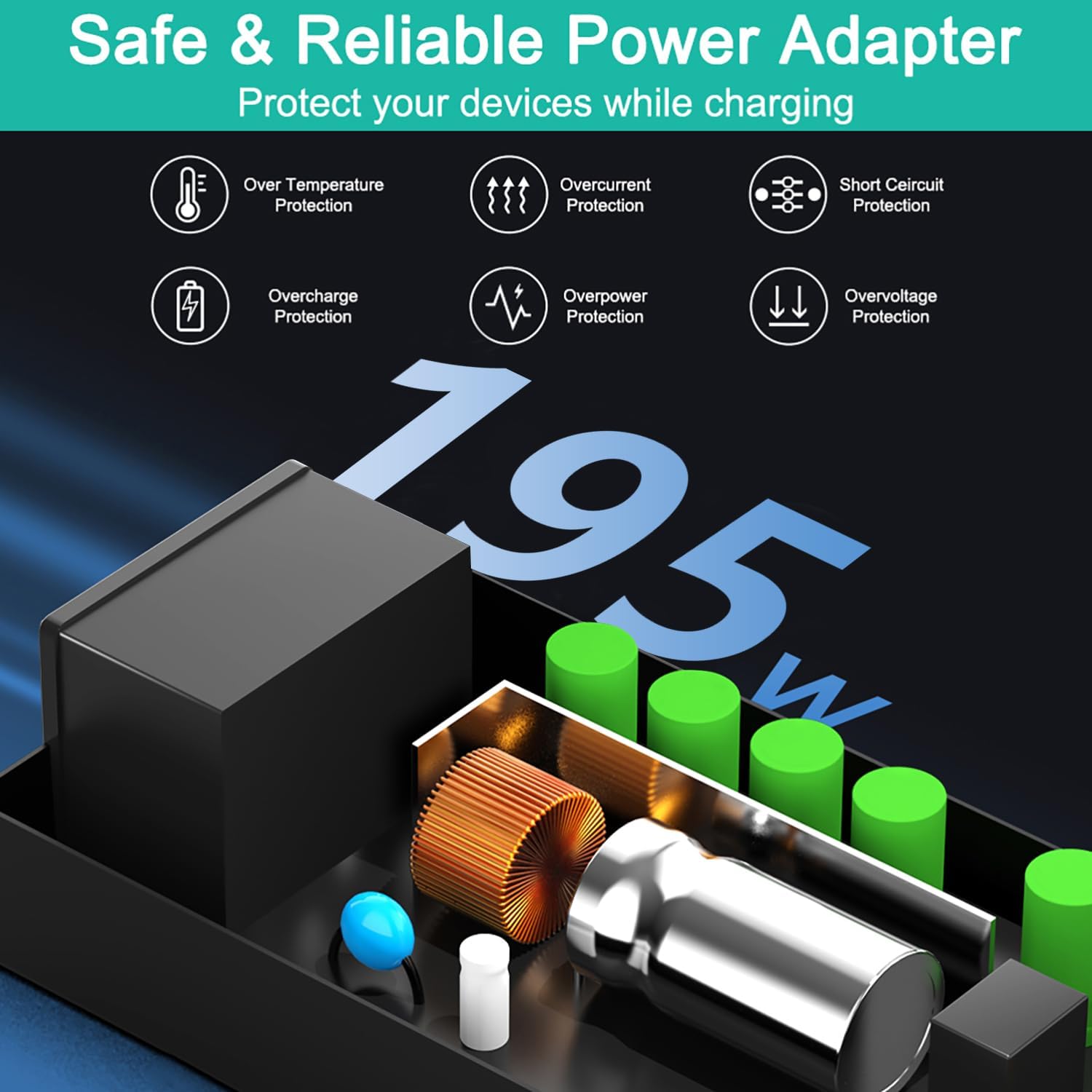
Image: Diagram illustrating the multiple safety protections integrated into the HKY power adapter.
3. Package Contents
Carefully unpack the box and verify that all items are present and in good condition. The package should contain:
- 1 x HKY UTP-232C Starlink Gen 3 Power Adapter
- 1 x Integrated DC Cable (approx. 3.8-4 meters)
- 1 x AC Power Cord (approx. 0.8 meters)
- 1 x User Manual (this document)
4. Setup
This power adapter is designed exclusively for the Starlink Gen 3 system. It is not compatible with Starlink Mini, Starlink Standard Gen 2, or Starlink Flat High Performance systems.

Image: Compatibility chart indicating the HKY power adapter is only for Starlink Gen 3.
- Connect the DC Cable: Insert the DC plug of the power adapter's integrated cable into the power input port of your Starlink Gen 3 Router. Ensure the connection is firm and secure. The DC plug features a multi-layer waterproof silicone gasket for dust and water resistance.
- Connect the AC Power Cord: Plug the 0.8-meter AC power cord into the AC input port on the HKY power adapter. Then, connect the other end of the AC power cord into a standard 100-240V AC wall outlet. Use a grounded outlet for safety. The extended 3.8-4 meter UL Certified UL1185 cable provides flexibility for placement.
- Power On: Once all connections are secure, the Starlink Gen 3 system should power on automatically. Refer to your Starlink Gen 3 user manual for specific system startup procedures.

Image: Setup diagram showing the power adapter connected to the Starlink Gen 3 router and a wall outlet.
5. Operating Instructions
The HKY UTP-232C power adapter operates automatically once connected to a power source and the Starlink Gen 3 system. No manual intervention is typically required for its basic function.
- Ensure the power adapter is placed in a location with adequate ventilation to prevent overheating during continuous operation.
- The weatherproof and dustproof DC plug is designed to withstand environmental elements when connected to the Starlink router. However, the main adapter unit should be protected from direct exposure to heavy rain or extreme weather conditions unless otherwise specified for your specific Starlink router setup.
6. Maintenance
Proper maintenance ensures the longevity and optimal performance of your power adapter.
- Cleaning: Disconnect the power adapter from the wall outlet and the Starlink system before cleaning. Use a soft, dry cloth to wipe the exterior of the adapter and cables. Do not use liquid cleaners, abrasive materials, or solvents.
- Cable Care: The UL1185 Electronic Shielding Cable is designed for durability and anti-interference. Avoid sharp bends, kinks, or excessive pulling on the cables. Regularly inspect cables for any signs of damage, such as fraying, cuts, or exposed wires. Damaged cables should be replaced immediately to prevent electrical hazards and ensure stable power delivery.

Image: Illustration of the upgraded, durable cables with UL certification.

Image: Detailed cross-section of the cable, showing its multi-layer construction for quality and shielding.
- Storage: When not in use for extended periods, store the power adapter in a cool, dry place, away from direct sunlight and moisture.
7. Troubleshooting
If your Starlink Gen 3 system is not receiving power or experiencing issues, perform the following checks:
- Check Power Connections: Ensure both the AC power cord and the DC cable are securely plugged into the wall outlet, the power adapter, and the Starlink Gen 3 Router.
- Verify Wall Outlet: Test the wall outlet with another device to confirm it is supplying power. If the outlet is not working, try a different one.
- Inspect Cables: Carefully check the AC power cord and the integrated DC cable for any visible damage, such as cuts, fraying, or bent pins. Replace any damaged cables immediately.
- Confirm Compatibility: Double-check that your Starlink system is indeed a Gen 3 model. This power adapter is not compatible with other Starlink generations.
If the issue persists after performing these steps, please contact customer support for further assistance.
8. Specifications
The following table details the technical specifications of the HKY UTP-232C 195W AC Power Adapter.

Image: Dimensions of the HKY UTP-232C power adapter.
| Feature | Specification |
|---|---|
| Brand | HKY |
| Model | UTP-232C |
| Input Voltage | 100-240V AC |
| Input Amperage | 5.0A |
| Input Frequency | 50/60Hz |
| Output Voltage | 57V DC |
| Output Amperage | 3.42A |
| Output Wattage | 195W |
| DC Cable Length | Approx. 3.8-4 meters (13 feet) |
| AC Cable Length | Approx. 0.8 meters |
| Connector Type | Round DC Barrel |
| Special Features | 3-Prong Grounded Plug, Short Circuit Protection, UL1185 Electronic Shielding Cable, Weatherproof & Dustproof DC Connector, Over-temperature, Overcurrent, Overcharge, Overpower, Overvoltage Protection |
| Certifications | FCC, CE, ROHS |
| Compatible Devices | Starlink Gen 3 Router, Starlink Gen 3 Satellite Antenna |
9. Warranty and Support
- Warranty: This HKY UTP-232C power adapter comes with a 5-year manufacturer's warranty. Please retain your proof of purchase for any warranty claims.
- Returns: A 90-day money-back guarantee is offered for this product. Refer to your purchase platform's return policy for details.
- Customer Support: For any quality problems, suggestions, or technical assistance, please contact our customer service team. We are committed to providing prompt support and aim to respond within 24 hours.
- Contact Information: Please refer to the contact details provided on the product packaging or the HKY official website for the most current support information.


