
Introduction
This manual provides detailed instructions for the assembly, operation, maintenance, and troubleshooting of your DWVO Farmhouse TV Stand. Please read all instructions carefully before beginning assembly and retain this manual for future reference. Ensure all components are present and undamaged before proceeding.
Safety Information
Your safety is important. Please observe the following precautions:
- Always assemble the TV stand according to the provided instructions.
- Secure the furniture to the wall using anti-tip hardware (if included) to prevent tip-over, especially in households with children or pets.
- Be cautious of sharp edges and pinch points during assembly and use.
- Do not overload shelves or cabinets. Distribute weight evenly.
- Ensure the TV stand is placed on a level, stable surface.
- Keep electrical components (power outlets, USB ports, LED lights) away from water or excessive moisture.
- Do not attempt to modify the electrical components or wiring.
Setup and Assembly
Assembly is required for this TV stand. It is recommended to have two people for assembly. Please follow the step-by-step instructions provided in the packaging. Typical assembly time is 40-50 minutes.
Package Contents Verification
Before starting, unpack all components and verify against the parts list in your included assembly guide. Contact customer support immediately if any parts are missing or damaged.
Assembly Steps Overview
- Identify all wooden panels and hardware.
- Assemble the base frame of the TV stand.
- Attach side panels and internal dividers.
- Install adjustable shelves as desired.
- Assemble and attach cabinet doors.
- Install the back panel.
- Integrate the power outlet strip and LED lighting system.
- Place the top panel.
- Secure the unit with anti-tip hardware to a wall.
Dimensions and TV Compatibility
The DWVO Farmhouse TV Stand measures approximately 15.7 inches deep, 70 inches wide, and 25.6 inches high. It is designed to accommodate televisions up to 80 inches in size.

Figure 1: Product Dimensions. This image illustrates the overall dimensions of the TV stand, including width, depth, and height, along with internal compartment measurements.

Figure 2: TV Size Compatibility. This image demonstrates how different television sizes, up to 80 inches, fit on the TV stand.
Operating Instructions
Power Outlets and USB Ports
The TV stand is equipped with an integrated power strip featuring four three-prong outlets and two USB ports. To use, plug the TV stand's main power cord into a standard wall outlet. You can then connect your television, media players, gaming consoles, and other devices to the outlets and USB ports for convenient power access.
LED Lighting System
The built-in RGB LED lights can be controlled via a remote control or a smartphone application. Ensure the LED light strip is properly connected to its power source and the control unit.
- Remote Control: Use the provided remote to power the lights on/off, change colors (24 light colors available), adjust brightness, and select dynamic modes.
- Smartphone App: Download the compatible app (refer to the LED light kit instructions for app name and QR code) to access additional features such as music sync mode, timing functions, and a wider range of color customization.

Figure 3: LED Light Control Options. This image illustrates the TV stand with its LED lights active, alongside the remote control and smartphone app used for managing the lighting features.
Adjustable Shelves
The internal shelves are adjustable, allowing you to customize the storage space to fit various items. To adjust a shelf, carefully remove it from its current position and reinsert it into the desired shelf pin holes. Ensure the shelf is level and securely seated before placing items on it.

Figure 4: Adjustable Shelf Mechanism. This diagram demonstrates the flexibility of the adjustable shelves, allowing users to customize storage space.
Storage Cabinets and Open Shelves
The TV stand features two storage cabinets with doors and open shelves. Use these compartments to organize media essentials, decorative items, or other belongings. The open bottom space is designed to allow for easy cleaning, including access for robot vacuum cleaners.
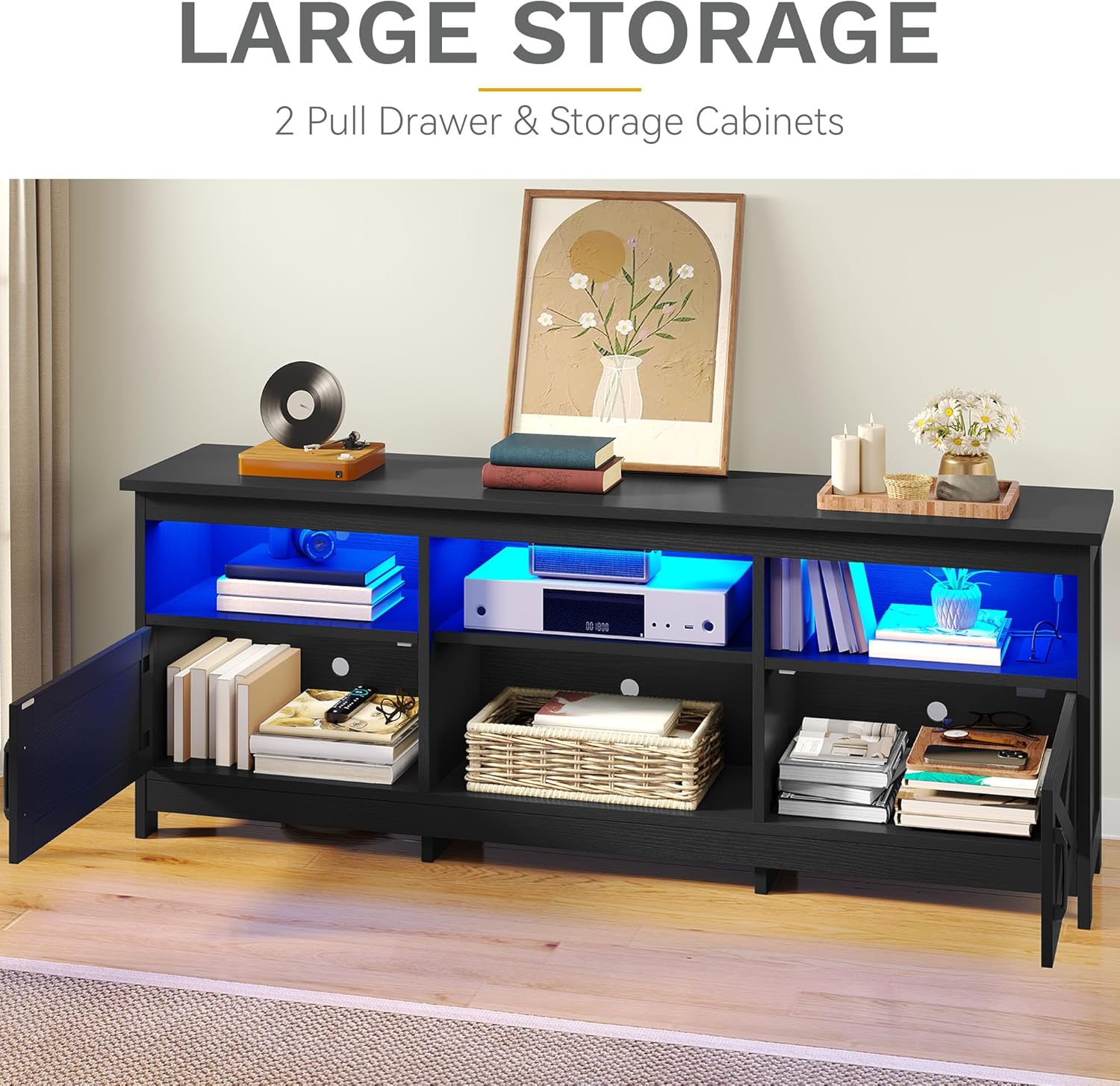
Figure 5: Large Storage Capacity. This image highlights the ample storage provided by the cabinets and open shelves, illuminated by LED lights.

Figure 6: Robot Sweeper Clearance. This image demonstrates the sufficient clearance beneath the TV stand for automated cleaning devices.
Maintenance
Cleaning
- Wipe surfaces with a soft, damp cloth. Avoid abrasive cleaners or harsh chemicals that may damage the finish.
- For spills, wipe immediately with a dry cloth.
Care
- Avoid direct sunlight and extreme temperature changes to prevent warping or fading.
- Do not place hot items directly on the surface; use coasters or protective pads.
- Periodically check all hardware connections and tighten if necessary to ensure stability.
Troubleshooting
LED Lights Not Working
- Check Power: Ensure the LED light strip is securely plugged into its power adapter and the adapter is plugged into a working outlet.
- Remote Battery: If using the remote, check if the battery needs replacement.
- Controller Connection: Verify that the LED strip is correctly connected to the control box.
- App Connection: If using the app, ensure your phone's Bluetooth is on and correctly paired with the LED controller.
Power Outlets/USB Ports Not Functioning
- Main Power: Ensure the TV stand's main power cord is securely plugged into a functional wall outlet.
- Overload: Avoid overloading the power strip. Disconnect some devices and try again.
- Circuit Breaker: Check your home's circuit breaker if multiple outlets are not working.
Stand Instability
- Level Surface: Ensure the TV stand is placed on a completely level floor.
- Tighten Hardware: Re-tighten all assembly screws and bolts. Do not overtighten.
- Anti-Tip Kit: Confirm the anti-tip hardware is correctly installed and secured to the wall.
Specifications
| Brand | DWVO |
| Model Number | MADWVq8P64 |
| Color | Black |
| Material | Engineered Wood |
| Product Dimensions | 15.7"D x 70"W x 25.6"H (40cm D x 178cm W x 65cm H) |
| Item Weight | 82.2 Pounds (37.29 kg) |
| TV Compatibility | Up to 80 inches |
| Special Features | Integrated Power Outlets (4), USB Ports (2), RGB LED Lights, Adjustable Shelf |
| Assembly Required | Yes |
| Number of Shelves | 3 (including adjustable) |
Warranty Information
Specific warranty details for DWVO products are typically provided with the product packaging or available on the manufacturer's official website. Please refer to the documentation included with your purchase for precise warranty terms and conditions. Generally, warranties cover manufacturing defects and material flaws under normal use.
Keep your proof of purchase (receipt or order confirmation) as it will be required for any warranty claims.
Customer Support
If you encounter any issues, have questions about assembly, or require replacement parts, please contact DWVO customer support. Contact information can usually be found in the assembly manual included with your product or on the official DWVO website.
When contacting support, please have your model number (MADWVq8P64) and purchase date ready to assist with faster service.
For general inquiries, you may visit the DWVO Store on Amazon.