
1. Safety Information
Please read and understand all safety instructions before assembly and use of the DUMOS 32-inch Home Office Computer Desk.
- Ensure the desk is placed on a stable, flat surface to prevent tipping.
- Use the adjustable non-slip foot pads to protect floors and maintain stability, especially on uneven surfaces.
- Do not exceed the maximum weight recommendation of 250 pounds (113 kg) to avoid structural damage or instability.
- Keep small parts and packaging materials away from children to prevent choking hazards.
- Periodically check all connections and fasteners to ensure they remain tight.
2. Product Overview
The DUMOS 32-inch Home Office Computer Desk is designed for versatile use in various environments, offering a compact yet functional workspace.
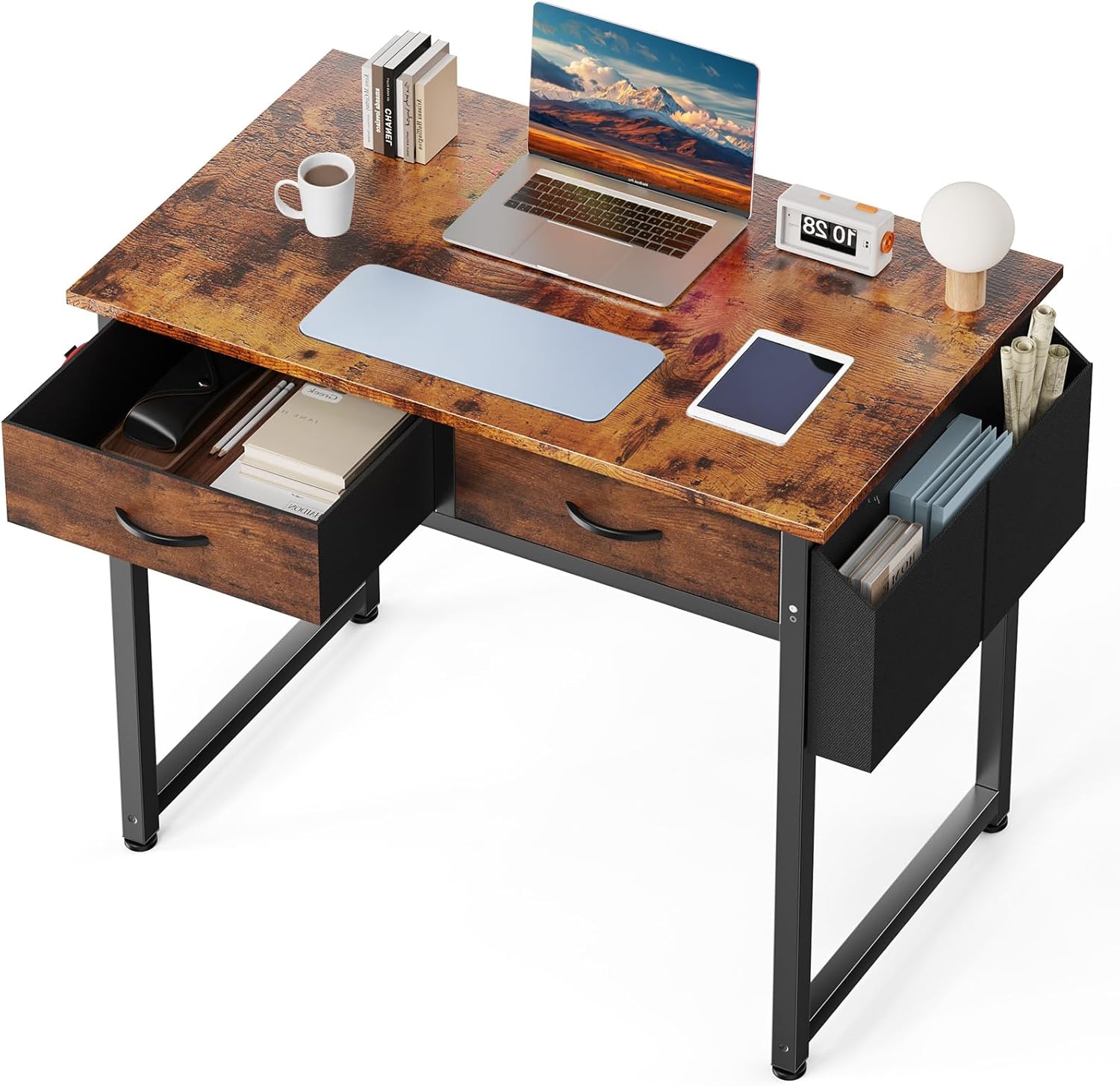
Image 2.1: Overview of the DUMOS 32-inch Home Office Computer Desk, showcasing its compact design with integrated storage.
Key Features:
- Spacious Desktop: Provides ample surface area for a laptop, monitor, and other work essentials.
- Integrated Storage: Features two fabric drawers, a side storage bag, and a headphone hook for organization.
- Sturdy Construction: Built with a robust metal frame and high-quality MDF board for durability.
- Adjustable Feet: Non-slip foot pads ensure stability on uneven surfaces and protect flooring.
- Reversible Layout: The side storage bag and headphone hook can be installed on either the left or right side.
3. Assembly Instructions
Assembly of the DUMOS desk is designed to be straightforward. All necessary tools and hardware are included. It is recommended that one person performs the assembly.
Before You Begin:
- Unpack all components and verify against the parts list (refer to the included manual for the complete list).
- Ensure you have a clear, spacious area for assembly.
- Keep all hardware organized to prevent loss.
Step-by-Step Assembly:
- Attach Legs to Desktop: Carefully place the desktop upside down on a soft, clean surface. Align the metal leg frames with the pre-drilled holes on the underside of the desktop. Secure using the provided screws and Allen wrench.
- Install Crossbars: Connect the horizontal crossbars between the leg frames to enhance stability. Ensure all screws are tightened securely.
- Insert Fabric Drawers: Assemble the fabric drawers according to their individual instructions (typically folding and inserting a base panel). Slide the assembled drawers into the designated slots under the desktop.
- Attach Side Storage Bag: Determine your preferred side (left or right) for the storage bag. Hook the storage bag onto the designated attachment points on the metal frame.
- Attach Headphone Hook: Similarly, attach the headphone hook to the desired side of the desk frame.
- Adjust Leveling Feet: Turn the desk upright. Adjust the non-slip foot pads at the bottom of each leg to level the desk and prevent wobbling on uneven floors.

Image 3.1: Illustration of the fabric drawer assembly and placement within the desk structure.

Image 3.2: Detail of the convenient side storage bag and headphone hook, which can be attached to either side of the desk.
4. Operating Instructions
The DUMOS desk is designed for simple and efficient use in various settings.
- Workspace Utilization: Place your computer, monitor, and other work tools on the main desktop surface.
- Drawer Use: Utilize the two fabric drawers for storing documents, office supplies, or personal items. The drawers are designed for easy access and organization.
- Side Storage Bag: The side storage bag is ideal for magazines, notebooks, or other frequently accessed items, keeping your desktop clear.
- Headphone Hook: Hang your headphones or headset on the dedicated hook to keep them within reach and prevent clutter.
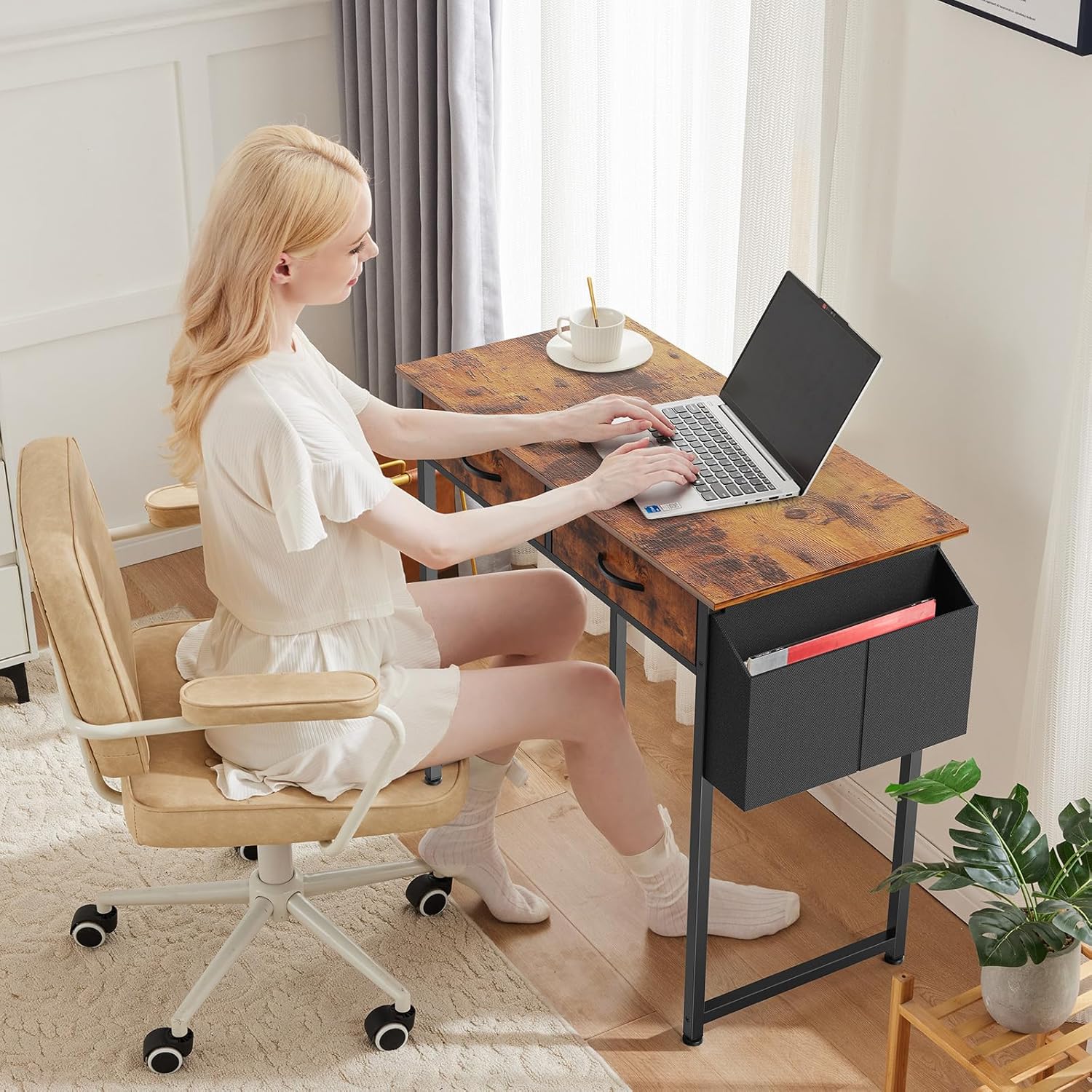
Image 4.1: A user engaging with the DUMOS desk, highlighting its suitability for work and study.
5. Maintenance
Proper care will extend the life and appearance of your DUMOS desk.
- Cleaning: Wipe the desk surfaces with a damp cloth. Avoid harsh chemicals or abrasive cleaners, which can damage the finish.
- Spills: Clean up spills immediately to prevent staining or damage to the MDF board.
- Hardware Check: Periodically inspect all screws and fasteners to ensure they are tight. Re-tighten as necessary.
- Environmental Conditions: Avoid placing the desk in direct sunlight or near heat sources, which can cause warping or fading.
6. Troubleshooting
This section addresses common issues you might encounter.
- Desk is Wobbly:
- Ensure all assembly screws are fully tightened.
- Adjust the leveling feet on the bottom of each leg until the desk is stable on your floor surface.
- Drawers Do Not Slide Smoothly:
- Verify that the fabric drawers are assembled correctly and that the base panel is fully inserted.
- Check for any obstructions in the drawer slots.
- Missing Parts:
- Carefully re-check all packaging materials. If parts are still missing, contact DUMOS customer support.
7. Specifications

Image 7.1: Detailed product dimensions for the DUMOS 32-inch Home Office Computer Desk.
| Feature | Detail |
|---|---|
| Brand | DUMOS |
| Model Number | DUYMHJ3-D2CZ32IN-RUST |
| Product Dimensions (D x W x H) | 15.75"D x 32"W x 30.59"H (40cm D x 81.3cm W x 77.7cm H) |
| Drawer Dimensions (W x D x H) | 14.8" x 13.4" x 4.6" (37.6cm x 34cm x 11.7cm) |
| Color | Rustic Brown |
| Style | Modern |
| Base Material | Metal |
| Top Material Type | Wood (MDF) |
| Item Weight | 16.94 Pounds (7.68 kg) |
| Maximum Weight Recommendation | 250 Pounds (113 kg) |
| Number of Drawers | 2 |
| Included Components | Desk, 2 Fabric Drawers, Side Storage Bag, Headphone Hook, Assembly Tools |
| Assembly Required | Yes (Recommended 1 person) |
8. Warranty and Support
DUMOS products are manufactured with quality and care. For any questions, concerns, or to report missing/damaged parts, please contact DUMOS customer support.
Please refer to your purchase documentation for specific warranty details. Typically, DUMOS offers a limited warranty covering manufacturing defects.
For support, visit the official DUMOS store or contact their customer service through the platform where the product was purchased.
DUMOS Store Link: Visit DUMOS Store on Amazon