
1. Introduction
Thank you for choosing the Aioneus Mini Portable Charger 10000mAh and Lightning Cable set. This manual provides essential information for the safe and efficient use of your new portable power solution. Please read this manual thoroughly before use and retain it for future reference.
Package Contents:
- 1 x Aioneus Mini Portable Charger (10000mAh)
- 2 x 1ft Short Lightning Cables

Image 1.1: The Aioneus Mini Portable Charger and the two included 1ft Lightning cables. The power bank is black with a digital display showing battery percentage, and the cables are white braided with silver connectors.
2. Safety Information
To ensure safe operation and prevent damage, please observe the following precautions:
- Do not expose the power bank to extreme temperatures, direct sunlight, or fire.
- Do not immerse the power bank in water or other liquids.
- Avoid dropping, hitting, or disassembling the device.
- Keep out of reach of children.
- Use only certified charging cables and adapters.
- Do not operate if the device is damaged.
- Dispose of the product responsibly according to local regulations.
3. Product Overview
The Aioneus Mini Portable Charger is designed for convenience and efficiency, offering a compact solution for charging multiple devices.
Key Features:
- High Capacity: 10000mAh battery for multiple charges.
- Fast Charging: Supports up to 22.5W output via USB-C and 20W via Lightning.
- Integrated Cables: Built-in Lightning and USB-C cables for convenience.
- Multiple Ports: Additional USB-A and USB-C ports for versatile charging.
- Digital Display: Clear LED display shows remaining battery percentage.
- Compact Design: Small and lightweight for easy portability.
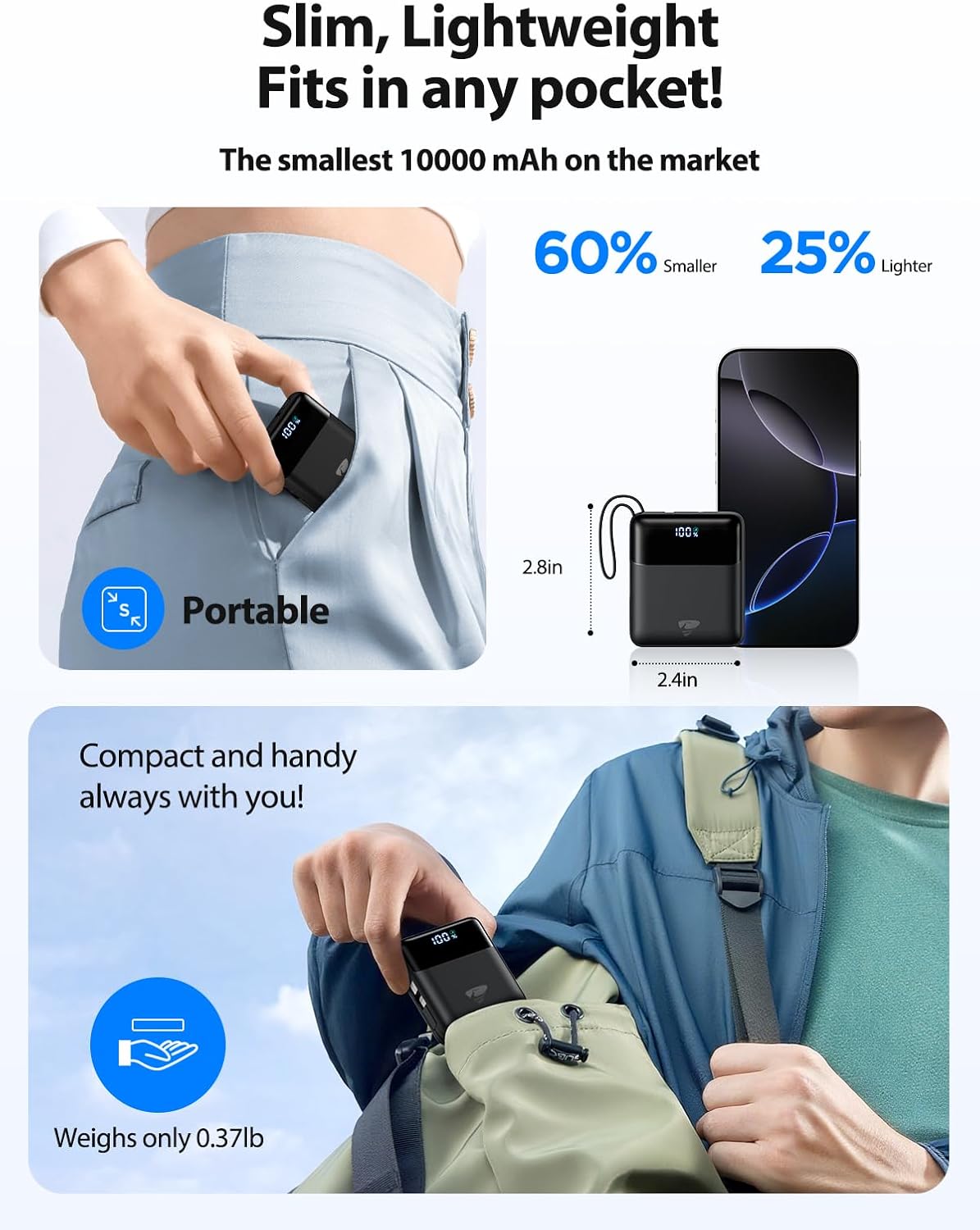
Image 3.1: The Aioneus Mini Portable Charger shown being carried in a pocket and a bag, highlighting its small dimensions (2.8in x 2.4in) and light weight (0.37lb).
4. Setup
Initial Charging of the Power Bank:
- Before first use, fully charge the Aioneus Mini Portable Charger.
- Connect a USB-A charger (not included) to the USB-A input port on the power bank. Alternatively, use a USB-C charger with the USB-C input port.
- The digital display will show the charging progress. Once it reaches 100%, the power bank is fully charged and ready for use.

Image 4.1: The Aioneus Mini Portable Charger connected to a wall adapter for charging, illustrating the input charging process. The image also shows pass-through charging where the power bank charges a phone while being charged itself.
Using the Included Lightning Cables:
The package includes two 1ft short Lightning cables. These cables are designed for compact use and are compatible with various Apple devices.

Image 4.2: Two 1ft (12-inch) short Lightning cables displayed next to a smartphone, emphasizing their compact length.
5. Operating Instructions
Charging Your Devices:
The Aioneus Mini Portable Charger offers multiple ways to charge your devices:
- Using Integrated Cables:
- Pull out the built-in Lightning cable to charge compatible Apple devices (up to 20W).
- Pull out the built-in USB-C cable to charge compatible Android devices or other USB-C devices (up to 22.5W).
- Using USB-A Port: Connect your device's USB-A charging cable to the USB-A output port on the power bank.
- Using USB-C Port: Connect your device's USB-C charging cable to the USB-C output port on the power bank.

Image 5.1: The Aioneus Mini Portable Charger simultaneously charging four devices: two via its integrated Lightning and USB-C cables, and two more via its external USB-A and USB-C ports.
Pass-Through Charging:
The power bank supports pass-through charging, allowing it to charge itself and connected devices simultaneously. Simply connect the power bank to a power source while your devices are connected to the power bank.
Checking Battery Level:
The digital LED display on the power bank indicates the remaining battery percentage. This allows you to monitor the power bank's charge status at a glance.

Image 5.2: The Aioneus Mini Portable Charger connected to a smartphone, demonstrating its fast charging capability and the digital display showing 100% battery.
6. Maintenance
- Cleaning: Use a soft, dry cloth to clean the surface of the power bank. Do not use harsh chemicals or abrasive materials.
- Storage: Store the power bank in a cool, dry place away from direct sunlight and extreme temperatures. For prolonged storage, charge the power bank to approximately 50-75% every three months to maintain battery health.
- Cable Care: Avoid bending the cables sharply or pulling them forcefully from the ports to prevent damage.
7. Troubleshooting
- Power bank not charging:
- Ensure the charging cable and adapter are securely connected.
- Try a different charging cable or adapter.
- Verify the power source is active.
- Device not charging from power bank:
- Check if the power bank has sufficient charge (refer to the digital display).
- Ensure the charging cable connecting the device to the power bank is secure and undamaged.
- Try a different port or cable on the power bank.
- Confirm your device is compatible with the power bank's output.
- Slow charging:
- Ensure both the power bank and your device support fast charging.
- Check if the cable used supports fast charging.
- Some devices may limit charging speed when multiple devices are connected.
8. Specifications
| Feature | Specification |
|---|---|
| Model | Mini Portable Charger 10000mAh |
| Battery Capacity | 10000mAh |
| Integrated Lightning Cable Output | Up to 20W |
| Integrated USB-C Cable Output | Up to 22.5W |
| USB-A Output Port | Yes (Output power not specified, assumed standard) |
| USB-C Output Port | Yes (Output power not specified, assumed up to 22.5W) |
| Input Ports | USB-A, USB-C |
| Dimensions | Approximately 2.8in x 2.4in |
| Weight | Approximately 0.37lb |
| Lightning Cable Length | 1ft (12 inches) |

Image 8.1: The Aioneus Mini Portable Charger demonstrating its 10,000mAh capacity by indicating how many times it can charge an iPhone 15 Pro (1.8 times), iPhone 16 Pro (1.6 times), and Samsung S24 (1.2 times).

Image 8.2: A compatibility chart detailing devices compatible with the Lightning output (various iPhone and iPad models, AirPods) and the requirement for a USB-A charger for input.
9. Warranty and Support
Aioneus products are designed and manufactured to the highest quality standards. For warranty information, technical support, or customer service inquiries, please refer to the contact information provided on the product packaging or visit the official Aioneus website.
Please retain your proof of purchase for warranty claims.