1. Introduction
This manual provides essential information for the safe and efficient operation of your Samsung 85-Inch Class QLED Q6F Series Smart TV. Please read this manual thoroughly before using your TV and retain it for future reference. This television features a Q4 Lite Processor for 4K upscaling, Quantum HDR for vibrant colors, Motion Xcelerator 60Hz for smooth motion, and integrated smart features.
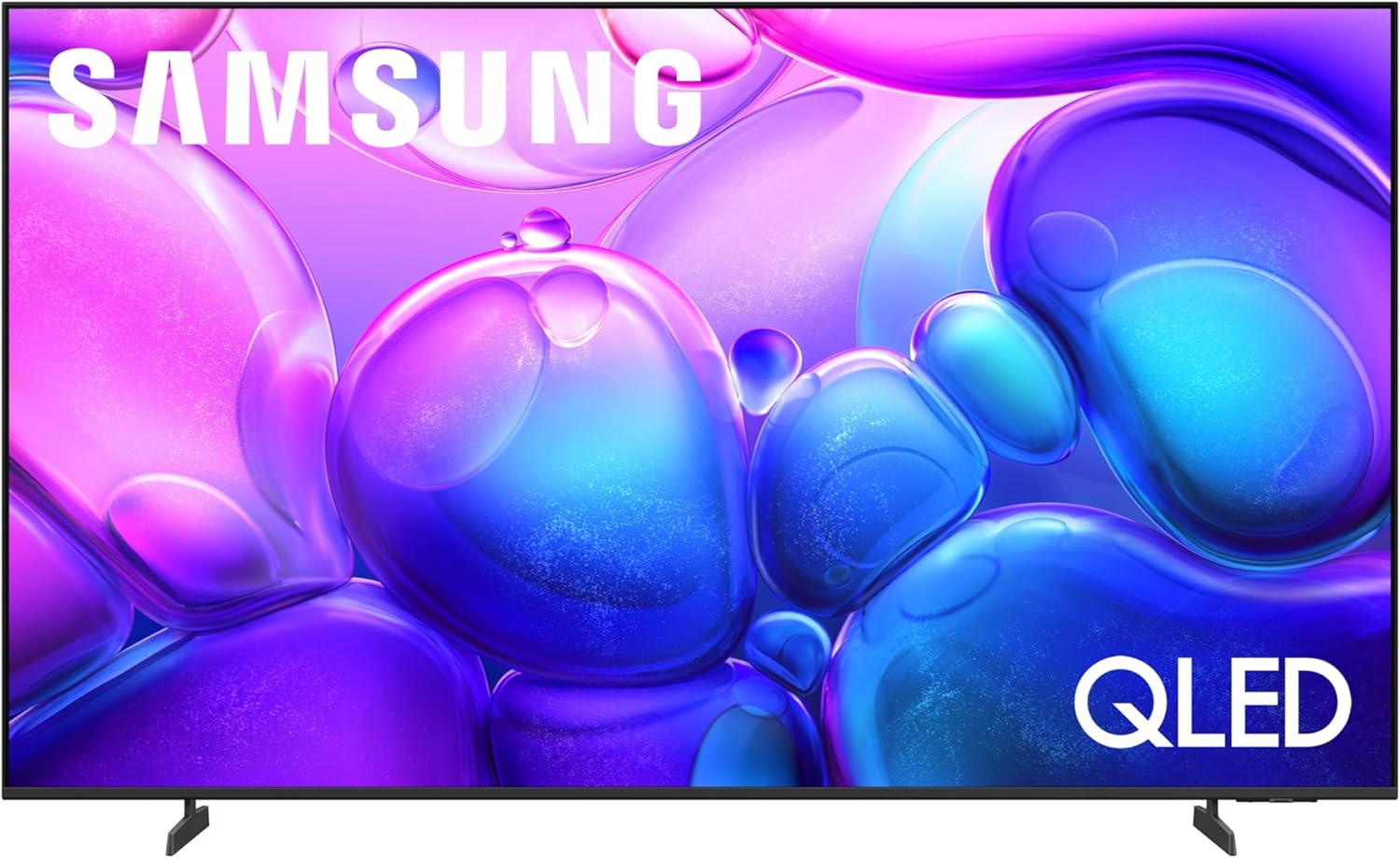
Figure 1: Front view of the Samsung 85-Inch Class QLED Q6F Series Smart TV, showcasing its slim bezel and QLED display.
2. Important Safety Information
Always follow basic safety precautions when using this product to reduce the risk of fire, electric shock, and injury. Keep the TV away from moisture, heat sources, and direct sunlight. Ensure proper ventilation and avoid blocking vents. Use only manufacturer-specified attachments and accessories. Disconnect the power cord during lightning storms or when unused for long periods.
3. What's in the Box
Verify that all components are present:
- Samsung 85-Inch Class QLED Q6F Series Smart TV
- Remote Control (TM1240A)
- Power Cable
- TV Stand (2 pieces)
- User Manual (this document)

Figure 2: Visual representation of the TV's dimensions and the items typically found in the product packaging, including the TV, remote, power cable, stand, and user manual.
4. Setup
4.1. Physical Installation
Your TV can be installed on the included stand or wall-mounted (wall mount sold separately). For stand installation, carefully attach the two stand pieces to the designated slots at the bottom of the TV, ensuring they are securely fastened. For wall mounting, consult a professional installer and use a VESA-compatible mount appropriate for the TV's size and weight.

Figure 3: The Samsung QLED TV is shown mounted on a wall above a media console, demonstrating a typical installation scenario in a living room setting.
4.2. Connecting External Devices
Locate the input ports on the back of your TV. Connect your devices (e.g., cable box, Blu-ray player, gaming console) using appropriate cables.
- HDMI 1 (eARC): Enhanced Audio Return Channel for high-quality sound and advanced formats.
- HDMI 2 & 3: Transmits high-definition video and audio from external devices.
- USB (5V/0.5A): Standard rectangular port for power or media playback.
- Cable/ANT: Connector for over-the-air antenna or cable TV signals.
- Ethernet (LAN): Wired internet connection for streaming, updates, and smart features.

Figure 4: A detailed view of the TV's rear panel, highlighting the various input ports including HDMI, USB, Cable/ANT, and Ethernet for connecting external devices.
4.3. Power Connection
Connect the power cable to the TV's power input and then plug it into a wall outlet. The TV will automatically power on or enter standby mode.
4.4. Initial Setup
Upon first power-on, the TV will guide you through the initial setup process, including language selection, network connection (Wi-Fi or Ethernet), and channel scanning. Follow the on-screen instructions.
5. Operating the TV
5.1. Remote Control
Your Samsung QLED TV comes with a sleek, solar-powered remote control (TM1240A). This remote features dedicated buttons for popular streaming services like Netflix, YouTube, and Prime Video, along with essential navigation and voice control functions. The solar panel on the back allows for convenient charging, reducing the need for battery replacements. A USB-C port is also available for alternative charging.

Figure 5: The compact and intuitive solar-powered remote control for the Samsung QLED TV, highlighting its minimalist design and quick access buttons for streaming services.
Video 1: Demonstration of the solar-powered remote control, showcasing its design, dedicated app buttons, and charging capabilities.
5.2. Smart TV Interface (Tizen OS)
Navigate the intuitive Tizen operating system to access streaming apps, live TV, and connected devices. The home screen provides personalized recommendations and quick access to your favorite content.

Figure 6: The Samsung Smart TV's user interface, displaying a selection of streaming applications and content recommendations tailored to the user.
5.3. Picture Settings
Adjust picture settings to optimize your viewing experience. Access these settings via the TV's menu. Available modes include:
- Dynamic: Enhances brightness and color for vivid images.
- Standard: Default setting suitable for most content.
- Eco: Adjusts brightness to save energy.
- Movie: Optimizes picture quality for film viewing, aiming for cinematic accuracy.

Figure 7: An image demonstrating the TV's 100% Color Volume with Quantum Dot technology, highlighting the display of over a billion colors that remain true even in bright scenes.
Video 2: A short video highlighting the stunning 4K color and sound capabilities of the Samsung QLED TV, demonstrating its visual and auditory performance.
5.4. Sound Settings
Customize your audio experience through the sound settings menu.
- Q-Symphony: Allows the TV speakers and a compatible Samsung soundbar to work together for a richer sound experience.
- Object Tracking Sound Lite: Creates motion-based sound that follows objects on screen, enhancing immersion.
5.5. Smart Features
Your Q6F Series TV integrates various smart features for enhanced convenience and connectivity.
- Samsung Knox Security: Provides triple-layer protection for personal data, defending against harmful apps and phishing sites.
- SmartThings Hub: Connect and control smart home devices directly from your TV.
- AI Energy Mode: Intelligently analyzes room lighting and user activity to auto-adjust brightness and reduce power consumption.
- Mobile Remote: Use your smartphone as a remote control via the SmartThings app.
- Gaming Hub: A central hub for your favorite games from consoles, cloud services, and gaming apps.

Figure 8: The Samsung Knox Security feature displayed on the TV screen, illustrating its role in protecting personal data with triple-layer protection.

Figure 9: A collage of diverse content available through Samsung TV Plus and other free streaming apps, demonstrating the wide range of entertainment options.
6. Maintenance
6.1. Cleaning Your TV
To clean the screen, gently wipe it with a soft, dry microfiber cloth. For stubborn smudges, lightly dampen the cloth with water or a screen-specific cleaning solution. Avoid using harsh chemicals or abrasive materials. Clean the remote control and TV body with a soft, dry cloth.
6.2. Software Updates
Ensure your TV's software is up-to-date for optimal performance and security. You can check for and install updates through the TV's settings menu (Settings > Support > Software Update). Automatic updates can also be enabled.
7. Troubleshooting
If you encounter issues with your TV, refer to the following common solutions:
- No Power: Check if the power cable is securely connected to both the TV and the wall outlet. Try plugging another device into the outlet to confirm it's working.
- No Picture/Sound: Ensure all external devices are properly connected and powered on. Verify the correct input source is selected on the TV.
- Remote Not Working: Check the remote's solar charge or try charging it via USB-C. Ensure there are no obstructions between the remote and the TV.
- Poor Picture Quality: Adjust picture settings (Dynamic, Standard, Movie). Ensure the source content is high-resolution.
- Network Connection Issues: Restart your router and modem. Reconnect the TV to your Wi-Fi network or try a wired Ethernet connection.
For more complex issues, consult the full e-Manual available on your TV or contact Samsung customer support.
8. Specifications
| Feature | Specification |
|---|---|
| Brand | Samsung |
| Model Number | QN85Q6FAAFXZA |
| Screen Size | 85 Inches |
| Display Technology | QLED |
| Resolution | 4K (3840 x 2160) |
| Refresh Rate | 60 Hz |
| Processor | Q4 Lite Processor |
| HDR Support | Quantum HDR, HDR10+ |
| Connectivity | Bluetooth, Ethernet, HDMI (3 ports, 1 eARC), USB, Wi-Fi |
| Special Features | Built-In Speaker, Closed Captioning, Samsung Knox Security, SmartThings, AI Energy Mode, Gaming Hub, Alexa Compatible |
| Product Dimensions (with stand) | 12.8"D x 74.4"W x 44.6"H |
| Item Weight | 64.4 Pounds |
9. Warranty and Support
9.1. Warranty Information
Your Samsung QLED TV comes with a standard manufacturer's warranty. For detailed information regarding warranty coverage, terms, and conditions, please refer to the warranty card included with your product or visit the official Samsung support website. Extended protection plans are available for purchase, such as Samsung Care+ Protection for 2 or 5 years.
9.2. Customer Support
For technical assistance, troubleshooting, or service requests, please contact Samsung customer support. You can find contact information on the Samsung website or in your product documentation. Online resources, including FAQs and digital manuals, are also available.
This product is eligible for 30-day easy returns through Amazon.


