1. Product Overview
The Lifepro AutoGlide is a compact under-desk elliptical exercise machine designed for seated use. It offers both automatic and manual motion options, making it suitable for various fitness levels and rehabilitation needs. This device promotes circulation, muscle strengthening, and joint health through low-impact elliptical movement. It features a quiet operation, remote control, and an integrated LCD display for tracking workout metrics.
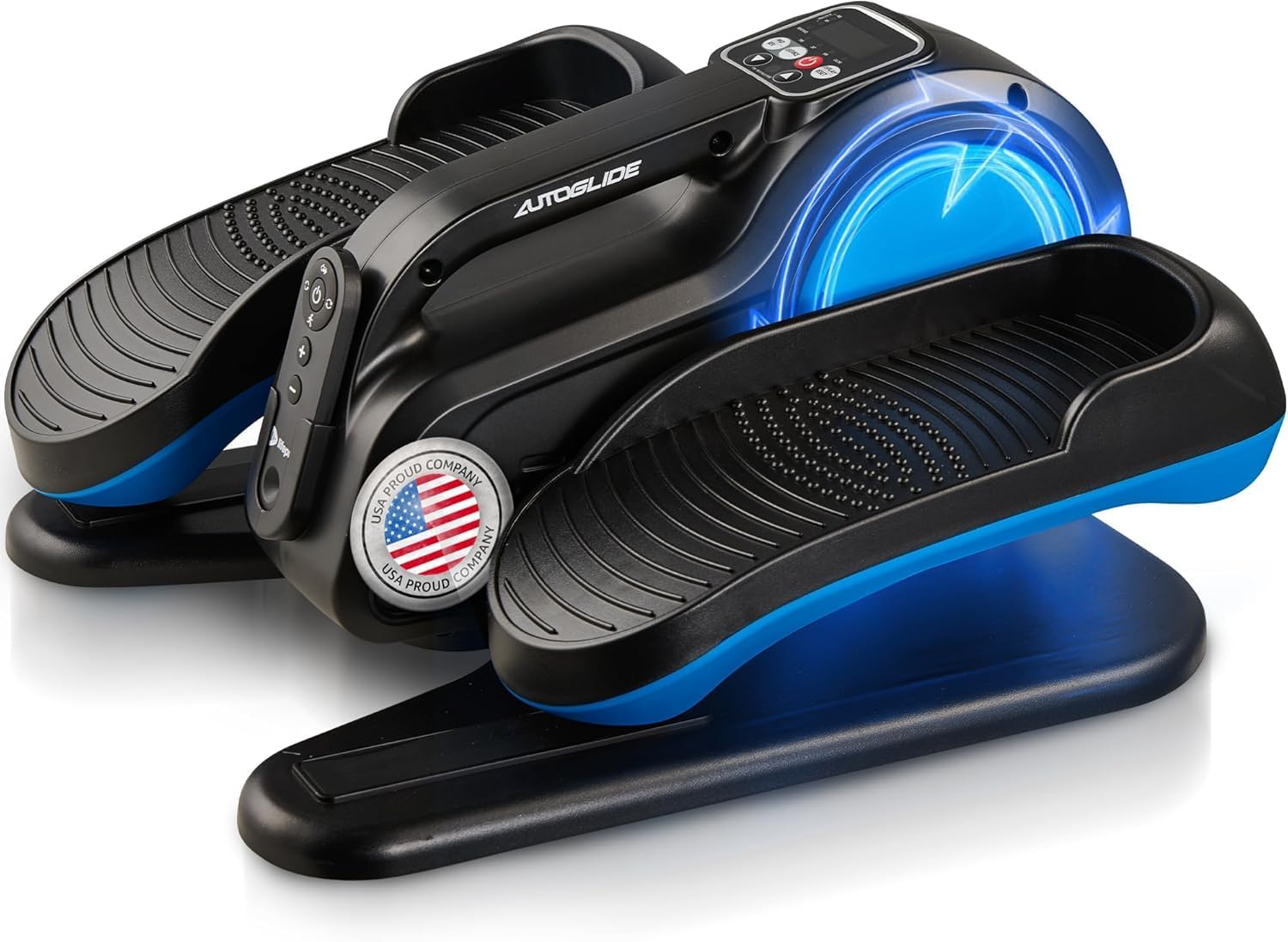
Image 1.1: The Lifepro AutoGlide Under Desk Elliptical Machine.
Key Features:
- Dual Auto & Manual Motion: Seamlessly switch between passive (auto) and active (manual) use.
- Whisper-Quiet Operation: Designed for discreet use in any environment.
- Forward/Reverse Pedaling: Engage different muscle groups by changing pedaling direction.
- Remote Control: Adjust settings conveniently from your seat.
- Performance Display: Built-in LCD monitor tracks time, speed, distance, and calories.
- 10 Workout Levels: Customize intensity for various fitness and rehabilitation goals.
2. Setup
The Lifepro AutoGlide is designed for minimal setup. The unit comes pre-assembled, requiring no complex part attachment. Simply remove it from its packaging and place it on a flat, stable surface where you intend to use it.
Video 2.1: Unboxing and initial setup of the AutoGlide Under Desk Elliptical. This video demonstrates the ease of getting started with the device right out of the box.
Power Connection:
- Locate the power port on the back of the unit.
- Connect the provided power adapter to the unit and then plug it into a standard electrical outlet.
- Ensure the main power switch (usually located near the power port) is in the 'ON' position.
3. Operating Instructions
3.1 Power On/Off
- To power on the unit, press the red power button on the control panel or the power button on the remote control.
- To power off, press and hold the power button for a few seconds until the display turns off.
3.2 Modes of Operation (Auto & Manual)
The AutoGlide offers two primary modes for your workout:
- Auto Mode: Provides effortless, motorized movement with three preset programs. Ideal for passive exercise or rehabilitation.
- Manual Mode: Allows you to actively pedal and adjust resistance levels for a more engaging workout.

Image 3.1: Illustration of Auto Mode (effortless) and Manual Mode (active) operation.
3.3 Adjusting Resistance and Direction
You can control the unit using either the integrated control panel or the included remote control.
- Speed/Resistance: Use the '+' and '-' buttons on the control panel or remote to increase or decrease the speed (in Auto Mode) or resistance (in Manual Mode). There are 10 intensity levels available.
- Direction: Press the 'FWD/REV' button to switch between forward and reverse pedaling motion. Forward motion primarily targets quadriceps, while reverse motion engages hamstrings and glutes.

Image 3.2: The remote control allows for convenient adjustment of speed, direction, and other settings.
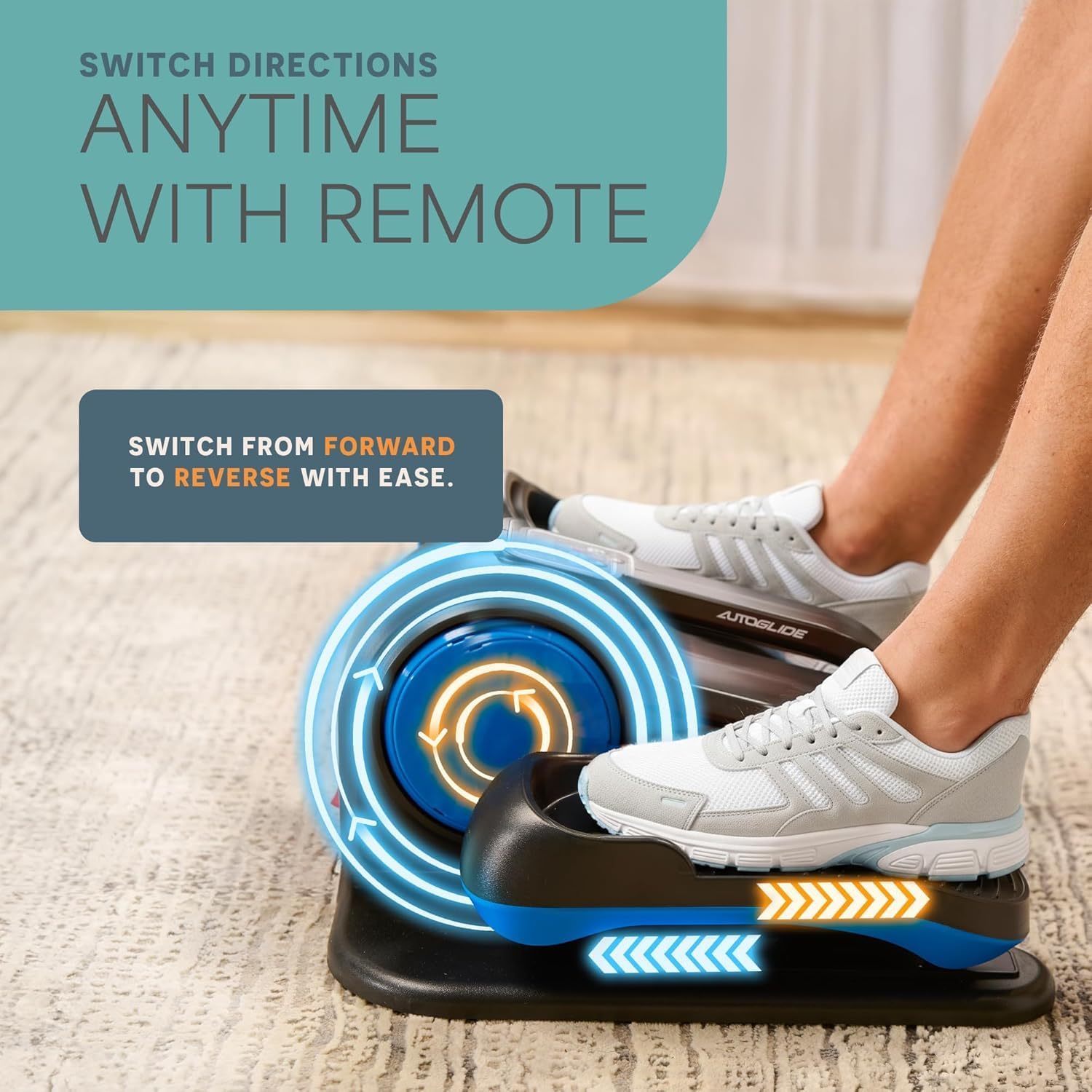
Image 3.3: The elliptical pedals can switch between forward and reverse motion.
3.4 Tracking Progress
The integrated LCD display provides real-time feedback on your workout:
- Time: Duration of your current workout session.
- Count (Rotations): Total number of rotations.
- RPM (Speed): Rotations per minute.
- Calories: Estimated calories burned.
- Display/Reset: Use this button to cycle through display metrics or reset your workout data.

Image 3.4: Close-up of the LCD screen displaying various workout statistics.
4. Maintenance
Regular maintenance ensures the longevity and optimal performance of your Lifepro AutoGlide.
- Cleaning: Wipe down the unit with a soft, damp cloth after each use to remove dust and sweat. Avoid using abrasive cleaners or solvents.
- Storage: Store the elliptical in a cool, dry place away from direct sunlight and extreme temperatures.
- Inspection: Periodically check all moving parts and connections for any signs of wear or damage. If any issues are found, discontinue use and contact customer support.
5. Troubleshooting
If you encounter any issues with your Lifepro AutoGlide, please refer to the following common solutions:
- Unit Not Powering On: Ensure the power adapter is securely plugged into both the unit and a working electrical outlet. Check the main power switch on the unit is in the 'ON' position.
- No Movement in Auto Mode: Verify the unit is powered on and the correct program is selected. Ensure there are no obstructions preventing pedal movement.
- Remote Control Not Responding: Check the battery in the remote control and replace if necessary. Ensure there is a clear line of sight between the remote and the unit's sensor.
- Unusual Noises: Stop using the unit immediately and inspect for any loose parts or foreign objects. Contact customer support if the noise persists.
For further assistance, please contact Lifepro customer support.
6. Product Specifications
| Feature | Specification |
|---|---|
| Brand | LifePro |
| Model Name | AutoGlide Under Desk Elliptical Exercise Machine |
| Part Number | LP-AGLD-BLK |
| Style | AutoGlide Regular |
| Product Dimensions (LxWxH) | 18"D x 10.2"W x 15.7"H |
| Item Package Dimensions (LxWxH) | 19.8 x 18 x 11.2 inches |
| Package Weight | 20 Pounds |
| Material | Alloy Steel |
| Maximum Weight Recommendation | 500 Pounds |
| UPC | 810161332618 |
7. Warranty and Support
The Lifepro AutoGlide Under Desk Elliptical Exercise Machine comes with a Lifetime Support warranty.
To activate your lifetime warranty and ensure eligibility for support, please register your product within 14 days of purchase. Details for registration can be found in the included user manual or on the official Lifepro website.
For any questions, technical assistance, or warranty claims, please contact Lifepro customer support through their official channels.


