
1. Product Overview
The Lenovo LOQ Gaming Laptop is engineered for performance, featuring an Intel Core i5-12450HX processor, NVIDIA GeForce RTX 2050 graphics, and a 15.6-inch FHD 144Hz display. This laptop is equipped with Wi-Fi 6 and Bluetooth 5.2 for robust connectivity, and a white backlit keyboard for enhanced usability in various lighting conditions.
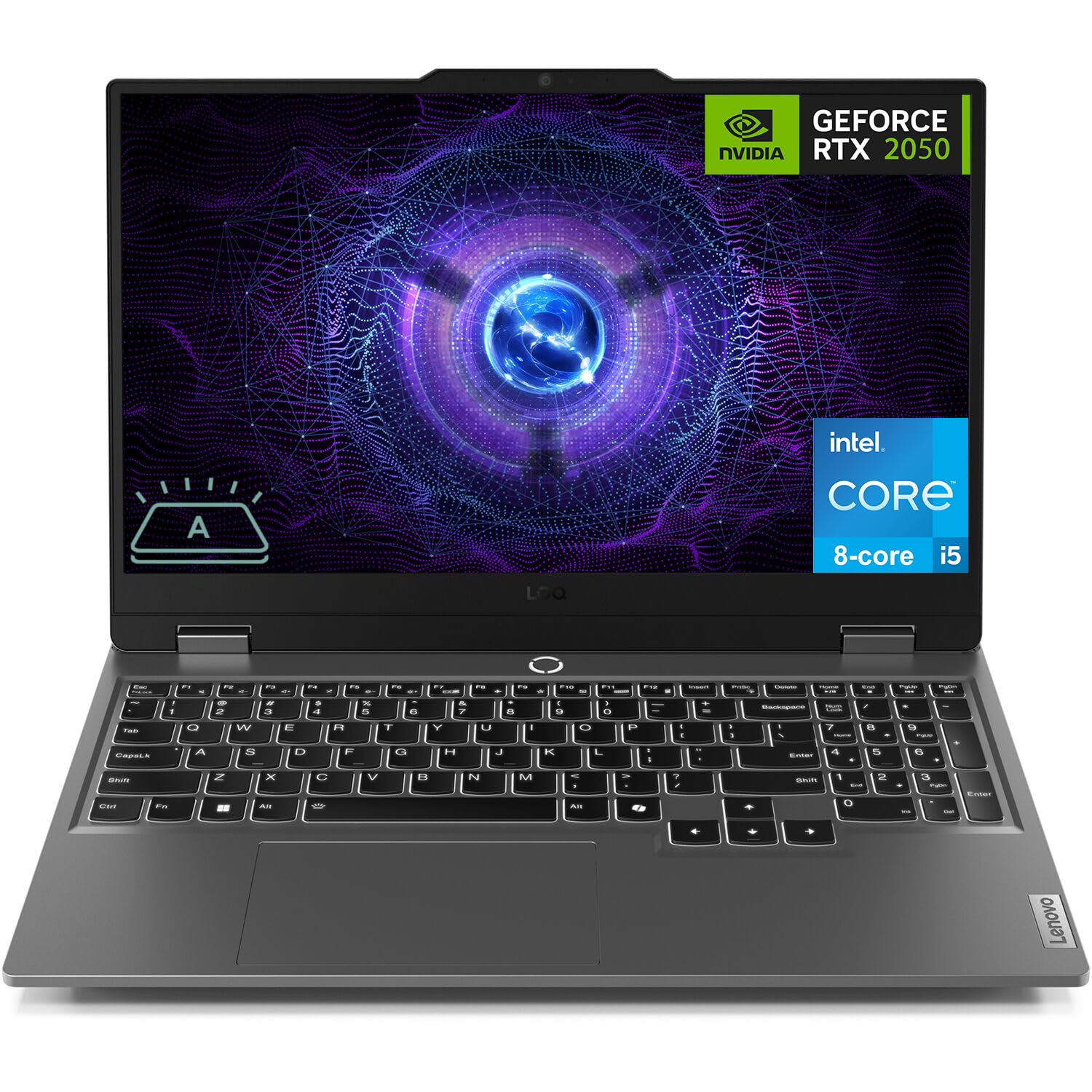
Figure 1: Lenovo LOQ Gaming Laptop - Angled View
This image shows the Lenovo LOQ Gaming Laptop from an angled perspective, highlighting its sleek design and the vibrant display. The screen is active, showcasing a dynamic graphic, and the keyboard is visible.
2. Setup Guide
2.1. Unpacking and Initial Inspection
Carefully remove the laptop and all accessories from the packaging. Inspect for any signs of damage. Retain the packaging for future transport or service needs.
2.2. Connecting Power
- Connect the power adapter to the laptop's power connector.
- Plug the power cord into an electrical outlet.
- Allow the battery to charge for at least 30 minutes before initial use, or until the battery indicator shows a sufficient charge.
2.3. First Power On
- Open the laptop lid.
- Press the power button located above the keyboard.
- Follow the on-screen instructions to complete the Windows 11 Home setup, including language, region, network connection, and user account creation.

Figure 2: Keyboard and Touchpad Layout
This image provides a top-down view of the Lenovo LOQ Gaming Laptop's keyboard and touchpad, illustrating the full-size layout with a numeric keypad and the central power button.
3. Operating Your Laptop
3.1. Keyboard Functions
The laptop features a 6-row keyboard with multimedia Fn keys and a numeric keypad. The keyboard has a white backlight. Press Fn + Spacebar to cycle through backlight brightness levels (Off, Low, High).
3.2. Display Settings
The 15.6-inch FHD (1920 x 1080) IPS display operates at 144Hz. You can adjust display settings, including resolution, refresh rate, and brightness, through Windows Display Settings. The display features anti-glare and Low Blue Light technology.
3.3. Connectivity
Your laptop supports various connectivity options:
- Wi-Fi 6: For high-speed wireless internet access.
- Bluetooth 5.2: For connecting wireless peripherals such as mice, keyboards, and headphones.
- Ethernet (RJ-45): For wired network connections.
- USB Ports: 3x USB-A (USB 5Gbps / USB 3.2 Gen 1) and 1x USB-C (USB 10Gbps / USB 3.2 Gen 2) with Lenovo PD 140W and DisplayPort 1.4 support.
- HDMI 2.1: For connecting external displays, supporting up to 8K/60Hz.
- Headphone / Microphone Combo Jack (3.5mm): For audio input and output.

Figure 3: Rear Port Configuration
This image displays the rear of the Lenovo LOQ Gaming Laptop, clearly labeling the various ports available for connectivity, including USB-C, HDMI, Ethernet, and USB-A ports.
4. Maintenance
4.1. Cleaning
- Use a soft, lint-free cloth to clean the screen. Avoid harsh chemicals.
- Use compressed air to clear dust from keyboard keys and ventilation grilles.
- Wipe the laptop's exterior with a slightly damp cloth.
4.2. Battery Care
The laptop is equipped with a 60Wh Rechargeable Li-ion Battery that supports Rapid Charge Pro (up to 50% charge in 30 minutes). To prolong battery life:
- Avoid extreme temperatures.
- Do not fully discharge the battery frequently.
- Store the laptop with a partial charge if not used for extended periods.
4.3. Software Updates
Regularly update your operating system and drivers to ensure optimal performance and security. Check for updates through Windows Update and Lenovo Vantage software.

Figure 4: Advanced Cooling System
This diagram illustrates the internal cooling system of the Lenovo LOQ Gaming Laptop, showing how air flows through the vents to dissipate heat from critical components, ensuring stable performance during intensive tasks.
5. Troubleshooting
5.1. No Power
- Ensure the power adapter is securely connected to both the laptop and the electrical outlet.
- Verify the power outlet is functional by plugging in another device.
- If the battery is completely drained, allow it to charge for a few minutes before attempting to power on.
5.2. Display Issues
- If the screen is blank, try pressing Fn + F2 (or the corresponding display toggle key) to ensure the display is not turned off or switched to an external monitor.
- Adjust screen brightness using the dedicated function keys (e.g., Fn + F5/F6).
- Ensure graphics drivers are up to date.
5.3. Network Connectivity Problems
- For Wi-Fi, check if Wi-Fi is enabled in Windows settings and if you are connected to the correct network.
- For Ethernet, ensure the cable is securely connected to both the laptop and the router/modem.
- Restart your router/modem and the laptop.
6. Specifications
| Feature | Detail |
|---|---|
| Processor | Intel Core i5-12450HX (8 Cores, 12 Threads, up to 4.4GHz) |
| Graphics | NVIDIA GeForce RTX 2050 4GB GDDR6 |
| Display | 15.6" FHD (1920x1080) IPS, 144Hz, Anti-glare, 300 nits, Low Blue Light |
| Memory (RAM) | 12GB DDR5 (Configurable up to 64GB) |
| Storage | 512GB PCIe M.2 SSD (Configurable up to 8TB) |
| Operating System | Windows 11 Home (64-bit, English) |
| Wireless Connectivity | Wi-Fi 6 (802.11ax), Bluetooth 5.2 |
| Ports | 3x USB-A (USB 3.2 Gen 1), 1x USB-C (USB 3.2 Gen 2, PD 140W, DP 1.4), 1x HDMI 2.1, 1x Ethernet (RJ-45), 1x Headphone/Mic Combo Jack |
| Keyboard | 6-row, multimedia Fn keys, numeric keypad, White backlight |
| Battery | 60Wh Li-ion, Rapid Charge Pro support |
| Camera | HD 720p, E-shutter, fixed focus |
| Color | Luna Grey |
| Dimensions (W x D x H) | 14.17 x 10.19 x 0.86 inches |
| Weight | 5.25 lbs |
| UPC | 195477803817 |
7. Warranty and Support
7.1. Warranty Information
This Lenovo LOQ Gaming Laptop comes with a One-year limited seller warranty. Please refer to your purchase documentation for specific terms and conditions.
7.2. Customer Support
For technical assistance, driver downloads, or service inquiries, please visit the official Lenovo support website or contact their customer service. Keep your product's serial number handy for faster service.
You can find more information and support resources on the Lenovo Store on Amazon.


