
1. Product Overview
The AEKE K1 is an AI-powered smart home gym system designed to provide personalized fitness plans, real-time form correction, and motion analysis. It integrates a 43-inch 4K touch screen and 2.1 surround sound for an immersive workout experience. The system is compact, portable, and offers a wide variety of exercises and courses without subscription fees.
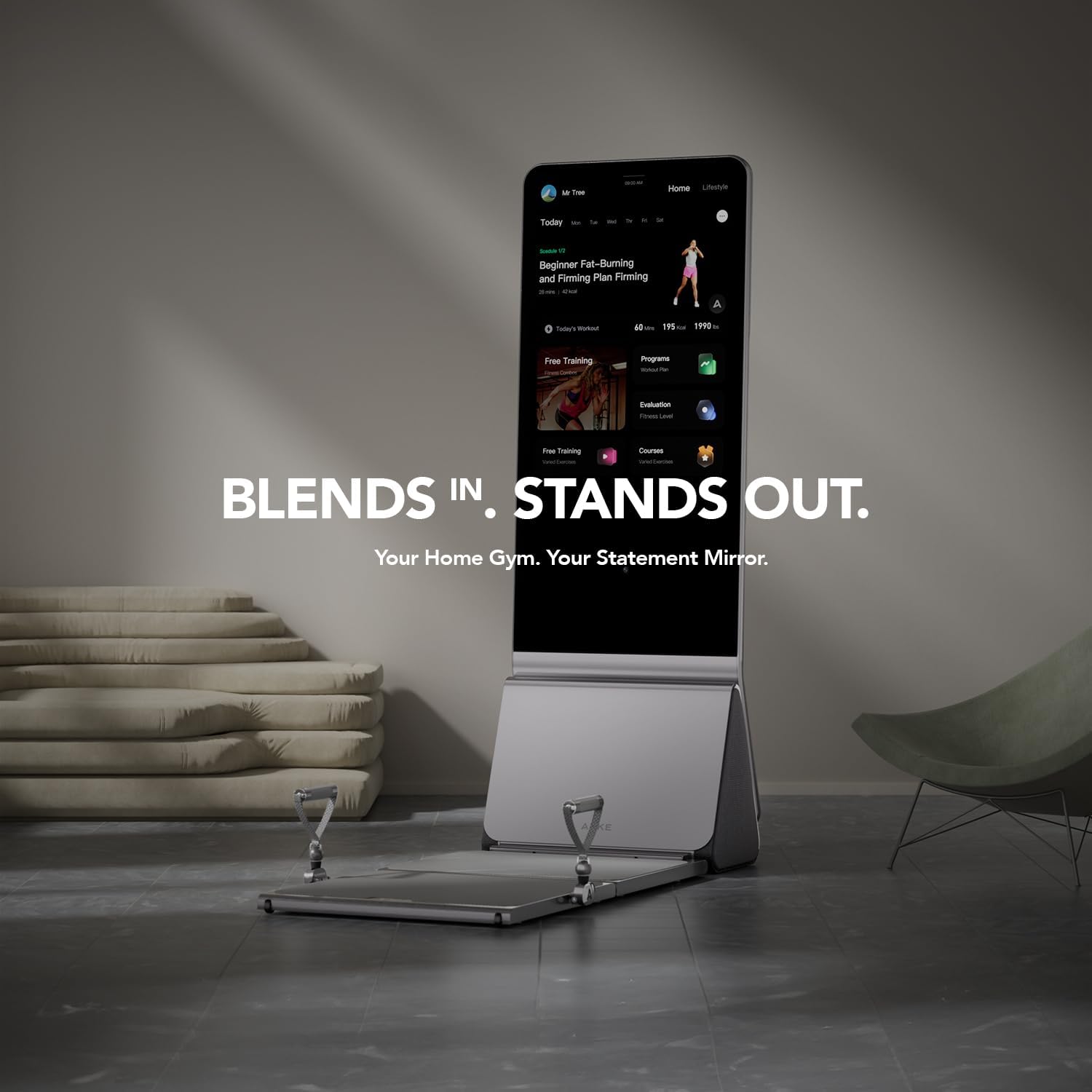
Image: The AEKE K1 Smart Home Gym in its folded, compact state, blending into a modern living space. This illustrates its space-saving design.
2. What's in the Box
Verify that all components are present before beginning setup:
- 1 x AEKE K1 Smart Home Gym Unit
- 1 x Smart Grips
- 1 x Ankle Straps
- 1 x Smart Adjustable Barbell
- 1 x Barbell Unloader
- 1 x Heart Rate Armband
- 1 x Smart 8 Electrode Scale
- 1 x Camera Cover
3. Setup Instructions
The AEKE K1 is designed for effortless setup and portability, requiring zero installation.
- Unpacking: Carefully remove the AEKE K1 unit and all accessories from the packaging. Retain packaging for future transport or storage.
- Placement: Choose a flat, stable surface for the gym. Ensure there is adequate space around the unit for safe movement during workouts. The unit folds down to approximately 0.3 square meters when not in use.
- Unfolding: The AEKE K1 features one-touch folding. Gently unfold the unit to its upright position. Ensure all locking mechanisms (if any) are securely engaged.
- Power Connection: Connect the power cable to the unit and then to a standard electrical outlet.
- Initial Power On: Press the power button to turn on the AEKE K1. Follow the on-screen prompts for initial setup, including Wi-Fi connection and user profile creation.
- Accessory Connection: Connect the Smart Grips, Ankle Straps, and Smart Adjustable Barbell as instructed by the on-screen guide or as needed for your chosen workout.

Image: The AEKE K1 Smart Home Gym displaying its dimensions and highlighting key setup features such as zero installation, easy movement, and one-touch folding for convenience.
4. Operating Instructions
4.1 Navigating the Interface
The AEKE K1 features a 43-inch 4K touch screen. Use intuitive touch gestures to navigate menus, select workouts, and adjust settings. The interface provides access to personalized fitness plans, performance reports, and a library of courses.
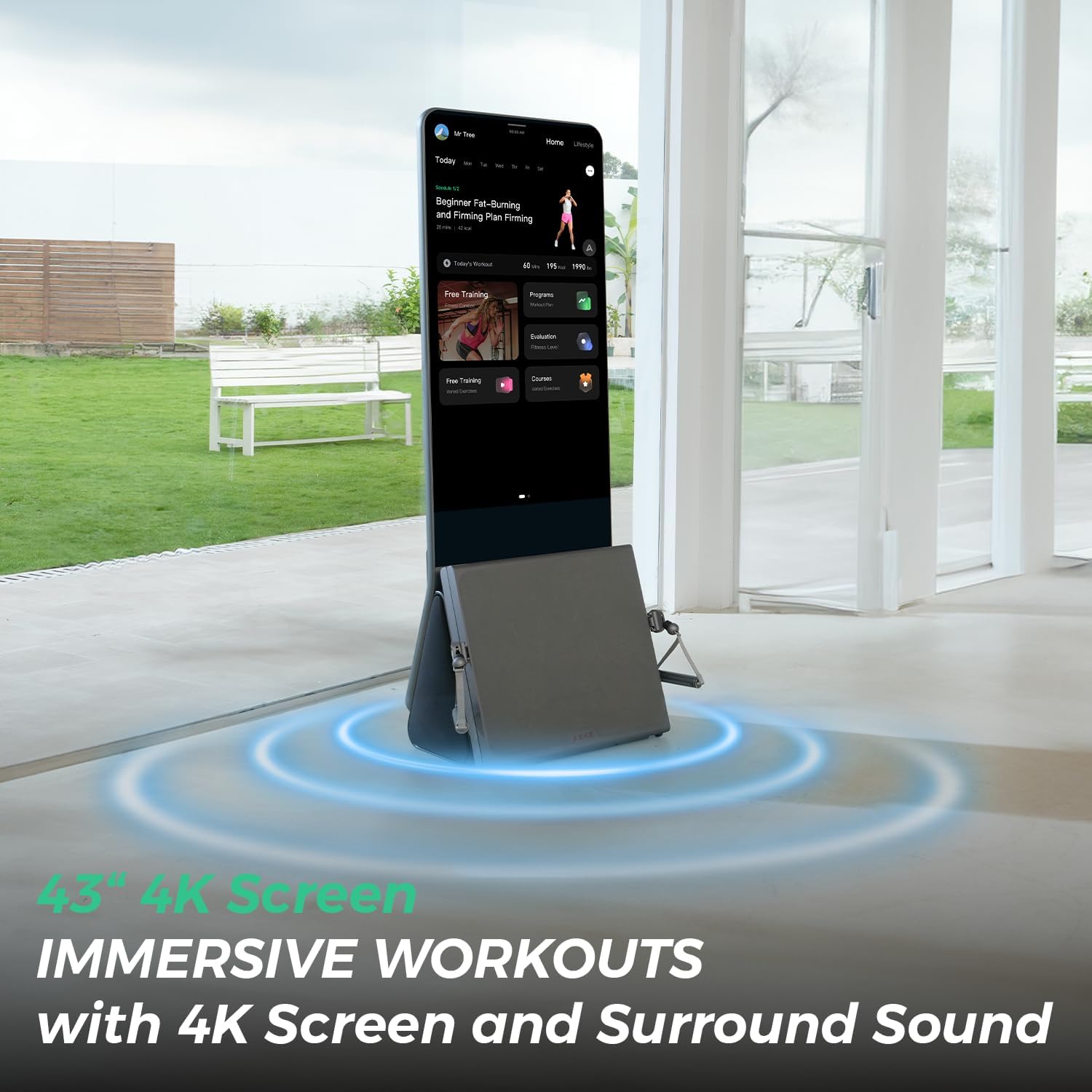
Image: A user engaging with the AEKE K1, showcasing the large 43-inch 4K screen and the immersive experience provided by its integrated surround sound system.
4.2 Starting a Workout
- From the home screen, select a workout program or course. The system offers over 140 professional courses and 280+ movements.
- The AI will guide you through a personalized fitness plan, offering real-time form correction via its 17-point skeletal tracking.
- Adjust resistance levels using the five strength modes. The digital servo motor provides smooth, adaptive resistance tailored to your fitness level.
- Follow the on-screen instructions and visual cues for each exercise.

Image: The AEKE K1 screen displaying real-time feedback to a user during an exercise, including form correction prompts to ensure safety and efficiency.
4.3 AI Coaching and Progress Tracking
The Intelligent Motion Analysis Engine tracks and analyzes every workout. After each session, detailed Performance Reports and Movement Completion Reports are generated.
- Performance Reports: Include metrics such as calories burned, reps, sets, and exertion balance.
- Movement Completion Reports: Provide visual progress charts and precise recommendations to optimize training and target weaknesses.
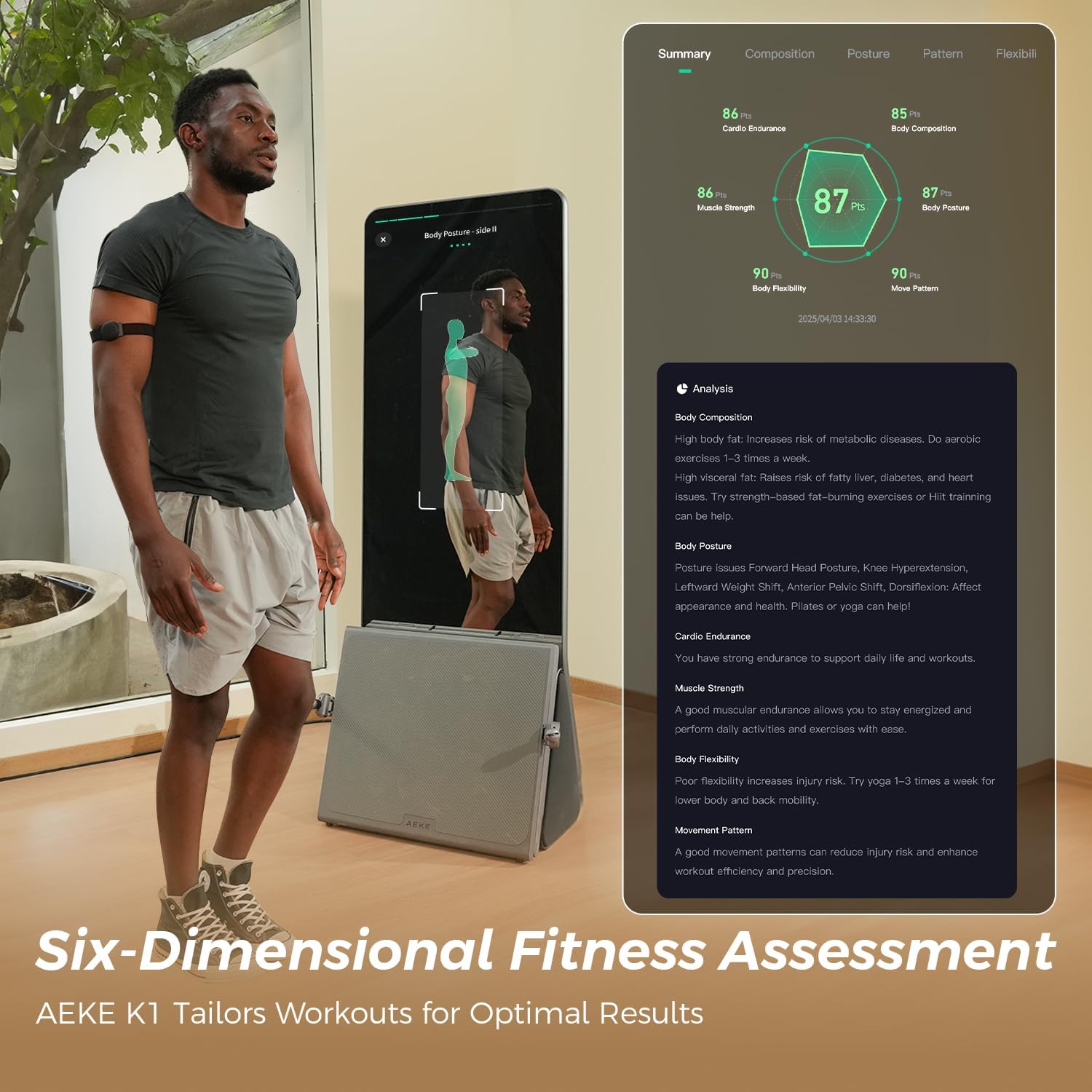
Image: A detailed six-dimensional fitness assessment report on the AEKE K1 screen, showing analysis of body composition, posture, and movement patterns.
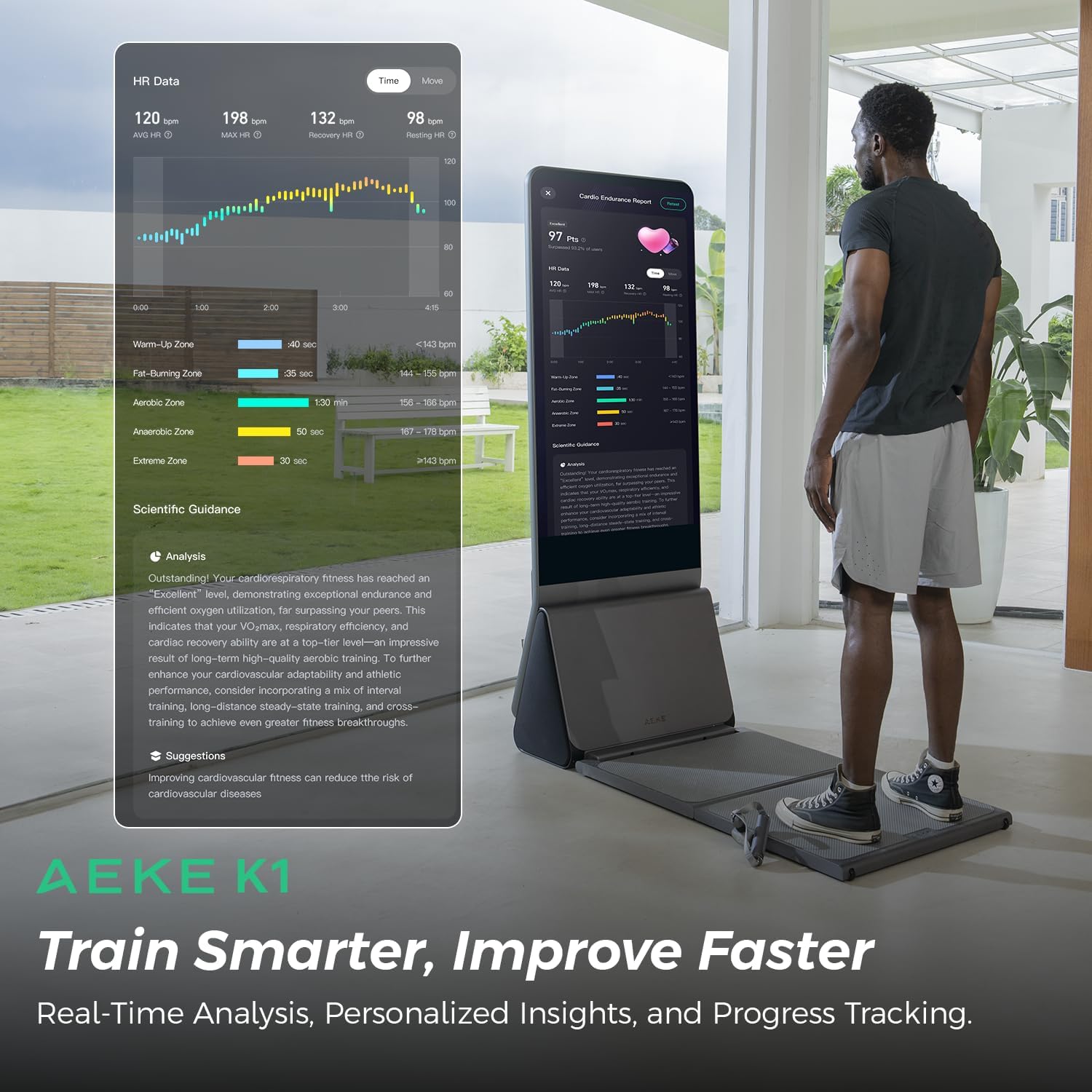
Image: The AEKE K1 displaying a user's heart rate data and scientific guidance, illustrating how the system helps users train smarter and improve faster.
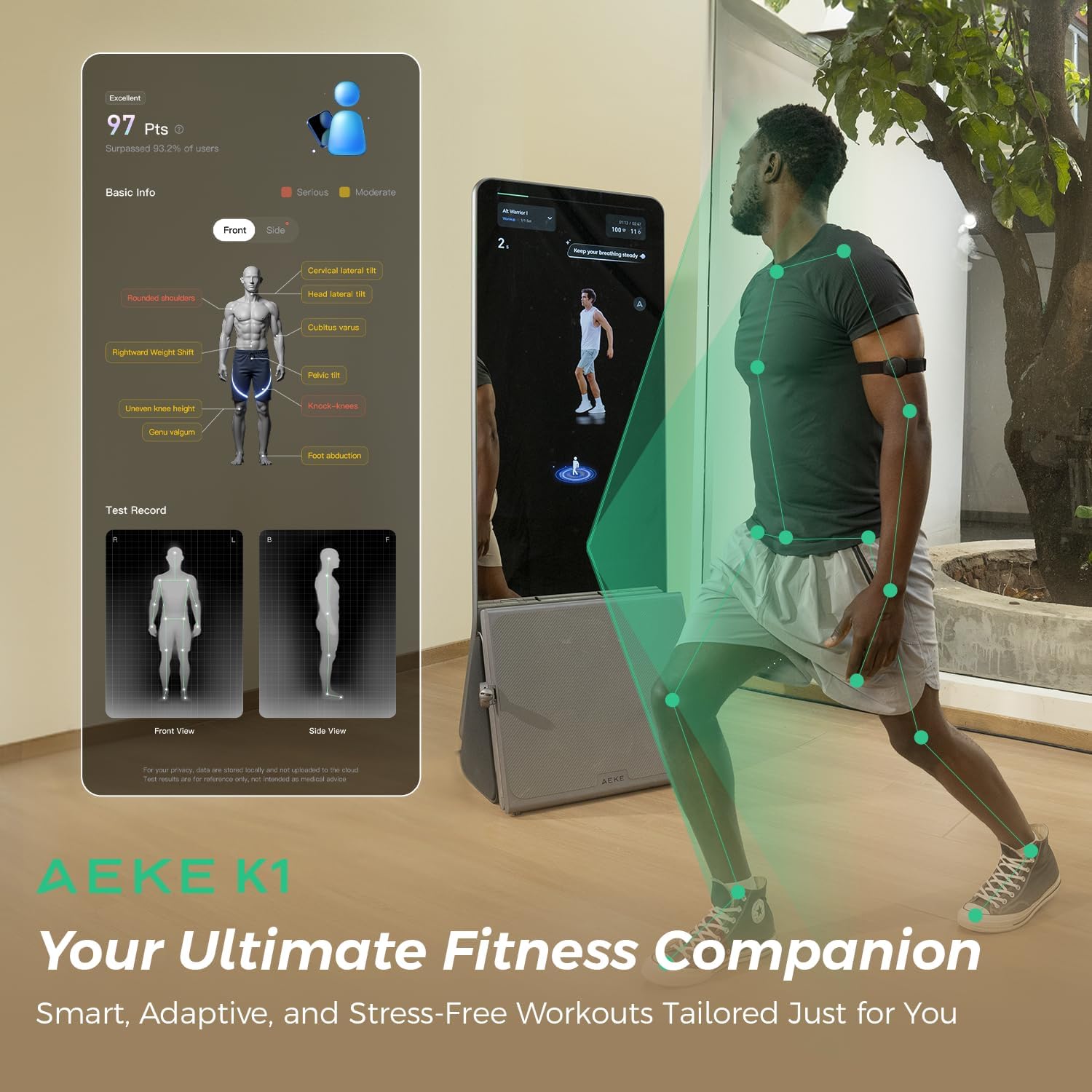
Image: The AEKE K1 screen showing a user's skeletal tracking and posture analysis, providing insights into their form and potential areas for improvement.
4.4 Gamified Workouts
Engage in motion-sensing games and interactive workouts to make fitness enjoyable for all family members.
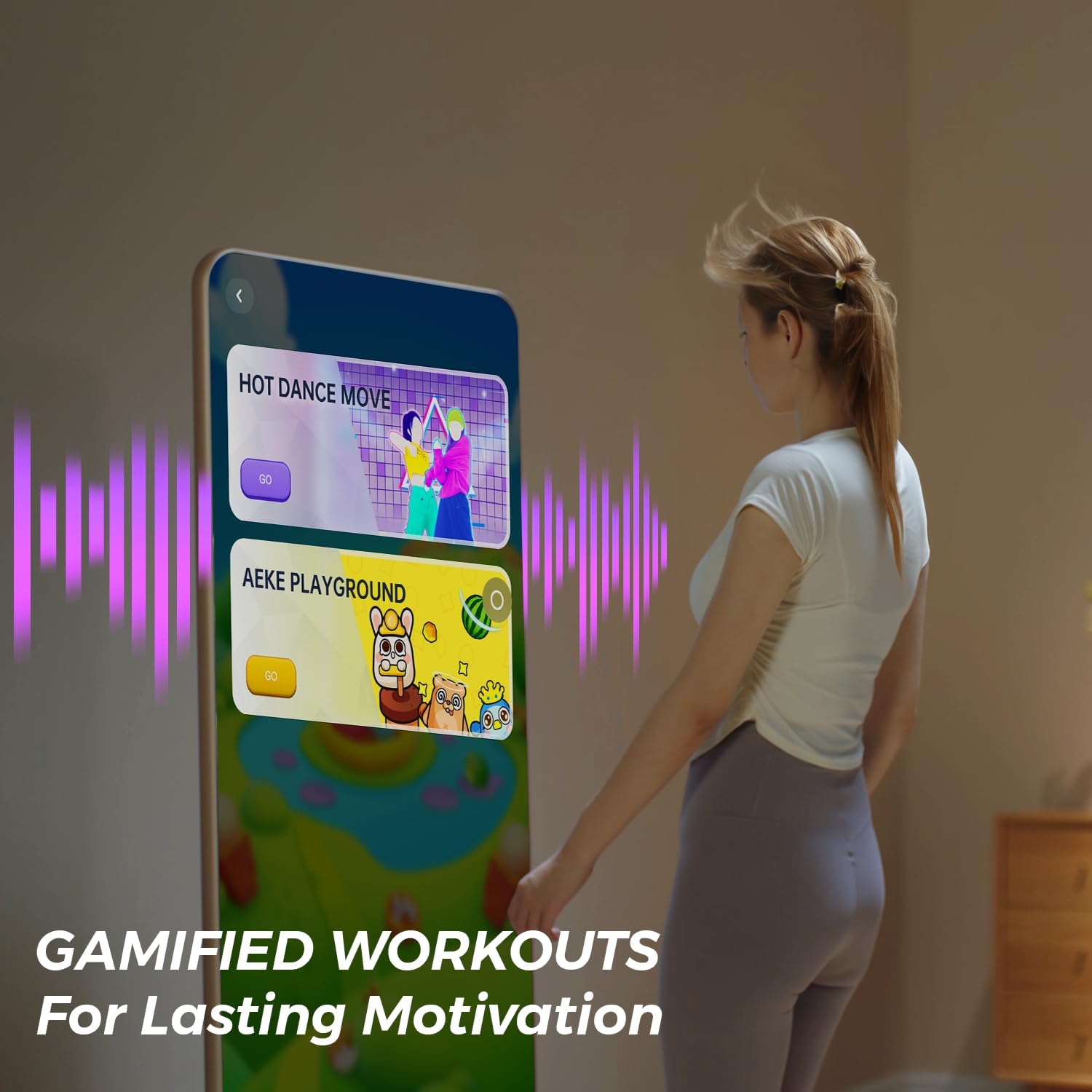
Image: The AEKE K1 screen showing various gamified workout options, designed to provide lasting motivation and make exercise fun.
5. Maintenance
To ensure the longevity and optimal performance of your AEKE K1 Smart Home Gym, follow these maintenance guidelines:
- Cleaning: Regularly wipe down the screen and exterior surfaces with a soft, damp cloth. Avoid abrasive cleaners or solvents.
- Storage: When not in use, fold the unit to its compact position and store it in a dry, cool place away from direct sunlight.
- Cable Inspection: Periodically check all cables for any signs of wear or damage. If damage is found, discontinue use and contact customer support.
- Software Updates: Ensure the device's software is kept up-to-date. The system will typically prompt you for available updates.
6. Troubleshooting
If you encounter issues with your AEKE K1, refer to the following common troubleshooting steps:
- No Power: Ensure the power cable is securely connected to both the unit and the electrical outlet. Verify the outlet is functional.
- Screen Unresponsive: Try restarting the unit by holding down the power button for 10 seconds. If the issue persists, contact customer support.
- Wi-Fi Connection Issues: Check your router and internet connection. Ensure the AEKE K1 is within range of your Wi-Fi network. Re-enter Wi-Fi credentials if necessary.
- Accessory Not Detected: Ensure accessories are properly connected according to the on-screen instructions. Restart the unit and try reconnecting.
- Inaccurate Tracking: Ensure the camera lens is clean and unobstructed. Make sure you are positioned correctly within the camera's view during workouts.
For issues not covered here, please refer to the customer support section.
7. Specifications
| Feature | Detail |
|---|---|
| Model Name | AEKE K1 |
| Item Package Dimensions (L x W x H) | 72.83 x 29.53 x 23.62 inches |
| Package Weight | 97 Kilograms |
| Color | Grey |
| Material | Metal |
| Handle Type | Gripped handle |
| Display | 43-inch 4K Touch Screen |
| Audio | 2.1 Surround Sound |
| AI Tracking | 17-point Skeletal Tracking |
| Resistance Modes | 5 Strength Modes with Digital Servo Motor |
| Included Components | Smart Grips, Ankle Straps, Smart Adjustable Barbell, Barbell Unloader, Heart Rate Armband, Smart 8 Electrode Scale, Camera Cover |
8. Warranty Information
The AEKE K1 Smart Home Gym comes with the following warranty:
- Parts: 1-year warranty for damage to parts.
- Complete Machine: 2-year warranty for complete machine damage.
Please retain your proof of purchase for warranty claims.
9. Customer Support
For further assistance, technical support, or warranty inquiries, please contact AEKE Customer Support.
Visit the official AEKE store for more information: AEKE Store on Amazon