
1. Introduction
Thank you for choosing the TIMU S80A Bluetooth In-ear Wireless Earbuds. This manual provides essential information for setting up, operating, and maintaining your earbuds. Please read it carefully before use to ensure optimal performance and longevity of your device.
2. Safety Information
- Do not expose the earbuds or charging case to extreme temperatures, humidity, or liquids.
- Avoid dropping, impacting, or disassembling the device.
- Keep out of reach of children and pets.
- Do not use the earbuds at high volume for extended periods to prevent hearing damage.
- The product is not water-resistant. Avoid exposure to water.
3. Package Contents
Please check the package for the following items:
- TIMU S80A Wireless Earbuds (Left and Right)
- Charging Case
- USB Charging Cable
- Ear Tips (S, M, L sizes)
- User Manual
4. Product Overview
The TIMU S80A earbuds feature an ergonomic design for comfortable wear and a charging case with a display for various functions.

Image: TIMU S80A Earbuds and Charging Case. This image displays the black wireless earbuds placed within their charging case, highlighting their compact and sleek design.
5. Getting Started
5.1. Charging the Earbuds and Case
Before first use, fully charge the earbuds and the charging case. Place the earbuds into the charging case. Connect the USB charging cable to the charging port on the case and to a power source. The display on the case will indicate the charging status.
5.2. Pairing with a Device
- Ensure the earbuds are in the charging case and the case has power.
- Open the charging case. The earbuds will automatically enter pairing mode.
- On your device (smartphone, tablet, laptop), enable Bluetooth.
- Search for available Bluetooth devices and select "S80A" from the list.
- Once connected, the earbuds will indicate successful pairing.

Image: TIMU S80A Bluetooth Pairing. This image shows the earbuds and charging case next to a smartphone displaying the Bluetooth settings, with "S80A" listed as a connected device.
5.3. Wearing the Earbuds
Select the ear tips that provide the most comfortable and secure fit. Gently insert the earbuds into your ear canal and twist slightly to secure them. The ergonomic design ensures a stable fit for various activities.
Image: TIMU S80A Ergonomic Build and Ear Tips. This image illustrates the lightweight and ergonomic design of the earbuds, along with a visual representation of the three included ear tip sizes (S, M, L).
6. Operation
6.1. Touch Controls
The charging case features a touch screen for various functions. Specific touch gestures on the earbuds control playback, calls, and other features.
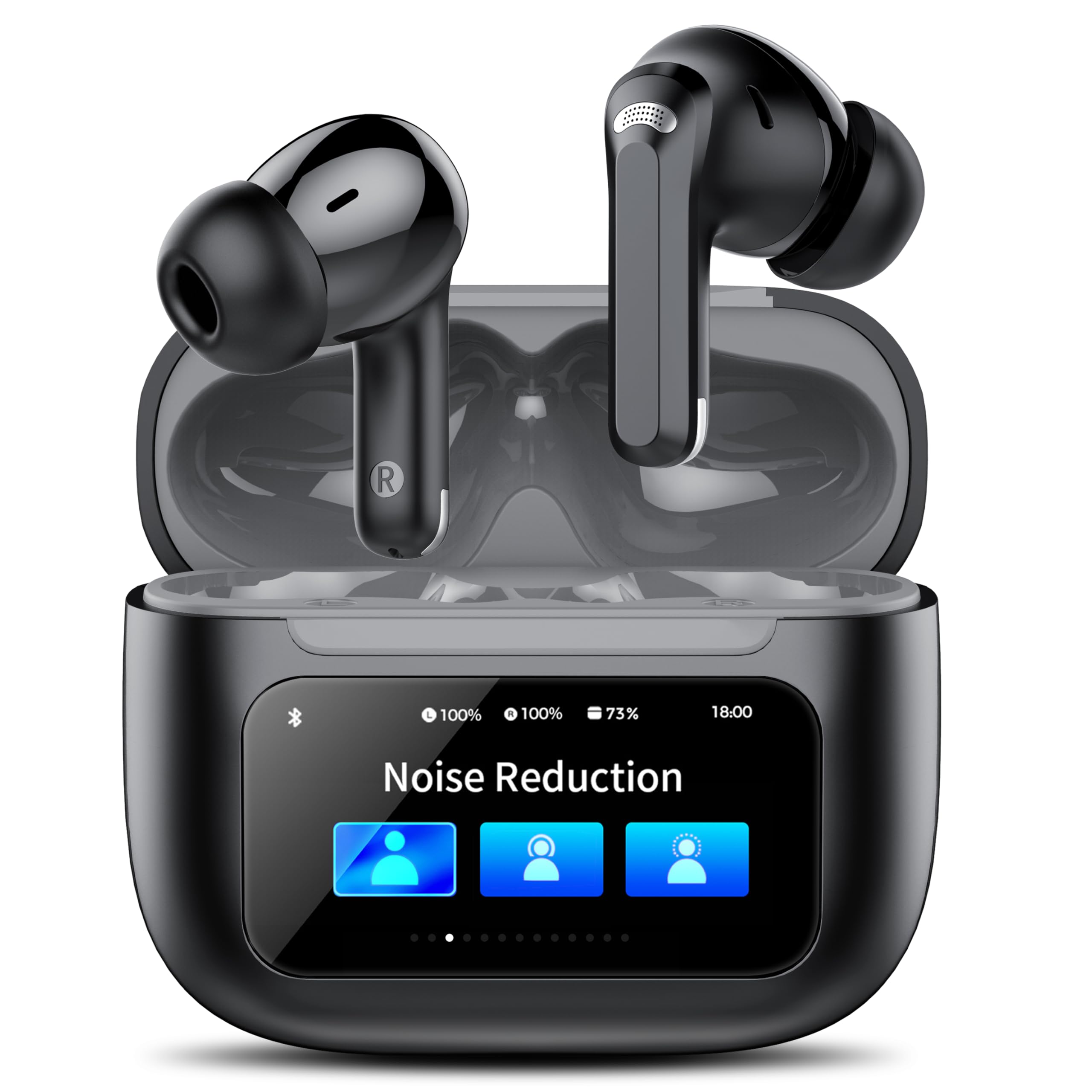
Image: TIMU S80A Rich Touch Screen Functions. This image demonstrates various functions accessible via the touch screen on the charging case, including music control, 'Find My Earphone', noise reduction settings, screen lock, and call management.
6.2. Music Playback
The earbuds support multiple music modes for an enhanced listening experience.
- Normal Mode: Standard audio playback.
- Jazz Mode: Optimized for jazz music.
- Rock Mode: Enhanced for rock music.
- Pop Mode: Tuned for pop music.
- Classic Mode: Designed for classical music.

Image: TIMU S80A Built-in Music Modes. This image illustrates the five built-in music modes (Normal, Jazz, Rock, Pop, Classic) available on the earbuds, designed for high-quality sound immersion.
6.3. Call Management
Use the touch controls on the earbuds to manage incoming and outgoing calls. Refer to the specific touch control instructions for answering, ending, or rejecting calls.
6.4. Noise Cancellation
The TIMU S80A earbuds feature ANC (Active Noise Cancellation) and ENC (Environmental Noise Cancellation) technology to provide crystal-clear call quality and an immersive listening experience by reducing ambient noise by up to 45dB.

Image: TIMU S80A ANC+ENC Noise Cancellation. This image highlights the Active Noise Cancellation (ANC) and Environmental Noise Cancellation (ENC) features, indicating a noise reduction of up to 45dB for clear audio.
6.5. Find My Earbuds Feature
If you misplace your earbuds, use the 'Find My Earphone' function on the charging case. The earbuds will emit an 80dB beep, making them easier to locate.

Image: TIMU S80A Find Your Earbuds Feature. This image depicts a user locating their earbuds using the 'Find My Earphone' function, which causes the earbuds to emit an audible beep.
6.6. Battery Information
The earbuds and charging case offer extended battery life. A single charge provides approximately 8 hours of playtime, and with the charging case, the total playtime extends up to 50 hours for continuous use.

Image: TIMU S80A 50 Hours Playtime. This image highlights the impressive battery life of the earbuds, offering 8 hours on a single charge and up to 50 hours with the charging case.
7. Maintenance
7.1. Cleaning
Regularly clean the earbuds and charging case with a soft, dry, lint-free cloth. Do not use abrasive cleaners or solvents. Ensure charging contacts are free of dust and debris.
7.2. Storage
When not in use, store the earbuds in their charging case to protect them and keep them charged. Store the device in a cool, dry place away from direct sunlight and extreme temperatures.
8. Troubleshooting
| Problem | Possible Solution |
|---|---|
| Earbuds not pairing | Ensure earbuds are charged. Turn off and on your device's Bluetooth. Forget "S80A" from your device's Bluetooth list and re-pair. |
| No sound from one earbud | Check battery level of both earbuds. Place both earbuds back into the case, close it, then open again to reset. |
| Charging case not charging | Ensure the charging cable is securely connected to both the case and the power source. Try a different charging cable or power adapter. |
| Poor audio quality | Ensure earbuds are clean. Move closer to your connected device to avoid interference. Check the selected music mode. |
9. Specifications
- Brand: TIMU
- Model Number: S80A
- Color: Black
- Earbud Type: In-ear
- Connectivity Technology: Wireless
- Wireless Technology: Bluetooth
- Bluetooth Version: 5.0
- Noise Control: Active Noise Cancellation (ANC) + Environmental Noise Cancellation (ENC)
- Driver Size: 14.2 mm (Bass boosted by 85%)
- Playtime: Up to 8 hours (earbuds), up to 50 hours (with charging case)
- Water Resistance Level: Not water-resistant
- Compatible Devices: Mobile phones, Tablets, Laptops, Televisions, Consoles
- Specific Uses: Music

Image: TIMU S80A 14.2mm Driver. This image illustrates the internal structure of the earbud's 14.2mm driver, emphasizing its design for enhanced bass performance.
10. Warranty and Support
TIMU products are designed for reliability and performance. For warranty information or technical support, please refer to the contact details provided with your purchase or visit the official TIMU support website. Keep your proof of purchase for warranty claims.