
1. Introduction
Thank you for choosing the Platstudy B17 Digital Camera. This compact and user-friendly camera is designed to capture high-quality photos and videos, making it ideal for beginners and young photographers. Featuring a 56MP sensor and 1080P Full HD video recording, along with a 16x digital zoom and various creative functions, the B17 is perfect for documenting everyday moments and adventures.
2. Package Contents
Please verify that all items listed below are included in your package:
- 1x Platstudy B17 Digital Camera
- 1x Rechargeable Battery (BL-5B type)
- 1x 32GB TF Card
- 1x USB Cable (Type-C)
- 1x Lanyard
- 1x Carrying Bag
- 1x User Manual (this document)

Image: Platstudy B17 Digital Camera and its accessories.
3. Camera Overview
Familiarize yourself with the camera's buttons and ports for optimal use.

Image: Button and Port Introduction.
- Power Button: Turns the camera on or off.
- Photo Button: Press to capture a photo.
- MIC Hole: Microphone for audio recording during video.
- Selfie Indicator Light: Illuminates during self-timer countdown.
- T Button (Telephoto): Zooms in.
- W Button (Wide-angle): Zooms out.
- Up/Down/Left/Right Keys: Navigate menus and settings.
- OK Key: Confirms selections.
- Menu Key: Accesses camera settings.
- Filter Shortcut Key: Quickly applies photo filters.
- USB Port: For charging and data transfer.
4. Setup
4.1 Battery and SD Card Installation
Follow these steps to install the battery and TF (Micro SD) card:
- Open the Battery Cover: Locate the battery cover on the bottom of the camera and slide it open.
- Install the Battery: Insert the rechargeable battery into the compartment, ensuring the correct polarity (match the + and - symbols).
- Insert Memory Card: Gently push the 32GB TF card into the designated slot until it clicks into place.
- Close the Battery Cover: Securely close the battery cover.
Important: Ensure the battery is inserted correctly. Incorrect insertion may prevent charging or camera operation.
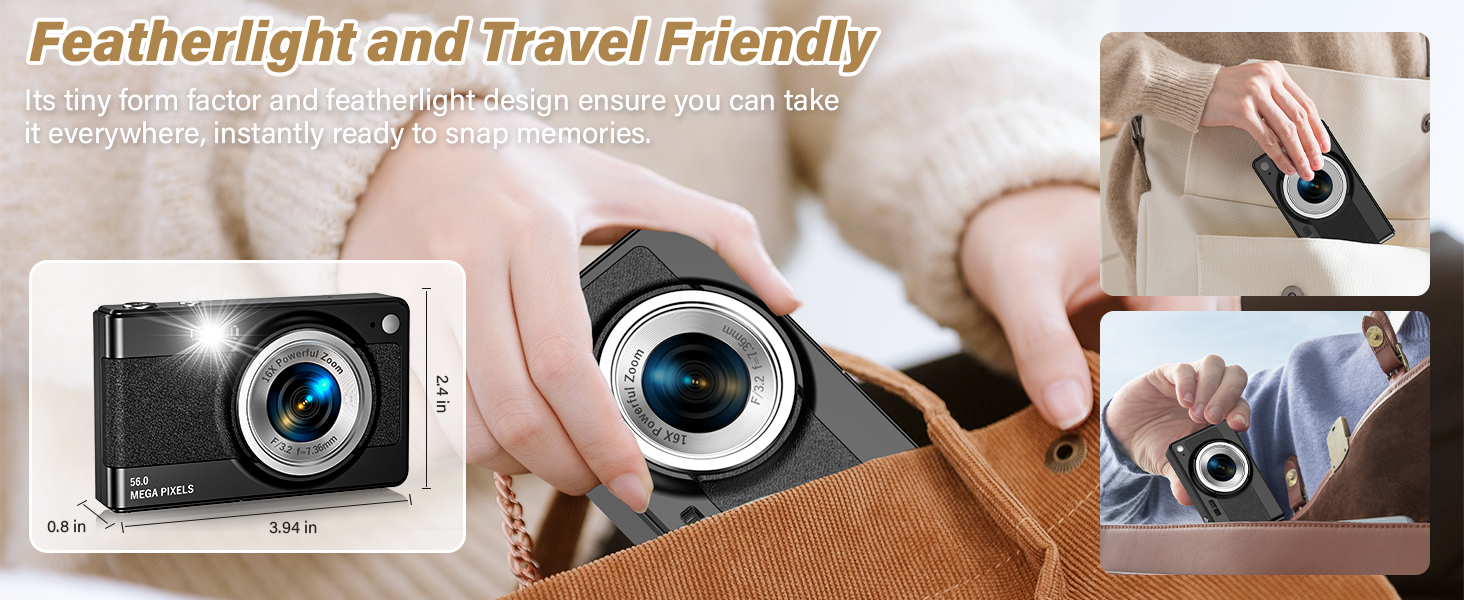
Image: Battery and SD Card Installation Steps.
4.2 Charging the Battery
Connect the camera to a power source using the included USB Type-C cable. The indicator light will show charging status. A full charge ensures extended usage.
5. Basic Operation
5.1 Power On/Off
Press and hold the Power Button to turn the camera on or off.
5.2 Taking Photos
With the camera powered on, frame your shot using the LCD screen. Press the Photo Button completely down to capture an image. The camera will automatically focus before taking the picture.
5.3 Recording Videos
Switch to video mode (if applicable, refer to menu settings). Press the Photo Button to start recording. Press it again to stop recording.
5.4 Using Digital Zoom
Use the T Button to zoom in (telephoto) and the W Button to zoom out (wide-angle). The camera supports up to 16x digital zoom.
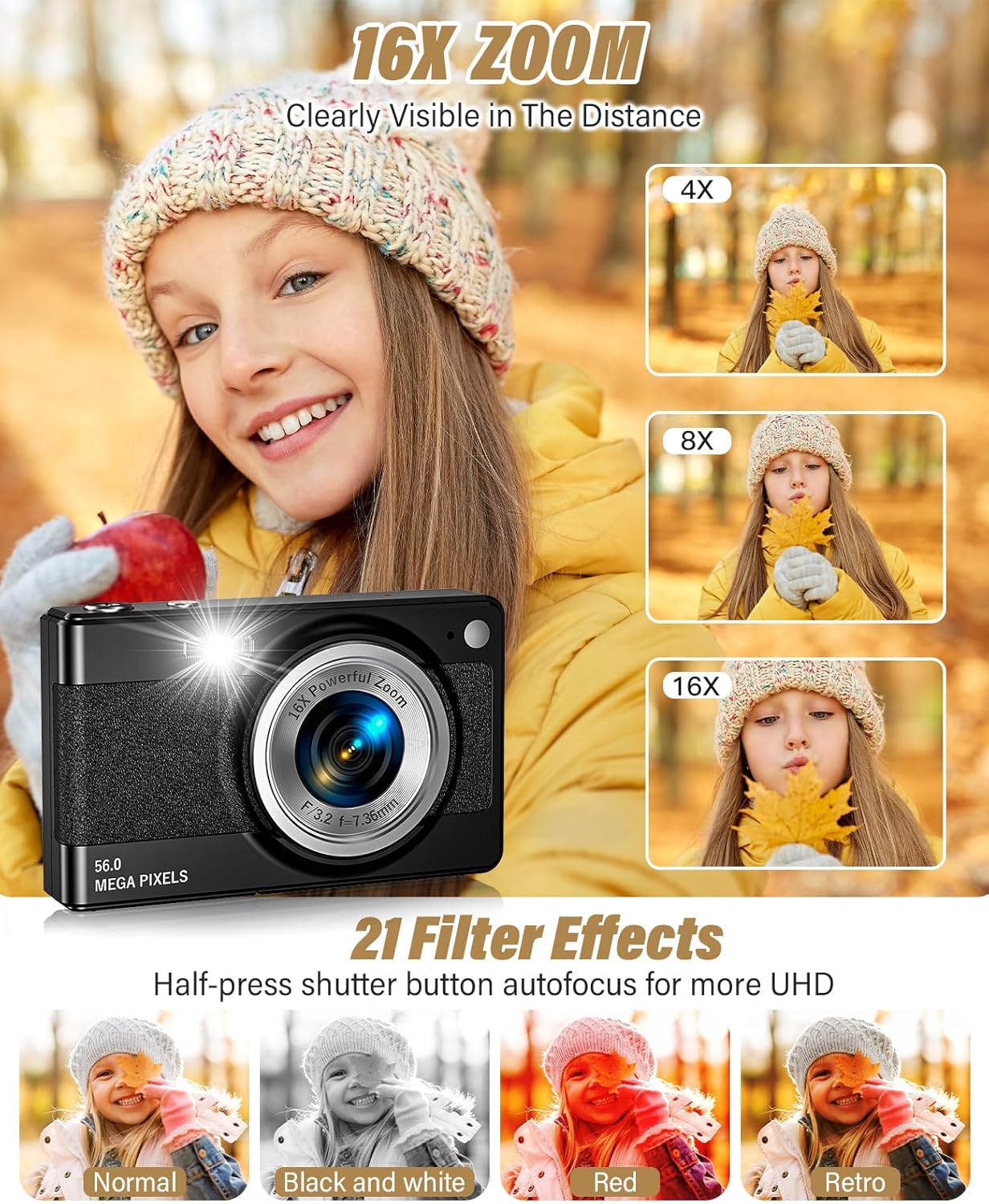
Image: Demonstrating 16x Digital Zoom.
6. Advanced Features
The Platstudy B17 camera includes several features to enhance your photography:
- Anti-Shake: Helps reduce blur caused by camera movement, resulting in clearer images.
- Face Recognition: Automatically detects faces in the frame for optimized focus and exposure.
- Smile Detection: Captures a photo automatically when a smile is detected.
- Continuous Shooting: Take multiple photos in quick succession by holding down the shutter button.
- Self-Timer: Set a delay of 2, 5, or 10 seconds before a photo is taken, allowing you to join the shot.
- Timestamp ON/OFF: Add the date and time to your photos.
- Built-in Fill Light: Provides additional illumination in low-light conditions.
- Filter Effects: Apply various creative filters (e.g., Black and White, Red, Retro) to your photos using the Filter Shortcut Key or menu.

Image: Anti-shake, Continuous Shooting, Self-Timer, and LED Fill Light features.
7. Transferring Files
To transfer photos and videos to your computer:
- Ensure the camera is powered on.
- Connect the camera to your computer using the provided USB Type-C cable.
- The camera will appear as a removable disk on your computer.
- Open the camera's folder to access and copy your files.
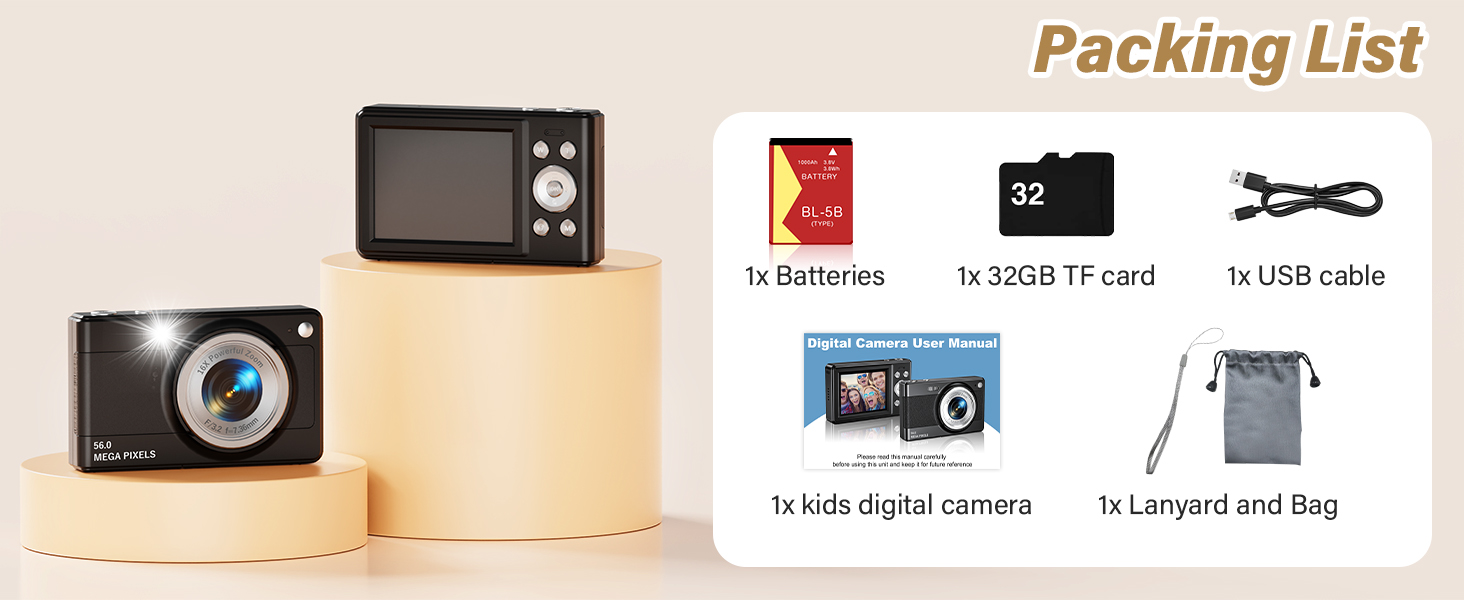
Image: USB Transfer to Computer.
8. Maintenance
- Cleaning: Use a soft, dry cloth to clean the camera body. For the lens, use a specialized lens cleaning cloth. Avoid harsh chemicals.
- Battery Care: Store the battery in a cool, dry place when not in use. Recharge regularly to maintain battery health.
- Storage: When not in use for extended periods, remove the battery and store the camera in its carrying bag to protect it from dust and scratches.
9. Troubleshooting
| Problem | Possible Cause | Solution |
|---|---|---|
| Camera does not turn on. | Battery is low or not inserted correctly. | Charge the battery. Reinsert the battery, ensuring correct polarity. |
| Cannot take photos/videos. | Memory card is full, not inserted, or corrupted. | Delete unnecessary files. Insert TF card correctly. Format the TF card (this will erase all data). |
| Images are blurry. | Camera shake, subject too close, or lens is dirty. | Hold the camera steady. Ensure adequate lighting. Clean the lens. Use Anti-Shake feature. |
| Computer does not recognize camera. | USB cable issue or incorrect connection. | Try a different USB port or cable. Ensure camera is powered on when connected. |
10. Specifications
| Feature | Detail |
|---|---|
| Brand | Platstudy |
| Model Name | B17 |
| Maximum Webcam Image Resolution | 56 MP |
| Video Resolution | 1080p |
| Optical Zoom | 16 x (Digital Zoom) |
| Image Stabilization | Optical |
| Photo Sensor Technology | CMOS |
| Supported File Format | JPEG |
| Screen Size | 2.4 inches |
| Display Type | LCD |
| Connectivity Technology | USB |
| Memory Storage Capacity | 32 GB (TF Card Included) |
| Battery Type | Lithium Ion (BL-5B) |
| Color | Black |
| Material | Plastic/Composite |
11. Warranty and Support
The Platstudy B17 Digital Camera comes with a one-year satisfaction guarantee. If you encounter any issues or have questions regarding your camera, please contact Platstudy customer support for assistance. Please refer to the contact information provided with your purchase or on the official Platstudy website.


