
Introduction
This manual provides essential information for the safe and efficient operation, installation, and maintenance of your Garvee 48 Gallon Portable Fuel Tank. Please read all instructions carefully before use to ensure proper function and prevent injury or damage.
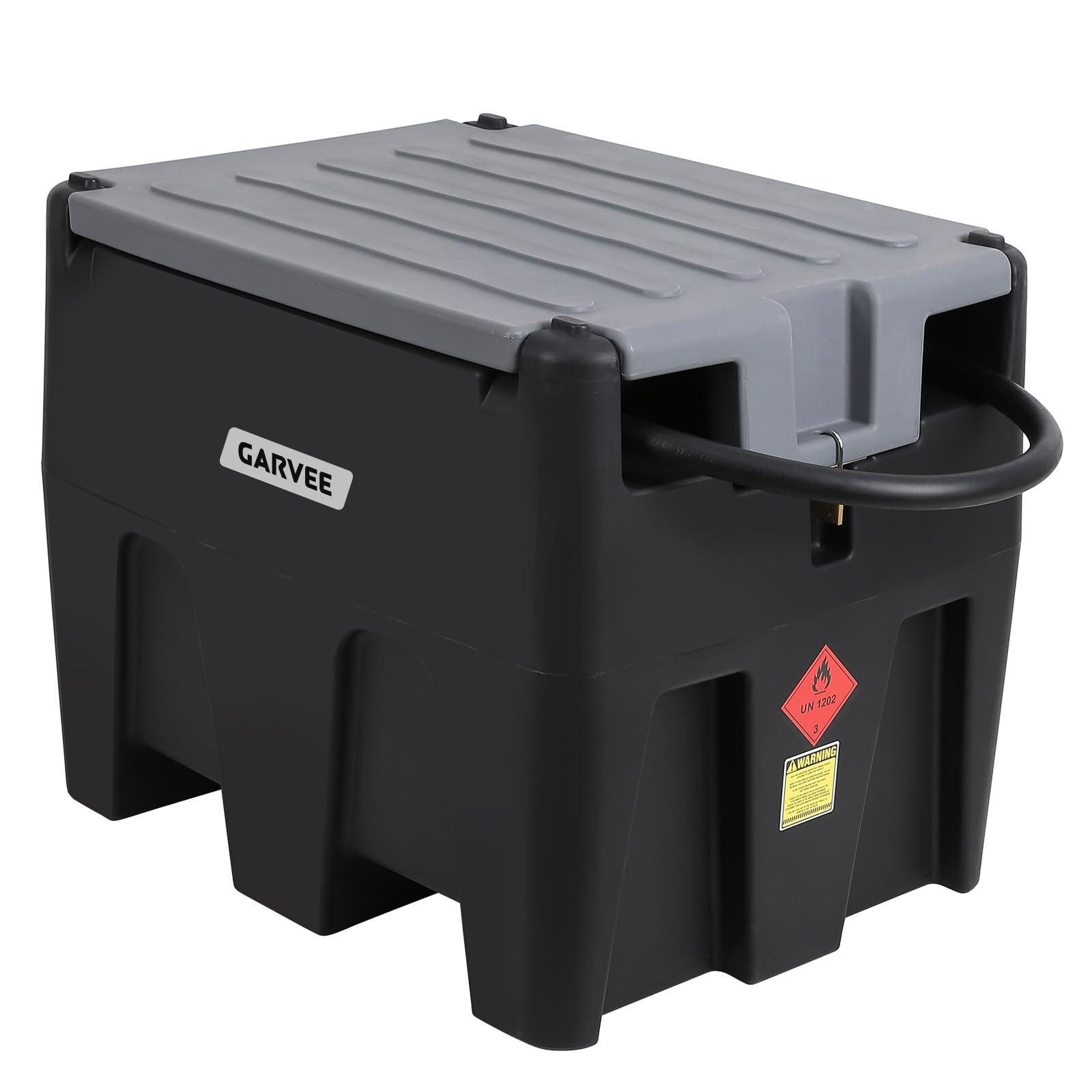
Image: The Garvee 48 Gallon Portable Fuel Tank, showcasing its compact design and black color.

Image: The Garvee fuel tank highlighting its easy transport features, including integrated forklift pockets and grooves for secure lifting and movement.
Safety Information
WARNING: Handling fuel can be dangerous. Always follow these safety precautions:
- Do not smoke or use open flames near the fuel tank.
- Ensure adequate ventilation when transferring fuel.
- Wear appropriate personal protective equipment (PPE), including gloves and eye protection.
- Ground the tank and receiving vehicle to prevent static discharge.
- Do not overfill the tank.
- Keep out of reach of children.
- Store in a cool, well-ventilated area away from direct sunlight and heat sources.
- Only use with approved fuels (diesel, gasoline, kerosene, mineral oil).
Product Specifications
| Feature | Detail |
|---|---|
| Capacity | 48 Gallons |
| Material | Premium Polyethylene (HDPE) |
| Pump Type | 12V Electric Fuel Pump |
| Flow Rate | 10 Gallons Per Minute (GPM) |
| Hose Length | 13.1 feet |
| Nozzle | Automatic Shut-off |
| Weight | 67.9 Pounds |
| Dimensions (W x H x D) | 30.7" x 25.2" x 24" |
| Compatible Fuels | Diesel, Gasoline, Kerosene, Mineral Oil |

Image: Detailed product specifications including capacity, weight, GPM, power, RPM, nozzle type, oil gauge, power cable length, filtration, lock, and delivery hose length.
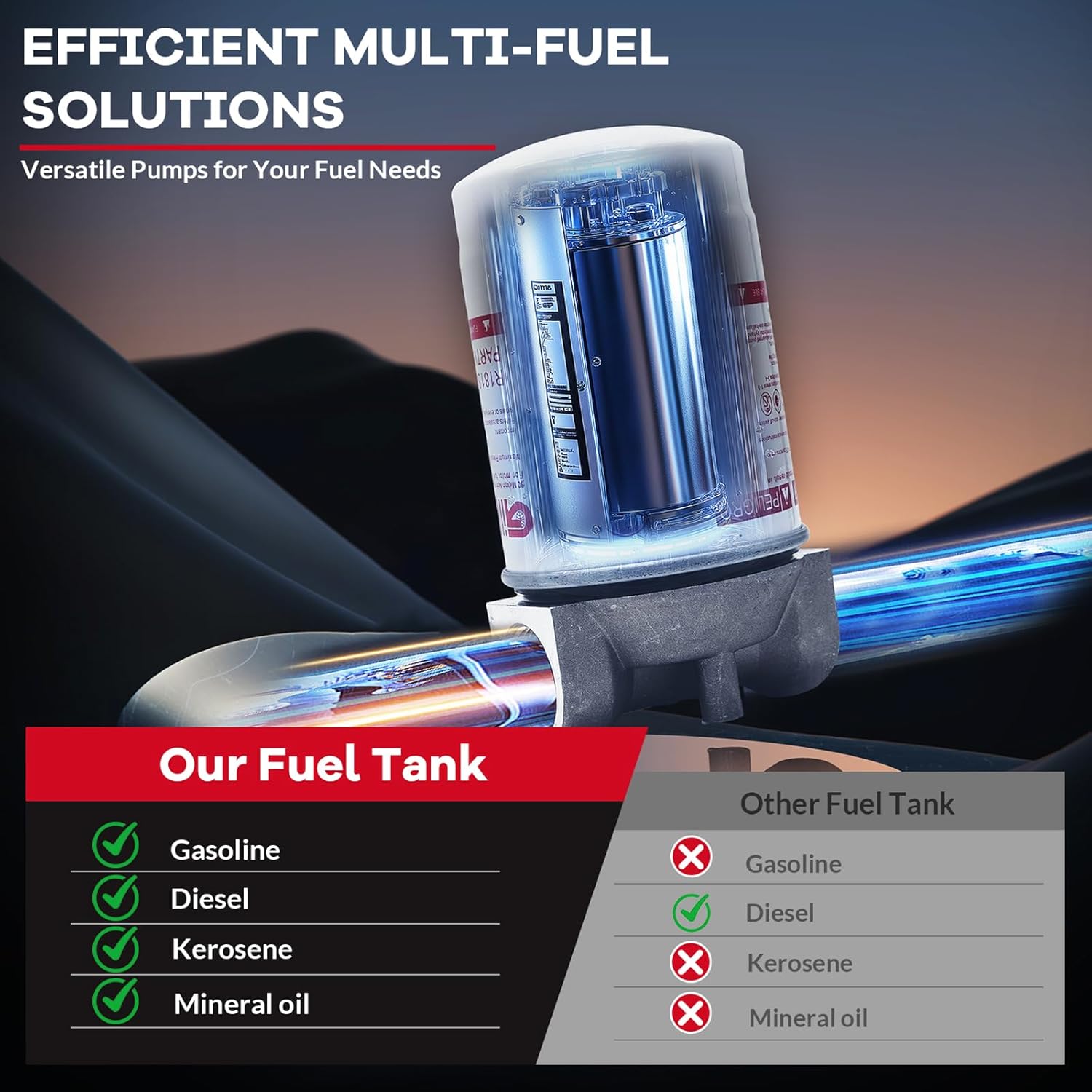
Image: A diagram illustrating the Garvee fuel tank's compatibility with multiple fuel types including gasoline, diesel, kerosene, and mineral oil.
Package Contents
Verify that all components are present and undamaged upon unpacking:
- Garvee Portable Fuel Tank (48 Gallon)
- 12V Electric Fuel Pump (10 GPM)
- 13.1 ft Rubber Delivery Hose
- Automatic Fueling Nozzle with 360-degree connector
- Battery Clamps for power connection
- Integrated Fuel Level Indicator (Mechanical Clock Gauge)
- Lockable Lid with padlock and keys
- Duplex Filter (Net Filter and Advanced Filter)
- Oil Inlet with Relief Valve
- Electric Wire

Image: An overhead view of the Garvee 48 Gallon Fuel Tank with its lid open, showing the internal components such as the pump, hose, nozzle, battery clamps, and fuel gauge.
Setup and Assembly
Follow these steps for initial setup:
- Unpacking: Carefully remove all components from the packaging. Inspect for any shipping damage.
- Positioning: Place the fuel tank on a stable, level surface. The tank features integrated forklift pockets and grooves for ease of transportation and secure placement.
- Filter Installation: Ensure the duplex filter system (net filter and advanced filter) is correctly installed. This system is designed to separate large particles and filter out metals, particles, and colloids.
- Hose and Nozzle Connection: Connect the 13.1 ft rubber delivery hose to the pump outlet. Attach the automatic fueling nozzle to the other end of the hose. Ensure the 360-degree connector is properly secured to prevent kinking and allow flexible rotation.
- Power Connection: Connect the 12V electric pump to a compatible 12V DC power source using the provided battery clamps. Ensure correct polarity (red to positive, black to negative).
- Initial Inspection: Before adding fuel, double-check all connections for tightness to prevent leaks.

Image: An illustration detailing the upgraded filter design, showing a net filter for large particles and an advanced filter for metals, particles, and colloids.
Video: Fuel Pump Installation Tutorial
Video: This tutorial demonstrates the installation process for a fuel pump, which is applicable to the Garvee Portable Fuel Tank. It shows how to connect the various components of the pump system.
Operating Instructions
- Filling the Tank:
- Open the lockable lid.
- Remove the oil inlet cap.
- Carefully pour the desired fuel (diesel, gasoline, kerosene, or mineral oil) into the tank. Do not overfill.
- Monitor the integrated fuel level indicator.
- Replace the oil inlet cap and secure the lid with the padlock.
- Fuel Transfer:
- Ensure the tank is securely positioned and grounded if necessary.
- Connect the battery clamps to a 12V DC power source.
- Insert the automatic fueling nozzle into the receiving vehicle's fuel tank.
- Turn on the electric pump. The pump delivers fuel at 10 GPM.
- The automatic shut-off feature of the nozzle will stop the flow when the receiving tank is full, preventing spills and overfilling.
- After transfer, turn off the pump, remove the nozzle, and disconnect the battery clamps.
- Store the hose and nozzle neatly within the tank's designated grooves.
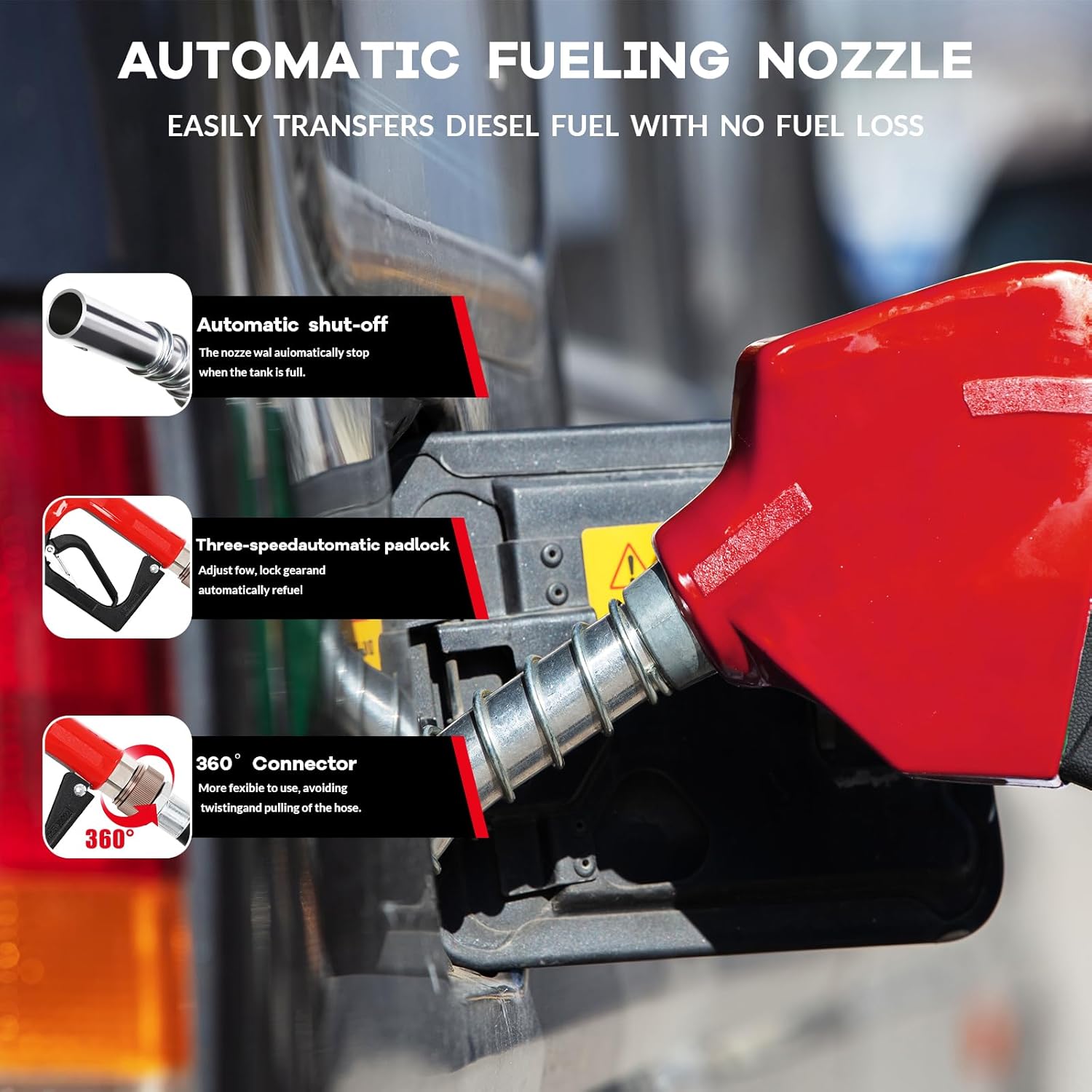
Image: A detailed view of the automatic fueling nozzle, highlighting its automatic shut-off, three-speed automatic padlock, and 360-degree connector for ease of use and spill prevention.

Image: A person refueling a tractor from the Garvee portable fuel tank, demonstrating its use in an outdoor setting.
Video: Portable 48 Gallon Fuel Tank with Pump
Video: This video demonstrates the Garvee 48 Gallon Portable Fuel Tank in operation, showing the fuel transfer process using the integrated pump and nozzle.
Maintenance
Regular maintenance ensures the longevity and safe operation of your fuel tank:
- Filter Cleaning/Replacement: Periodically inspect and clean or replace the duplex filter to ensure efficient fuel flow and prevent pump damage from impurities.
- Hose and Nozzle Inspection: Check the delivery hose and automatic nozzle for any signs of wear, cracks, or damage. Replace components as needed.
- Pump Inspection: Ensure the 12V electric pump is free from debris and operating smoothly. Listen for unusual noises during operation.
- Tank Cleaning: If storing different types of fuel, ensure the tank is thoroughly drained and cleaned to prevent contamination.
- Storage: When not in use, store the tank in a secure, dry, and well-ventilated area. Ensure the lid is locked.

Image: The Garvee fuel tank highlighting its robust and durable construction from high-quality HDPE material, emphasizing its resistance to corrosion, weather, wear, and UV radiation.
Troubleshooting
| Problem | Possible Cause | Solution |
|---|---|---|
| Pump not operating | No power, incorrect wiring, blown fuse, pump malfunction. | Check battery connections and charge. Verify correct polarity. Inspect and replace fuses if necessary. If pump still fails, contact customer support. |
| Slow fuel flow | Clogged filter, kinked hose, low battery voltage. | Clean or replace the filter. Straighten the hose. Ensure battery is fully charged. |
| Fuel leaks | Loose connections, damaged hose/nozzle, tank damage. | Tighten all connections. Inspect hose and nozzle for damage and replace if needed. If tank is damaged, discontinue use and replace. |
| Automatic nozzle not shutting off | Nozzle malfunction, improper insertion. | Ensure nozzle is fully and correctly inserted into the receiving tank. If issue persists, the nozzle may need replacement. |
Warranty and Support
Garvee products are designed for durability and performance. For warranty information, technical assistance, or to order replacement parts, please refer to the contact information provided with your purchase or visit the official Garvee website.
Note: Warranty may not cover damage resulting from improper use, neglect, or unauthorized modifications.