
1. Introduction
The CallToU Wi-Fi Wireless Caregiver Pager System is designed to provide reliable emergency alerts for seniors, patients, and individuals with disabilities. This system utilizes 433MHz wireless technology for local alerts and connects to your home's 2.4G Wi-Fi network for smart global access via a mobile application. It ensures that caregivers receive timely notifications, offering peace of mind and enhanced safety.

Image: The CallToU Caregiver Pager System is suitable for various environments including home, nursing homes, hospitals, and rehabilitation centers, providing assistance wherever needed.
2. Package Contents
Please verify that all items are present in your package:
- 1 x Wireless Receiver (Main Unit)
- 1 x SOS Watch Call Button
- 1 x Standard Call Button
- 1 x Lanyard (for Call Button)
- Adhesive pads (for mounting Call Button)
- 1 x Small Screwdriver (for battery replacement)
- User Manual
3. Product Overview
3.1. Components
- Wireless Receiver: This unit plugs into a standard wall outlet and connects to your 2.4G Wi-Fi network. It emits audible alarms and flashing lights when a call button is pressed.
- SOS Watch Call Button: A wearable device designed for the wrist, featuring a prominent 'SOS' button for emergency alerts. It is lightweight and comfortable.
- Standard Call Button: A versatile button that can be mounted on a wall using adhesives or worn around the neck with a lanyard. It also triggers emergency alerts.
3.2. Key Features
- Wi-Fi Connectivity: Enables remote monitoring and notifications via the mobile app. Supports 2.4G Wi-Fi only.
- Wireless Range: Up to 328ft (100m) for local alerts between transmitters and receiver.
- App Notifications: Receive instant alerts on your smartphone anywhere in the world (requires receiver to be connected to Wi-Fi).
- Audible & Visual Alerts: Receiver provides loud alarms and flashing lights.
- Customization: Personalize ringtones, volume levels, and button names via the app.
- Waterproof Design: Transmitters are IP66 waterproof for use in various environments.

Image: A visual representation of the CallToU Caregiver Pager System, showing the main receiver unit, the SOS watch, and the standard call button.
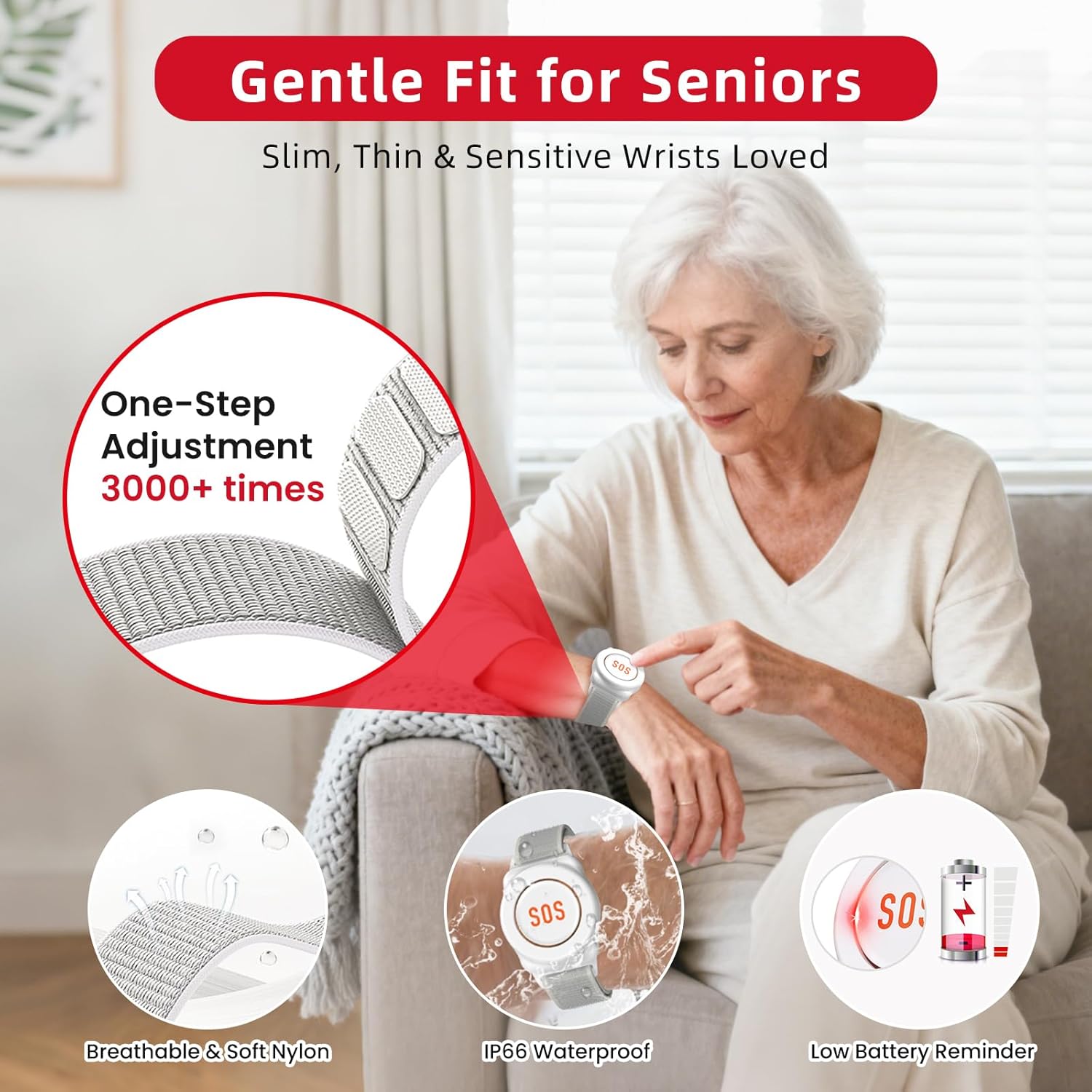
Image: The SOS watch is designed for comfort and durability, featuring breathable and soft nylon, IP66 waterproofing, and a low battery reminder for continuous reliability.
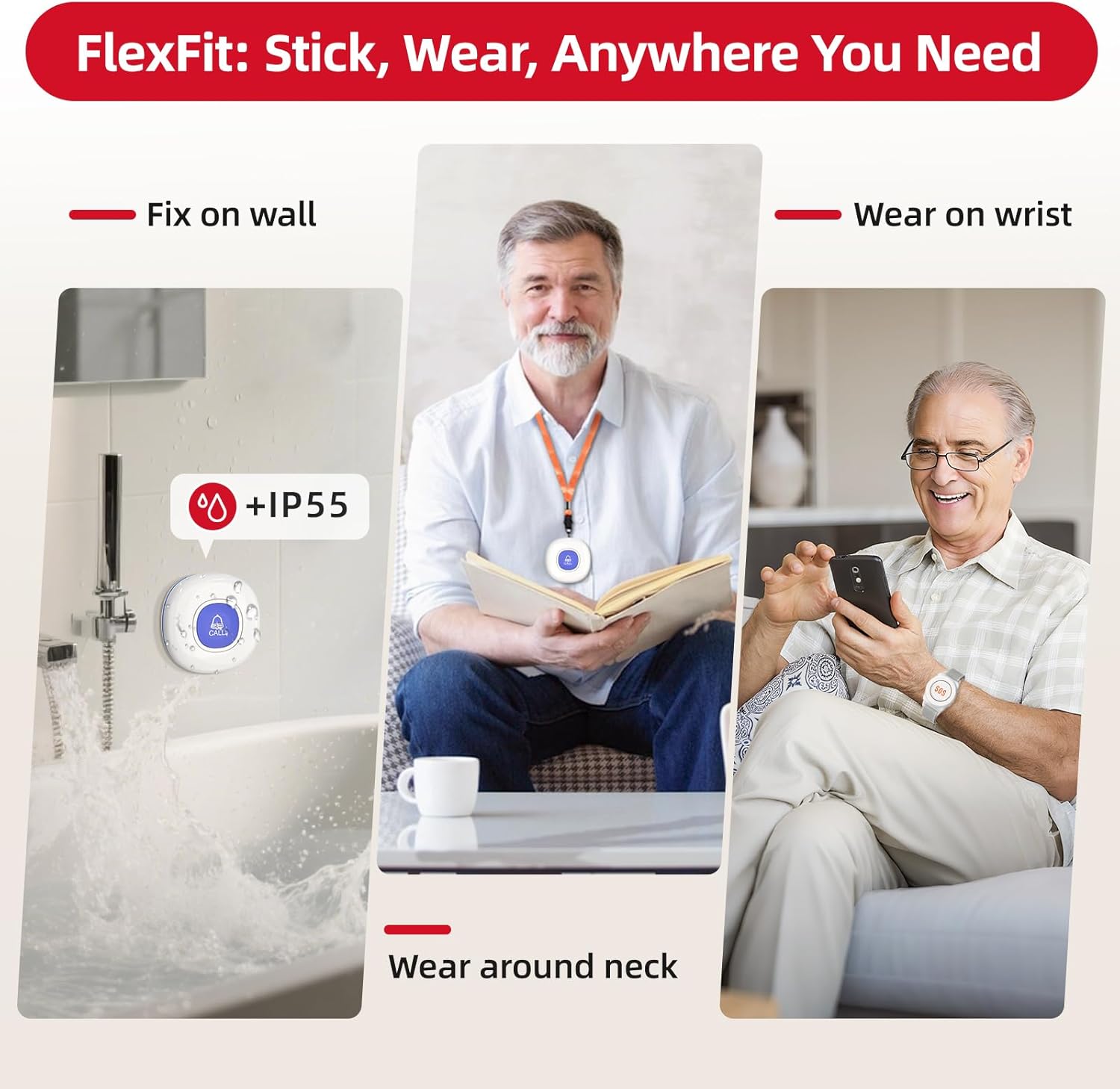
Image: The FlexFit design allows the call button to be fixed on a wall (IP55 rated), worn on the wrist, or around the neck, offering versatile placement options.
4. Setup Guide
4.1. Connecting the Receiver to the Tuya App
Follow these steps to connect your CallToU receiver to the Tuya app:
- Connect your mobile phone to a 2.4GHz Wi-Fi network and enable Bluetooth. (Note: 5G Wi-Fi is not supported).
- Plug in the receiver. Press and hold the receiver's back button for 5-10 seconds until it enters pairing mode.
- Open the Tuya Smart app, tap the "+" icon in the top right corner, and then select "Add Device".
- The app should automatically discover the device. Click "Add" when it appears.
- Enter your 2.4GHz Wi-Fi network name and password, then click "Next".
- Wait for the successful connection.
Video: This video demonstrates the step-by-step process of connecting the CallToU receiver to the Tuya Smart mobile application, including Wi-Fi and Bluetooth setup.
4.2. Connecting Transmitters (Call Buttons) to the App
Once the receiver is connected to the app, you can add your call buttons:
- On the Receiver page within the Tuya app, tap the bell icon at the bottom.
- When prompted, press the launch button on your SOS Watch or Standard Call Button to send a signal. The indicator light on the button will illuminate.
- The app will confirm when the button is successfully added.
5. Operating Instructions
5.1. Triggering an Emergency Alert
To trigger an emergency alert, simply press the 'SOS' button on the watch or the 'CALL' button on the standard call button. The receiver will immediately sound an alarm and flash its lights, and an alert will be sent to the connected mobile app.

Image: This image illustrates the alert process: a family member presses the call button, the receiver (connected to Wi-Fi) receives and processes the notification, and the mobile app receives instant alerts.
5.2. Receiving and Stopping Alerts
When an alert is triggered, your mobile phone will receive a notification via the Tuya app. The receiver unit will continue to alarm until the alert is acknowledged or stopped through the app. The app allows you to see which transmitter triggered the alert.
6. App Features
6.1. Customizing Transmitters
The Tuya app allows you to personalize your transmitters:
- On the Receiver page, click on the specific transmitter you wish to customize.
- You can then edit the transmitter's name (e.g., "Bathroom Button", "Mom's Watch"), change the ringtone, and adjust the volume.
- Ensure to press "Save" to apply your changes.
Video: This video demonstrates how to change ringtones, adjust volume, and customize button names for your CallToU devices directly through the mobile app.
6.2. Sharing Devices with Multiple Caregivers
You can share access to the device and its alerts with other family members or caregivers:
- From the main device page in the Tuya app, click on the "..." icon in the upper right corner.
- Select "Share Device".
- You have two options to share: by adding a Tuya account directly or by sharing a link.
Video: This video provides instructions on how to share your CallToU devices with additional caregivers using the mobile application, ensuring multiple people receive alerts.
6.3. Alert Notification Options
The system offers various notification methods:
- Free App Notifications: Receive instant alerts directly through the Tuya Smart app on your smartphone.
- Subscription-based SMS/Phone Notifications: For an additional fee, you can subscribe to receive alerts via SMS text messages or phone calls.

Image: A comparison table detailing the features and costs associated with free app notifications versus subscription-based SMS and phone call alerts.
7. Maintenance
7.1. Battery Replacement
The SOS Watch and Standard Call Button transmitters require 12V batteries. Use the provided small screwdriver to open the battery compartment and replace the batteries when the low battery reminder is activated or if the transmitter stops working.
7.2. Ensuring Stable Wi-Fi Connection
For continuous app notifications, ensure the receiver unit remains connected to a stable 2.4GHz Wi-Fi network. Place the receiver within optimal range of your Wi-Fi router.
8. Troubleshooting
If you encounter issues with your CallToU Caregiver Pager System, refer to the following tips:
8.1. Receiver Fails to Ring
- Check Transmitter's Battery: Ensure the transmitter (call button or watch) has sufficient power. If the LED lights up when pressed, it's working. If not, replace the battery.
- Check Distance: Ensure the transmitter is within the recommended indoor usage distance of less than 131 ft (40m) from the receiver.
- Re-pair Devices: If the above steps don't resolve the issue, try re-pairing the transmitter with the receiver.
8.2. Receiver Rings but No App Notifications
- Router Network: Ensure your Wi-Fi router is set to a 2.4GHz network. The system does not support 5G Wi-Fi.
- Receiver-Router Distance: Keep the receiver within 32.8 ft (10m) of the Wi-Fi router to ensure a stable network connection for app notifications.
Video: This video provides troubleshooting steps for common issues such as the receiver not ringing or the app not receiving notifications, including checking battery and Wi-Fi settings.
9. Specifications
| Manufacturer | CallToU |
| Item Weight | 9.9 ounces |
| Product Dimensions | 2.3 x 0.5 x 2.36 inches |
| Item Model Number | TY01WH-06W 3-1 |
| Batteries Required | 2 x 12V batteries (included) |
| Battery Cell Type | Alkaline |
| Wireless Technology | 433MHz, 2.4G Wi-Fi |
| Wireless Range (Transmitter to Receiver) | Up to 328 ft (100m) |
| Wi-Fi Range (Receiver to Router for App) | Recommended within 32.8 ft (10m) |
| Ringtone Options | 20 |
| Volume Levels | 5 (0-110dB) |
10. Warranty & Support
CallToU offers a lifetime warranty for this product. If you have any questions or require assistance with your CallToU caregiver pager, please feel free to contact us via Amazon's customer support channels.