
1. Introduction
Thank you for choosing the Bettdow AC1083 15.6-inch Portable Monitor. This manual provides essential information for setting up, operating, and maintaining your monitor. Please read it carefully to ensure optimal performance and longevity of your device.
The Bettdow AC1083 is a versatile 15.6-inch Full HD 1080p IPS portable monitor designed for enhanced productivity and entertainment. It features HDR technology, a 178° viewing angle, a 90° rotatable stand, and integrated dual speakers, making it compatible with a wide range of devices including laptops, PCs, Macs, Nintendo Switch, PlayStation, and Xbox consoles.
2. What's in the Box
Carefully unpack the box and ensure all items are present and in good condition. If any items are missing or damaged, please contact customer support.
- Bettdow AC1083 Portable Monitor
- Mini-HDMI to HDMI Cable
- USB-A to Type-C Cable
- Type-C to Type-C Cable
- Power Adapter

3. Product Features
- Flexible and Portable Design: The monitor features a built-in stand that allows for angle adjustment and 90° screen rotation, enabling both portrait and landscape modes without the need for additional accessories. Its slim and lightweight design makes it ideal for use at home, in the office, or while traveling.
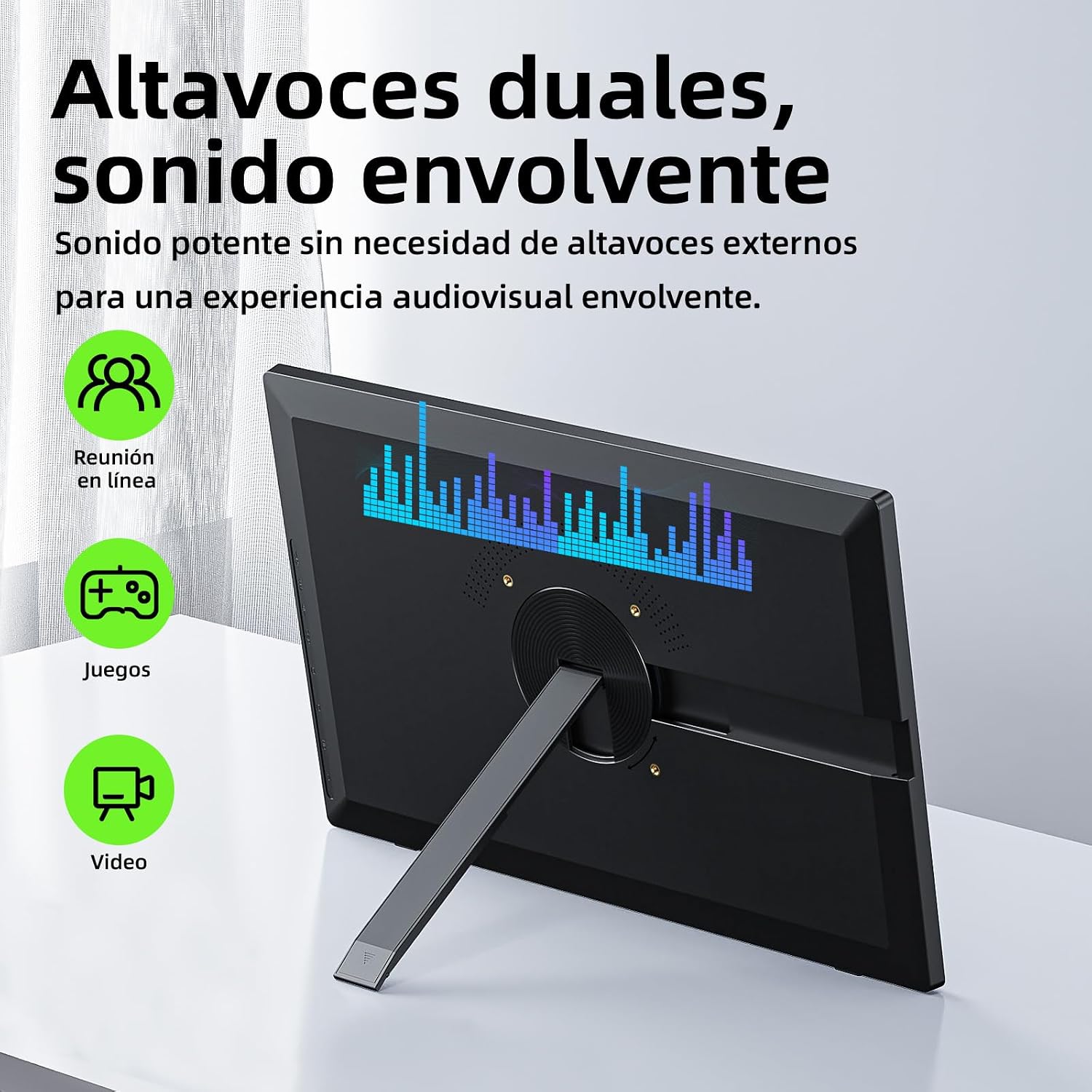
Image: The monitor's 90-degree rotatable stand, illustrating landscape and portrait orientations. - Portable FHD Display with HDR: Experience immersive visuals with a sharp Full HD 1080p resolution (1920x1080) and HDR technology. The 15.6-inch screen offers 72% sRGB color gamut, delivering vibrant and realistic colors for work, gaming, and movies.

Image: Visual representation of the monitor's 1080P Full HD display quality and color specifications. 
Image: A split screen showing the visual difference with HDR (High Dynamic Range) enabled versus disabled, illustrating enhanced color and detail. - Maximum Usage Versatility: Boost your productivity with three flexible display modes: Extend Display, Duplicate, and Second Screen. This makes it ideal for multitasking, remote work, presentations, or gaming on portable consoles like the Nintendo Switch.

Image: The 15.6-inch expansive display used as an extended workspace for multitasking. - Immersive Sound and Ultra-Wide Viewing Angle: Equipped with two integrated stereo speakers for rich and clear audio. The IPS panel ensures a 178° viewing angle, allowing content to be viewed perfectly from almost any position, which is ideal for sharing the screen.

Image: The monitor's dual speakers providing immersive sound for various applications. - Easy Connection and Universal Compatibility: Offers plug-and-play connectivity with a single USB-C cable (for both video and power) or Mini HDMI. It is compatible with Windows laptops, MacBooks, desktop PCs, Android phones, iPhones (with an adapter), PlayStation, Xbox, and more.
4. Setup
4.1 Connecting Your Monitor
The Bettdow AC1083 offers flexible connection options:
- Single Cable Connection (USB Type-C): For devices with a full-featured USB Type-C port (supporting USB 3.1 or higher and video output), simply connect the monitor to your device using the provided Type-C to Type-C cable. This cable transmits both video signal and power.
- Dual Cable Connection (Mini HDMI + USB Type-C for Power): For devices without a full-featured USB Type-C port, connect the monitor using the Mini-HDMI to HDMI cable for video, and the USB-A to Type-C cable (connected to the power adapter or a USB-A port on your device) for power. An external power source (20W or higher) is recommended if your device's USB-A port cannot provide sufficient power.

4.2 Port Overview
Familiarize yourself with the ports and controls on your Bettdow AC1083 monitor:

- Volume +/-: Adjusts the audio output volume.
- Power / Back: Powers the monitor on/off or acts as a 'back' button in the OSD menu.
- Brightness +/-: Adjusts screen brightness.
- On-Screen Display (OSD) Menu: Accesses the monitor's settings menu.
- Type-C Port 1 & 2: For power and video input (full-featured USB-C).
- Mini HDMI: For video input.
- Audio Jack: For connecting external headphones or speakers.
5. Operating Instructions
5.1 Power On/Off
Press and hold the Power button to turn the monitor on or off.
5.2 Adjusting Settings (OSD Menu)
Use the OSD Menu button to access the on-screen display settings. Navigate through the menu using the Volume +/- and Brightness +/- buttons, and confirm selections with the OSD Menu button. Use the Power / Back button to exit sub-menus or the OSD menu entirely.
5.3 Display Modes
When connected to a compatible device, you can typically configure the display mode from your device's operating system settings:
- Extend Display: Expands your desktop across both screens, allowing for more workspace.
- Duplicate Display: Mirrors your primary screen's content onto the portable monitor.
- Second Screen Only: Displays content only on the portable monitor, turning off the primary screen.
6. Maintenance
To ensure the longevity and optimal performance of your Bettdow AC1083 monitor, follow these maintenance guidelines:
- Cleaning the Screen: Gently wipe the screen with a soft, lint-free cloth. For stubborn marks, lightly dampen the cloth with water or a screen-cleaning solution. Avoid using harsh chemicals, alcohol, or abrasive materials.
- Cleaning the Casing: Use a soft, dry cloth to clean the monitor's casing.
- Storage: When not in use, store the monitor in a cool, dry place, away from direct sunlight and extreme temperatures.
- Handling: Avoid dropping or subjecting the monitor to strong impacts. Do not place heavy objects on top of it.
- Power: Always use the provided power adapter or a compatible power source. Disconnect the power during electrical storms or when not in use for extended periods.
7. Troubleshooting
If you encounter issues with your Bettdow AC1083 monitor, refer to the following common problems and solutions:
- No Signal / Black Screen:
- Ensure all cables (USB-C, HDMI) are securely connected to both the monitor and your device.
- Verify that your device's output port supports video transmission (e.g., full-featured USB-C).
- Check your device's display settings to ensure the external monitor is detected and configured correctly (e.g., Extend, Duplicate).
- Try a different cable or port if available.
- No Power:
- Ensure the power adapter is correctly plugged into a working power outlet and the monitor.
- If using a single USB-C cable, ensure your device's USB-C port can provide sufficient power. Try connecting the external power adapter.
- Press the power button firmly.
- Image Flickering / Unstable Display:
- Check cable connections for looseness.
- Ensure the monitor is receiving adequate power.
- Reduce the display resolution or refresh rate from your device's settings if the issue persists.
- No Sound / Low Sound:
- Adjust the monitor's volume using the Volume +/- buttons.
- Check your device's audio output settings to ensure sound is directed to the portable monitor.
- Ensure the audio cable (if used) is properly connected.
If these steps do not resolve the issue, please refer to the Warranty and Support section for further assistance.
8. Specifications
| Feature | Specification |
|---|---|
| Brand | Bettdow |
| Model | AC1083 |
| Screen Size | 15.6 inches |
| Resolution | FHD 1080p (1920 x 1080) |
| Aspect Ratio | 16:9 |
| Screen Surface | Matte |
| Refresh Rate | 60 Hz |
| Panel Type | IPS |
| Viewing Angle | 178 Degrees |
| Brightness | 280 cd/m² |
| Color Display | Yes |
| Image Enhancement Technology | HDR, IPS |
| Response Time | 3 Milliseconds |
| Connectivity Technology | HDMI, USB Type-C |
| Hardware Connectivity | HDMI |
| Adaptive Sync | FreeSync |
| Product Features | Tilt Adjustment, Integrated Speakers, Touchscreen, Portable, Adaptive Sync |
| Specific Uses | Entertainment, Business, Gaming |
| Color | Black |
| Compatible Devices | Desktop Computer, Laptop, Tablet, Game Console |
| Item Dimensions (W x D x H) | 362 mm x 14 mm x 227 mm (approx. 14.25 x 0.55 x 8.94 inches) |
| HDMI Ports | 1 |
| USB Ports | 1 (Type-C for data/power) |
| Video Outputs | 2 (Mini HDMI, USB Type-C) |
| Country of Origin | China |
9. Warranty and Support
9.1 Manufacturer's Warranty
The Bettdow AC1083 Portable Monitor comes with a 1-year manufacturer's warranty from the date of purchase. This warranty covers defects in materials and workmanship under normal use. It does not cover damage caused by misuse, accidents, unauthorized modifications, or external factors.
9.2 Customer Support
For warranty claims, technical assistance, or any questions regarding your Bettdow AC1083 monitor, please contact Bettdow customer support through the retailer where you purchased the product or visit the official Bettdow website for contact information.