
1. Introduction
The CUKTECH 30 Ultra Desktop Charging Station (Model TA3005U) is a high-performance 300W multi-port GaN charger designed to power a wide range of devices, from gaming laptops to smartphones and tablets. It features a dedicated DC output, multiple USB-C ports with up to 140W Power Delivery 3.1, and a USB-A port, all managed by intelligent power allocation. The integrated digital display provides real-time charging information, making it an efficient and organized solution for your desktop charging needs.
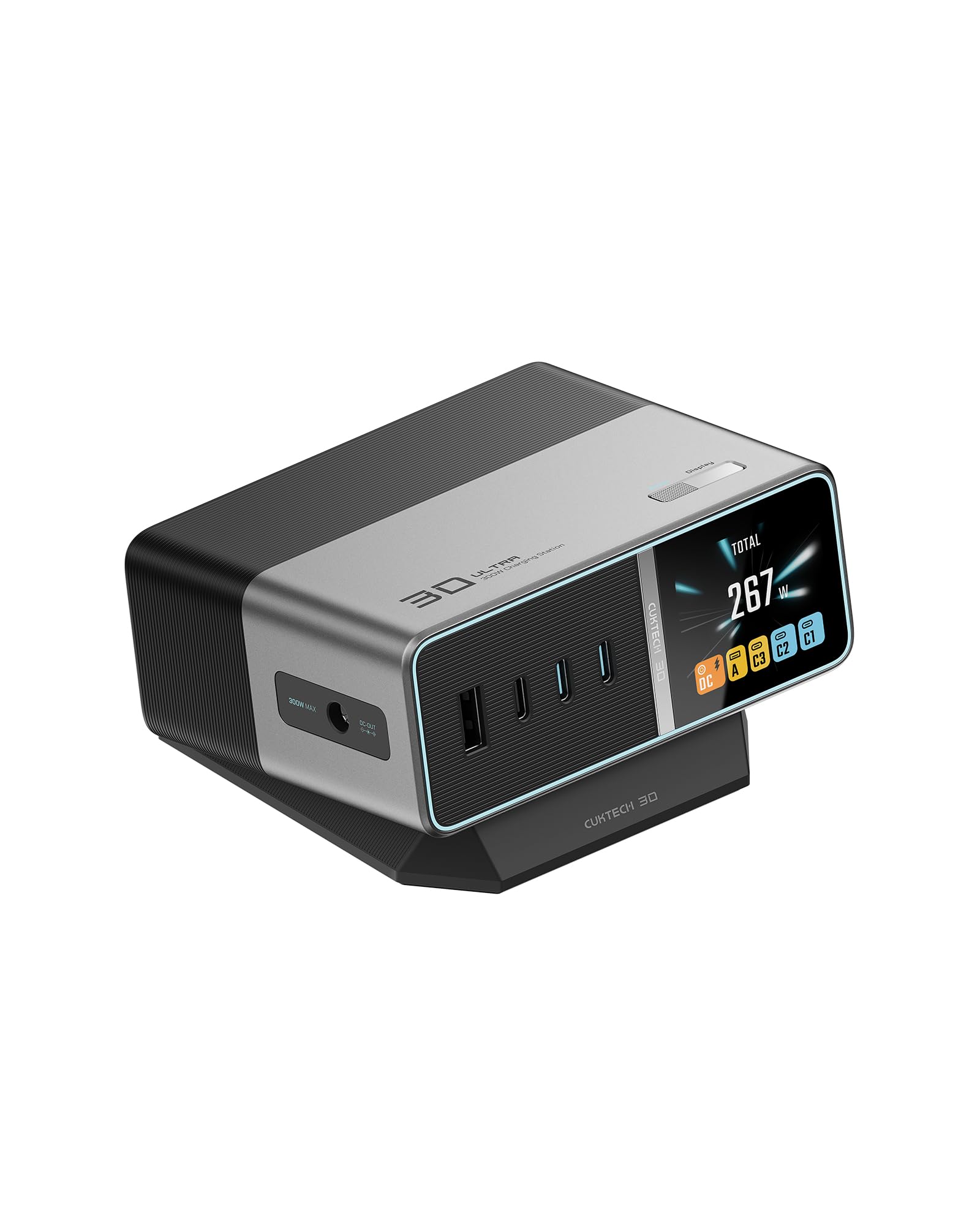
Image 1.1: The CUKTECH 30 Ultra Desktop Charging Station.
2. Package Contents
Please verify that all items are present in the package:
- CUKTECH 30 Ultra Desktop Charging Station (Model TA3005U)
- 240W PD 3.1 USB-C Cable
- Premium Braided Power Cord
- Assorted DC Tips for various laptop brands (e.g., Lenovo, HP, Acer, Dell, Razer, MSI, ASUS)
3. Setup Instructions
- Connect Power: Plug the included premium braided power cord into the charging station's power input port and then into a standard wall outlet.
- Positioning: Place the charging station on a stable, flat surface. The magnetic stand allows for a 0° or 10° adjustable viewing angle for optimal display visibility and port access. The anti-slip pad ensures stability.
- Initial Power On: The digital display will illuminate upon connecting to power.

Image 3.1: Adjustable viewing angle for ergonomic use.
4. Operating Instructions
4.1 Digital Display and Controls
The 1.83-inch IPS panoramic color screen provides real-time information about the charging status of connected devices. It displays wattage, voltage, current, and internal temperature. Two tactile buttons on the top allow navigation through settings and control of the DC port.
- Overall Data: View combined charging data for all active ports.
- Power Curve: Observe power output trends over time.
- Temperature Control: Monitor the device's internal temperature for safety.
- DC Power: View specific output for the DC port.
- Multi-Port Total Power: See the total power output across all ports.
- Brand & Cable Current: (Feature supported on select models from brands including Xiaomi, Samsung, Apple, Huawei, and others) Displays specific cable and device information.
- Dynamic Standby Screen Saver: The display can be set to turn off after a period of inactivity.
- Settings: Access options for system language, DC power settings, and DC 300W mode.

Image 4.1: IPS Panoramic Display features.
Video 4.1: An overview of the CUKTECH 30 Ultra 300W Max Desktop Charging Station, demonstrating its features and display.
4.2 Connecting Devices
The charging station offers five output ports: one DC port, three USB-C ports (C1, C2, C3), and one USB-A port.
Single-Port Charging
- DC Port: Up to 300W Max. Primarily for compatible laptops using the provided DC tips.
- Type-C1 / Type-C2: Up to 140W Max each. Ideal for high-power devices like MacBook Pro, gaming laptops, and fast-charging smartphones/tablets.
- Type-C3: Up to 33W Max. Suitable for smartphones, tablets, and other medium-power devices.
- USB-A: Up to 18W Max. For devices compatible with USB-A charging, often preferred by some rechargeable accessories.

Image 4.2: Single-port charging maximum outputs.
Multi-Port Charging
When multiple devices are connected, the charging station intelligently allocates power up to a total of 300W Max. The intelligent power allocation system automatically adjusts output to optimize charging speed for all connected devices.

Image 4.3: Multi-port charging total output.
DC 300W Mode
The DC 300W Mode can be enabled via the settings menu on the digital display. When activated, this mode prioritizes the DC output to deliver the maximum 300W to a single connected laptop, potentially reducing power available to other ports. This mode is specifically designed for high-power gaming laptops or workstations requiring sustained maximum power.
4.3 Smart Adaptive Power Allocation
The CUKTECH 30 Ultra features an advanced intelligent dynamic power adjustment system. This system allocates power on demand, ensuring higher power utilization rates compared to conventional chargers with fixed power allocation strategies. This optimizes charging efficiency for all connected devices.

Image 4.4: Smart Adaptive Power Allocation vs. Conventional Charging.
5. Maintenance
To ensure the longevity and optimal performance of your CUKTECH 30 Ultra Desktop Charging Station, follow these maintenance guidelines:
- Cleaning: Disconnect the charging station from power before cleaning. Use a soft, dry cloth to wipe the exterior. Avoid using liquid cleaners, aerosols, or harsh chemicals.
- Storage: Store the device in a cool, dry place away from direct sunlight and extreme temperatures.
- Ventilation: Ensure the ventilation openings are not blocked to prevent overheating. Do not operate the device in an enclosed space without adequate airflow.
- Cable Care: Avoid bending or crimping cables excessively, especially near the connectors, to prevent damage.
6. Troubleshooting
If you encounter issues with your charging station, refer to the following common troubleshooting steps:
- Device Not Charging:
- Ensure the charging station is properly connected to a power outlet.
- Verify that the charging cable is securely connected to both the charging station and your device.
- Try a different port on the charging station.
- Test with a different charging cable to rule out cable issues.
- Check your device's charging port for any debris.
- Slow Charging:
- Ensure your device supports fast charging and that you are using a compatible cable (e.g., the included 240W PD 3.1 USB-C cable for high-power devices).
- Check the digital display for the current wattage output. If it's lower than expected, try disconnecting and reconnecting the device.
- If multiple devices are connected, the power is dynamically allocated. Disconnecting less critical devices may increase power to a specific device.
- "Over-current failure detected" Message:
- This message may appear with certain non-standard or faulty cables, such as some USB 4.0 Gen2 x 2 Type C cables. Try using a different, certified USB-C cable.
- Disconnect all devices and reconnect them one by one to identify the problematic cable or device.
- DC Port Not Powering Non-Laptop Devices:
- The DC output port is designed to work exclusively with compatible laptops. It may not provide power to other types of devices, even if they use a similar barrel connector.
- Overheating:
- The charging station has active temperature control and will shut down if it overheats. Ensure adequate ventilation around the device.
- Reduce the number of high-power devices being charged simultaneously.
7. Specifications
| Feature | Specification |
|---|---|
| Model Number | TA3005U |
| Total Wattage | 300W Max |
| Input Voltage | 100 Volts |
| Output Voltage | 20 Volts (DC) |
| Output Current | 3 Amps (USB-C/A, varies by port) |
| USB-C1 / USB-C2 Output | 140W Max (PD 3.1) |
| USB-C3 Output | 33W Max (PD 3.0) |
| USB-A Output | 18W Max |
| DC Port Output | 300W Max |
| Total USB Ports | 4 (3x USB-C, 1x USB-A) |
| Special Features | 300W DC Charging, Braided Cable, Fast Charging, Multi-Device Charging, Voltage Display, GaN Technology, Safety Protection System |
| Compatible Devices | Cellular Phones, Headphones, Laptops, Smartwatches, Tablets |
| Included Components | 240W PD 3.1 USB-C Cable, DC Tips, Premium Braided Cord |
7.1 DC Adapter Compatibility
The CUKTECH 30 Ultra includes various DC tips to ensure compatibility with a wide range of laptops. Refer to the tables below for common compatible models and their corresponding adapter types.

Image 7.1: DC Adapter Types (Lenovo, ROG, HP).

Image 7.2: DC Adapter Types (Dell, Acer).

Image 7.3: DC Adapter Types (ASUS, MSI, Razer).
8. Warranty Information
The CUKTECH 30 Ultra Desktop Charging Station comes with a 24-month warranty against manufacturing defects. Please retain your proof of purchase for warranty claims.
9. Customer Support
For any questions, technical assistance, or support regarding your CUKTECH 30 Ultra Desktop Charging Station, please contact our customer service team:
- 24/7 Customer Support: Always available to assist you.
- After-Sales Support Email: service@cuktech.com
We are committed to providing reliable power solutions and are always here to help with specific DC tip inquiries or any other product-related questions.


