
1. Introduction
Thank you for purchasing the LG 43 inch UHD AI UA73 4K Smart TV. This television combines stunning 4K Ultra High Definition visuals with advanced Artificial Intelligence features and the intuitive webOS25 platform. Enjoy vibrant colors, sharp details, and smart functionalities including AI-powered search and voice control. This manual provides essential information for setting up, operating, and maintaining your new television.
2. Safety Information
Please read all safety instructions carefully before using your TV. Keep this manual for future reference.
2.1 Electrical Safety
- Do not overload wall outlets or extension cords.
- Ensure the power cord is securely plugged into the TV and the wall outlet.
- Do not touch the power plug with wet hands.
2.2 Placement
- Place the TV on a stable, level surface or mount it securely to a wall using a compatible VESA mount.
- Ensure adequate ventilation around the TV to prevent overheating.
- Keep the TV away from direct sunlight, heat sources, and moisture.
2.3 Cleaning
- Unplug the TV before cleaning.
- Use a soft, dry cloth to clean the screen and exterior. Do not use liquid cleaners or sprays directly on the TV.
3. Package Contents
Verify that all items are present in the box:
- LG 43 inch UHD AI 4K Smart TV (Model 43UA73006LA)
- AI Magic Remote Control
- Power Cord
- TV Stand (2 pieces) and Screws
- User Manual and Regulatory Information
- Batteries for Remote Control (AA x 2)
4. Setup
4.1 Unpacking and Stand Installation
- Carefully remove the TV from its packaging. It is recommended to have two people for this step.
- Place the TV screen-down on a soft, flat surface to prevent damage.
- Attach the stand pieces to the TV using the provided screws, ensuring they are securely fastened. Refer to the diagram in the quick setup guide for specific screw locations.
- Alternatively, if wall-mounting, follow the instructions provided with your VESA-compatible wall mount kit.
4.2 Connecting Peripherals
Connect external devices such as Blu-ray players, game consoles, or soundbars to the appropriate ports on the back of the TV.
- HDMI Ports: For high-definition video and audio.
- USB Ports: For connecting USB storage devices.
- Antenna/Cable Input: For connecting an antenna or cable TV.
- Optical Digital Audio Out: For connecting to a soundbar or audio receiver.
4.3 Initial Power On and Network Connection
- Plug the power cord into the TV and then into a wall outlet.
- Press the power button on the remote control or on the TV.
- Follow the on-screen instructions for the initial setup wizard. This will guide you through language selection, time zone, and network connection.
- Select your Wi-Fi network and enter the password, or connect an Ethernet cable for a wired connection.
5. Operation
5.1 AI Magic Remote Control
The AI Magic Remote allows for intuitive control of your TV, including point-and-click navigation and voice commands.
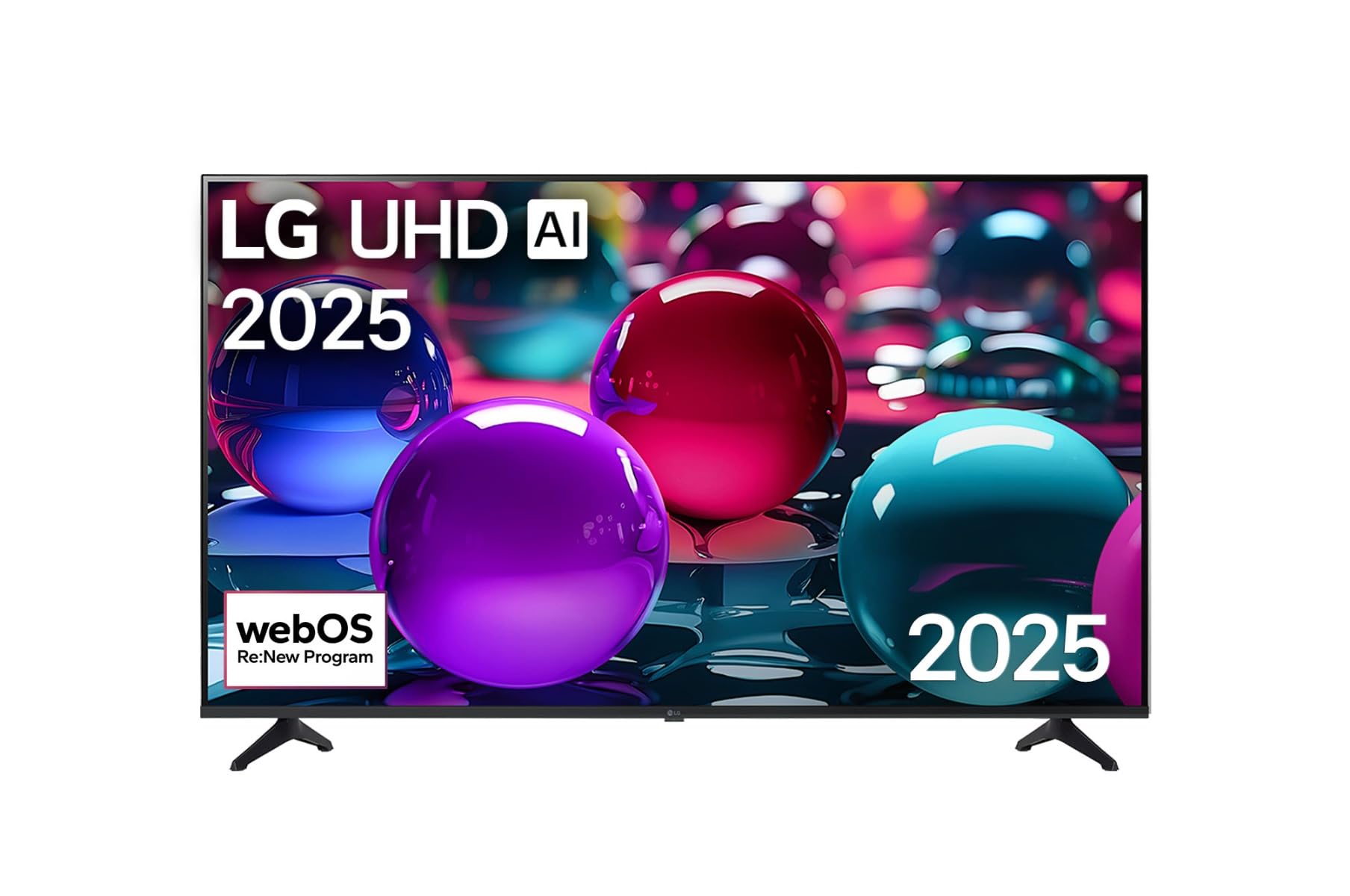
This image displays the LG 43 inch UHD AI 4K Smart TV, highlighting its webOS Re:New Program and Artificial Intelligence features. The accompanying AI Magic Remote is shown with a speech bubble indicating 'Just speak!', emphasizing its voice control capabilities.
- Power Button: Turns the TV on or off.
- Scroll Wheel/OK Button: Navigates menus and confirms selections.
- Voice Command Button: Press and hold to activate AI Search, AI Chatbot, or AI Concierge. Speak your command into the remote.
- Home Button: Accesses the webOS Home screen.
- Back Button: Returns to the previous screen.
- Volume Up/Down: Adjusts the volume.
- Channel Up/Down: Changes channels.
5.2 webOS Interface
The webOS Home screen provides quick access to apps, inputs, and settings. Use the Magic Remote to point and click on desired options or navigate with the directional buttons.
- App Launcher: Customize and access your favorite streaming services and applications.
- Input Selector: Switch between HDMI inputs, USB, or live TV.
- Settings: Adjust picture, sound, network, and general TV settings.
5.3 AI Features
Leverage the power of AI for enhanced TV experience:
- AI Search: Use voice commands to find content, information, or apps quickly.
- AI Chatbot: Interact with the TV for assistance or information.
- AI Concierge: Receive personalized content recommendations and smart home integration.
6. Maintenance
6.1 Cleaning Your TV
To maintain the TV's appearance and performance:
- Always unplug the TV before cleaning.
- Use a soft, lint-free cloth to gently wipe the screen. For stubborn marks, slightly dampen the cloth with water, then wipe dry immediately.
- Clean the TV frame and stand with a soft, dry cloth.
- Do not use abrasive cleaners, alcohol, benzene, or thinners, as these can damage the screen or finish.
6.2 Software Updates
Your LG Smart TV periodically receives software updates to improve performance and add new features. Ensure your TV is connected to the internet to receive these updates automatically. You can also manually check for updates in the TV's settings menu.
7. Troubleshooting
If you encounter issues with your TV, refer to the following common solutions:
| Problem | Possible Solution |
|---|---|
| No power | Check if the power cord is securely plugged in. Try a different power outlet. |
| No picture, but sound is present | Ensure the correct input source is selected. Check cable connections to external devices. |
| No sound, but picture is present | Check volume levels and mute settings. Verify audio output settings in the TV menu. |
| Remote control not working | Replace batteries. Ensure there are no obstructions between the remote and the TV. Re-pair the Magic Remote if necessary (refer to TV settings). |
| Cannot connect to Wi-Fi | Restart your router and modem. Check Wi-Fi password. Ensure the TV is within range of the router. |
| Picture quality issues (e.g., blurry, distorted) | Check the resolution of the input source. Adjust picture settings in the TV menu. |
If the problem persists, please contact LG customer support.
8. Specifications
| Feature | Detail |
|---|---|
| Brand | LG |
| Model Name | 43UA73006LA |
| Screen Size | 43 Inches |
| Display Technology | LED |
| Resolution | 4K UHD (3840 x 2160) |
| Aspect Ratio | 16:9 |
| Operating System | webOS25 |
| Special Features | AI Processor, AI Magic Remote, HDR10, Sleep Timer |
| Color | Black |
| Item Weight | 6.8 Kilograms (14.96 pounds) |
| Product Dimensions | 37.68 x 37.68 x 21.97 inches |
| Date First Available | November 28, 2025 |
9. Warranty & Support
9.1 Product Warranty
Your LG 43 inch UHD AI UA73 4K Smart TV is covered by a limited manufacturer's warranty. Please refer to the warranty card included in your package for specific terms, conditions, and duration of coverage. Keep your proof of purchase for warranty claims.
9.2 Customer Support
For technical assistance, troubleshooting beyond this manual, or warranty service, please contact LG Customer Support:
- Website: Visit the official LG support website for FAQs, downloads, and service requests.
- Phone: Refer to your warranty card or LG's official website for regional contact numbers.