
Introduction
This manual provides detailed instructions for the proper use and maintenance of your Real Instruments DC630 Digital Stop Watch. Please read this manual thoroughly before operating the device to ensure optimal performance and longevity. The DC630 is designed for precise timekeeping in various activities, featuring a waterproof LCD display, chronograph timer, and alarm functions.
Safety Information
- Do not expose the stopwatch to extreme temperatures or direct sunlight for extended periods.
- Avoid dropping the device or subjecting it to strong impacts.
- While waterproof, avoid prolonged submersion or operating buttons underwater to prevent damage.
- Keep out of reach of small children.
- Do not attempt to disassemble or repair the stopwatch yourself. Contact authorized service personnel if needed.
Product Overview
Components
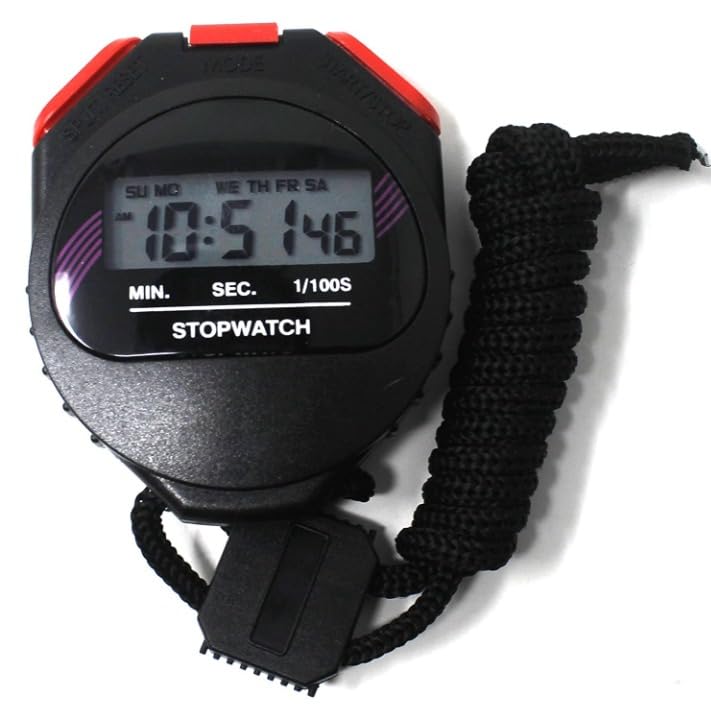
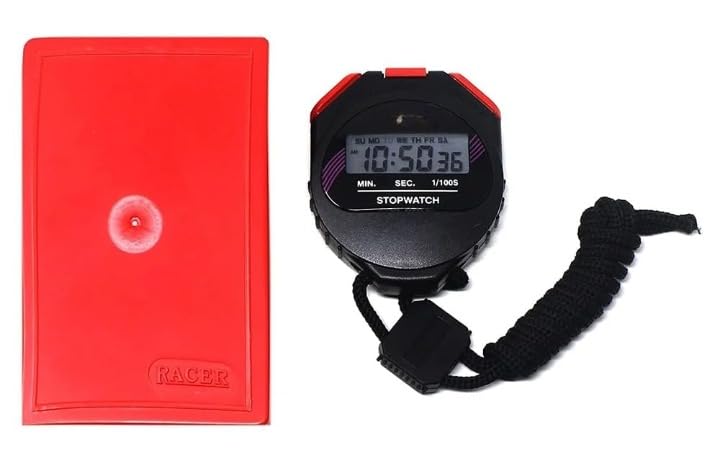
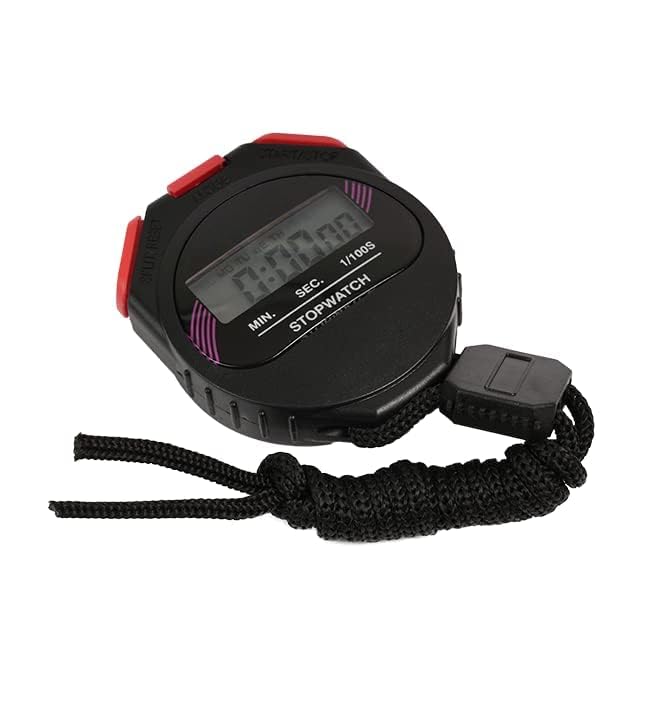
The Real Instruments DC630 Digital Stop Watch features a robust design with clear controls.
- LCD Display: Shows time, date, stopwatch readings, and alarm status.
- Mode Button: Cycles through different operating modes (Time, Stopwatch, Alarm).
- Start/Stop Button: Initiates and pauses timing in stopwatch mode; adjusts settings in other modes.
- Reset Button: Resets stopwatch; adjusts settings in other modes.
- Lanyard: For convenient carrying.
Product Views

Setup
Initial Battery Installation/Activation
The DC630 Stop Watch typically comes with a pre-installed battery. If the display is blank or dim, the battery may need activation or replacement. Refer to the battery compartment on the back of the device for instructions on opening and replacing the battery (usually a button cell battery).
Setting Time and Date
- Press the MODE button repeatedly until the time display mode is active.
- Press and hold the RESET button until the time digits begin to flash.
- Use the START/STOP button to adjust the flashing digit (hours, minutes, seconds).
- Press the MODE button to move to the next digit or setting (e.g., 12/24 hour format, month, day, year).
- Repeat steps 3 and 4 until all settings are correct.
- Press the RESET button to exit the setting mode.
Operating Instructions
Stopwatch Mode
- Press the MODE button until "STOPWATCH" or a similar indicator appears on the display. The display should show 0:00:00.
- Press the START/STOP button to begin timing.
- To pause the timer, press the START/STOP button again. Press it again to resume.
- To record a split time (lap time), press the RESET button while the stopwatch is running. The split time will be displayed temporarily, while the main timer continues to run in the background. Press RESET again to return to the main running time.
- To stop the timer completely, press the START/STOP button.
- To reset the stopwatch to zero, press the RESET button after the timer has been stopped.
Alarm Mode
- Press the MODE button until the alarm display mode is active.
- Press and hold the RESET button until the alarm time digits begin to flash.
- Use the START/STOP button to adjust the flashing digit (hours, minutes).
- Press the MODE button to move between hours and minutes.
- Press the RESET button to exit the alarm setting mode.
- To turn the alarm ON/OFF, press the START/STOP button while in alarm display mode (not setting mode). An alarm icon will typically appear on the display when the alarm is active.
Time and Date Display
In the default time mode, the stopwatch displays the current time, day of the week, and date. Use the MODE button to cycle back to this display from other functions.
Maintenance
- Cleaning: Wipe the stopwatch with a soft, dry cloth. For stubborn dirt, use a slightly damp cloth and mild soap, then dry thoroughly. Do not use harsh chemicals or abrasive cleaners.
- Storage: Store the stopwatch in a cool, dry place away from direct sunlight and extreme temperatures when not in use.
- Battery Replacement: When the display becomes dim or unresponsive, replace the battery. This typically requires a small screwdriver to open the battery compartment. Ensure the correct battery type is used (e.g., AG13/LR44 button cell).
Troubleshooting
| Problem | Possible Cause | Solution |
|---|---|---|
| Display is blank or dim. | Low or dead battery. | Replace the battery with a new one. |
| Buttons are unresponsive. | Device might be frozen or battery is very low. | Remove and reinsert the battery to perform a soft reset. If problem persists, replace battery. |
| Stopwatch not timing accurately. | Internal malfunction. | Contact customer support for assistance. |
| Water damage after exposure. | Exceeded waterproof limits or buttons pressed underwater. | Allow the device to dry completely. If functionality is not restored, contact customer support. |
Specifications
| Model | DC630 |
| Brand | Real Instruments |
| Material | Plastic |
| Color | Black |
| Product Dimensions | 6.4D x 8W x 2H Centimeters |
| Item Weight | 100 Grams |
| Timing Accuracy | 1/100 second |
| Functions | Stopwatch, Split Time, Time (12/24 hour), Date, Day of Week, Alarm |
| Water Resistance | Waterproof (suitable for general use, not prolonged submersion) |
| Country of Origin | India |
Warranty and Support
Real Instruments products are manufactured with quality and reliability in mind. For warranty information or technical support, please refer to the warranty card included with your purchase or visit the official Real Instruments website.
Online Support: Visit the Real Instruments Store on Amazon
For specific inquiries, please have your product model (DC630) and purchase details ready.
Video Resources
No official product videos from the seller were found for this model. Please refer to the written instructions and diagrams for guidance.