
Important Safety Information
Please read this entire instruction manual carefully before beginning installation and use. Failure to follow these instructions could result in electric shock, fire, or serious personal injury. Keep these instructions for future reference.
- Always turn off power at the main circuit breaker before installing, cleaning, or servicing the fan.
- All electrical connections must be in accordance with local codes, ordinances, and the National Electrical Code. If you are unfamiliar with proper electrical wiring, seek the services of a qualified electrician.
- Ensure the installation site can support the weight of the fan (approximately 15 kg / 33 lbs).
- Do not bend the blade holders during installation, balancing, or cleaning.
- Keep hands clear of the fan blades when the fan is operating.
- This fan is suitable for indoor and covered outdoor use. Do not expose to direct water contact.
Package Contents
Before installation, carefully unpack all components and verify that you have received all items listed below. If any parts are missing or damaged, please contact KENSID customer support.
- DC Motor Assembly
- 5 Wood Fan Blades
- LED Light Kit
- Remote Control
- Receiver Unit
- Mounting Bracket
- 5-inch Downrod
- 10-inch Downrod
- Hardware Pack (screws, washers, wire nuts)
- Instruction Manual
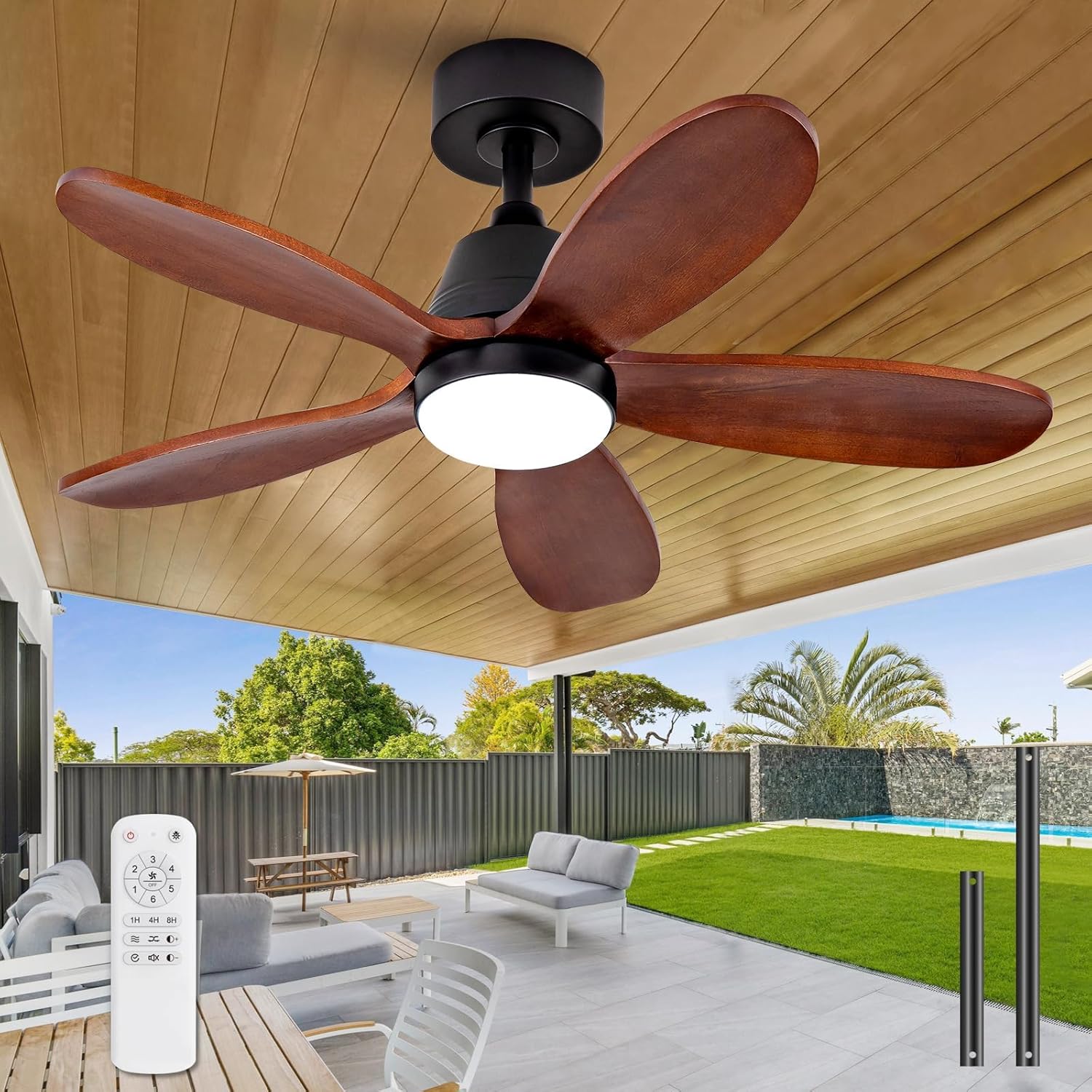
This image displays all the components included in your KENSID 36 Inch Wood Ceiling Fan package. Please ensure all parts are present before beginning installation.
Setup & Installation
Follow these steps for proper installation of your KENSID ceiling fan. It is recommended to have two people for installation.
Step 1: Prepare the Motor Housing
Carefully remove the motor housing cover to access the internal components for blade attachment.
This video segment demonstrates how to prepare the motor housing by removing the cover and accessing the internal components for blade attachment.
Step 2: Attach Fan Blades
Attach each of the five wooden blades to the motor assembly using the provided screws and washers. Ensure they are securely fastened.
This video segment illustrates the process of securely attaching the five wooden blades to the fan motor using the provided screws and washers.

The fan includes 5-inch and 10-inch downrods for installation. For sloped ceilings exceeding 15 degrees, a tilt kit may be required. Contact customer support for longer downrod options.
Step 3: Install LED Light Kit
Connect the LED light kit to the fan's wiring and secure it to the bottom of the motor housing.
This video segment guides you through installing the LED light kit onto the fan assembly, ensuring proper connection and secure placement.
Step 4: Connect Wiring
Connect the fan's internal wiring to the receiver unit, ensuring all connections are firm and correct according to the wiring diagram in the full manual.
This video segment demonstrates how to connect the fan's internal wiring to the receiver unit, ensuring all connections are secure.
Step 5: Mount Fan to Ceiling
Securely mount the fan to the ceiling bracket and connect the household electrical supply wires to the fan's wiring. Ensure all connections are insulated with wire nuts.
This video segment shows how to connect the fan's wiring to the household electrical supply and securely mount the fan to the ceiling bracket.
Operating Instructions
Your KENSID ceiling fan is designed for ease of use with its included remote control and advanced features.
Remote Control Functions
The remote control allows you to conveniently manage all fan and light settings from anywhere in the room.

This diagram details the functions of the remote control, including fan speed, timer settings, light brightness, and fan direction. An optional wall switch is also available.
- Fan Speed: Select from 6 adjustable fan speeds.
- Timer: Set the fan to turn off automatically after 1, 4, or 8 hours.
- Light Control: Turn the LED light on/off and adjust brightness from 10% to 100%.
- Fan Direction: Switch between forward (summer) and reverse (winter) modes.
- Memory Function: The fan will automatically restore the last used wind speed and lighting mode after 10 seconds of being off and then restarted.
This video demonstrates how to use the remote control to operate the fan's light and speed settings.
Light Functions
The integrated LED light provides versatile illumination with adjustable brightness and color temperature settings.

Choose from three distinct color temperatures: Warm Light (3000K), Natural Light (4500K), and Cool White Light (6000K). Brightness is adjustable from 10% to 100%.

The fan features a color temperature memory function. If the light is turned off and on again within 7 seconds, the color will change. If turned off for more than 7 seconds, the light will resume its previous color and brightness setting.
Reversible DC Motor
The quiet DC motor allows for year-round comfort by changing the direction of airflow.
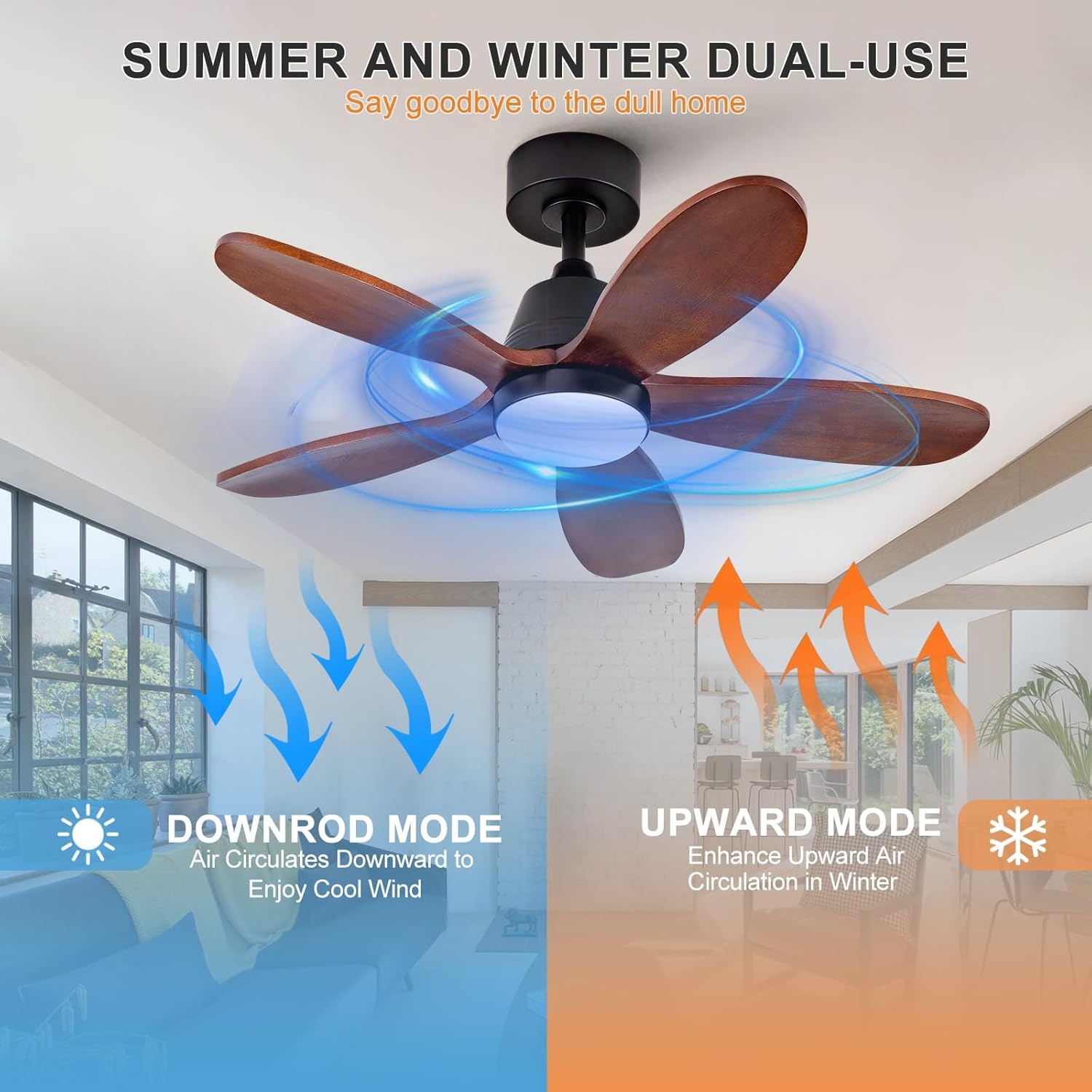
In summer, the fan operates in a downward mode to create a cooling breeze. In winter, switch to upward mode to circulate warm air trapped near the ceiling, enhancing air circulation and alleviating cold spots.
Maintenance
Regular maintenance ensures optimal performance and longevity of your KENSID ceiling fan.
- Cleaning: Use a soft, damp cloth to clean the fan. Do not use abrasive cleaners or harsh chemicals, as these can damage the finish or blades.
- Blade Care: The paulownia wood blades are damp-proof, making them suitable for covered outdoor environments. However, avoid direct exposure to rain or excessive moisture.
- Check Connections: Periodically check all screws and connections for tightness. Due to natural movement, some connections may become loose over time.
- Lubrication: The fan's DC motor is permanently lubricated and does not require additional oiling.

The fan blades are crafted from paulownia wood, designed to be damp-proof for use in covered outdoor areas. Protect them from direct water exposure to maintain their quality.
Troubleshooting
If you experience any issues with your KENSID ceiling fan, refer to the following common problems and solutions. If the problem persists, contact customer support.
| Problem | Possible Cause | Solution |
|---|---|---|
| Fan does not start | No power to the fan; Loose wire connections; Remote control battery low. | Check circuit breaker and wall switch; Verify all wire connections are secure; Replace remote control batteries. |
| Light does not work | Loose wire connection to light kit; LED module failure. | Check light kit wiring connections; Contact customer support for LED module replacement if necessary. |
| Fan wobbles | Loose blade screws; Unbalanced blades; Loose mounting bracket. | Tighten all blade screws; Use a balancing kit (not included) to balance blades; Ensure mounting bracket is securely fastened to the ceiling. |
| Remote control not working | Battery low or incorrectly installed; Receiver not paired. | Replace remote batteries, ensuring correct polarity; Refer to the full manual for remote pairing instructions. |
| Fan makes noise | Loose screws; Blades hitting an obstruction; Motor hum. | Check and tighten all screws; Ensure no objects are in the fan's path; A slight motor hum is normal for DC motors, especially at lower speeds. |
Specifications
| Feature | Specification |
|---|---|
| Brand | KENSID |
| Model | 36 Inch Wood Ceiling Fan |
| Product Dimensions | 36"D x 36"W x 10"H |
| Power Source | AC/DC |
| Motor Type | DC Motor |
| Number of Blades | 5 |
| Number of Speeds | 6 |
| Wattage | 25 watts |
| Voltage | 110 Volts |
| Noise Level | Under 30 Decibels |
| Light Type | Dimmable LED (3000K/4500K/6000K) |
| Control Method | Remote Control |
| Indoor/Outdoor Usage | Indoor, Covered Outdoor |
| Material | Paulownia Wood Blades |
Warranty and Support
KENSID is committed to your satisfaction. This LED Ceiling Fan is backed by a 2-year customer support period.
If you have any questions, concerns, or require assistance with your product, please do not hesitate to contact our customer support team. Refer to your purchase documentation or the KENSID official website for contact details.
