
1. Introduction
The Holosun ARO-CORE-MRS-GD Advanced Rifle Optic Sight is designed to provide reliable and precise aiming for various shooting applications. This optic combines trusted design elements with a wider 22mm optical window and a versatile multi-reticle system, offering fast and accurate target acquisition. It features Shake Awake technology for efficient power management and robust construction for durability in diverse environments.
2. Key Features
- Advanced Optical System: 22mm optical window for enhanced visibility and a crisp multi-reticle display.
- Shake Awake Technology: Automatic power-on with motion, auto-off when idle to conserve battery life.
- Extended Battery Life: Powered by a CR2032 battery, offering up to 50,000 hours of runtime (on setting 6).
- Manual Brightness Controls: 10 daylight and 2 night-compatible settings for adaptability in any lighting condition.
- Rugged Construction: Durable aluminum housing with a matte black anodized finish, IP67 water and dust resistance.
- Versatile Mounting Options: Includes both a 1.63" lower 1/3 co-witness mount and a 1.05" low mount for Picatinny rails.
- Side-Loading Battery Tray: Allows for easy battery replacement without removing the sight.
3. What's in the Box
- Holosun ARO-CORE-MRS-GD Optic
- 1.63" Lower 1/3 Co-witness Picatinny Mount
- 1.05" Low Picatinny Mount
- Windage & Elevation Multi-tool
- Lens Cleaning Cloth
- CR2032 Battery (pre-installed or included separately)
4. Setup
4.1. Battery Installation
- Locate the side-loading battery tray on the optic.
- Use the provided multi-tool or a small flat-head screwdriver to carefully open the battery tray.
- Insert one CR2032 battery with the positive (+) side facing up.
- Close the battery tray securely.
4.2. Mounting the Optic
The ARO-CORE-MRS-GD comes with two Picatinny mounts: a 1.63" lower 1/3 co-witness mount and a 1.05" low mount. Choose the mount appropriate for your rifle setup.
- Attach the desired mount to the optic using the provided screws.
- Place the assembled optic and mount onto your rifle's Picatinny rail.
- Secure the mount to the rail by tightening the cross bolt or quick-detach lever until firm. Ensure it is properly aligned and stable.
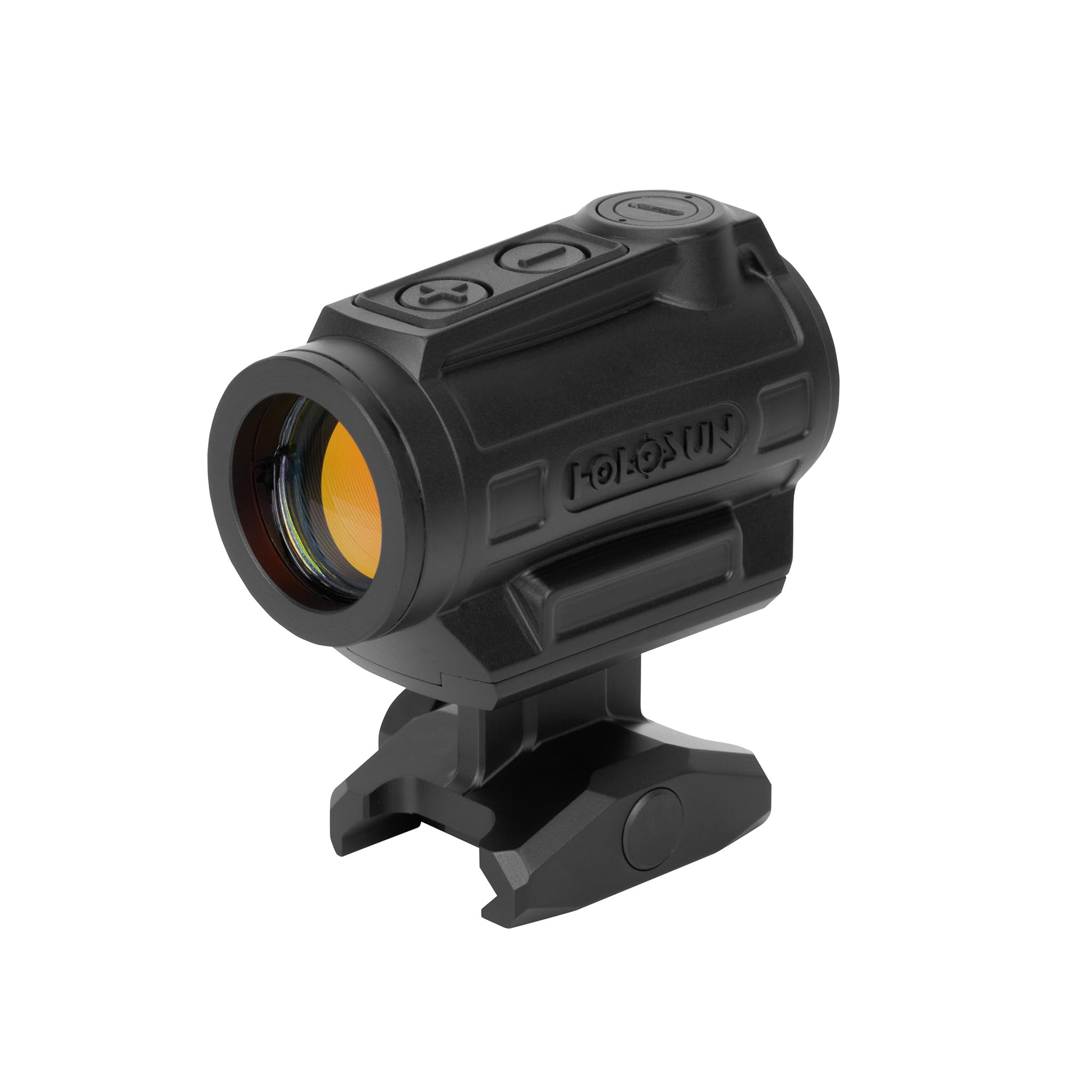
Figure 1: Holosun ARO-CORE-MRS-GD Advanced Rifle Optic Sight.
4.3. Zeroing the Optic
Zeroing is essential for accurate shooting. Perform this at a safe shooting range.
- Mount the optic securely on your firearm.
- Fire a group of shots at a target from a known distance (e.g., 25 or 50 yards).
- Observe the point of impact relative to your aim point.
- Use the provided multi-tool to adjust windage (left/right) and elevation (up/down) turrets. Each click typically represents a specific MOA adjustment.
- Repeat firing and adjusting until your point of impact matches your aim point.

Figure 2: Side view of the optic, highlighting the adjustment turrets.
5. Operating Instructions
5.1. Power On/Off and Shake Awake
- Manual Power On: Press either the '+' or '-' button to turn the optic on.
- Manual Power Off: Press and hold both the '+' and '-' buttons simultaneously for approximately 3 seconds.
- Shake Awake: The optic will automatically power on when motion is detected. If no motion is detected for a set period (default is 10 minutes, adjustable), the optic will enter sleep mode. Any movement will instantly reactivate the reticle.
5.2. Brightness Adjustment
Use the '+' and '-' buttons on the top of the optic to adjust the reticle brightness.
- Press the '+' button to increase brightness.
- Press the '-' button to decrease brightness.
- There are 12 brightness settings: 10 for daylight conditions and 2 for night vision compatibility.

Figure 3: Top view of the optic with brightness control buttons.
5.3. Reticle Selection (Multi-Reticle System)
This model features a Multi-Reticle System (MRS). To cycle through available reticles:
- Press and hold the '-' button for approximately 3 seconds to cycle between reticle options (e.g., 2 MOA dot, 65 MOA circle, or circle-dot combination).

Figure 4: Front angled view of the optic, showing the gold multi-reticle.
5.4. Lockout Mode
To prevent accidental changes to settings during storage or use, the optic features a lockout mode.
- Activate Lockout: Press and hold the '+' button for approximately 3 seconds. The reticle will flash to confirm activation.
- Deactivate Lockout: Press and hold the '+' button for approximately 3 seconds again. The reticle will flash to confirm deactivation.
6. Maintenance
6.1. Cleaning
- Use the provided lens cleaning cloth to gently wipe the optical surfaces. Avoid using harsh chemicals or abrasive materials.
- For the housing, a soft, damp cloth can be used. Ensure all moisture is wiped away.
6.2. Battery Replacement
Replace the CR2032 battery when the reticle dims significantly or fails to illuminate. Refer to section 4.1 for battery installation steps.
6.3. Storage
When storing the optic for extended periods, it is recommended to remove the battery to prevent potential leakage and damage. Store in a cool, dry place.
7. Troubleshooting
- Reticle Not Illuminating:
- Check if the battery is correctly installed and has sufficient charge. Replace if necessary.
- Ensure the optic is not in lockout mode.
- Reticle Appears Distorted/Fuzzy:
- Adjust the brightness settings. Sometimes a very bright reticle can appear distorted.
- Clean the lenses.
- If you have astigmatism, the reticle may appear distorted. This is a common optical phenomenon and not a defect of the optic.
- Loss of Zero:
- Ensure the mount is securely tightened to the Picatinny rail.
- Re-zero the optic following the steps in section 4.3.
8. Specifications
| Feature | Specification |
|---|---|
| Model Name | ARO-CORE-MRS-GD |
| Reticle Type | Multi-Reticle (Gold Dot) |
| Optical Window | 22mm |
| Brightness Settings | 10 Daylight, 2 Night Vision Compatible |
| Battery Type | CR2032 |
| Battery Life | Up to 50,000 hours (setting 6) |
| Housing Material | Aluminum |
| Finish | Matte Black Anodized |
| Water Resistance | IP67 |
| Item Weight | 3.38 Ounces |
| Mounting Type | Picatinny Mount |
| Included Mounts | 1.63" Lower 1/3 Co-witness, 1.05" Low Mount |
9. Warranty & Support
9.1. Warranty Information
The Holosun ARO-CORE-MRS-GD Advanced Rifle Optic Sight is covered by a Limited Lifetime Warranty. For specific details regarding warranty coverage, terms, and conditions, please refer to the official Holosun website or contact their customer support.
9.2. Customer Support
For technical assistance, troubleshooting, or warranty claims, please visit the official Holosun website or contact their customer service department. Keep your product's model name (ARO-CORE-MRS-GD) and serial number (if applicable) ready when contacting support.
