
Introduction
Thank you for choosing the Feit Electric FLR7000/FLEX Flex Power Flashlight. This manual provides essential information for the safe and efficient operation, maintenance, and care of your new flashlight. Please read these instructions thoroughly before use and retain them for future reference.

Image: Packaging of the Feit Electric FLR7000/FLEX Flex Power Flashlight, highlighting its 7000 lumens, dual power options, and three light modes.
Safety Information
WARNING: To reduce the risk of fire, electric shock, or injury to persons, please observe the following precautions:
- Do not disassemble, crush, or incinerate the battery.
- Do not expose the battery to heat or direct sunlight.
- Do not short circuit the battery externally.
- Do not use a damaged battery.
- Do not use the power bank feature to charge the flashlight itself.
- Ensure the flashlight is fully charged before first use for safe operation.
- Do not overcharge the battery.
- Do not leave the flashlight unattended while charging.
- Do not charge with a charger that exceeds 5V and 1A. The charging rate is limited to 1A.
- These LED lights emit a very bright light that can cause eye damage. Avoid looking directly into the light source.
- Individuals sensitive to bright light should exercise caution.
- This product is not intended for use by children.
- This product uses a 26650 Lithium-Ion battery (3.7V, 5000mAh, 18.5Wh). Using any other battery type may pose a risk of fire or explosion.
For more information, visit feit.com.
Product Overview
The Feit Electric FLR7000/FLEX flashlight is designed for durability and versatility. Familiarize yourself with its key components:
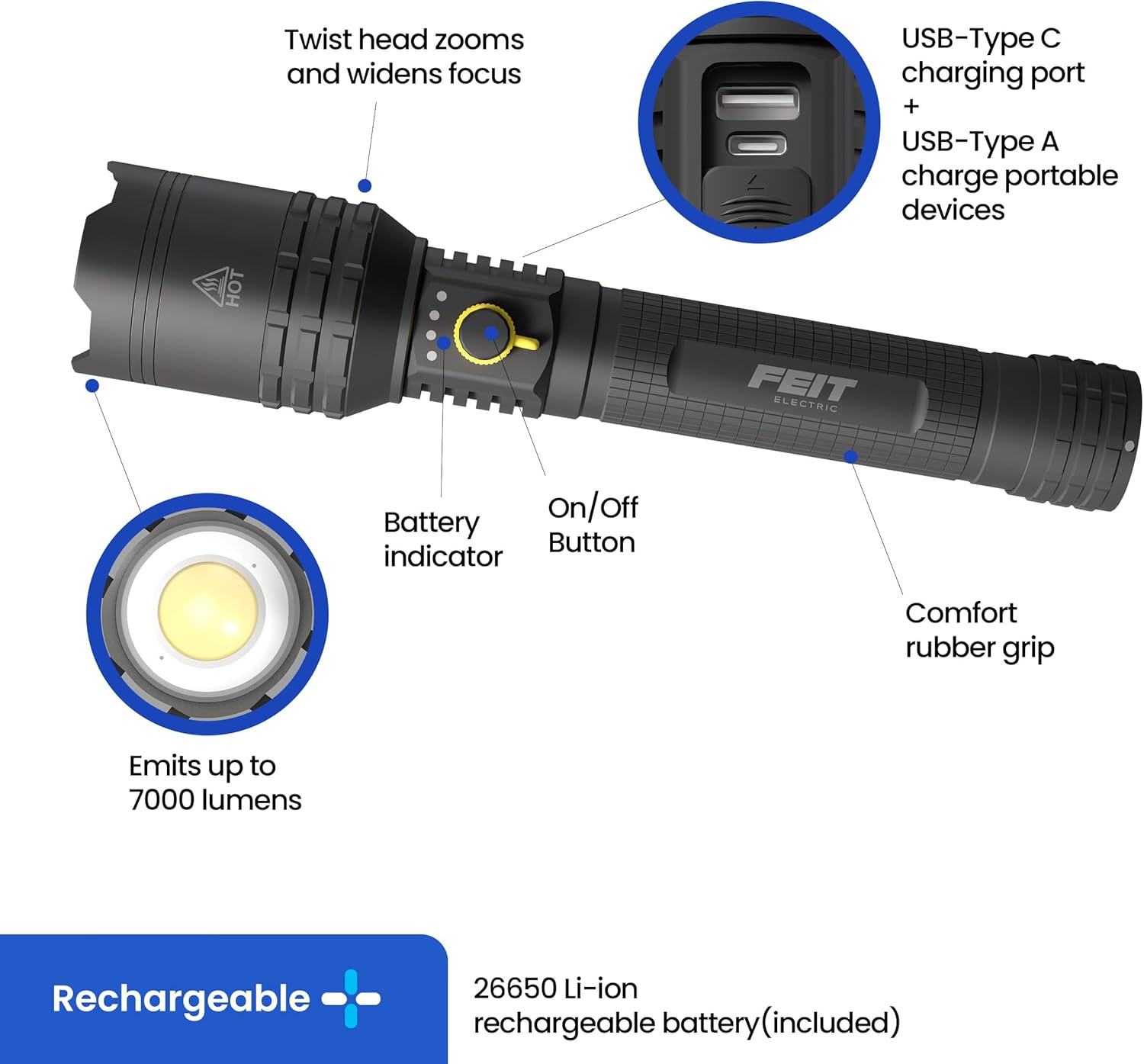
Image: Detailed diagram illustrating the various parts of the flashlight, including the twist head for zoom, USB-C charging port, USB-A output port, battery indicator, On/Off button, comfort rubber grip, and LED emitter.
- Twist Head: Used to zoom and widen the light focus.
- USB-C Charging Port: For charging the flashlight's internal battery.
- USB-A Output Port: For charging portable devices from the flashlight's battery.
- Battery Indicator: LED lights display the current battery level.
- On/Off Button: Controls power and cycles through light modes.
- Comfort Rubber Grip: Provides a secure and comfortable hold.
- LED Emitter: Produces up to 7000 lumens of light.
- Emergency Glass-Break Bezel: Located at the front, designed for emergency situations.
- Rotary Lock: Engage the rotary lock mechanism to prevent accidental activation.
- Induction Probe: Automatically turns off the flashlight if the lens is blocked, enhancing safety.
Setup
1. Battery Installation
Your Feit Electric FLR7000/FLEX flashlight offers dual power options: a rechargeable Lithium-Ion battery or six AA batteries (not included) using the provided adapter.

Image: Illustration of the two power options: the included rechargeable 26650 Li-ion battery and the adapter for six AA batteries (sold separately).
- Unscrew the tail cap of the flashlight.
- For Rechargeable Battery: Insert the included 26650 Lithium-Ion battery with the positive (+) end facing towards the flashlight head.
- For AA Batteries: Insert six AA batteries into the provided AA battery adapter, ensuring correct polarity. Then, insert the loaded adapter into the flashlight with the positive (+) end facing towards the flashlight head.
- Securely screw the tail cap back on.
2. Initial Charging
Before first use, fully charge the flashlight's internal rechargeable battery.
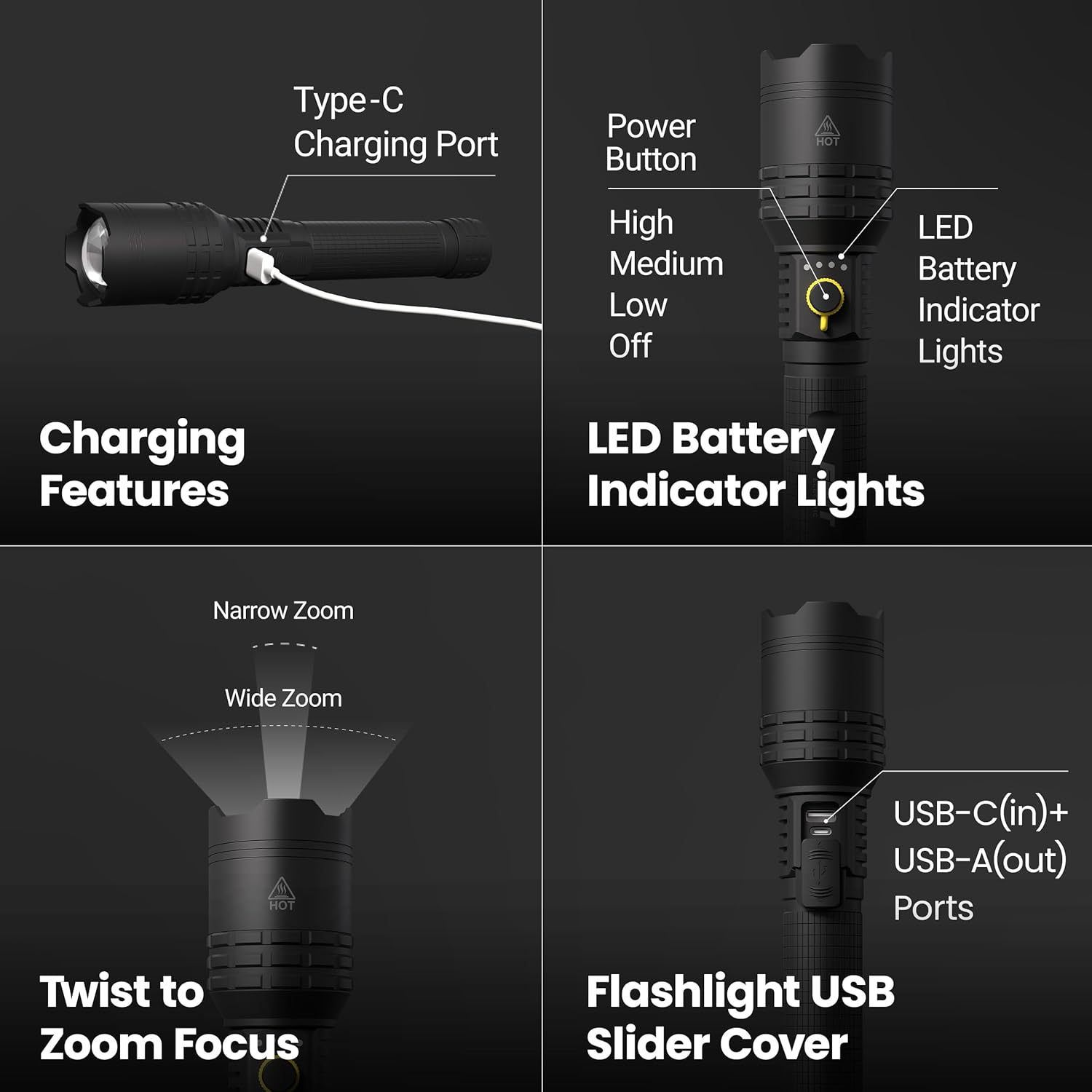
Image: The flashlight connected to a USB-C charging cable, illustrating its charging capabilities.
- Locate the USB-C charging port on the flashlight (often under a protective cover).
- Connect the included USB-C charging cable to the flashlight and to a compatible USB power source (e.g., wall adapter, computer USB port).
- The battery indicator lights will show charging progress. Once fully charged, the indicator will typically show a solid green or all lights illuminated.
- Disconnect the charging cable once charging is complete.
Operating Instructions
1. Power On/Off and Light Modes
Press the On/Off button to cycle through the available light modes.
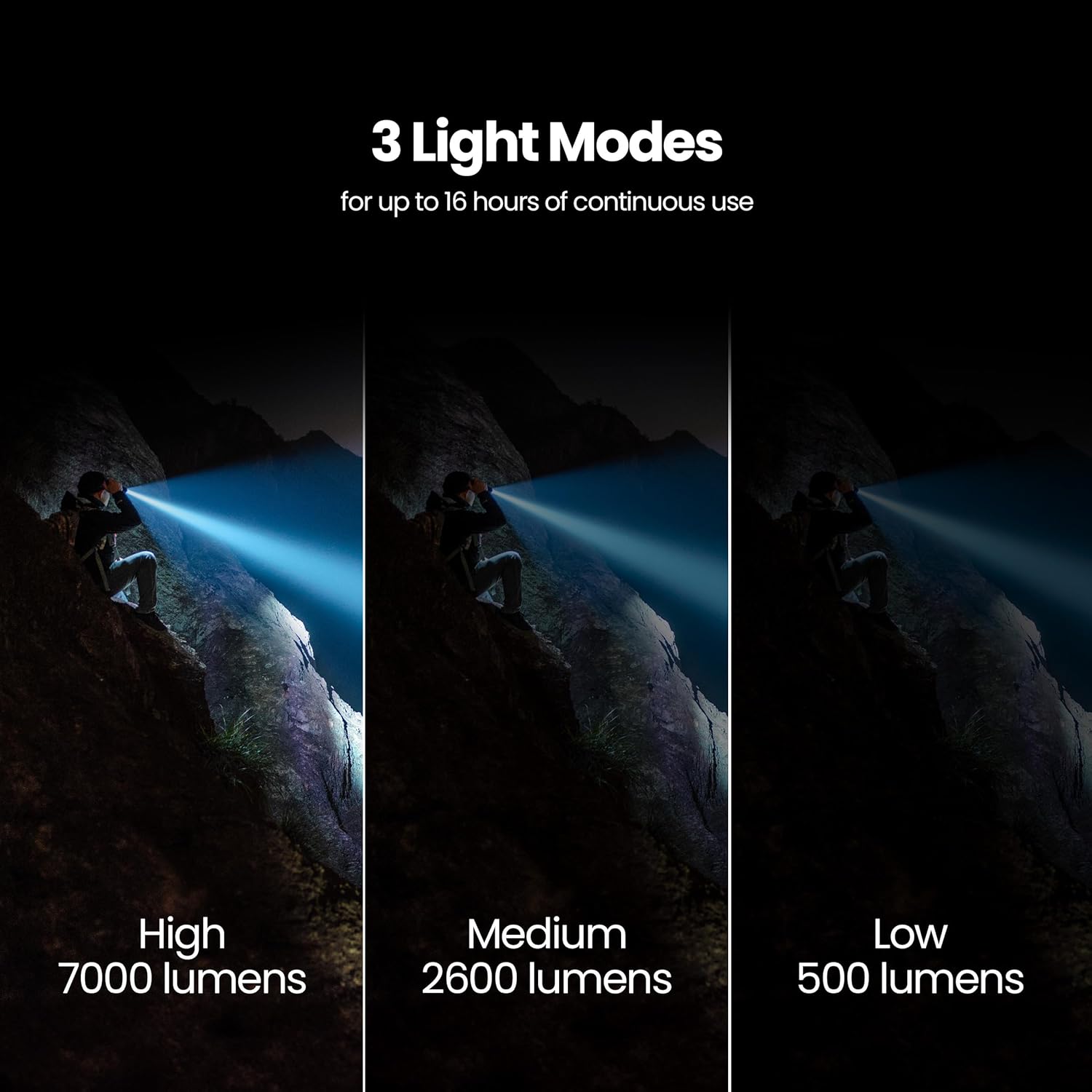
Image: Visual comparison of the flashlight's three light modes: High (7000 lumens), Medium (2600 lumens), and Low (500 lumens), demonstrating their respective brightness levels.
- Press once for High mode (7000 lumens).
- Press again for Medium mode (2600 lumens).
- Press a third time for Low mode (500 lumens).
- Press a fourth time to turn the flashlight Off.
- To turn off from any mode, press and hold the button for approximately 2 seconds.
2. Zoom Function
Adjust the beam focus by twisting the flashlight head.

Image: A person holding the flashlight in a forest, showcasing its long-range beam with the twist-to-zoom feature.
- Twist the head clockwise for a wider, floodlight beam.
- Twist the head counter-clockwise for a narrower, more focused beam for long-distance illumination.
3. Charging External Devices (Power Bank Function)
The flashlight can be used to charge other portable devices via its USB-A output port.

Image: The flashlight connected via USB to a smartphone, demonstrating its capability to charge external devices.
- Open the protective cover to access the USB-A output port.
- Connect your device's charging cable to the USB-A port on the flashlight.
- The flashlight's internal battery will begin charging your device.
- Close the protective cover when not in use to protect the ports from dust and moisture.
4. Rotary Lock and Induction Probe
- Rotary Lock: Engage the rotary lock mechanism (if present on your model) to prevent accidental activation during transport or storage.
- Induction Probe: The flashlight is equipped with an induction probe that automatically turns the light off if the lens is blocked by an object, preventing overheating and potential damage.
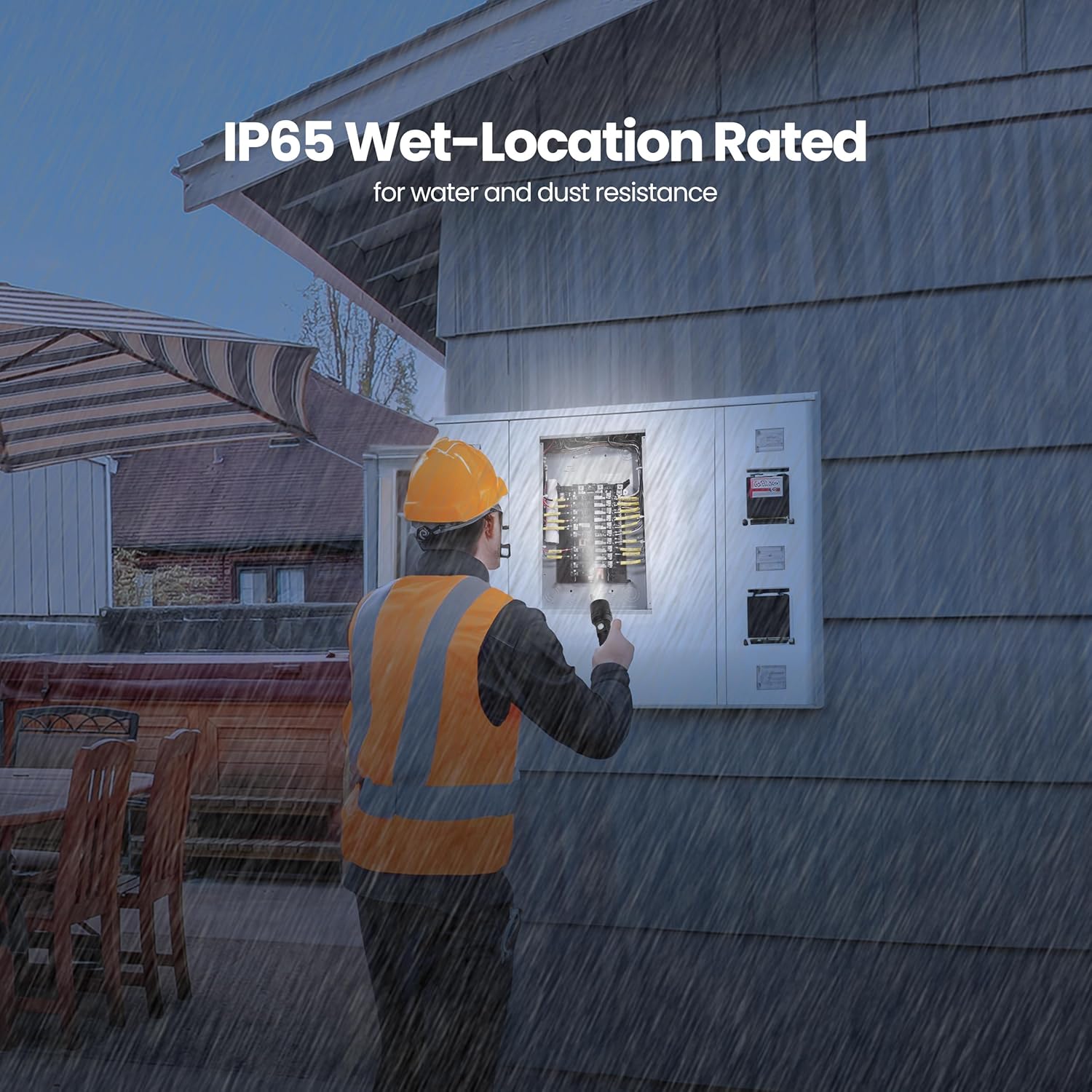
Image: A worker using the flashlight outdoors in the rain, highlighting its IP65 wet-location rating for water and dust resistance.
Maintenance
- Cleaning: Wipe the flashlight body with a soft, damp cloth. Do not use abrasive cleaners or solvents. Keep the lens clean for optimal light output.
- Battery Care: For optimal battery life, charge the rechargeable battery regularly, even if not in frequent use. Avoid fully discharging the battery for extended periods. If using AA batteries, remove them if the flashlight will not be used for a long time to prevent leakage.
- Storage: Store the flashlight in a cool, dry place away from direct sunlight and extreme temperatures.
Troubleshooting
| Problem | Possible Cause | Solution |
|---|---|---|
| Flashlight does not turn on. | Battery is depleted or incorrectly installed. Rotary lock engaged. | Charge the rechargeable battery or replace AA batteries. Ensure batteries are installed with correct polarity. Disengage the rotary lock. |
| Light output is dim. | Low battery charge. Lens is dirty. | Recharge or replace batteries. Clean the flashlight lens. |
| Flashlight turns off unexpectedly. | Induction probe activated (lens blocked). Low battery. | Ensure the lens is not blocked. Recharge or replace batteries. |
| Cannot charge external devices. | Flashlight battery is too low. Incorrect cable or device. | Ensure flashlight battery is sufficiently charged. Use a compatible USB-A to device cable. |
Specifications
| Model | FLR7000/FLEX |
| Light Output (High) | 7000 Lumens |
| Light Output (Medium) | 2600 Lumens |
| Light Output (Low) | 500 Lumens |
| Light Source Type | LED |
| Power Source | Rechargeable Lithium-Ion Battery (included) or 6x AA Batteries (not included) |
| Charging | USB-C |
| Material | Aircraft-Grade Aluminum |
| Dimensions (L x W x H) | 10.6" x 2.1" x 10.6" |
| Item Weight | 1.3 Pounds |
| Water Resistance Level | IP65 Wet Rated (Water Resistant) |
| Average Battery Life (High) | 2.5 Hours |
| Average Battery Life (Medium) | 5 Hours |
| Average Battery Life (Low) | 16 Hours |
| Special Features | Adjustable Light Modes, Zoom Control, USB-C Charging, USB-A Output (Power Bank), Emergency Glass-Break Bezel, Rotary Lock, Induction Probe |
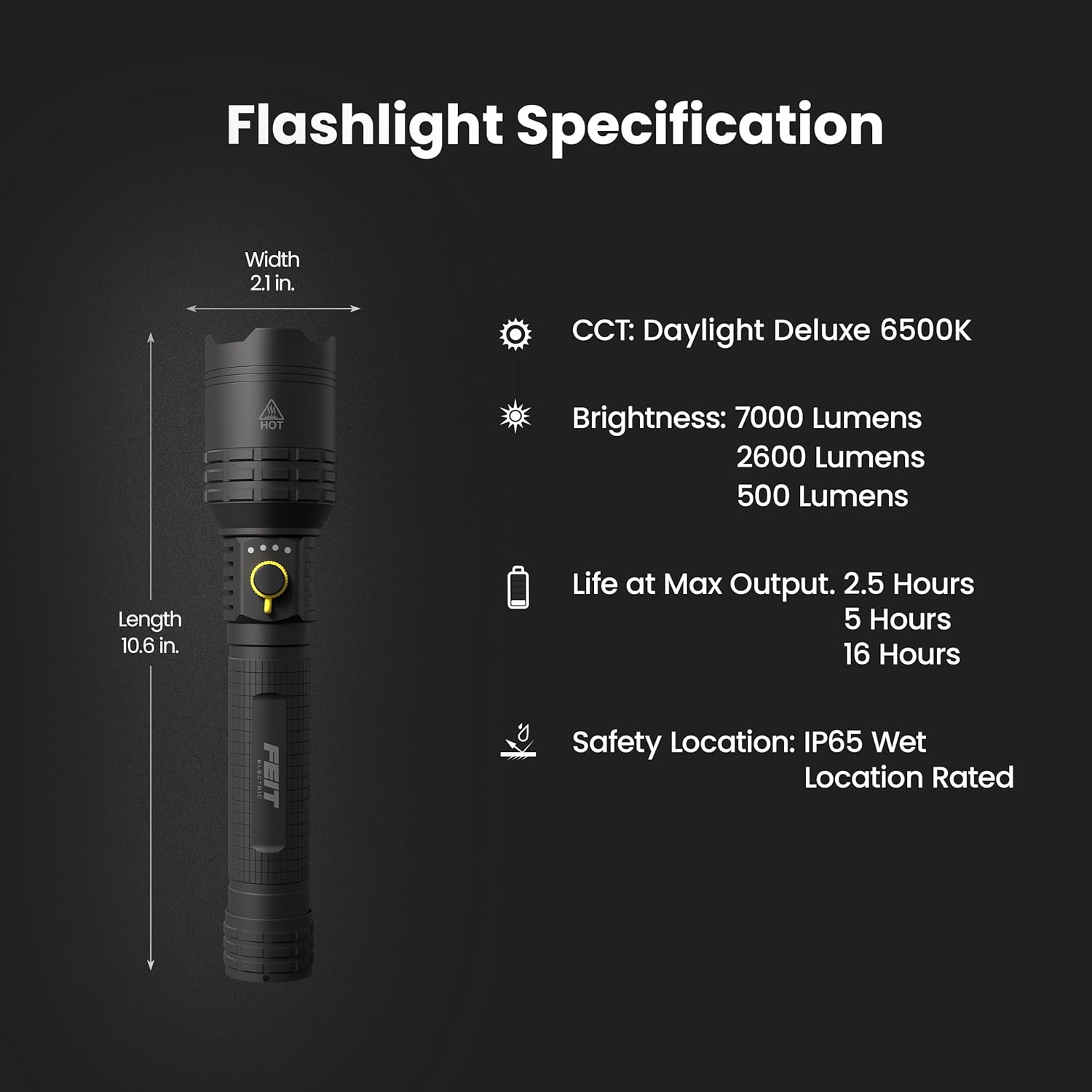
Image: Diagram detailing the flashlight's physical dimensions, color temperature (CCT: Daylight Deluxe 6500K), brightness levels, battery life at max output, and IP65 wet location rating.
Warranty
The Feit Electric FLR7000/FLEX Flex Power Flashlight comes with a 1-year manufacturer's limited warranty. This warranty covers defects in materials and workmanship under normal use. Please retain your proof of purchase for warranty claims. For full warranty details, refer to the product packaging or contact Feit Electric customer support.
Customer Support
For 24/7 customer support, frequently asked questions, or to contact Feit Electric directly, please visit our online help center:
Visit Feit Electric Help Center

Image: A QR code and text indicating 24/7 customer support available at feit.com/help.

