Introduction
This manual provides essential information for setting up, operating, and maintaining your Acer Aspire Lite 15 AL15-36P-C0M7 laptop. Designed for efficient everyday computing, this device features an Intel N150 processor, 4GB RAM, and a 128GB PCIe SSD for fast performance. Please read this manual thoroughly to ensure proper use and longevity of your device.
What's in the Box
- Acer Aspire Lite 15 AL15-36P-C0M7 Laptop
- Power Adapter
- Quick Start Guide
- Warranty Card
Setup
Initial Setup
- Unpacking: Carefully remove the laptop and all accessories from the packaging.
- Connect Power: Plug the power adapter into the laptop's charging port and then into a power outlet.
- First Boot: Open the laptop lid. The system should power on automatically. If not, press the power button.
- Windows Setup: Follow the on-screen instructions to complete the Windows 11 Home setup, including language, region, network connection, and user account creation.
Connecting Peripherals
The Acer Aspire Lite 15 AL15-36P-C0M7 includes various ports for connecting external devices.
- USB Ports: Connect USB devices such as mice, keyboards, or external storage drives to the available USB 2.0 (1 port) and USB 3.0 (2 ports) ports.
- HDMI Port: Use the HDMI port to connect to an external monitor or TV for extended display options.
- Audio Jack: Connect headphones or external speakers to the 3.5mm audio jack.

Figure 1: Right side ports including USB 2.0 and audio jack.

Figure 2: Left side ports including power, USB-C, HDMI, and USB 3.0 ports.
Operating Your Laptop
Power Management
- Power On/Off: Press the power button to turn the laptop on or off.
- Sleep Mode: Close the lid or select "Sleep" from the Start menu to enter sleep mode, conserving battery while keeping your work open.
- Battery Life: The laptop offers extended battery life for on-the-go use. For optimal battery health, avoid frequent full discharges and keep the battery between 20% and 80% charge when possible.
Display and Visuals
The 15.6-inch Full HD (1920x1080) display provides clear visuals for various tasks.
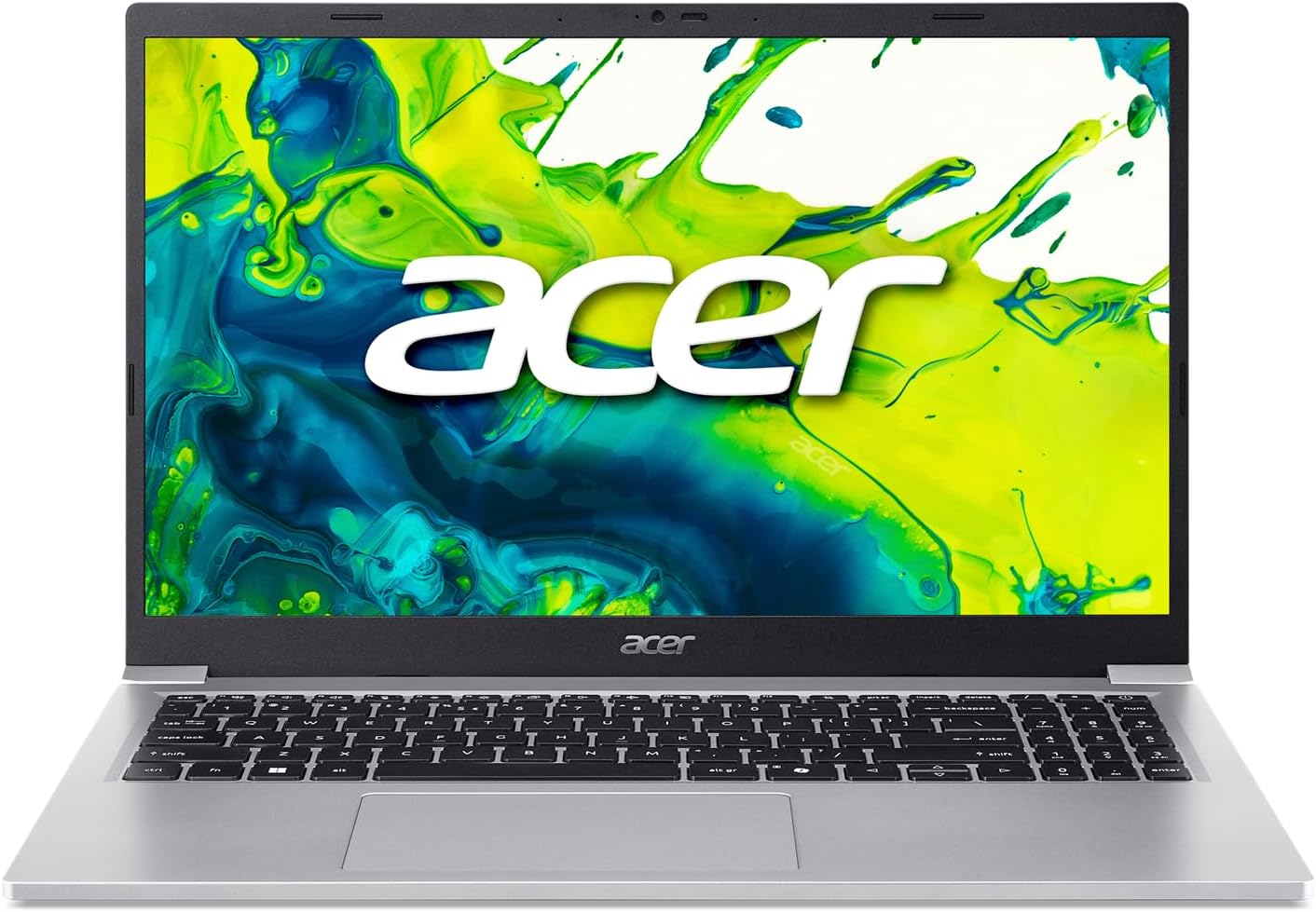
Figure 3: Acer Aspire Lite 15 laptop with its 15.6-inch Full HD display.

Figure 4: Angled view highlighting the laptop's design and screen clarity.
Performance
Equipped with an Intel N150 processor and 4GB DDR4 RAM, this laptop is designed for efficient multitasking and smooth application performance. The 128GB PCIe SSD ensures rapid boot times and quick access to your files.

Figure 5: The laptop powered by Intel technology.
Acer Intelligent Space
Utilize Acer Intelligent Space, your central hub for intelligent device features. It detects your system hardware and recommends compatible AI applications, helping you optimize performance, enhance your experiences, and discover new tools effortlessly.
Maintenance
Cleaning
- Screen: Use a soft, lint-free cloth specifically designed for electronics. Dampen slightly with water or a screen cleaner.
- Keyboard/Chassis: Use a soft cloth. For stubborn dirt, a slightly damp cloth with mild soap can be used, ensuring no liquid enters openings.
Software Updates
- Regularly check for and install Windows updates to ensure system stability and security.
- Keep Acer drivers and software updated for optimal performance.
Battery Care
- Avoid exposing the laptop to extreme temperatures.
- For long-term storage, charge the battery to about 50% and store in a cool, dry place.
Troubleshooting
Common Issues and Solutions
- Laptop not turning on: Ensure the power adapter is securely connected and the battery has sufficient charge. Try a different power outlet.
- Slow performance: Close unnecessary applications, check for malware, ensure sufficient free storage space, and update drivers.
- Wi-Fi connection issues: Restart your router and laptop. Check network settings and ensure Wi-Fi drivers are updated.
- Screen issues (no display/flickering): Connect to an external monitor to determine if the issue is with the laptop's display or graphics card. Restart the laptop.
For more detailed troubleshooting or persistent issues, refer to the Acer support website or contact customer service.
Specifications
Technical Specifications
| Feature | Detail |
|---|---|
| Model Number | AL15-36P-C0M7 |
| Processor | Intel Processor N150 (1 GHz) |
| RAM | 4GB DDR4 SDRAM |
| Storage | 128GB PCIe SSD |
| Display | 15.6 Inches, 1920 x 1080 pixels (Full HD) |
| Graphics | Integrated Intel Graphics |
| Operating System | Windows 11 Home |
| Wireless Connectivity | 801.11ac |
| Ports | 1x USB 2.0, 2x USB 3.0, HDMI, USB-C, Audio Jack |
| Dimensions (LxWxH) | 9.28 x 14.09 x 0.57 inches |
| Color | Silver |
Warranty and Support
For warranty information and technical support, please refer to the documentation included with your product or visit the official Acer support website. Keep your purchase receipt as proof of purchase for any warranty claims.


