1. Introduction
Welcome to the user manual for your Red Bull Racing RB-EB110 Bluetooth In-Ear Earbuds. These earbuds combine wireless freedom with advanced technology and a compact design. Featuring ANC noise reduction and ENC microphones, they reduce ambient noise by up to 30 dB, ensuring uninterrupted music and clear calls. The 13mm drivers deliver dynamic sound with rich bass and clear highs. Intuitive touch controls allow you to manage music, calls, and functions directly from the earbuds. With 4 to 5 hours of battery life per charge and a 300mAh charging case, you are ready for use anytime, even on the go. The USB-C charging port allows for a full recharge in just 1.5 hours. Compact, stylish, and functional, the RB-EB110 earbuds are an ideal companion for travel, work, and daily life.
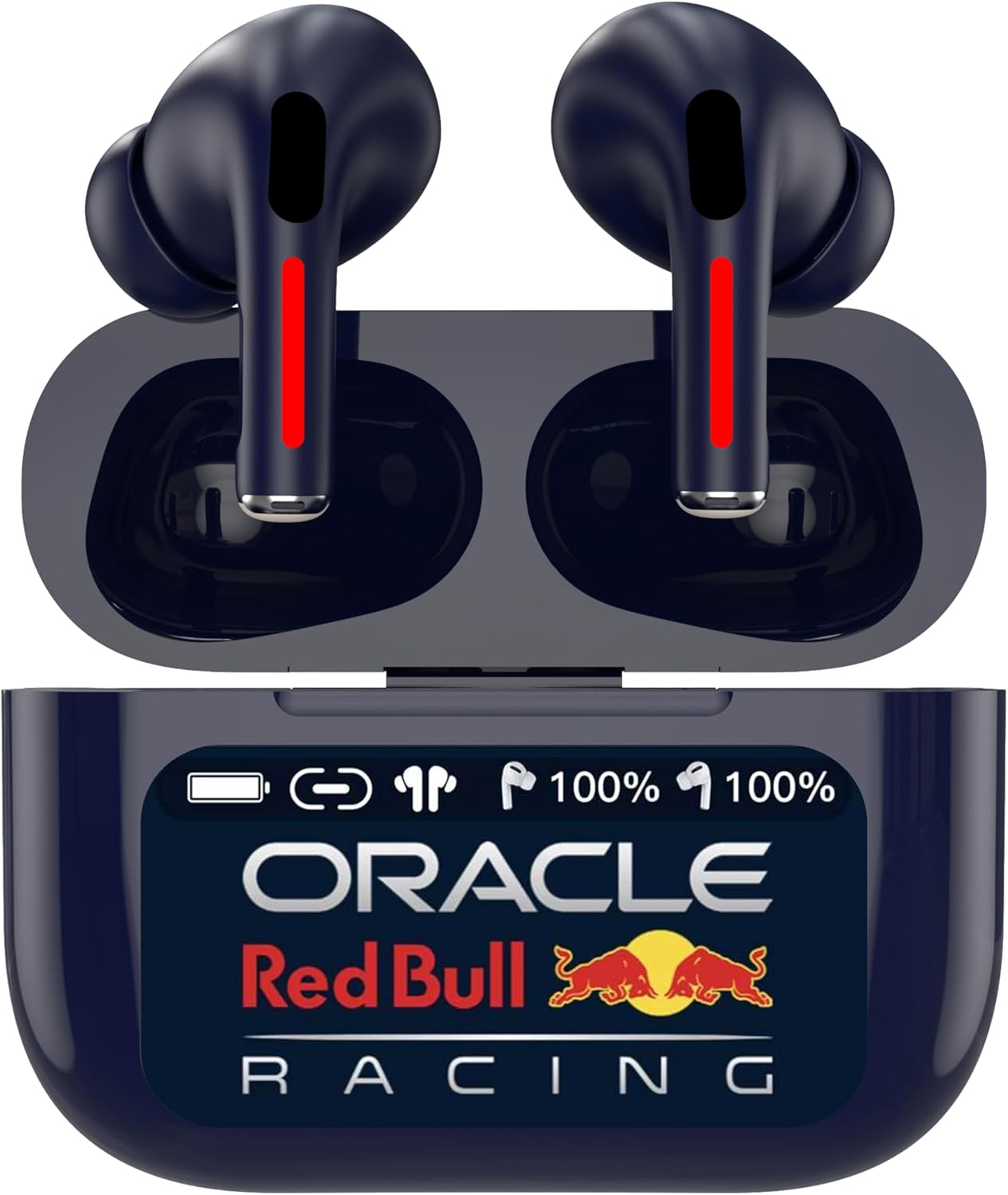
Figure 1.1: Red Bull Racing RB-EB110 Earbuds in Charging Case
2. Package Contents
Please check the package for the following items:
- Red Bull Racing RB-EB110 Bluetooth In-Ear Earbuds (Left and Right)
- Charging Case
- USB-C Charging Cable
- User Manual (this document)
3. Product Overview
Familiarize yourself with the components of your RB-EB110 earbuds and charging case.

Figure 3.1: Red Bull Racing RB-EB110 Earbuds and Charging Case Components
Earbud Components:
- Touch Control Area
- Microphone (ENC)
- Charging Contacts
- LED Indicator
Charging Case Components:
- Earbud Charging Slots
- Battery Indicator Display
- USB-C Charging Port
4. Setup
4.1 Initial Charging
- Before first use, fully charge the earbuds and the charging case.
- Place the earbuds into the charging case.
- Connect the USB-C charging cable to the charging port on the case and to a power source.
- The battery indicator on the case will show the charging status. A full charge takes approximately 1.5 hours.
4.2 Bluetooth Pairing
- Ensure the earbuds are charged and placed in the charging case.
- Open the charging case lid. The earbuds will automatically enter pairing mode, and their LED indicators will flash.
- On your device (smartphone, tablet, computer), enable Bluetooth.
- Search for available Bluetooth devices and select "RB-EB110".
- Once connected, the earbud LED indicators will stop flashing.
- The earbuds will automatically reconnect to the last paired device when removed from the case, if Bluetooth is enabled on the device.
5. Operating Instructions
5.1 Power On/Off
- Power On: Open the charging case lid, or long-press the touch control area on both earbuds for 3 seconds if they are out of the case and off.
- Power Off: Place the earbuds back into the charging case and close the lid, or long-press the touch control area on both earbuds for 5 seconds.
5.2 Touch Controls
The RB-EB110 earbuds feature intuitive touch controls for various functions:
| Function | Action |
|---|---|
| Play/Pause Music | Single tap on either earbud |
| Next Track | Double tap on the right earbud |
| Previous Track | Double tap on the left earbud |
| Volume Up | Triple tap on the right earbud |
| Volume Down | Triple tap on the left earbud |
| Answer/End Call | Single tap on either earbud |
| Reject Call | Long press on either earbud for 2 seconds |
| Activate Voice Assistant | Long press on either earbud for 2 seconds (when not on a call) |
| Toggle ANC/Transparency Mode | Long press on the left earbud for 3 seconds |
5.3 Active Noise Cancellation (ANC) and Environmental Noise Cancellation (ENC)
- ANC: The Active Noise Cancellation feature reduces external ambient noise by up to 30 dB, allowing for a more immersive listening experience. Toggle ANC on/off or switch to Transparency Mode using the touch controls.
- ENC: The Environmental Noise Cancellation technology, combined with integrated microphones, ensures clear voice pickup during calls by filtering out background noise, even in noisy environments.
6. Charging
6.1 Charging the Earbuds
Place the earbuds into the charging case. They will automatically begin charging. The LED indicators on the earbuds will show their charging status.
6.2 Charging the Case
Connect the provided USB-C cable to the charging port on the case and to a compatible USB power adapter (not included). The digital display on the case will indicate the battery percentage. A full charge takes approximately 1.5 hours.
7. Maintenance
7.1 Cleaning
- Regularly clean the earbuds and charging case with a soft, dry, lint-free cloth.
- Do not use harsh chemicals, cleaning solvents, or strong detergents.
- Keep charging contacts clean and dry to ensure proper charging.
7.2 Storage
- When not in use, store the earbuds in their charging case to protect them and keep them charged.
- Store in a cool, dry place, away from extreme temperatures and direct sunlight.
8. Troubleshooting
If you encounter issues with your RB-EB110 earbuds, please refer to the following common solutions:
| Problem | Solution |
|---|---|
| Earbuds not pairing | Ensure earbuds are charged. Turn off and on Bluetooth on your device. Forget "RB-EB110" from your device's Bluetooth list and re-pair. |
| No sound from one earbud | Place both earbuds back into the case, close the lid, then open again. Check device's audio output settings. |
| Earbuds not charging | Ensure charging contacts on earbuds and case are clean and dry. Check USB-C cable and power source. Ensure the case itself is charged. |
| Poor sound quality | Ensure earbuds are properly seated in your ears. Try cleaning the earbud grilles. Move closer to your paired device to avoid interference. |
| Touch controls unresponsive | Ensure your fingers are clean and dry. Restart the earbuds by placing them in the case and taking them out again. |
9. Specifications
Detailed technical specifications for the Red Bull Racing RB-EB110 earbuds:
| Feature | Detail |
|---|---|
| Brand | ORACLE Red Bull RACING |
| Model Name | Oracle Red Bull Racing Earbuds RB-EB110 |
| Item Model Number | RB-EB110 |
| Connectivity Technology | Wireless (Bluetooth) |
| Wireless Communication Technology | Bluetooth |
| Ear Placement | In-Ear |
| Form Factor | In-Ear |
| Noise Isolation | Active Noise Cancellation (ANC) up to 30dB, Environmental Noise Cancellation (ENC) |
| Driver Size | 13 mm |
| Control Method | Touch |
| Special Features | Noise Cancellation, Fast Charging, Touch Control, Microphone Included |
| Charging Time | Approximately 1.5 hours |
| Battery Life (Earbuds) | 4 to 5 hours per charge |
| Charging Case Capacity | 300 mAh |
| Charging Port | USB-C |
| Compatible Devices | Mobile Phone, Tablet, Computer |
| Recommended Product Uses | Listening to music |
| Item Weight | 70 Grams |
| Water Resistance Level | Not waterproof |
| Included Components | Cable |
| Manufacturer | Oracle Red Bull Racing |
| Date First Available on Amazon.com.be | September 12, 2025 |
| Spare Parts Availability | Information not available |
| Software Updates Guaranteed Until | Information not available |
10. Safety Information
- Do not expose the earbuds or charging case to extreme temperatures, direct sunlight, or high humidity.
- Avoid dropping, impacting, or disassembling the device.
- Keep out of reach of children and pets.
- Do not use the earbuds at high volume for extended periods to prevent hearing damage.
- Do not use the earbuds in situations where inability to hear ambient sounds could be dangerous (e.g., driving, cycling, walking in traffic).
- Dispose of the product responsibly according to local regulations. Do not dispose of with household waste.
11. Warranty and Support
Information regarding specific warranty terms and conditions for the Red Bull Racing RB-EB110 earbuds is not provided in this document. For warranty claims or technical support, please refer to the documentation included with your purchase or contact the retailer where the product was acquired.


