1. Product Overview
The GODOX X3 PRO N is a TTL wireless flash trigger designed for Nikon cameras, offering advanced control over your lighting setup. It features a vibrant touchscreen interface, Bluetooth connectivity for app control, and a robust 2.4GHz Wireless X system.
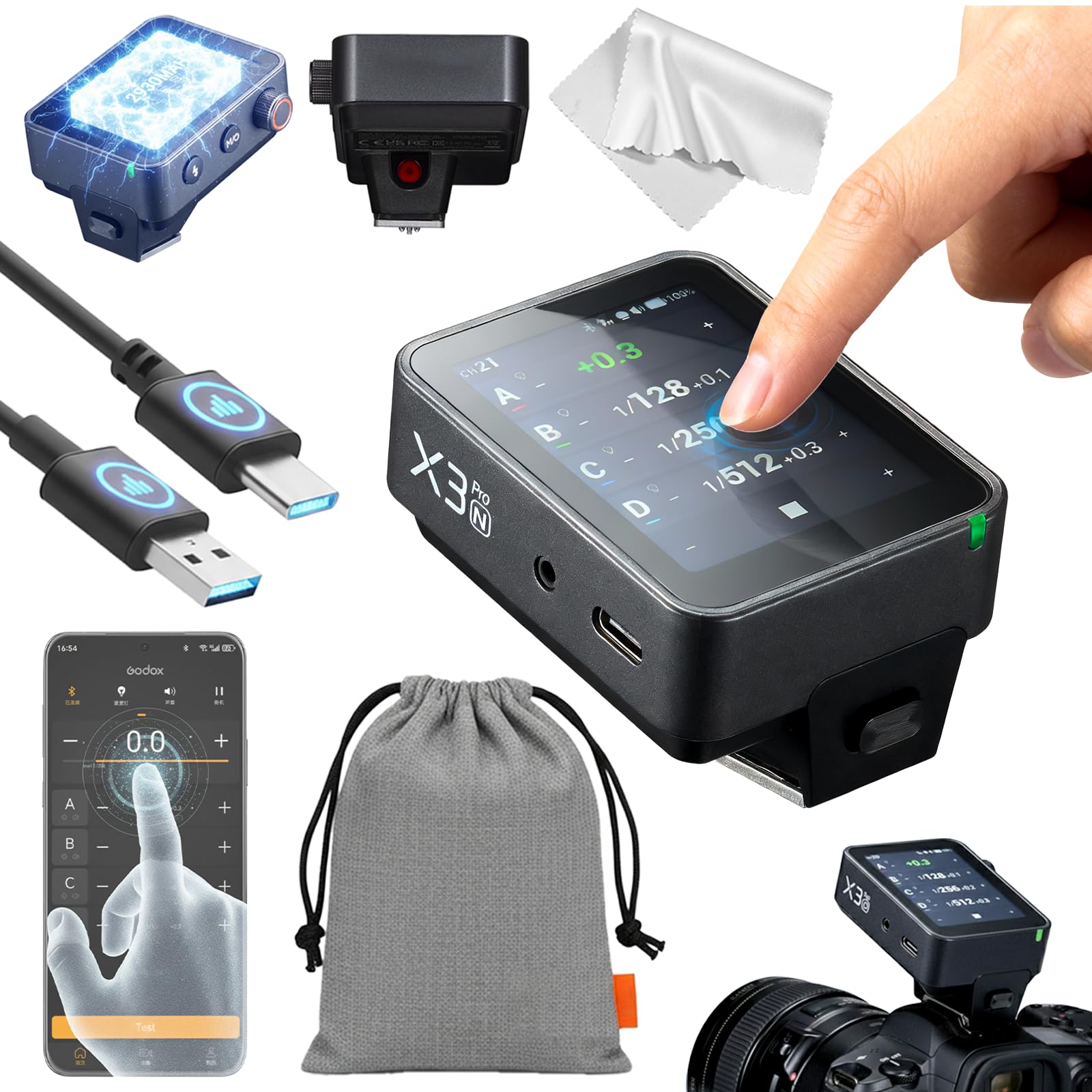
Image: GODOX X3 PRO N TTL Wireless Flash Trigger, showcasing its compact design and touchscreen display.
Key Features:
- Intuitive Touchscreen Interface: Displays four lighting groups simultaneously for real-time monitoring and allows command of up to 16 groups.
- Seamless Connectivity: Built on the Godox 2.4GHz Wireless X system for wide transmission range and integrated Bluetooth for remote control via the Godox Flash App.
- Advanced Creative Tools: Features Creative Shutter Control for single-shot, time-lapse, and long-exposure sequences, HSS Delay (Sync Delay), and a built-in AF Assist Lamp.
- Enhanced Ergonomics: Includes a Half-Press for Autofocus function and direct control over modeling lamp zoom.
- Long-lasting Power: Powered by a built-in, high-capacity lithium battery with up to a month of standby time and 2-hour USB-C fast charging.

Image: Detailed view of the GODOX X3 PRO N's user interface and physical controls, highlighting the LCD touchscreen, select dial, menu/power button, test/shutter button, indicator light, 2.5mm sync port, USB-C port, focus assist beam, and hot shoe.
X3 PRO vs X3 Comparison:
The X3 PRO offers significant upgrades over the standard X3 model, enhancing user experience and functionality.

Image: Comparison chart detailing differences between GODOX X3 PRO and X3, including screen size (2.4-inch LCD vs 1.7-inch OLED), Bluetooth, single group adjustment, shutter control, focus assist light, HSS & HSS delay function, sync port, battery capacity, and charging time.
2. Setup
2.1 Unboxing and Initial Inspection
Upon receiving your GODOX X3 PRO N, carefully unbox the device and inspect its contents. Ensure all components are present and undamaged.
Video: An unboxing video for the Godox X3 PRO TTL Flash Trigger, showing the contents of the package.
2.2 Installing the Flash Trigger
- Locate the hot-shoe lock button on the X3 PRO N.
- Hold down the lock button and slide the trigger onto your Nikon camera's hot shoe.
- Release the lock button to secure the trigger in place.
Video: An instructional video demonstrating the installation and basic operation of the Godox X3pro, including mounting on a camera and navigating the touchscreen.
2.3 Powering On/Off
- To power on, press and hold the Menu/Power button until the GODOX logo appears on the screen.
- To power off, press and hold the Menu/Power button until the screen turns off.
2.4 Charging the Battery
The X3 PRO N features a built-in lithium battery. Use the provided USB-C cable to charge the device. A full charge typically takes approximately 2 hours.

Image: Illustration of the GODOX X3 PRO N charging via USB-C, highlighting its fast charging capability, 1-month standby time, and visual digital battery indicator.
3. Operating Instructions
3.1 Touchscreen and Dial Control
The X3 PRO N features a color touchscreen for intuitive navigation and quick adjustments. You can tap, swipe, and use the select dial for precise control over settings.
Video: An instructional video demonstrating the installation and basic operation of the Godox X3pro, including mounting on a camera and navigating the touchscreen.
3.2 Multi-Group Adjustment
The touchscreen displays up to four lighting groups simultaneously. You can adjust parameters for multiple groups at once or select individual groups for fine-tuning.
- Tap the +/- buttons next to each group to adjust output power or exposure compensation.
- Swipe across the group display to reveal additional groups if more than four are active.
3.3 Separate Group Control
For individual group adjustments, tap on a specific group to enter its detailed settings view. Here you can control:
- TCM (TTL Convert to Manual): Convert TTL values to manual power settings.
- Zoom Value: Adjust the flash zoom for the selected group.
- Modeling Lamp: Turn the modeling lamp on/off and adjust its intensity.
3.4 Wireless X System (2.4GHz)
The GODOX X3 PRO N utilizes the reliable 2.4GHz Wireless X system for stable, long-range triggering of compatible Godox flashes. Ensure your flashes are set to the same channel and ID as the X3 PRO N.

Image: Diagram illustrating the 2.4GHz Wireless X System, showing the X3 PRO N trigger communicating with multiple off-camera flashes for a studio setup.
3.5 Bluetooth and App Control
Connect your X3 PRO N to the Godox Flash App via Bluetooth for advanced remote control from your smartphone or tablet. This allows for convenient adjustment of power, group settings, and triggering flashes.
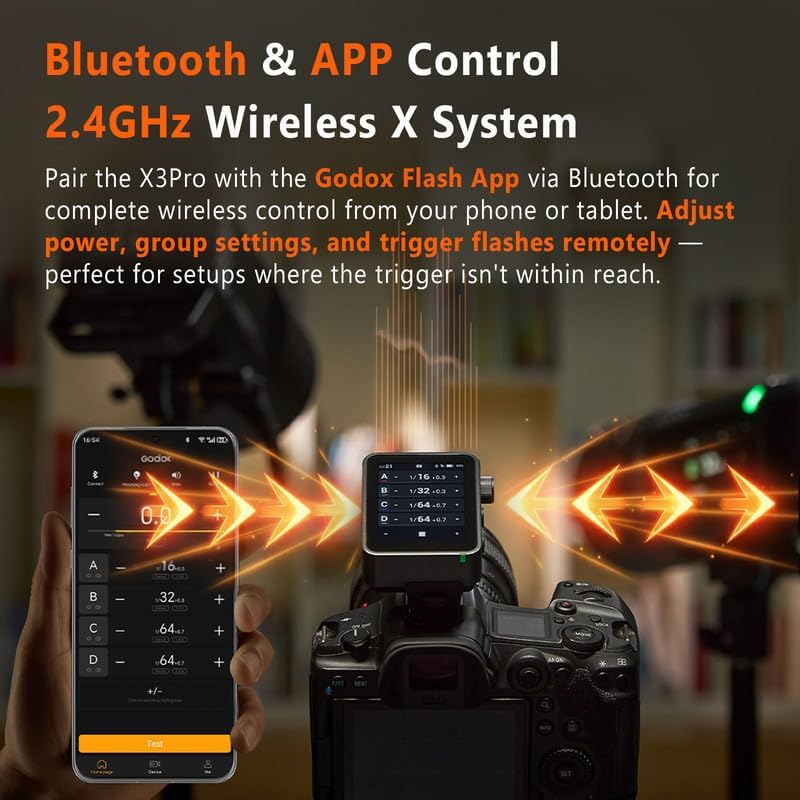
Image: Screenshot showing the Godox Flash App interface on a smartphone, connected via Bluetooth to the X3 PRO N trigger, demonstrating remote control capabilities.
3.6 Creative Shutter Control
Program single-shot, time-lapse, and long-exposure sequences directly from the X3 PRO N's touchscreen. This feature helps minimize camera shake and offers precise control over your shooting sequences.

Image: The X3 PRO N screen displaying shutter control settings (delay, long exposure, interval) alongside example photos of time-lapse photography.
3.7 Specialized Modes
The X3 PRO N offers three specialized modes to suit various shooting scenarios:
- One-Shoot: Trigger signal only, ideal for simple setups.
- All-Shoot: Settings and trigger signals for groups or multiple photographers.
- L-858 Mode: Seamlessly syncs with Sekonic L-858 light meters for precise flash control.

Image: Visual representation of the three specialized modes: One-Shoot, All-Shoot, and L-858 Mode, with corresponding icons and brief descriptions.
3.8 XR Receiver Compatibility
The X3 PRO N can be used with an optional XR Receiver to connect i-TTL, E-TTL, and Sony flashes, allowing them to be triggered by the X3 PRO N.
Video: A video demonstrating the Godox X3C, X3S, X3N Flash Trigger with Touchscreen, showcasing its features and compatibility with various camera systems.
4. Maintenance
- Keep the device clean and free from dust and moisture.
- Avoid extreme temperatures and direct sunlight.
- Use only the provided USB-C cable for charging to prevent damage.
- Store the device in its protective pouch when not in use.
5. Troubleshooting
- Device not powering on: Ensure the battery is charged. Connect to a USB-C power source.
- Flashes not triggering: Verify that the X3 PRO N and all flashes are on the same channel and ID. Check flash battery levels.
- Bluetooth connectivity issues: Ensure Bluetooth is enabled on both the X3 PRO N and your mobile device. Try resetting Bluetooth settings on both devices.
- Screen unresponsive: Perform a soft reset by holding the power button for an extended period (e.g., 10-15 seconds). If issues persist, consider a factory reset via the menu (refer to Operating Instructions).
6. Specifications
| Feature | Detail |
|---|---|
| Model Number | X3PRO for Nikon |
| Package Dimensions | 4.09 x 3.98 x 2.32 inches |
| Item Weight | 7 ounces |
| Connectivity Technology | 2.4G X system, Wireless, Bluetooth |
| Battery Type | Built-in Lithium Battery (2930mAh) |
| Charging Time | Approx. 2 hours (via USB-C) |
| Standby Time | Up to 1 month |
| UPC | 663992144987 |
7. Warranty and Support
Specific warranty information is typically provided with your product packaging or on the manufacturer's official website. For technical support, firmware updates, or service inquiries, please refer to the GODOX official website or contact your authorized dealer.


