
1. Introduction
Thank you for choosing the Powerplus POWXG4039 Electric Leaf Blower and Vacuum. This versatile garden tool is designed to efficiently clear leaves and garden debris from your outdoor spaces. With its 4-in-1 functionality, it can blow, vacuum, shred, and rake, making garden maintenance simpler and more effective. Please read this manual carefully before operating the device to ensure safe and optimal performance.
2. Safety Instructions
Always observe basic safety precautions when using electrical appliances to reduce the risk of fire, electric shock, and personal injury. Keep this manual for future reference.
- Read all instructions: Familiarize yourself with the controls and proper use of the appliance.
- Wear appropriate personal protective equipment (PPE): Always wear safety glasses, hearing protection, long trousers, and sturdy footwear.
- Keep children and bystanders away: Do not allow children or untrained persons to operate the appliance.
- Inspect the work area: Before starting, clear the area of objects that could be thrown or entangled in the machine.
- Avoid accidental starting: Ensure the switch is in the OFF position before plugging in the appliance.
- Do not operate in wet conditions: Never use the appliance in rain or damp environments.
- Maintain a firm grip: Always hold the appliance with both hands during operation.
- Disconnect power: Unplug the appliance from the power supply before cleaning, performing maintenance, or if the power cord is damaged.
- Use only manufacturer-approved accessories: Using non-approved accessories may result in injury or damage to the appliance.
3. Product Overview and Components
The Powerplus POWXG4039 is an electric leaf blower and vacuum designed for efficient garden cleanup. It features a powerful motor and multiple functions to handle various types of garden debris.
Included Components:
- 1x Blower-Vacuum Unit
- 1x Nozzle with integrated rake
- 1x Collection Bag (45 liters)
- 1x Shoulder Strap
- 1x Auxiliary Handle
- 1x Assembly Materials Set
- 1x Wheel Support with 2 wheels
- 3x Blower Tube sections
- 1x Instruction Manual (this document)
4. Setup and Assembly
Follow these steps to assemble your Powerplus POWXG4039 leaf blower and vacuum:
- Attach Blower Tubes: Connect the three blower tube sections securely to form the main tube. Ensure they click into place or are fastened according to the assembly materials.
- Install Nozzle: Attach the nozzle with the integrated rake to the end of the assembled blower tube.
- Mount Wheel Support: If desired for easier maneuverability, attach the wheel support with its two wheels to the bottom of the blower tube.
- Connect Collection Bag: For vacuuming and shredding functions, attach the 45-liter collection bag to the designated outlet on the main unit. Ensure it is securely fastened to prevent debris leakage.
- Attach Auxiliary Handle: Secure the auxiliary handle to the main unit for improved grip and control during operation.
- Attach Shoulder Strap: Connect the shoulder strap to the designated attachment points on the unit. Adjust the strap length for comfortable and ergonomic use, distributing the weight of the tool.

Figure 1: The Powerplus POWXG4039 in use, demonstrating its compact and ergonomic design with the shoulder strap and auxiliary handle for comfortable operation.
5. Operating Instructions
The Powerplus POWXG4039 offers 4-in-1 functionality: blowing, vacuuming, shredding, and raking.
5.1 General Operation
- Ensure the unit is properly assembled and the power cord is connected to a suitable 230V power outlet.
- Hold the unit firmly with both hands, using the main handle and the auxiliary handle.
- Adjust the shoulder strap for comfort and to help support the weight of the tool (3.35 kg).
- Use the speed control to select the desired air speed for the task.
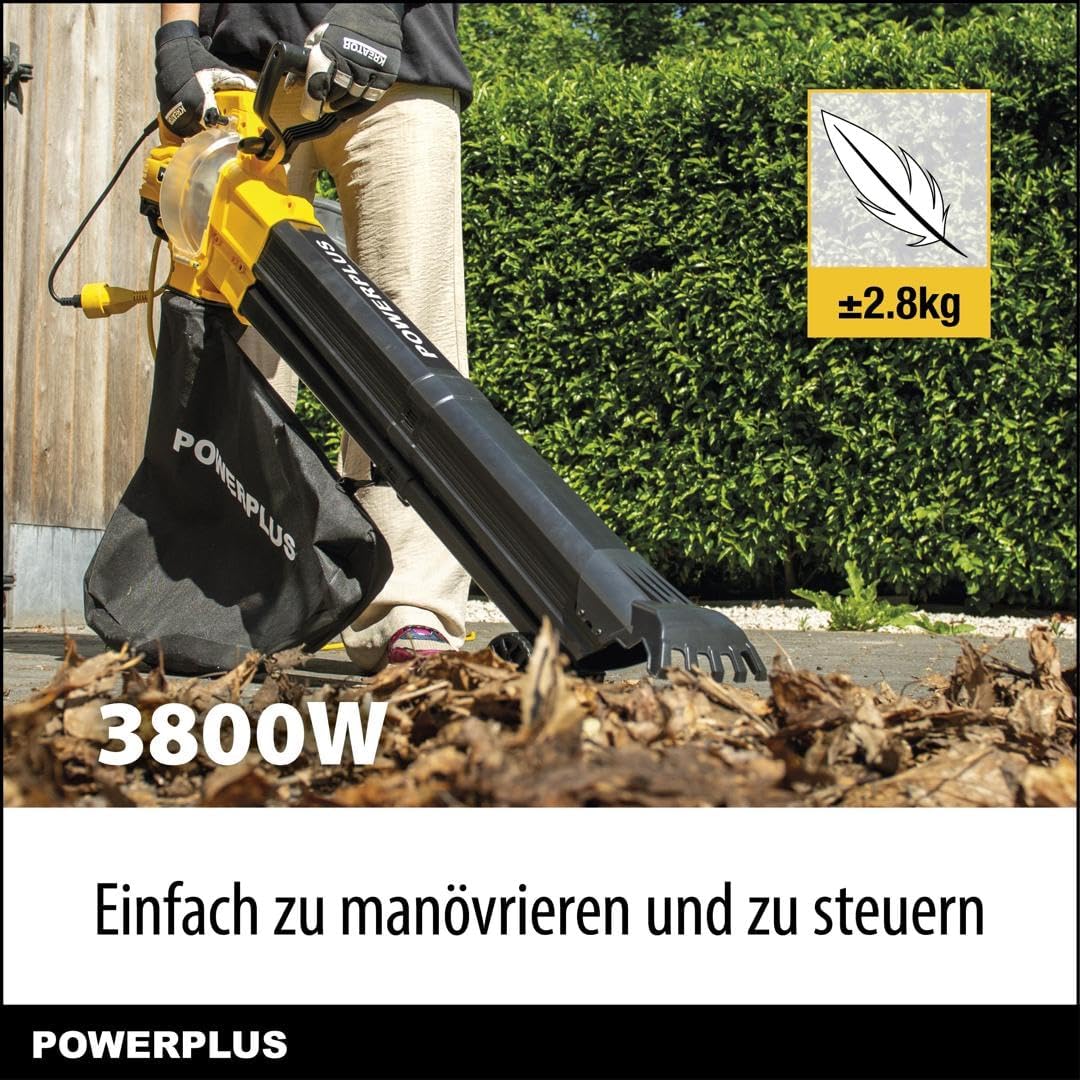
Figure 2: An individual demonstrating the ease of maneuvering and controlling the Powerplus POWXG4039 electric leaf blower during operation.
5.2 Blowing Function
To use the blowing function:
- Ensure the collection bag is removed or properly secured if not in use.
- Direct the nozzle towards the leaves or debris you wish to move.
- Start the unit and adjust the air speed up to a maximum of 320 km/h to effectively clear your garden.
- Work in a sweeping motion to gather debris into piles.
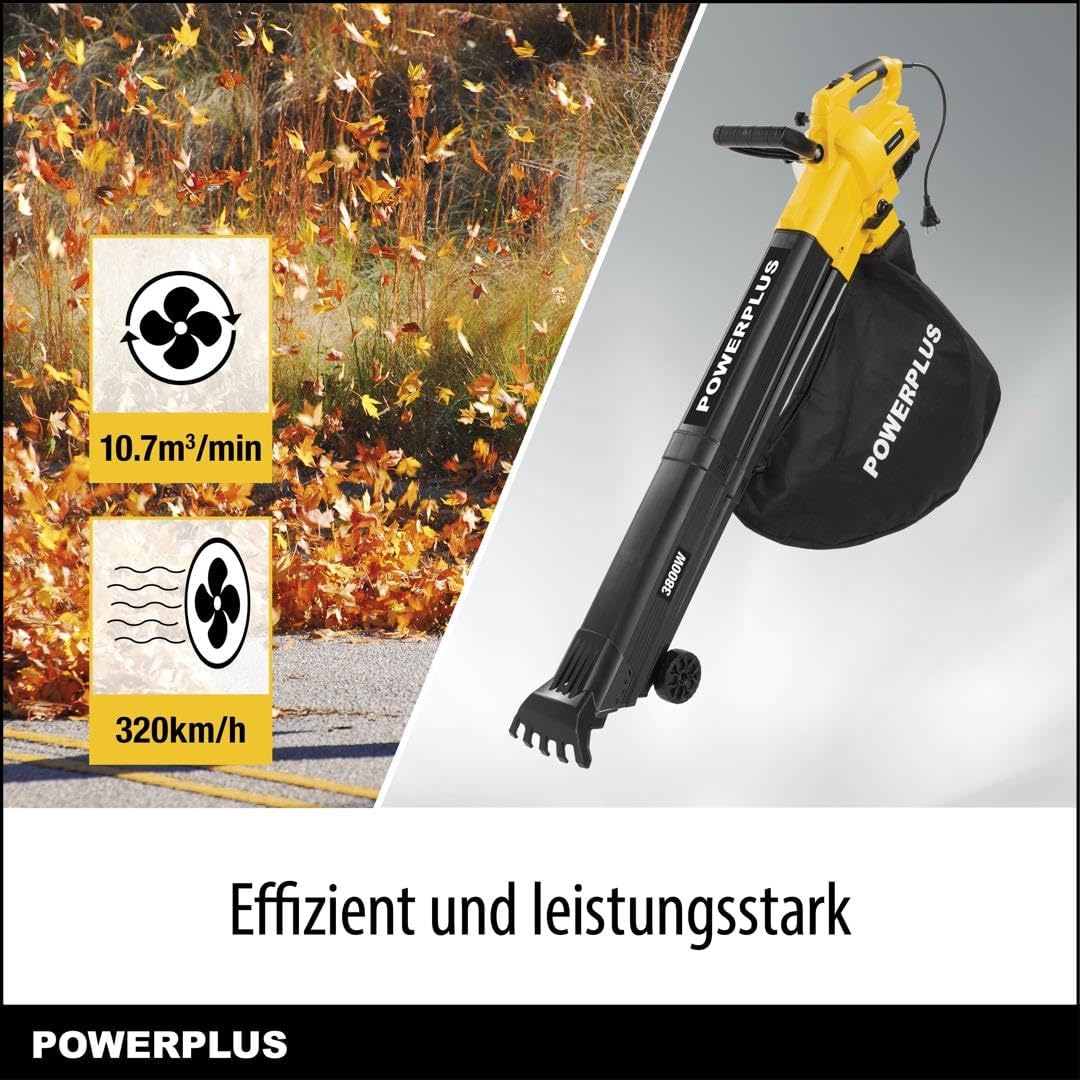
Figure 3: The Powerplus POWXG4039 demonstrating its powerful and efficient blowing capability, moving leaves with an air volume of 10.7 m³/min and speed up to 320 km/h.
5.3 Vacuuming and Shredding Function
To use the vacuuming and shredding function:
- Ensure the 45-liter collection bag is securely attached to the unit.
- Switch the unit to vacuum mode (if applicable, refer to specific switch on your model).
- Move the nozzle over the leaves and debris. The unit will vacuum them up and the integrated shredder will reduce their volume by up to 15 times before collecting them in the bag.
- Empty the collection bag when full.

Figure 4: Visual representation of the Powerplus POWXG4039's four functions: blowing, vacuuming, shredding, and raking, highlighting its versatility.

Figure 5: An illustration demonstrating the waste reduction capability of the integrated shredder, showing how a large volume of leaves is reduced significantly (up to 15 times) for efficient collection in the 45L bag.
5.4 Raking Function
The nozzle of the POWXG4039 features an integrated rake. This allows you to loosen stubborn leaves or debris from surfaces before blowing or vacuuming them, enhancing the cleaning process.
6. Maintenance
Regular maintenance ensures the longevity and optimal performance of your Powerplus POWXG4039.
- Cleaning: After each use, disconnect the power and clean the exterior of the unit with a damp cloth. Remove any debris from the air inlets, outlets, and the shredder blades.
- Collection Bag: Empty and clean the collection bag regularly to prevent blockages and maintain vacuuming efficiency.
- Storage: Store the appliance in a dry, secure place, out of reach of children. Ensure the power cord is neatly coiled and not kinked.
- Inspection: Periodically check the power cord for any signs of damage. If damaged, have it replaced by a qualified technician.
7. Troubleshooting
If you encounter issues with your Powerplus POWXG4039, refer to the following common problems and solutions:
- Unit does not start:
- Check if the power cord is securely plugged into a working outlet.
- Ensure the ON/OFF switch is in the 'ON' position.
- Check for tripped circuit breakers or blown fuses.
- Low blowing/vacuuming power:
- Inspect the blower tubes and nozzle for blockages.
- Ensure the collection bag is not full or clogged (for vacuuming).
- Verify that all tube connections are secure and airtight.
- Adjust the speed control to a higher setting.
- Excessive vibration or unusual noise:
- Disconnect power and check for foreign objects lodged in the impeller or shredder blades.
- Ensure all components are securely assembled.
If the problem persists after checking these points, please contact customer support.
8. Specifications
| Feature | Specification |
|---|---|
| Brand | POWERPLUS |
| Model Number | POWXG4039 |
| Power Source | Electric Cord |
| Voltage | 230 Volts |
| Product Dimensions | 126 x 18 x 46 cm |
| Product Weight | 3.35 Kilograms |
| Material | Plastic |
| Color | Yellow |
| Form Factor | Handheld |
| Special Function | Leaf Vacuum, Blower, Shredder, Rake |
| Maximum Air Speed | 320 Kilometers per hour |
| Air Volume | 10.7 m³/min |
| Shredding Ratio | Up to 15:1 |
| Collection Bag Capacity | 45 Liters |
| Manufacturer | VARO |
9. Warranty and Support
For warranty information, please refer to the warranty card included with your product or visit the official Powerplus website. If you require technical assistance, spare parts, or have any questions not covered in this manual, please contact Powerplus customer support through their official channels.


