
OHAYO X10 Max
OHAYO X10 Max Bluetooth Speaker Instruction Manual
Welcome to your new OHAYO X10 Max Portable Bluetooth Speaker.
1. Important Safety Information
- Do not expose the speaker to extreme temperatures or direct sunlight for prolonged periods.
- Keep the speaker away from heat sources, sharp objects, and corrosive materials.
- Do not disassemble, repair, or modify the speaker yourself. Contact qualified service personnel if needed.
- Ensure the charging port cover is securely closed when using the speaker near water to maintain its IPX7 waterproof rating.
- Use only the provided charging cable or a certified USB-C cable for charging.
2. Package Contents
- 1 x OHAYO X10 Max Bluetooth Speaker (White)
- 1 x USB-C Charging Cable (charging plug not contained)
- 1 x 3.5mm AUX Cable
- 1 x User Manual
- 1 x Lanyard
3. Product Overview
The OHAYO X10 Max is a versatile portable Bluetooth speaker designed for high-quality audio and durability. It features a powerful 25W sound output with active bass, IPX7 waterproofing, and a long-lasting 24-hour battery. Enjoy dynamic sound with colorful RGB lighting effects, dual pairing for stereo sound, and multiple input modes.
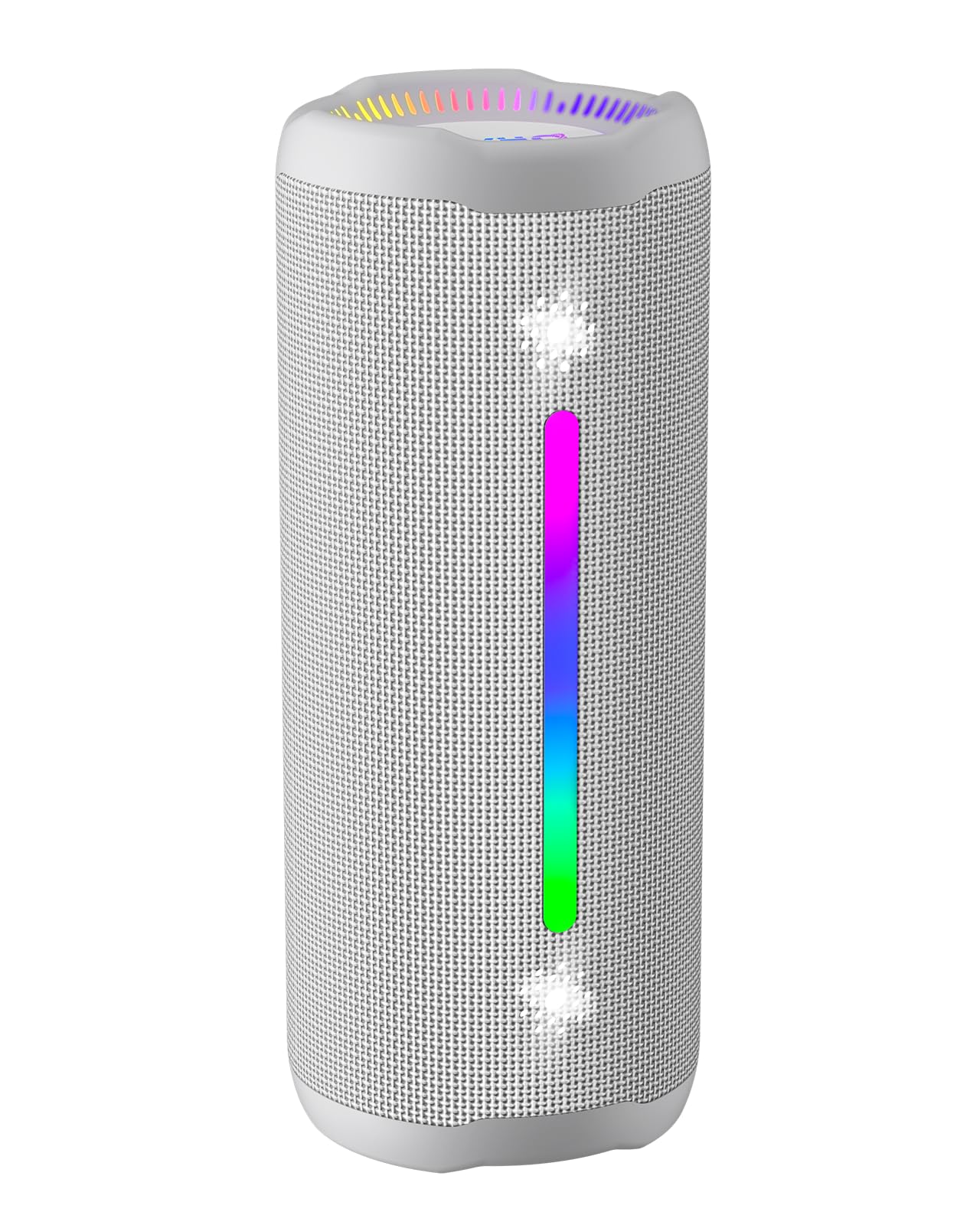
Figure 3.1: OHAYO X10 Max Bluetooth Speaker (White)

Figure 3.2: OHAYO X10 Max Bluetooth Speaker - Fully upgraded from appearance to performance.

Figure 3.3: 25W Deep Bass Sound - Independent channel design for accurate audio performance.

Figure 3.4: 6 Dazzling RGB Light Effects - Syncs with music for an immersive experience.

Figure 3.5: IPX7 Waterproof - Highly sealed design for use in various environments.

Figure 3.6: 24H Ultra-Long Battery Life - 6600mAh battery for extended playback.
4. Controls and Indicators
The OHAYO X10 Max features intuitive controls for easy operation.

Figure 4.1: Control Panel and Ports
- Power Button: Press and hold to power on/off. Short press to switch between input modes (Bluetooth, AUX, TF Card, USB-Audio).
- Volume Up (>): Short press to increase volume. Long press for next track.
- Volume Down (<): Short press to decrease volume. Long press for previous track.
- Bass Button: Press to activate/deactivate Bass Boost mode.
- Play/Pause/Call Button: Short press to play/pause music. Short press to answer/end calls. Long press to reject calls. Double press to activate voice assistant.
- Battery Indicator Lights: Four LED lights indicate battery level.
- RGB Light Strip: Displays various colorful lighting effects.
- Charging Port (USB-C): For charging the speaker.
- AUX-in Port: For wired audio connection.
- TF Card Slot: For playing music directly from a MicroSD card.
5. Setup
5.1 Charging the Speaker
Before first use, fully charge the speaker. Connect the provided USB-C charging cable to the speaker's charging port and the other end to a 5V/2A USB power adapter (not included). The battery indicator lights will blink during charging and remain steady when fully charged.
5.2 Powering On/Off
Press and hold the Power button for approximately 3 seconds to turn the speaker on or off. A voice prompt will confirm the action.
5.3 Bluetooth Pairing
- Turn on the speaker. It will automatically enter Bluetooth pairing mode, indicated by a blinking blue LED.
- Enable Bluetooth on your device (smartphone, tablet, etc.).
- Search for "X10 Max" in your device's Bluetooth list and select it to connect.
- Once connected, a voice prompt will confirm successful pairing.
5.4 True Wireless Stereo (TWS) Pairing
To achieve a true wireless stereo experience, you can pair two OHAYO X10 Max speakers together.

Figure 5.1: True Wireless Stereo Pairing
- Ensure both X10 Max speakers are powered on and not connected to any other Bluetooth device.
- On one speaker (this will be the primary speaker), double-press the Power button. It will enter TWS pairing mode.
- The two speakers will automatically connect to each other. A voice prompt will confirm successful TWS pairing.
- Now, connect your device to the primary speaker via Bluetooth as described in section 5.3.
5.5 Connecting via AUX
Use the provided 3.5mm AUX cable to connect the speaker to devices without Bluetooth capability.
Figure 5.2: 4 Input Modes - Including AUX, TF, and USB-Audio.
- Connect one end of the AUX cable to the speaker's AUX-in port.
- Connect the other end to the audio output of your device.
- The speaker will automatically switch to AUX mode. If not, short press the Power button to cycle through modes until AUX mode is activated.
5.6 Using TF Card
Insert a MicroSD (TF) card with MP3/WAV/FLAC/WMA audio files into the TF card slot. The speaker will automatically switch to TF card mode and begin playback. Short press the Power button to cycle through modes if needed.
5.7 Using USB-Audio
Connect the speaker to a computer using the USB-C cable. The speaker can function as an external audio output device for your computer. Short press the Power button to cycle through modes if needed.
6. Operating Instructions
6.1 Playing Music
- Play/Pause: Short press the Play/Pause/Call button.
- Volume Control: Short press the Volume Up (>) or Volume Down (<) buttons.
- Next Track: Long press the Volume Up (>) button.
- Previous Track: Long press the Volume Down (<) button.
6.2 Bass Boost Function
Press the 'BASS' button to activate or deactivate the enhanced bass mode. This feature provides deeper and richer low frequencies for a more impactful audio experience.
6.3 RGB Light Modes
The speaker features dynamic RGB lighting. The lights will automatically sync with the music beat. To turn the lights on/off, refer to the specific control instructions in your quick start guide or experiment with the mode button if available.
6.4 Hands-Free Calling
When connected via Bluetooth to your smartphone, the speaker can be used for hands-free calls.

Figure 6.1: Hands-Free Calling Feature
- Answer/End Call: Short press the Play/Pause/Call button.
- Reject Call: Long press the Play/Pause/Call button.
- Activate Voice Assistant: Double press the Play/Pause/Call button.
7. Maintenance
- Cleaning: Wipe the speaker with a soft, damp cloth. Do not use harsh chemicals or abrasive cleaners.
- Storage: Store the speaker in a cool, dry place away from direct sunlight and extreme temperatures when not in use for extended periods.
- Battery Care: To prolong battery life, charge the speaker at least once every three months if not used regularly.
8. Troubleshooting
| Problem | Possible Cause | Solution |
|---|---|---|
| Speaker does not power on. | Low battery. | Charge the speaker fully. |
| Cannot pair via Bluetooth. | Speaker not in pairing mode; device Bluetooth off; too far from device. | Ensure speaker is in pairing mode (blinking blue LED). Turn on device Bluetooth. Move device closer to speaker (within 10 meters). |
| No sound or low volume. | Volume too low on speaker or device; incorrect input mode. | Increase volume on both speaker and device. Check if the correct input mode (Bluetooth, AUX, TF) is selected. |
| TWS pairing failed. | Speakers too far apart; one speaker already connected to another device. | Ensure speakers are close to each other. Disconnect any existing Bluetooth connections before TWS pairing. |
| Sound distortion. | Volume too high; low battery. | Reduce volume. Charge the speaker. |
9. Specifications
| Feature | Specification |
|---|---|
| Model Name | X10 Max |
| Bluetooth Version | 5.3 |
| Wireless Communication Technology | Bluetooth |
| Speaker Maximum Output Power | 35 Watts (25W effective) |
| Battery Capacity | 6600 mAh |
| Playtime | Up to 24 hours (varies with volume and light use) |
| Water Resistance Level | IPX7 (Waterproof) |
| Input Voltage | 5 Volts (DC) |
| Frequency Response | 20 KHz |
| Signal-to-Noise Ratio | 80 dB |
| Audio Driver Type | Dynamic Driver |
| Woofer Diameter | 75 Millimeters |
| Tweeter Diameter | 26 Millimeters |
| Product Dimensions | 2.95"D x 2.95"W x 7.28"H |
| Item Weight | 450 Grams (15.9 ounces) |
| Material | Acrylonitrile Butadiene Styrene (ABS), Aluminum |
| Control Method | Push Button |
| Special Features | Bass Boost, AUX, Hi-Res Audio, 24-Hour Playtime, IPX7 Waterproof, TF Card Port, Dual Passive Radiators, Hands-free, True Wireless Stereo Pairing, Shockproof |
10. Warranty and Support
The OHAYO X10 Max Bluetooth Speaker comes with an extended warranty. For specific warranty details and to register your product, please refer to the information provided in your quick start guide or contact OHAYO customer support.
For technical support or customer service inquiries, please contact OHAYO Direct. Contact information may be found in your product packaging or on the official OHAYO website.
11. Official Product Video
Video 11.1: Official OHAYO Portable Bluetooth Speaker overview by OHAYO Direct. This video highlights key features and design elements of the speaker.
Related documentsX10 Max


Ask a question about this manual
Ask about setup, troubleshooting, compatibility, parts, safety, or missing instructions. Manuals+ will review the question and use this page’s manual context to help answer it.