
1. Introduction
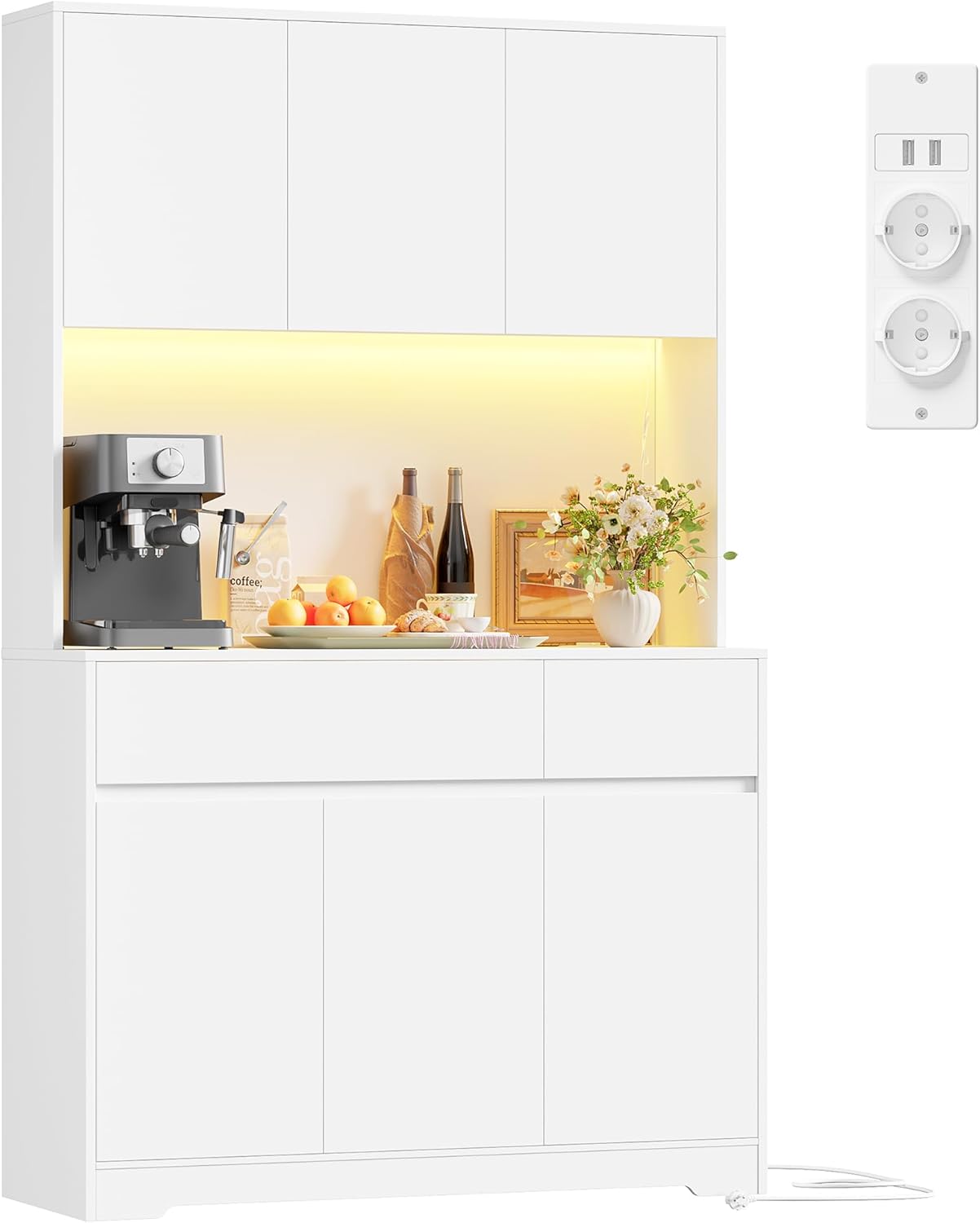
Thank you for choosing the FirFurd P706 Kitchen Cabinet. This versatile cabinet is designed to enhance your kitchen, dining room, or living area with its integrated worktop, LED lighting, and convenient power strip. It offers extensive storage and organization solutions, making it a functional and aesthetic addition to your home. This manual provides essential information for safe assembly, operation, and maintenance of your new cabinet.
2. Safety Information
Please read all safety instructions carefully before assembly and use. Failure to follow these instructions may result in injury or damage to the product.
- Anti-Tipping Device: Always install the provided anti-tipping devices to secure the cabinet to the wall. This is crucial to prevent accidental tipping, especially in households with children or pets.
- Assembly: Assemble the cabinet on a soft, clean surface to prevent scratches. Ensure all parts are correctly aligned and all fasteners are securely tightened before use.
- Weight Distribution: Distribute weight evenly across shelves and drawers. Avoid placing excessively heavy items on upper shelves.
- Electrical Safety: The integrated power strip is designed for indoor use only. Do not overload the outlets. Keep liquids away from the power strip and LED lighting.
- Cleaning: Use a soft, damp cloth for cleaning. Avoid harsh chemicals or abrasive cleaners that may damage the finish.
3. Package Contents
Your FirFurd P706 Kitchen Cabinet is shipped in two packages. Please ensure both packages have arrived before beginning assembly. Verify that all components listed below are present and undamaged.
- FirFurd P706 Kitchen Cabinet components
- Assembly Hardware Kit
- 2 x Anti-Tipping Devices
- User Manual (this document)
If any parts are missing or damaged, please contact customer support for assistance.
4. Assembly Instructions
Assembly is required for the FirFurd P706 Kitchen Cabinet. An easy-to-follow assembly instruction manual is included in the package, and all parts are clearly marked to simplify the process. We recommend having at least two people for assembly.
- Unpack Components: Carefully unpack all parts from both packages. Lay them out on a clean, soft surface to prevent scratches.
- Identify Parts: Refer to the included assembly diagram to identify each component and hardware piece.
- Follow Step-by-Step Guide: Adhere strictly to the step-by-step instructions provided in the separate assembly manual. Ensure all screws and connectors are tightened appropriately.
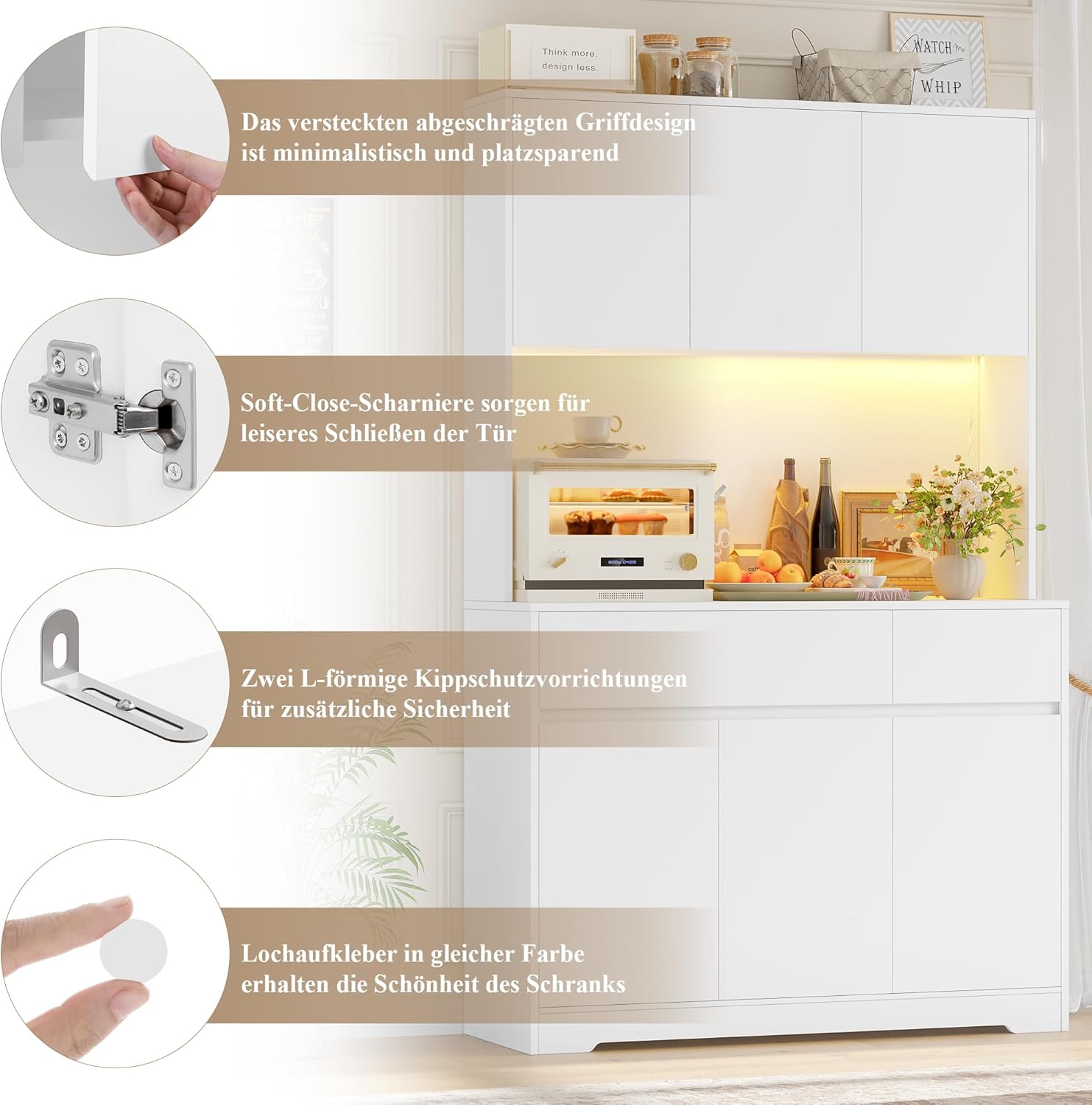
- Install Anti-Tipping Devices: Once the cabinet is fully assembled and in its desired location, attach the two L-shaped anti-tipping devices to the top rear of the cabinet and secure them to a wall stud using appropriate hardware. This step is critical for safety.
- Connect Power: Plug the cabinet's power cord into a suitable wall outlet to activate the LED lighting and power strip.
5. Operating Instructions
5.1. Storage and Organization
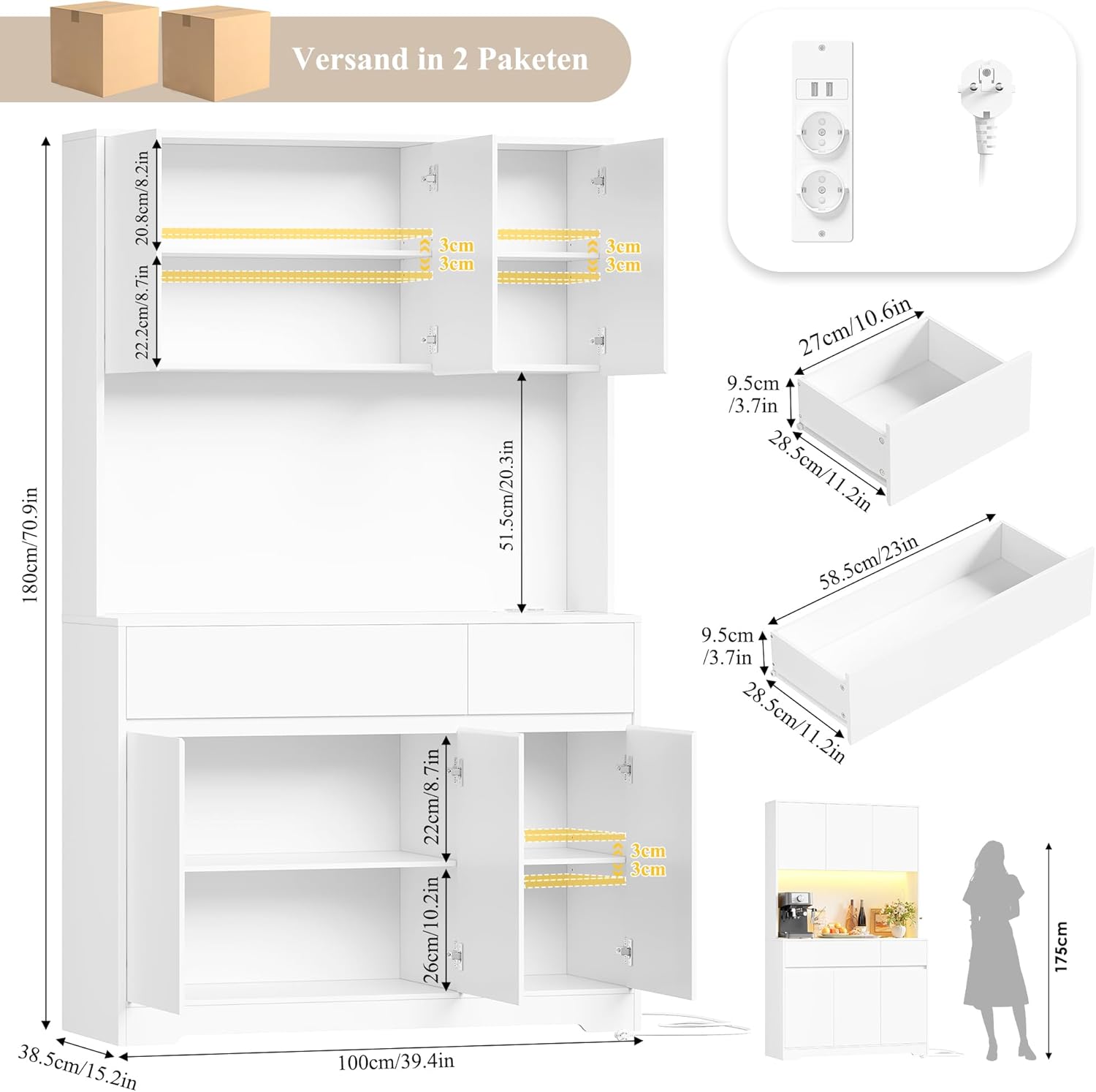
The FirFurd P706 cabinet offers ample storage with 6 doors, 2 drawers, and adjustable shelves.
- Adjustable Shelves: The shelves behind the cabinet doors are adjustable by 3 cm up or down. They can also be removed entirely to accommodate taller items. To adjust, carefully lift the shelf, remove the support pins, reposition the pins to the desired height, and then place the shelf back on the pins.
- Drawers: Utilize the two spacious drawers for smaller items, cutlery, or linens.
- Worktop: The 100 cm wide worktop provides space for appliances like microwaves, coffee makers, or toasters, as well as for food preparation.

5.2. Integrated Power Strip
The cabinet features a built-in power strip on the worktop, providing convenient access to power for your appliances.
- Outlets: The power strip includes 2 AC outlets (220-250V/16A) and 2 USB ports (5V/2.1A).
- Usage: Plug in up to four devices simultaneously. Ensure the total power consumption does not exceed the strip's maximum rating.

5.3. LED Lighting
The soft LED lighting above the worktop provides illumination and creates a warm ambiance.
- Activation: The LED lights are powered when the cabinet's main power cord is plugged into an active outlet.
- Control: (Information not provided in product description. Assume always on when plugged in or controlled by an external switch if present, or a simple inline switch on the cord.)
6. Maintenance
Proper care and maintenance will ensure the longevity and appearance of your FirFurd P706 Kitchen Cabinet.
- Cleaning: Wipe surfaces with a soft, slightly damp cloth. For stubborn marks, use a mild, non-abrasive cleaner specifically designed for wood or laminate surfaces. Dry immediately with a clean cloth.
- Spills: Clean up spills immediately to prevent staining or damage to the wood material.
- Avoid Harsh Chemicals: Do not use abrasive cleaners, solvents, or ammonia-based products, as these can damage the finish.
- Hardware Check: Periodically check all screws and fasteners to ensure they remain tight. Retighten if necessary.
- Environmental Conditions: Avoid placing the cabinet in direct sunlight or near heat sources, which can cause fading or warping. Maintain a stable room temperature and humidity.
7. Troubleshooting
If you encounter any issues with your FirFurd P706 Kitchen Cabinet, refer to the following common problems and solutions:
| Problem | Possible Cause | Solution |
|---|---|---|
| Cabinet feels unstable or wobbly. | Loose fasteners; uneven floor; anti-tipping device not installed. | Ensure all assembly screws are tightened. Adjust floor levelers if present, or place shims under the base. Install the anti-tipping device securely to the wall. |
| LED lights are not working. | Power cord not plugged in; faulty outlet; LED strip damage. | Check if the power cord is securely plugged into a working outlet. Test the outlet with another device. If still not working, contact customer support. |
| Power strip outlets/USB ports are not working. | Power cord not plugged in; overloaded circuit; internal wiring issue. | Verify the main power cord is plugged in. Ensure you are not exceeding the maximum load for the power strip. Try plugging in a different device. If the issue persists, contact customer support. |
| Doors do not close smoothly or are misaligned. | Loose hinges; hinge adjustment needed. | Check and tighten hinge screws. Most soft-close hinges allow for minor adjustments using the screws on the hinge body to align doors. |
8. Specifications
| Feature | Detail |
|---|---|
| Brand | FirFurd |
| Model Number | P706 |
| Color | White |
| Material | Wood |
| Overall Dimensions (L x W x H) | 100 x 38.5 x 180 cm (39.4 x 15.2 x 70.9 inches) |
| Item Weight | 54 Kilograms |
| Power Strip Outlets | 2 x AC (220-250V/16A) |
| Power Strip USB Ports | 2 x USB (5V/2.1A) |
| Power Cord Length | 1.5 m (4.92 ft) |
| Recommended Uses | Tea/Coffee Bar, Kitchen Counter, Dining Room Buffet, Living Room Display, Study Storage |
| Mounting Type | Floor Mount (with anti-tipping wall attachment) |
| Included Components | Assembly Kit, 2 Anti-Tipping Devices |
9. Warranty and Support
Information regarding specific warranty terms for the FirFurd P706 Kitchen Cabinet is not available in this document. For warranty claims, replacement parts, or technical support, please refer to the purchase documentation or contact your retailer directly.
For general inquiries or assistance, please visit the FirFurd official website or contact their customer service department through the contact information provided at the point of purchase.