
Introduction
This manual provides detailed instructions for the operation and maintenance of your XIXITPY V78-1 Digital Voice Recorder. This device features a 2-inch IPS color touchscreen, 128GB internal storage, Bluetooth connectivity, and high-fidelity audio recording capabilities. It is designed for various applications including lectures, meetings, interviews, and personal notes.

Image: The XIXITPY V78-1 Digital Voice Recorder, showcasing its compact design and touchscreen interface.
What's in the Box
Please verify that all items are present in the package:
- 1 x XIXITPY Digital Voice Recorder (V78-1)
- 1 x USB-C Data Cable
- 1 x USB-C to USB-C Cable
- 1 x User Manual

Image: The package contents, including the recorder, cables, and user manual, along with a visual representation of the device's dimensions.
Product Overview
Familiarize yourself with the physical components and controls of your device.

Image: A detailed diagram illustrating the location of the microphone, recording button, TF memory card jack, display screen, 3.5mm headphone jack, reset key, lanyard hole, speaker, USB-C port, power button, and volume controls.
Controls and Ports:
- Microphone: For audio input.
- Recording Button: Slide up to start recording, slide down to save and stop.
- TF Memory Card Jack: For external memory expansion (128GB TF card included).
- Display Screen: 2-inch IPS color touchscreen for navigation and information display.
- 3.5mm Headphone Jack: For connecting wired headphones.
- Reset Key: To restart the device if unresponsive.
- Lanyard Hole: For attaching a lanyard.
- Speaker: Built-in for audio playback.
- USB-C Port: For charging and data transfer.
- Power Button: Press and hold to power on/off.
- Volume + / -: Adjusts playback volume.
Setup
1. Charging the Device
Before first use, fully charge the recorder. Connect the device to a power source (e.g., computer USB port or USB wall adapter) using the provided USB-C cable. The screen will indicate charging status. A full charge typically takes approximately 2-3 hours.

Image: The voice recorder connected via USB-C cable to a power source, illustrating the charging process and highlighting the 1200mAh battery capacity.
2. Powering On/Off
- To Power On: Press and hold the Power button until the screen illuminates.
- To Power Off: Press and hold the Power button until the device shuts down.
Operating Instructions
1. Basic Recording
To start a recording, slide the dedicated Recording Button upwards. The device will begin recording immediately. To save the recording and stop, slide the Recording Button downwards.
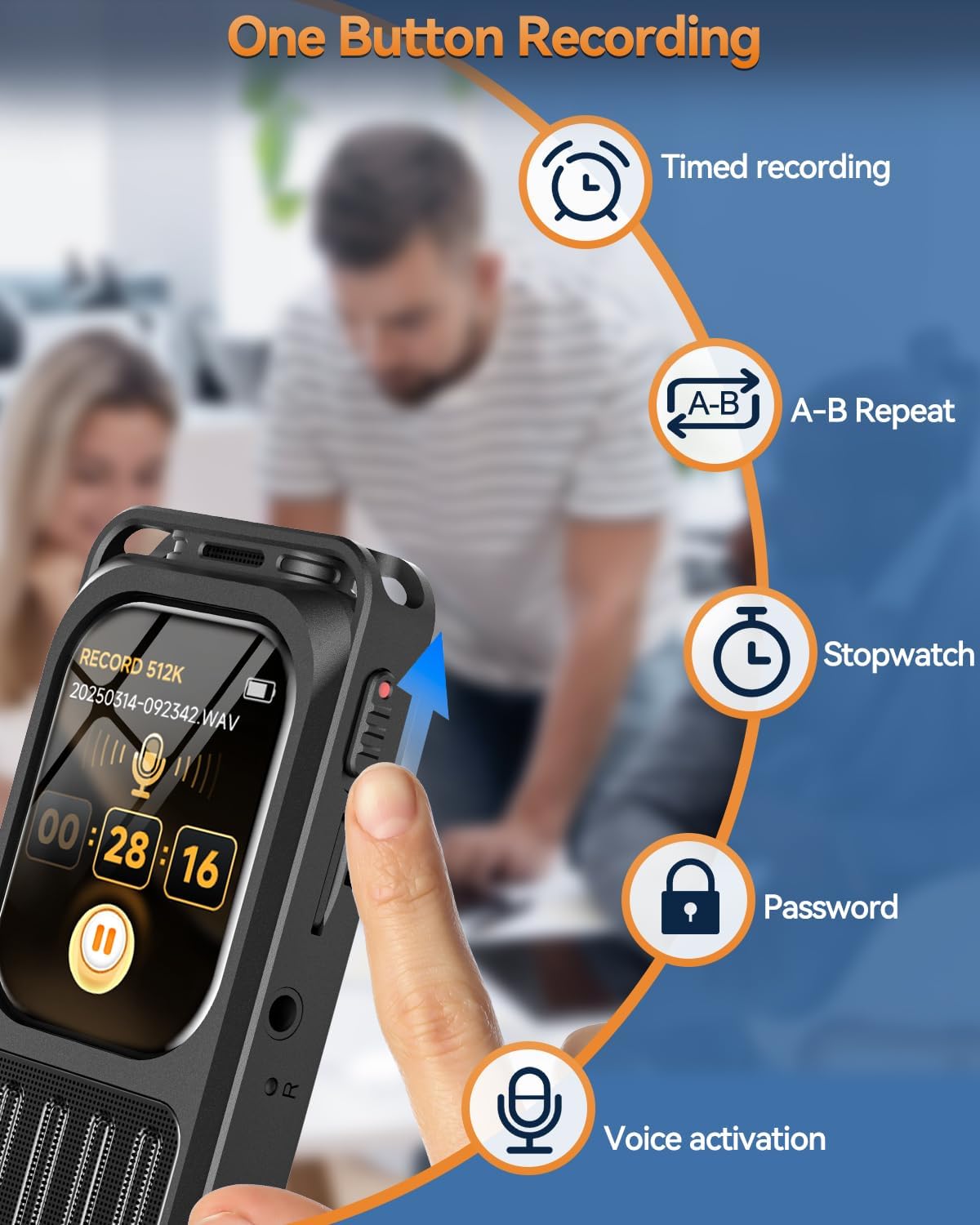
Image: A hand operating the one-button recording slide switch on the side of the device, with icons illustrating additional features like timed recording, A-B repeat, stopwatch, password protection, and voice activation.
2. Touchscreen Navigation
The 2-inch IPS color touchscreen allows for intuitive navigation. Swipe, tap, and select menu options similar to a smartphone interface. The main menu provides access to functions such as Music, Record, Bluetooth, Folder, Stopwatch, and Settings.

Image: The responsive touchscreen display of the recorder, showing various application icons for easy navigation.
3. Playback
- Built-in Speaker: Recordings can be played directly through the integrated high-fidelity speaker. Volume can be adjusted using the Volume +/- buttons.
- Bluetooth Playback: Connect Bluetooth headphones or speakers for private listening. Navigate to the Bluetooth menu in settings to pair your device.
- 3.5mm Headphone Jack: Use wired headphones for direct audio output.

Image: An illustration highlighting the device's superb HD loudspeaker, with an option to mute the speaker if desired.
4. Advanced Recording Features
- Voice-Activated Recording (VOR): This feature allows the recorder to automatically start recording when sound is detected and pause when silence occurs, conserving storage space. Adjust sensitivity levels in the settings.
- Timed Recording: Schedule specific times for the recorder to automatically start and stop recording. This is useful for capturing regular events without manual intervention.
5. A-B Repeat Function
The A-B Repeat function allows you to loop a specific segment of an audio file. During playback, mark the start point (A) and end point (B) to repeatedly listen to that section. This is beneficial for language learning or reviewing critical parts of a lecture.
Image: A visual representation of the A-B repeat function, indicating its utility for mastering key points in language study or reviewing specific audio segments.
6. Password Protection
To protect your recordings, you can set a password for the device. Access the password settings through the main menu to enable, change, or disable this feature. This ensures the security of your sensitive audio files.
Audio Quality Features
The XIXITPY V78-1 is equipped with advanced audio technology to ensure clear and high-fidelity recordings.
- DSP Noise Reduction: Advanced Digital Signal Processing (DSP) technology actively filters out background noise, providing clearer audio in various environments.
- 3072Kbps HD Audio: Records in high-definition audio quality, capturing subtle nuances and ensuring excellent clarity for all your recordings.
- Dual Microphones: Features omnidirectional microphones for 360° sound pickup.

Image: An illustration demonstrating the DSP chip and dual microphones working to achieve 3072Kbps premium stereo sound by reducing various types of environmental noise.
File Management
Recordings are saved to the internal 128GB storage. To transfer files to a computer or smartphone:
- Connect the recorder to your computer or smartphone using the provided USB-C cable.
- The device will appear as a removable storage drive.
- Locate your recordings (typically in a 'RECORD' or 'VOICE' folder).
- Drag and drop files to your desired location on your computer or smartphone.

Image: The voice recorder connected to a laptop via USB-C, demonstrating the process of transferring files from the device to a computer.
Maintenance
- Cleaning: Use a soft, dry cloth to clean the device. Avoid liquid cleaners or abrasive materials.
- Battery Care: To prolong battery life, avoid fully discharging the device frequently. Charge it regularly, even if not in use for extended periods. Store in a cool, dry place.
- Storage: Keep the device away from extreme temperatures, direct sunlight, and high humidity.
Troubleshooting
| Problem | Possible Cause | Solution |
|---|---|---|
| Device does not power on. | Low battery; device frozen. | Charge the device. If unresponsive, use the Reset Key. |
| Cannot record. | Storage full; recording button not fully engaged; device in playback mode. | Delete old files. Ensure recording button is slid up. Exit playback mode. |
| Poor audio quality. | Microphone obstructed; high background noise; incorrect settings. | Ensure microphone is clear. Adjust DSP settings or recording environment. Check recording format. |
| Bluetooth connection issues. | Device not in pairing mode; out of range; interference. | Ensure Bluetooth is enabled and in pairing mode. Move closer to the Bluetooth device. Restart both devices. |
| Files not transferring to computer. | Faulty cable; incorrect USB mode; driver issues. | Try a different USB-C cable. Ensure the device is recognized as a storage device. Try a different USB port or computer. |
Specifications
| Feature | Detail |
|---|---|
| Model Number | V78-1 |
| Display | 2-inch IPS Color Touchscreen |
| Storage Capacity | 128GB (TF card included) |
| Recording Quality | Up to 3072Kbps HD Stereo |
| Audio Formats | MP3, WAV |
| Battery | 1200mAh C battery (included) |
| Continuous Recording Time | Up to 100 hours (at 512kbps) |
| Connectivity | Bluetooth 5.3, USB Type-C |
| Microphone | Built-in Dual Microphones (360° omnidirectional) |
| Headphone Jack | 3.5mm |
| Product Dimensions | 0.47"D x 1.57"W x 3.19"H (1.2 x 4.0 x 8.1 cm) |
| Item Weight | 2.89 ounces (82 grams) |
| Compatible Devices | Personal Computer, Smartphone |
Warranty and Support
XIXITPY provides reliable customer support for your digital voice recorder. If you encounter any issues or have questions regarding your device, please contact us via Amazon. Our support team aims to respond within 24 hours to provide assistance and guidance.
For further assistance, please visit the XIXITPY Store on Amazon.


