
SOVMIKU WTDX04
SOVMIKU 8000mAh Solar Wireless Security Camera Instruction Manual
Model: WTDX04
1. Introduction
This manual provides essential information for the safe and effective use of your SOVMIKU 8000mAh Solar Wireless Security Camera. Please read it thoroughly before installation and operation, and keep it for future reference.
2. Product Features
- 4MP High-Resolution Camera: Equipped with a high-performance 4-megapixel CMOS image sensor and professional optical lens, providing clear and realistic images up to approximately 20 meters day and night.
- Large Capacity Solar Charging & Wireless Design: Features a built-in 8000mAh battery, supporting both solar panel charging and USB charging. No wiring required for easy outdoor installation. Initial setup recommends charging for over 6 hours to ensure stable continuous recording.
- Smart Monitoring & Human Detection (PIR): PIR human detection distinguishes human movement from environmental noise. When a person is detected, an instant notification is sent to your smartphone, aiding in quick response and evidence collection during incidents.
- Dedicated App & Two-Way Audio: Remote real-time monitoring is possible using the free EseeCloud app (PC/smartphone compatible). The camera's built-in microphone and speaker enable clear two-way audio communication. Image sharing with multiple users is also supported.
- Easy Setup & Versatile Application: No wiring required, allowing for easy installation in various outdoor locations such as gardens, entrances, and more.

Image: SOVMIKU Solar Wireless Security Camera highlighting its integrated solar panel and wireless capabilities.

Image: The camera demonstrates its 360-degree pan and tilt functionality, covering a wide area without blind spots.

Image: Illustration of the two-way audio feature, allowing communication between the camera user and someone near the camera.

Image: The camera is shown in different outdoor settings, emphasizing its IP65 waterproof and dustproof rating for reliable use in various weather conditions.
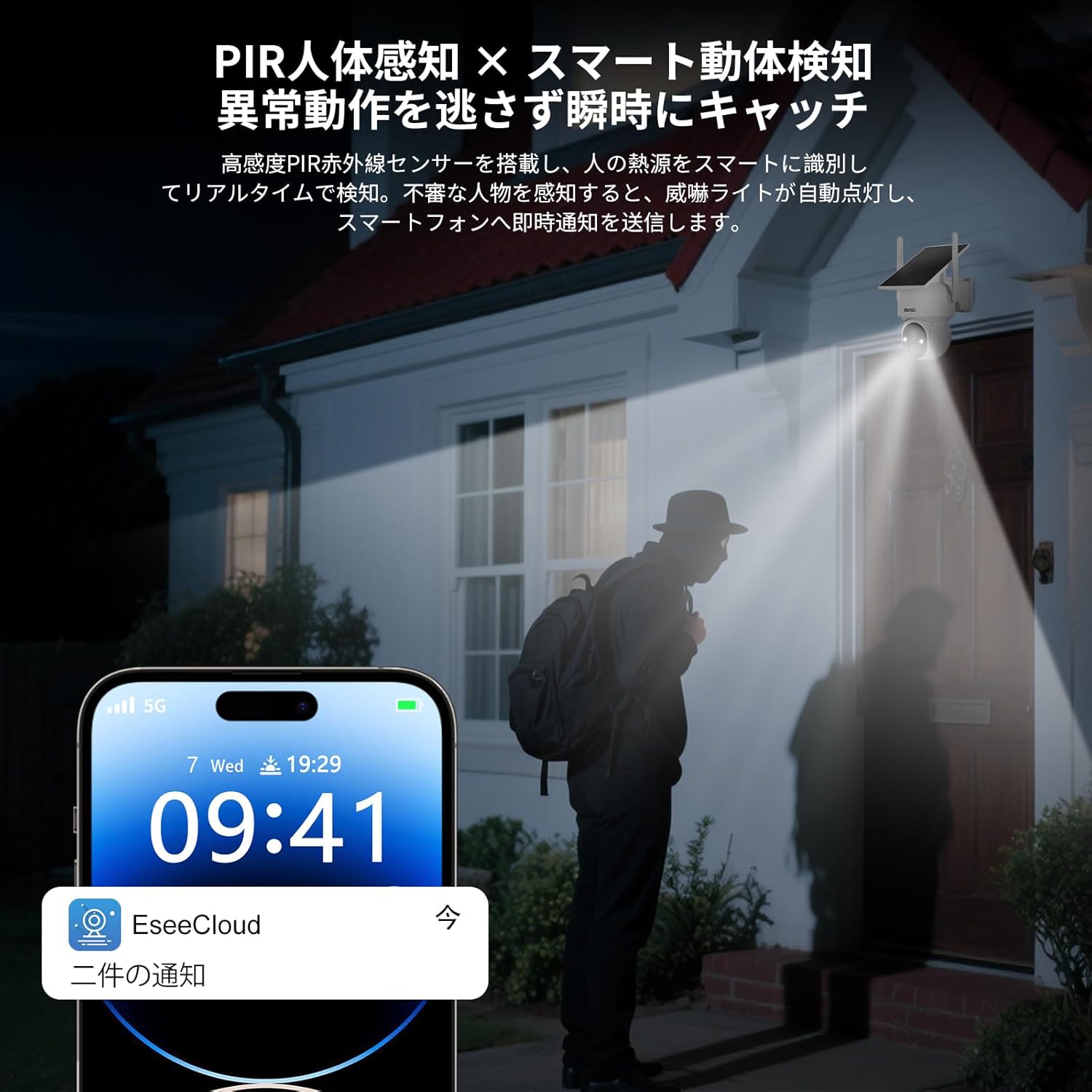
Image: A person is detected by the camera at night, triggering a real-time notification on a smartphone, demonstrating the smart human detection feature.
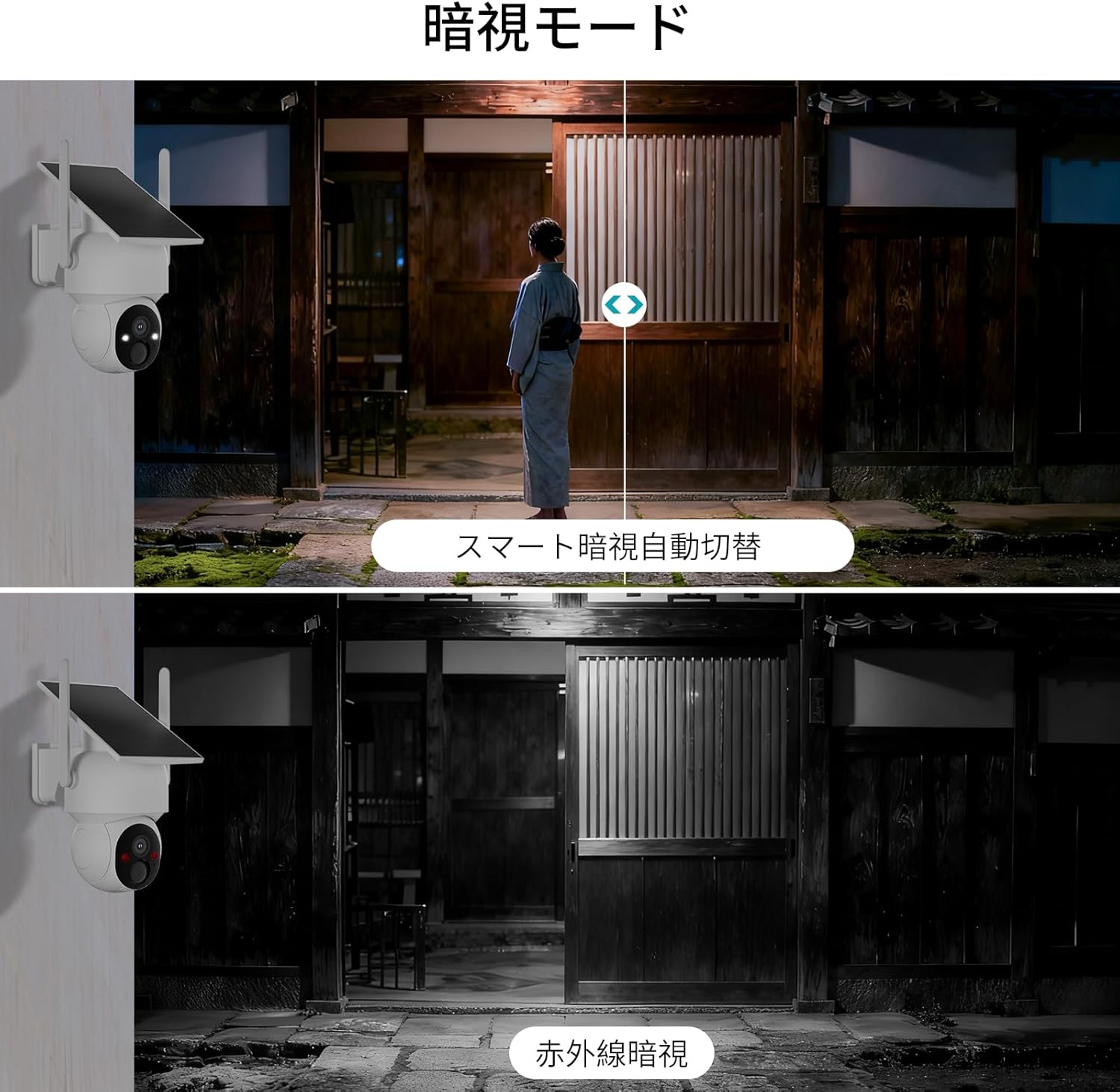
Image: Comparison of night vision modes, showing both infrared (black and white) and smart full-color night vision capabilities of the camera.

Image: Demonstrates the efficiency of H.265 video compression, showing approximately 50% data size reduction compared to H.264 for the same video quality.
3. Package Contents
Please check that all items are included in your package:
- SOVMIKU Solar Wireless Security Camera (Model WTDX04)
- Mounting Bracket
- Mounting Screws and Wall Plugs
- USB Charging Cable
- Instruction Manual
4. Setup
4.1 Initial Charging
Before first use, fully charge the camera's built-in 8000mAh battery using the provided USB cable. A minimum of 6 hours of charging is recommended for optimal performance.
4.2 Physical Installation
The camera can be easily installed outdoors without complex wiring. Choose a location that receives adequate sunlight for the solar panel and provides the desired monitoring view.
Video: This video demonstrates how to install a security camera using a belt on a pole or pillar. It shows the steps of threading the belt through the bracket, wrapping it around the pole, and securing it tightly.
4.3 App Installation and Device Pairing
Download the EseeCloud app from your smartphone's app store (iOS/Android). Follow the in-app instructions to register an account and add your camera device. You will typically scan a QR code on the camera or monitor to initiate pairing.
Video: This video illustrates the process of adding a device using the EseeCloud app. It shows scanning a QR code to connect the camera to the app.
Video: This video demonstrates the method for pairing the camera with the monitor. It shows the steps to re-establish connection if the camera is disconnected.
5. Operating Instructions
5.1 Live View and Remote Monitoring
Access the EseeCloud app on your smartphone or PC to view live footage from your camera. You can monitor your property in real-time from anywhere.
5.2 Pan/Tilt/Zoom (PTZ) Control
Utilize the PTZ function within the app to remotely adjust the camera's viewing angle. The camera supports 355 degrees horizontal rotation and 90 degrees vertical tilt, ensuring comprehensive coverage.
5.3 Motion Detection and Alerts
The camera features PIR human detection. When motion is detected, the camera will automatically record and send an alert notification to your smartphone. You can customize sensitivity settings in the app.
Video: This short video demonstrates the motion detection feature of the VORGUT outdoor security camera, showing a person walking and the camera's light activating.
5.4 Two-Way Audio Communication
Use the built-in microphone and speaker to engage in two-way conversations through the camera. This is useful for communicating with visitors or deterring intruders.
5.5 Night Vision Modes
The camera offers both infrared night vision (black and white) and full-color night vision, ensuring clear surveillance even in low-light conditions. The smart mode automatically switches between these based on ambient light.
Video: This video showcases the night color shooting, pan/tilt rotation, and alarm notification features of the security camera, demonstrating its capabilities in low-light conditions and remote control.
6. Maintenance
- Cleaning: Regularly wipe the camera lens and solar panel with a soft, damp cloth to ensure clear image quality and efficient solar charging. Do not use harsh chemicals.
- Battery Check: Monitor the battery level via the app. Ensure the solar panel is free from obstructions to maximize charging efficiency.
- Firmware Updates: Check the EseeCloud app periodically for firmware updates to ensure optimal performance and security.
7. Troubleshooting
- Camera not connecting: Ensure the camera is powered on and within range of your 2.4G WiFi network. Re-pair the device through the EseeCloud app if necessary.
- Poor image quality: Check the lens for dirt or condensation. Ensure adequate lighting for optimal night vision.
- No motion detection alerts: Verify motion detection settings in the app. Adjust sensitivity if needed. Ensure the camera has a clear view of the area.
- Battery not charging: Ensure the solar panel is exposed to direct sunlight and free from obstructions. Check the USB charging cable connection.
8. Specifications
| Feature | Specification |
|---|---|
| Brand | SOVMIKU |
| Model Number | WTDX04 |
| Product Dimensions | 10 x 8 x 6.8 cm |
| Item Weight | 730 g |
| Connectivity Technology | Wireless (2.4G WiFi) |
| Video Capture Resolution | 1440p (4 Megapixels) |
| Special Features | PTZ Technology, Solar Powered, 8000mAh Battery, IP65 Waterproof, PIR Human Detection, Two-Way Audio, Night Vision (Infrared/Color) |
9. Warranty and Support
For warranty information or technical support, please refer to the contact details provided with your purchase or visit the official SOVMIKU website. This manual is included as an accessory with the product.
Related documentsWTDX04


Ask a question about this manual
Ask about setup, troubleshooting, compatibility, parts, safety, or missing instructions. Manuals+ will review the question and use this page’s manual context to help answer it.