1. Safety Information
- Ensure all connections are secure before operating the desk.
- Keep children and pets away from the desk during operation.
- Do not overload the desk. Refer to specifications for maximum weight capacity.
- Avoid placing liquids directly on the control panel or electrical components.
- If any unusual noise or movement occurs, discontinue use immediately and consult the troubleshooting section.
2. Package Contents
Please verify that all components are present before beginning assembly:
- Desktop (Oak, 48x24 inches)
- Desk Legs (2)
- Crossbar/Frame
- Control Panel with LED Display
- Motor and Transmission Rod
- Power Adapter and Cables
- Cable Management Hooks (2)
- Cable Grommets (2)
- Assembly Hardware (screws, Allen key)
3. Assembly Instructions
Follow these steps carefully to assemble your DUMOS Electric Standing Desk. An assembly video is provided below for visual guidance.
Video Description: This video demonstrates the complete assembly process for the DUMOS Electric Standing Desk, from unboxing components to final cable management and initial operation. It covers setting leg heights, attaching the desktop, and connecting electrical components.
Step 1: Prepare the Desk Legs and Frame
Begin by setting the desk legs to the same height. Insert the transmission rod into the hex hole and turn it clockwise until the leg reaches its lowest position. Repeat for the other leg to ensure both are at the same starting height.
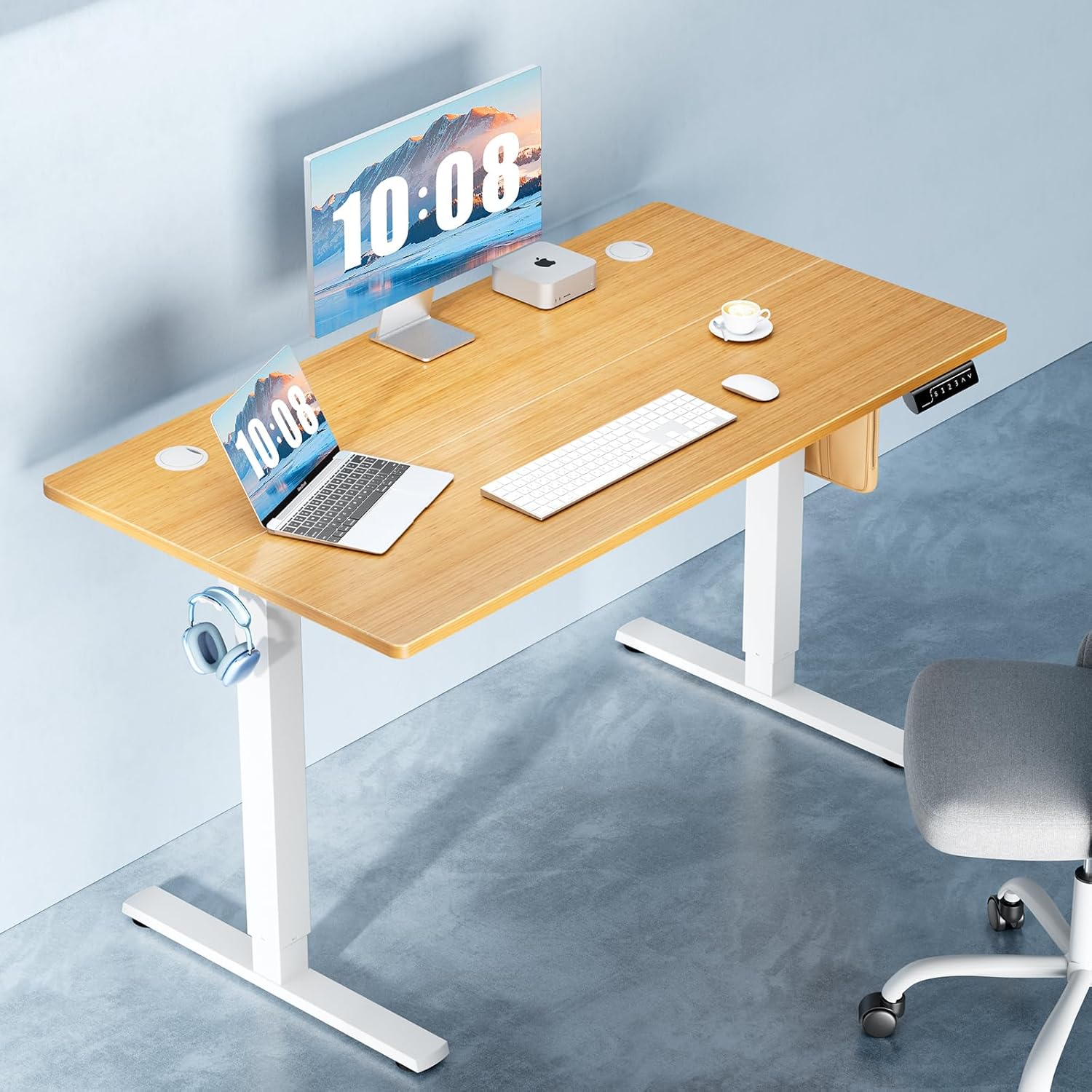
Image Description: An overhead view of the DUMOS Electric Standing Desk components, including the two-piece desktop, leg frames, control panel, and various hardware, laid out on a dark surface, ready for assembly.
Step 2: Attach the Desk Legs to the Frame
Secure the desk legs to the main frame using the provided screws and Allen key. Ensure all screws are tightened for stability. Insert the other end of the transmission rod into the slot on the leg, rotating it slightly if needed for proper installation. Secure the transmission rod by tightening the pre-assembled set screw using the small Allen key.
Step 3: Assemble and Attach the Desktop
If your desktop comes in multiple pieces, use the wooden dowels and metal plates to join them securely. Once assembled, carefully place the desktop onto the leg frame. Align the pre-drilled holes and secure the desktop to the frame using the provided screws. Attach the cable management hooks to the underside of the desktop.
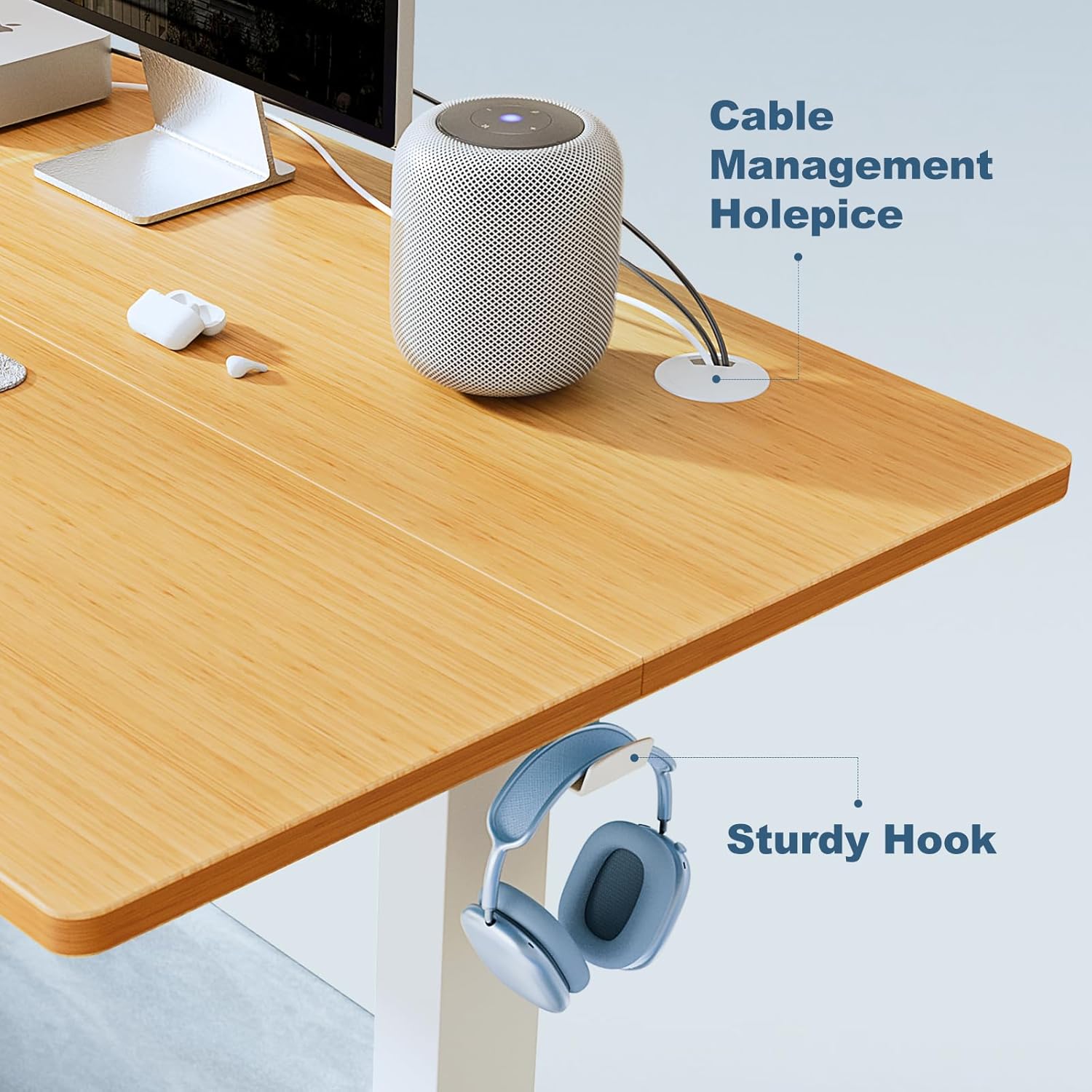
Image Description: A close-up view of the DUMOS Electric Standing Desk desktop, highlighting a cable management hole with a white grommet and a sturdy white hook attached to the underside, designed for organizing cables or hanging headphones.
Step 4: Connect the Cables
Connect the motor cable, control panel cable, and power adapter cable to the main control box. Ensure all connections are firm. Use the provided cable ties and clips to manage and secure the cables neatly along the desk frame, preventing them from dangling or getting caught.
Step 5: Final Touches
Insert the cable grommets into the desktop holes for a clean finish. Plug the power adapter into a wall outlet. Your desk is now ready for initial setup and operation.
4. Operating Instructions
Your DUMOS Electric Standing Desk features an intuitive LED control panel for easy height adjustment and memory presets.

Image Description: A close-up of the DUMOS Electric Standing Desk's multi-function control panel, featuring an LED display showing the current height, a 'S' button for saving presets, three numbered memory preset buttons (1, 2, 3), and up/down arrow buttons for manual height adjustment.
4.1. Adjusting Height
- Up/Down Buttons (^ / ν): Press and hold the up (^) or down (ν) arrow buttons to manually raise or lower the desk to your desired height. The LED display will show the current height.
- The desk operates smoothly and quietly, allowing for seamless transitions between sitting and standing positions.
4.2. Setting Memory Presets
The desk allows you to save up to three preferred heights for quick adjustments.
- Adjust the desk to your desired height using the up/down buttons.
- Press the 'S' (Save) button. The LED display will show 'S-'.
- Within 3 seconds, press one of the numbered memory buttons (1, 2, or 3) to save the current height to that preset. The display will confirm the save.
4.3. Using Memory Presets
To move the desk to a saved height, simply press the corresponding numbered memory button (1, 2, or 3). The desk will automatically adjust to the saved position.

Image Description: A graphic showing the DUMOS Electric Standing Desk in a home office setting, with an overlay indicating 'Low Noise Operation' and a decibel comparison to talking and a quiet bedroom, emphasizing its quiet motor.
4.4. Anti-Collision Feature
The desk is equipped with an auto anti-collision technology. If the desk encounters an obstacle during movement, it will automatically stop and reverse slightly to prevent damage.

Image Description: A graphic showing a person's legs under the DUMOS Electric Standing Desk, with arrows indicating upward and downward movement, and text highlighting 'Auto Anti-collision Technology' to prevent contact with obstacles.
5. Maintenance
- Cleaning: Wipe the desk surface and frame with a damp cloth. For stubborn marks, use a mild cleaner. Avoid abrasive cleaners or harsh chemicals.
- Electrical Components: Ensure all cables are securely connected and free from damage. Do not attempt to open or repair the motor or control box.
- Regular Checks: Periodically check all screws and bolts to ensure they are tight.
6. Troubleshooting
| Problem | Possible Cause | Solution |
|---|---|---|
| Desk does not move. | Power cable disconnected, motor cable loose, control panel issue. | Check power connection. Ensure all cables are firmly plugged in. Try resetting the desk (unplug for 30 seconds, then plug back in). |
| Desk moves unevenly. | Legs not synchronized. | Ensure both legs are at their lowest position before starting. If issue persists, perform a reset. |
| Desk stops during movement. | Anti-collision activated, overload. | Check for obstacles. Reduce weight on the desk if it exceeds the maximum capacity. |
| LED display shows an error code. | Specific system fault. | Refer to the full product manual for specific error code meanings. Often, a power cycle (unplug, wait, plug in) can resolve temporary errors. |
7. Specifications
| Feature | Detail |
|---|---|
| Model Number | ETL-4824OK-DS |
| Product Dimensions (D x W x H) | 23.6"D x 47.2"W x 46.5"H |
| Minimum Height | 28.7 Inches |
| Maximum Height | 46.5 Inches |
| Maximum Weight Recommendation | 176 Pounds |
| Top Material Type | Wood (Oak finish) |
| Base Material | Metal (White) |
| Lifting Mechanism | Electric |
| Special Features | Adjustable Height, Electric, Ergonomic, Memory Presets, Anti-Collision |
| Included Components | Cable Grommets, Headphone Hook, Wood Desktop |
| Item Weight | 41.9 Pounds |
8. Warranty and Support
For warranty information, technical support, or any inquiries regarding your DUMOS Electric Standing Desk, please refer to the warranty card included in your package or contact DUMOS customer service directly. Contact details can typically be found on the manufacturer's official website or on the product packaging.


