
Introduction
The Lefant M3 Max is an advanced robot vacuum cleaner and mop designed to provide comprehensive and automated floor cleaning. It integrates cutting-edge navigation, powerful suction, and a multifunctional self-cleaning station to ensure a spotless home with minimal effort. This manual provides essential information for setting up, operating, and maintaining your M3 Max robot.

The Lefant M3 Max robot vacuum and mop, ready for operation.
Setup
1. Unpacking and Placement
Carefully remove all packaging materials and protective films from the robot and its self-cleaning station. Place the self-cleaning station against a wall in an open area, ensuring at least 0.5 meters of clear space on both sides and 1.5 meters in front for optimal robot navigation and docking.
2. Initial Charging
Connect the power cable to the self-cleaning station and plug it into a power outlet. Place the robot onto the charging dock. The robot will automatically begin charging. Ensure it is fully charged before its first use.
3. App Connection
To unlock the full features of your Lefant M3 Max, connect it to the Lefant app:
- Download the "Lefant" app from your smartphone's app store.
- Open the app and add your M3 Max robot vacuum.
- Ensure your smartphone is connected to a 2.4 GHz or 5 GHz Wi-Fi network.
- Power on the robot by pressing its main button.
- Press and hold the robot's start button for 6 seconds to enter pairing mode.
- Select "M3 Max" in the app and follow the on-screen instructions for successful pairing.

Visual guide for connecting your Lefant M3 Max robot to the mobile application.
4. Voice Assistant Connection (Alexa)
Integrate your M3 Max with Amazon Alexa for convenient voice control:
- Open the "Lefant APP", navigate to "Mine", then "Voice" to access the service.
- Register your Lefant account and password.
- Open the "Alexa APP", go to "Plus", then "Skills & Games".
- Search for "Smart Life".
- Click "Enable to Use".
- Select your region and enter your Lefant account and password.
- Wait for the connection to be successfully established.

Instructions for linking your Lefant M3 Max with Amazon Alexa for voice commands.
Operating Instructions
1. Smart Navigation and Mapping
The M3 Max utilizes 360° dToF LiDAR navigation to create precise, multi-level maps of your home (up to 3 floors). This allows for optimized cleaning paths, ensuring efficient and thorough coverage even in low-light conditions.
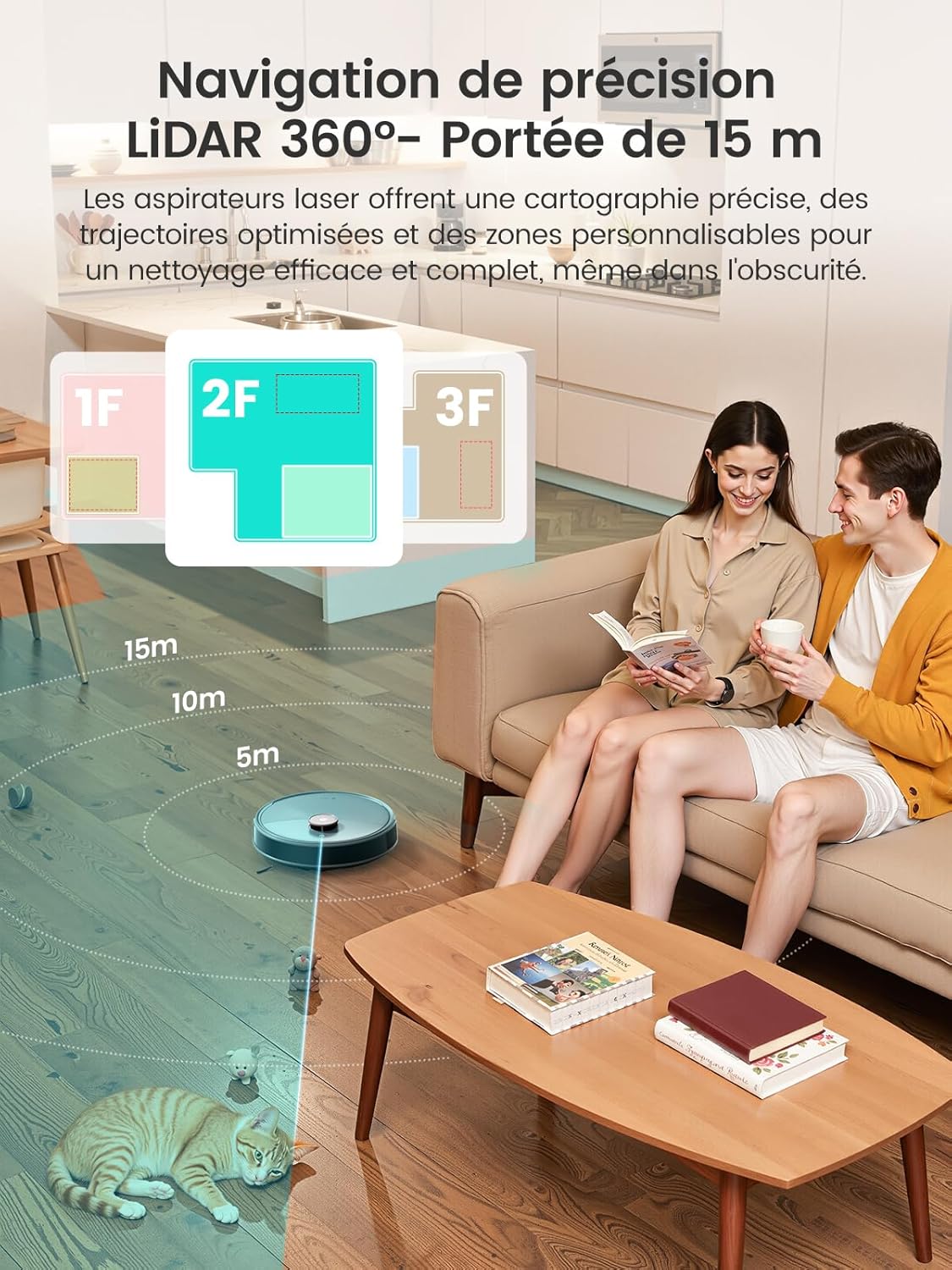
The M3 Max uses 360° LiDAR for precise mapping and navigation.
2. Obstacle Avoidance
Equipped with 190° PSD obstacle detection and Freemove 3.0 sensor technology, the robot intelligently recognizes and avoids furniture, objects, and drops, minimizing collisions and ensuring smooth operation.
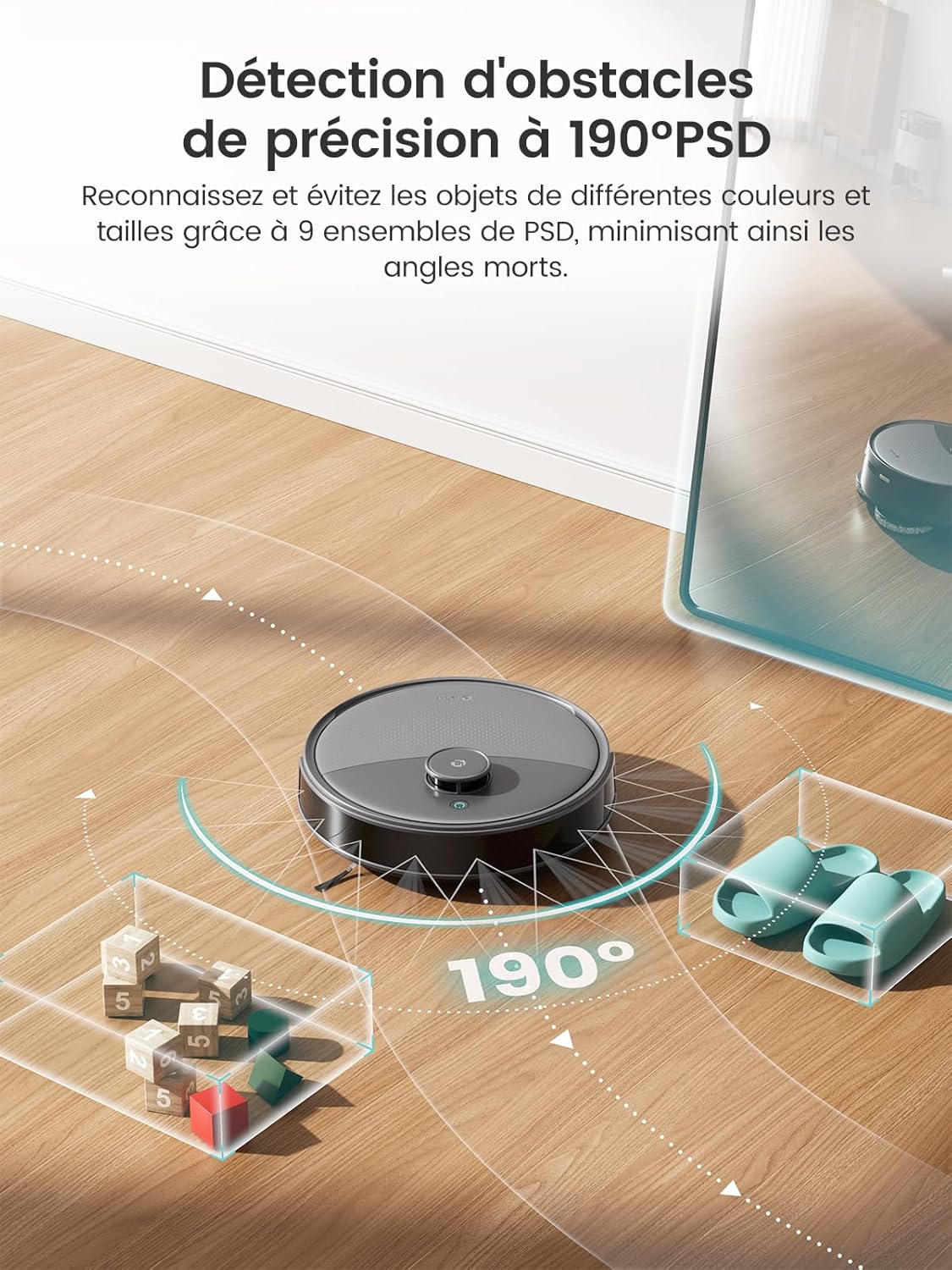
The robot's 190° PSD sensors enable precise obstacle detection and avoidance.
3. Cleaning Modes and Customization
Control your M3 Max with the all-in-one app to define specific cleaning zones, set no-go areas, schedule cleaning routines, and adjust water flow for mopping. The robot also features automatic carpet detection, boosting suction and lifting mop pads by 9mm to prevent wetting carpets during mopping cycles.
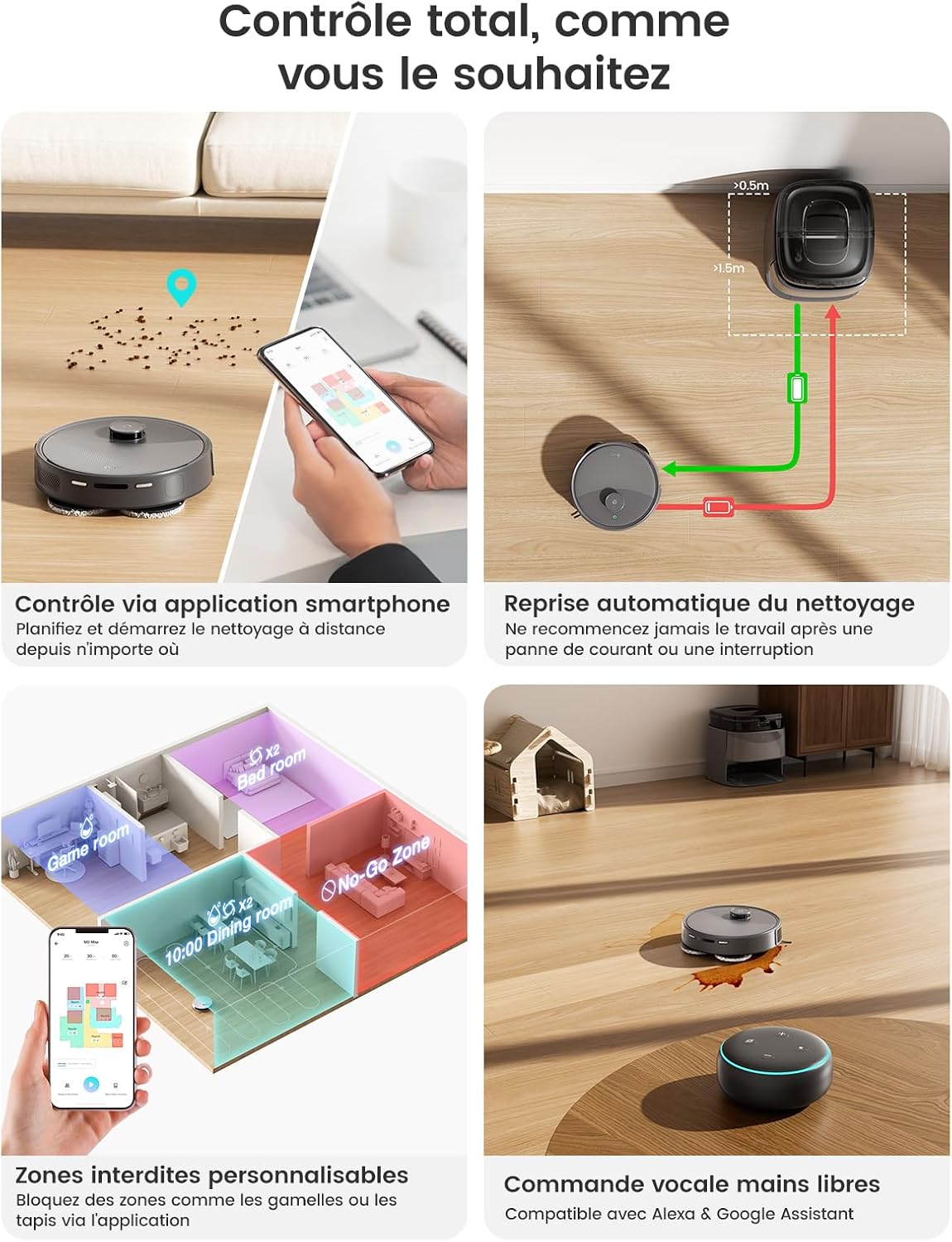
The app provides total control over cleaning schedules, zones, and settings.

Overview of the all-in-one app control features for the Lefant M3 Max.

The robot automatically detects carpets, boosts suction, and lifts mop pads by 9mm.
4. Voice Control
Command your M3 Max hands-free using Amazon Alexa or Google Assistant. Simply use voice commands to start, pause, or stop cleaning.

Control your M3 Max with voice commands via Alexa or Google Assistant.
Maintenance
1. All-in-One Self-Cleaning Station
The M3 Max's multifunctional station automates several maintenance tasks:
- Mop Sterilization and Drying: Mop pads are sterilized with 45°C hot water and then air-dried for 2 hours to prevent bacterial growth and maintain fabric integrity.
- Automatic Dust Emptying: The station features a 3.5L dust bag, providing up to 8 weeks of hands-free dust collection.
- Smart Water Control: An intelligent system ensures optimal water levels for mop cleaning, preventing over or under-wetting.

The all-in-one station provides effortless, automated maintenance.

The 3.2L dust bag in the station offers up to 8 weeks of hands-free dust disposal.

Natural air drying ensures mop pads remain fresh and safe for various floor types.
2. Robot Component Cleaning
Regularly inspect and clean the robot's components to maintain optimal performance:
- V-Brush and Dual Comb: The V-shaped brush and integrated dual comb design effectively collect hair and prevent tangles. Periodically remove and clean the brush to ensure efficient debris collection.
- Mop Pads: While the station cleans the mop pads, it is recommended to occasionally remove and hand-wash them for thorough cleaning.
- Dustbin and Filters: Although the station auto-empties, manually check and clean the robot's internal dustbin and HEPA filter as needed.
- Sensors: Wipe the robot's sensors with a soft, dry cloth to ensure accurate navigation and obstacle detection.

The self-cleaning system includes a removable tray for easy access and cleaning.

The V-brush and dual comb design effectively prevent hair tangles.
Troubleshooting
If you encounter any issues with your Lefant M3 Max, consider the following general troubleshooting steps:
- Robot Not Charging: Ensure the charging station is powered on and the robot is correctly docked. Clean the charging contacts on both the robot and the station.
- Navigation Errors: Clean all sensors on the robot. Ensure there are no new obstacles or changes in the environment that might confuse the navigation system. Reset the map in the app if necessary.
- App Connectivity Issues: Verify your Wi-Fi network is stable and operating on a compatible frequency (2.4 GHz or 5 GHz). Restart your router, the robot, and the app.
- Reduced Cleaning Performance: Check and clean the main brush, side brushes, and mop pads. Empty the dustbin and clean the filters.
- Unusual Noises: Inspect the brushes and wheels for any trapped debris or hair.
For more detailed troubleshooting guides and specific error codes, please refer to the Lefant app's help section or the official Lefant support website.
Specifications
| Feature | Specification |
|---|---|
| Brand | Lefant |
| Model Number | M3 Max |
| Color | Grey |
| Product Dimensions (L x W x H) | 9.7 x 9.7 x 32 cm |
| Weight | 9.7 kg |
| Dustbin Capacity (Station) | 3.2 Liters |
| Voltage | 220 Volts |
| Number of Speeds | 4 |
| Battery Runtime | Up to 220 minutes (3 hours and 40 minutes) |
| Suction Power | 20,000 Pa |
| Mop Rotation Speed | 200 RPM |
| Mop Lift Height | 9 mm |
| Navigation | dToF 360° LiDAR |
| Obstacle Avoidance | 190° PSD |
| Compatibility | Smartphone App, Amazon Alexa, Google Assistant |
| Filter Type | HEPA |
| Recommended Surface | Hard floors, Parquet, Tiles, Marble, Carpets |

What's in the box and the dimensions of the Lefant M3 Max robot and station.
Warranty and Support
For detailed information regarding the product warranty, terms, and conditions, please refer to the official Lefant website or the warranty card included with your product. For technical support, service inquiries, or replacement parts, please contact Lefant customer service directly through their official channels. Availability of spare parts may vary.


