
1. Introduction and Overview
This manual provides essential information for the safe and efficient operation of your SISIGAD J-A02S Self-Balancing Scooter. Please read it thoroughly before first use and retain it for future reference.
The SISIGAD J-A02S is a self-balancing scooter designed for recreational use, featuring a built-in Bluetooth speaker and colorful LED wheels. It is safety certified to ensure a worry-free riding experience.

Image: The SISIGAD Self-Balancing Scooter in use, highlighting its powerful features.
2. Safety Information
Your safety is paramount. The SISIGAD J-A02S scooter is UL certified, complying with safety standards. Always adhere to the following guidelines:
- Always wear a helmet and appropriate protective gear (knee pads, elbow pads, wrist guards) when riding.
- Ensure children are supervised by an adult while operating the scooter.
- Do not ride on wet, uneven, or slippery surfaces.
- Avoid riding in traffic or near pedestrians.
- Do not exceed the maximum weight limit of 230 pounds.
- Familiarize yourself with local laws and regulations regarding electric scooters.

Image: Children demonstrating safe riding practices with helmets and protective gear.
3. Package Contents
Verify that all items are present in the package:
- SISIGAD Self-Balancing Scooter J-A02S
- Charging Adapter
- Instruction Manual
4. Setup and Initial Use
4.1 Charging the Scooter
Before first use, fully charge the scooter. Connect the charging adapter to the charging port located on the side of the scooter. The indicator light on the charger will change from red to green when fully charged.
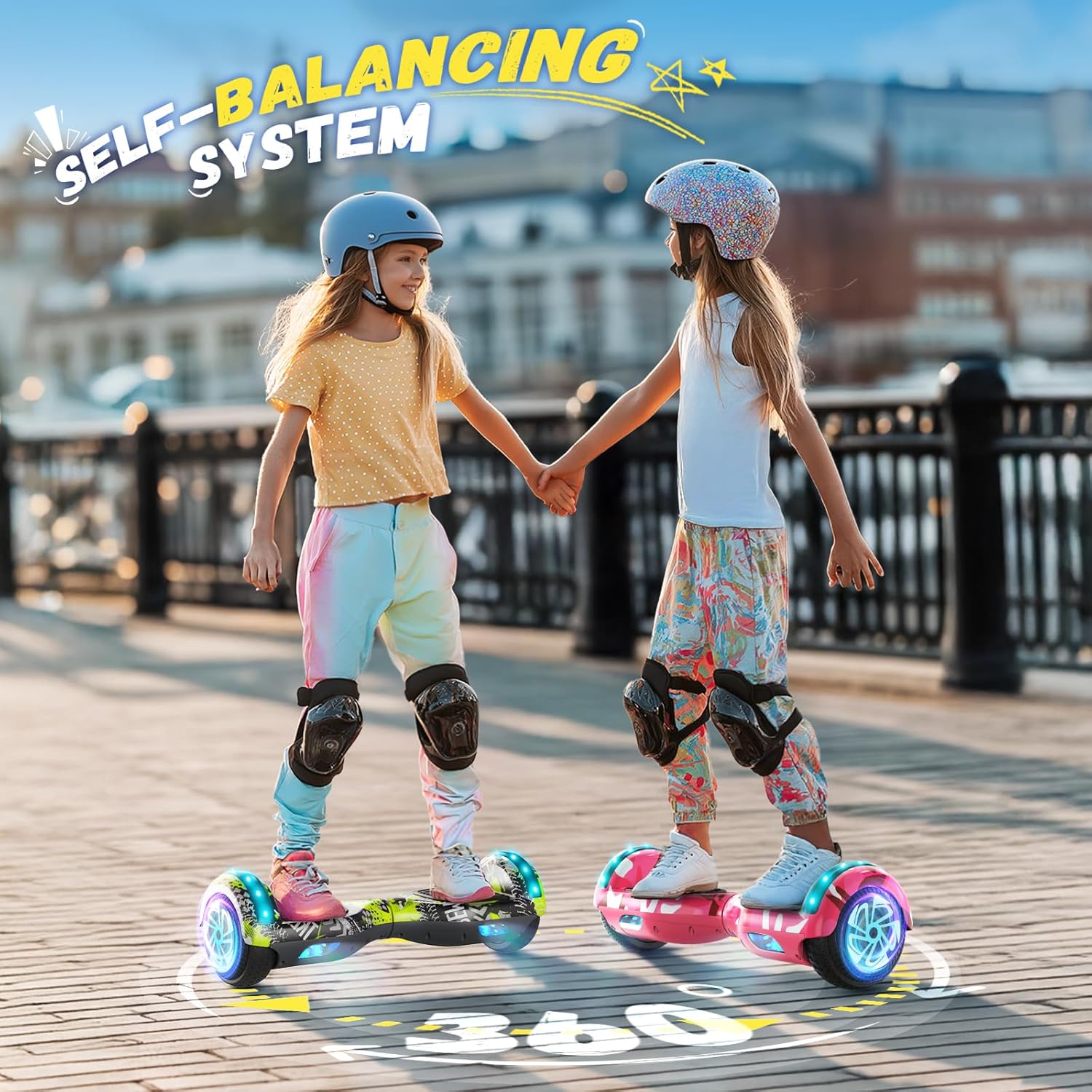
Image: Rear view of the scooter showing the charging port.
4.2 Calibration
If the scooter does not balance correctly, it may need calibration:
- Ensure the scooter is powered off and placed on a flat, level surface.
- Press and hold the power button for approximately 5-10 seconds until the indicator lights flash.
- Release the button and wait for the lights to stop flashing, indicating successful calibration.
- Power off and then power on the scooter to confirm calibration.
5. Operating Instructions
5.1 Mounting and Dismounting
To mount, place one foot on a footpad, ensuring the scooter is level. Once stable, quickly step on with the other foot. To dismount, step off one foot at a time, preferably backward.
5.2 Riding and Steering
Lean slightly forward to move forward, and lean backward to slow down or reverse. To turn, apply more pressure with the foot on the side you wish to turn towards.

Image: A child demonstrating how to ride the self-balancing scooter.
5.3 Bluetooth Speaker
The scooter features a built-in Bluetooth 5.0 speaker. To connect, turn on the scooter, activate Bluetooth on your smartphone, and select 'SISIGAD' from the available devices. You can then play music or audio through the scooter's speakers.

Image: A child enjoying music while riding the scooter, illustrating the Bluetooth speaker feature.
5.4 LED Lights
The scooter is equipped with colorful LED lights on the wheels and body, enhancing visibility and adding to the riding experience. Status indicator lights display real-time battery status.
Video: Official product video showcasing the SISIGAD Self-Balancing Scooter in various settings, highlighting its features and ease of use for children.
6. Maintenance
6.1 Charging
Always use the provided charging adapter. Do not overcharge the battery. Disconnect the charger once the battery is full (indicated by a green light on the charger).
6.2 Cleaning and Storage
Wipe the scooter with a damp cloth. Do not use harsh chemicals or immerse the scooter in water. Store the scooter in a dry, cool place away from direct sunlight and extreme temperatures.

Image: Detailed view of the scooter's components, useful for understanding maintenance points.
7. Troubleshooting
If you encounter issues with your scooter, refer to the following common problems and solutions:
- Scooter not turning on: Ensure the battery is charged. If not, connect the charging adapter.
- Scooter not balancing/unstable: Perform a calibration as described in Section 4.2.
- Indicator lights flashing red: This often indicates a system error or low battery. Refer to the calibration steps or charge the scooter.
- Bluetooth not connecting: Ensure Bluetooth is enabled on your device and the scooter is powered on. Try restarting both devices.
8. Specifications
| Model Name | J-A02S (HY-A02) |
| Part Number | HY-A22 |
| Wheel Size | 6.5 inches (Solid Rubber) |
| Motor Power | Dual 300W Brushless Motors |
| Max Speed | Up to 7.5 mph |
| Max Distance | Up to 8.5 miles |
| Max Weight Capacity | 230 pounds |
| Max Incline Angle | 15 degrees |
| Bluetooth Version | 5.0 |
| Material | Plastic, Rubber |
9. Warranty and Support
9.1 Warranty Information
The SISIGAD J-A02S Self-Balancing Scooter comes with a 90-day warranty from the date of purchase. This warranty covers manufacturing defects under normal use. Please retain your proof of purchase for warranty claims.
9.2 Customer Support
For any questions, technical assistance, or warranty claims, please contact our customer support team. We offer 24/7 fast response and enthusiastic support.
Email: support3@sisigad.com

Image: SISIGAD Customer Support Service.


